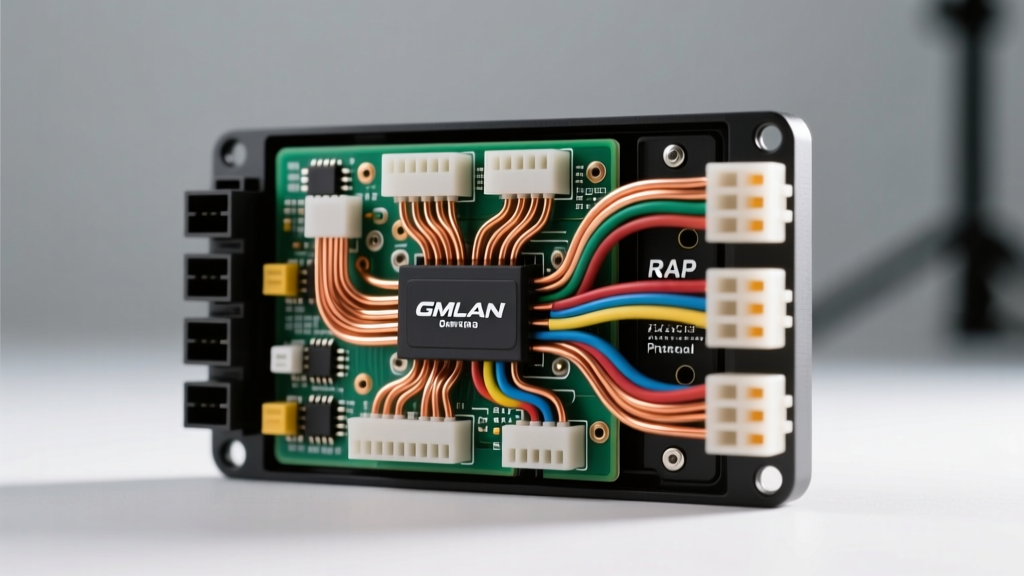
2006 Pontiac Grand Prix Stereo Wiring Diagram: An Advanced Technical Deep Dive
Upgrading the head unit in a 2006 Pontiac Grand Prix (W-body platform) is far more complex than swapping a standard DIN radio in older vehicles. General Motors heavily integrated the infotainment system with the Body Control Module (BCM) using a serial data bus. If you attempt a traditional "cut-and-crimp" installation using a generic wiring harness, you will not only lose Retained Accessory Power (RAP) and steering wheel controls, but you will also eliminate critical safety chimes and risk triggering BCM fault codes.
This advanced technical guide breaks down the OEM 24-pin Delphi connector, the GMLAN/Class 2 data bus wake-up protocols, and the precise integration requirements for both base and premium amplified audio systems. For verified OEM schematics, professionals frequently cross-reference AllData DIY to confirm circuit routing before modifying the factory harness.
The Main 24-Pin Delphi Head Unit Connector
The 2006 Grand Prix utilizes a standard GM 24-pin connector for the primary head unit. Unlike older vehicles, this harness does not contain a traditional 12V switched accessory wire. The radio receives constant battery power and ground, and relies on a data bus message from the BCM to "wake up" when the ignition is turned on.
| Pin | Wire Color | Function | AWG |
|---|---|---|---|
| 1 | Brown | Left Rear Speaker (+) | 18 |
| 2 | Tan | Left Front Speaker (+) | 18 |
| 3 | Light Green | Right Front Speaker (+) | 18 |
| 4 | Dark Blue | Right Rear Speaker (+) | 18 |
| 5 | Yellow | Left Rear Speaker (-) | 18 |
| 6 | Gray | Left Front Speaker (-) | 18 |
| 7 | Dark Green | Right Front Speaker (-) | 18 |
| 8 | Light Blue | Right Rear Speaker (-) | 18 |
| 9 | Light Green/Black | Class 2 Serial Data / GMLAN | 20 |
| 11 | Orange | Battery Constant 12V (+) | 14 |
| 12 | Black/White | Chassis Ground | 14 |
| 16 | Gray/Black | Steering Wheel Controls (SWC) | 20 |
Navigating the GM Data Bus and RAP Integration
The most critical hurdle in the 2006 Grand Prix stereo wiring diagram is the absence of a physical 12V accessory (red) wire. The factory radio is powered by the constant Orange wire (Pin 11) and listens to the Class 2 / GMLAN data line (Pin 9). When you turn the key, the BCM sends a hexadecimal wake-up command over the data bus. Furthermore, the vehicle utilizes Retained Accessory Power (RAP), meaning the radio stays on after the key is removed until the driver's door is opened.
The Danger of Fuse Tapping for Switched Power
Novice installers often attempt to bypass the data bus by tapping the windshield wiper or cigarette lighter fuse for a switched 12V signal. Do not do this. Tapping into these circuits can backfeed voltage into sensitive BCM multiplexed circuits, causing parasitic battery draws, erratic gauge cluster behavior, and U-codes (communication network fault codes). To properly integrate an aftermarket head unit, you must use a data interface module such as the PAC RP5-GM11 or the Axxess GMOS-04. These modules intercept the GMLAN data, translate the BCM wake-up and RAP commands, and generate a clean 12V accessory output for your aftermarket radio's red wire.
Chime Integration and Safety Warnings
In the 7th-generation W-body Pontiacs, the door ajar chime, seatbelt warning, and turn signal clicker are not generated by a standalone buzzer. They are routed as audio signals through the BCM directly into the Left Front Speaker via the factory head unit. If you install an aftermarket radio without a chime-retention interface, you will permanently lose these critical safety warnings, and in many jurisdictions, this will cause the vehicle to fail state safety inspections. High-end interfaces generate a localized chime speaker or inject the BCM chime audio into the left front channel of the aftermarket amplifier.
Premium Audio System (Amplified) Bypass
If your 2006 Grand Prix is equipped with the premium Monsoon or Bose-equivalent amplified system, the wiring topology changes significantly. The head unit outputs low-level (line-level) audio signals to an external amplifier, typically located in the trunk or under the rear parcel shelf.
Amplifier Pinout and Turn-On Leads
- Audio Inputs: The factory head unit sends shielded twisted-pair line-level signals to the amp.
- Amp Turn-On: The external amplifier is also woken up via the Class 2 data bus. There is no physical remote turn-on (blue) wire at the head unit.
- Integration Solution: You must use an interface module designed for amplified GM systems (like the Metra 71-2104 or Axxess GMOS-04). These modules feature built-in line output converters (LOCs) that step down the speaker-level outputs of your new aftermarket radio to RCA line-level signals, while simultaneously generating the 12V remote turn-on lead required to wake the factory amplifier.
Pro-Tip: If you are bypassing the factory amplifier entirely to run an aftermarket DSP and amplifiers, you will need to run new 14 AWG speaker wires from the dash to the trunk, as the factory shielded twisted-pair cables lack the current capacity to drive 4-ohm aftermarket speakers directly from a head unit's internal 18W RMS IC chip.
Steering Wheel Controls (SWC) Resistor Ladder
The 2006 Grand Prix utilizes a resistor-ladder network for the steering wheel audio controls. The buttons change the resistance on the SWC wire (Pin 16), and the head unit interprets the voltage drop to execute commands (Volume Up, Seek, Source). Aftermarket radios from Pioneer, Kenwood, and Alpine require an analog-to-digital SWC adapter (such as the Axxess ASWC-1). When wiring the ASWC-1, ensure you connect the SWC data wire to the correct analog input on the adapter, and properly ground the secondary SWC wire if your specific trim level utilizes a dual-circuit steering wheel matrix.
Advanced Troubleshooting & Failure Modes
When working with the 2006 Grand Prix stereo wiring diagram, electrical anomalies are common if protocols are ignored. Use this diagnostic tree to resolve post-installation issues:
Symptom: Aftermarket Radio Does Not Turn On
- Cause 1: Data interface module is not receiving GMLAN/Class 2 data. Fix: Verify continuity between Pin 9 of the vehicle harness and the data input on the interface module. Check for bent pins in the 24-pin connector.
- Cause 2: Interface module requires a firmware update to recognize the 2006 W-body BCM protocol. Fix: Connect the module to a PC via USB and flash the latest firmware from the manufacturer's portal.
Symptom: Radio Stays On and Drains Battery (Parasitic Draw)
- Cause: The data interface module is failing to read the "door open" or "ignition off" RAP termination signal from the BCM, keeping the 12V accessory output energized. Fix: Splice the door trigger wire from the BCM kick-panel harness into the interface module's manual RAP override input to force a hard shut-off when the driver's door opens.
Symptom: Alternator Whine in Audio System
- Cause: Ground loop introduced by grounding the aftermarket head unit or interface module to a painted chassis bolt rather than the factory Black/White ground wire. Fix: Solder the aftermarket ground directly to the OEM Black/White (Pin 12) wire or use a clean, unpainted factory grounding point under the dash bolted directly to the body tub.
Final Wiring Best Practices
Always use rosin-core solder and heat-shrink tubing for all 18 AWG speaker and 20 AWG data wire connections. Crimp caps and electrical tape will inevitably fail due to the thermal expansion and vibration inherent in the automotive environment. Furthermore, when routing the data bus wires, keep them at least 6 inches away from any aftermarket power cables to prevent electromagnetic interference (EMI) from corrupting the GMLAN serial data packets, which can cause the radio to randomly reboot or the BCM to throw network communication codes.