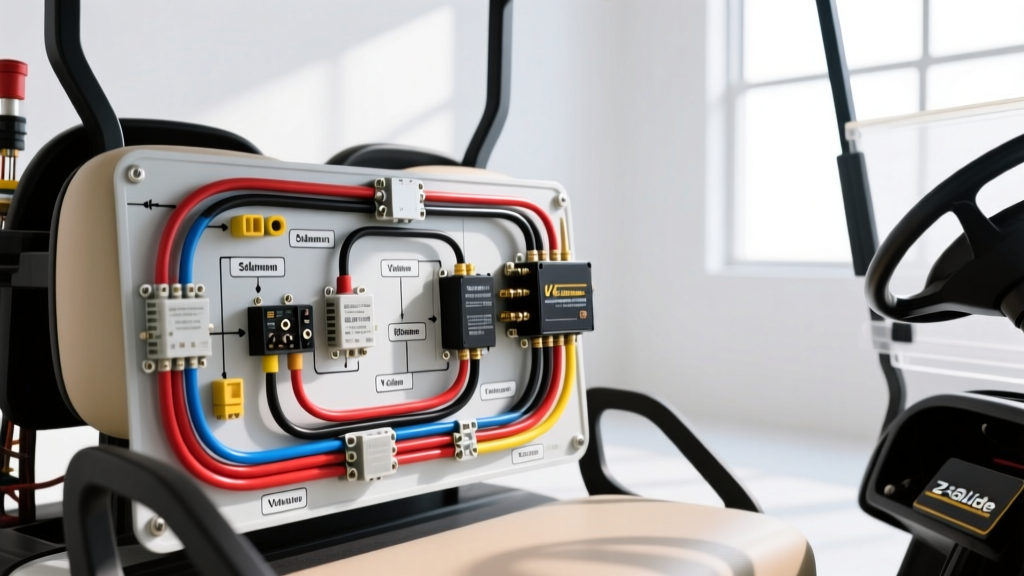
Understanding the E-Z-GO Marathon 36V Series Architecture
The E-Z-GO Marathon, produced from 1976 through the early 1990s, remains one of the most iconic and mechanically robust golf carts ever built. Unlike modern multiplexed CAN-bus systems, the Marathon relies on a straightforward, high-amperage 36V DC series-wound motor architecture. Whether your model utilizes the legendary mechanical V-Glide resistor board or an early solid-state speed controller (like the 28113-G1), the fundamental E-Z-GO Marathon wiring diagram relies on a matrix of mechanical microswitches, heavy-duty contactors, and thick-gauge copper cabling.
Troubleshooting a Marathon requires a systematic approach. Because the control circuit (low amperage) and the drive circuit (high amperage) are distinct, guessing leads to burned components and misdiagnosed failures. This step-by-step troubleshooting flow is designed for automotive electrical technicians and advanced DIYers to isolate faults efficiently using a digital multimeter (DMM).
Pre-Diagnostic Safety & Tool Requirements
Before probing the E-Z-GO Marathon wiring diagram circuits, ensure you have the correct tools and safety gear. The 36V battery pack can deliver over 400 amps of short-circuit current, which can instantly weld tools and cause severe arc flashes.
- Digital Multimeter (DMM): Must be rated for at least CAT III 600V.
- Wire Gauge: Main power cables must meet SAE J1128 standards for low-tension primary cable. Replace any frayed 4 AWG cables with 2 AWG pure copper for optimal voltage delivery.
- Torque Wrench: Motor and solenoid terminal nuts must be torqued to exactly 120 in-lbs (10 ft-lbs) to prevent resistive heating and terminal melt-down.
- Safety Glasses & Insulated Gloves: Mandatory when testing live high-current circuits.
Troubleshooting Flow A: Dead Pedal (No Solenoid Click)
The most common Marathon complaint is pressing the throttle and hearing nothing. The heavy-duty solenoid (contactor) should produce a loud, distinct 'clack' when the control circuit is completed. If it does not, follow this decision tree.
Step 1: Verify Battery Pack State of Charge (SOC)
A 36V pack consists of six 6V batteries. A fully charged pack should read 38.2V to 38.4V at rest. If the pack reads below 34V, the low-voltage protection (if equipped with an early solid-state controller) or simple voltage sag will prevent the solenoid coil from pulling in. Charge the pack before proceeding.
Step 2: Test the Key Switch and F/R Microswitches
The control circuit routes 36V from the battery pack positive, through the key switch, into the Forward/Reverse (F/R) switch assembly, and finally to the throttle box microswitches.
- Set your DMM to DC Voltage.
- Place the black probe on the main battery negative (B-) terminal.
- Place the red probe on the input side of the key switch. You should read full pack voltage (~38.2V).
- Turn the key to ON. Probe the output side of the key switch. If 0V, replace the key switch.
- Trace the 14 AWG or 16 AWG wire (typically Red or Blue/White) to the F/R switch. Verify voltage passes through the F/R switch in both Forward and Reverse positions. The mechanical contacts inside the F/R switch frequently carbon-track and fail.
Step 3: Solenoid Coil Activation Test
If voltage reaches the throttle box but the solenoid doesn't click, the issue is either a failed microswitch or a burned solenoid coil.
- Locate the two small terminals on the solenoid (the coil terminals).
- Place your DMM probes across these two small terminals.
- Press the throttle pedal. You should read full pack voltage (36V+).
- Diagnostic Branch: If you read 36V+ but no click, the solenoid coil is open (failed). Replace the solenoid. If you read 0V, the fault lies upstream in the throttle box microswitches or the wiring harness leading to the pedal box.
Troubleshooting Flow B: Solenoid Clicks, But No Movement
If you hear the solenoid engage but the motor does not spin, the control circuit is functioning, but the high-current drive circuit is interrupted. This requires analyzing the motor field and armature connections.
Step 1: High-Current Voltage Drop Test
Do not just check for continuity; you must check for voltage drop under load. A wire with a single strand of copper holding on will pass a continuity test but will drop all voltage when the motor demands 150 amps.
- Jack up the rear wheels safely.
- Connect the DMM positive lead to the large B+ terminal on the battery side of the solenoid.
- Connect the DMM negative lead to the large output terminal on the motor side of the solenoid.
- Press the throttle. The solenoid should click, and the DMM should read less than 0.2V.
- If the DMM reads full pack voltage (36V) across the large terminals while engaged, the internal contacts of the solenoid are burned and pitted. Replace the solenoid.
Step 2: Inspect the F/R Switch High-Current Terminals
The Marathon F/R switch handles massive current to reverse the motor's field polarity (S1 and S2). The heavy 2 AWG cables (often Orange and Black) connect here. Inspect the phenolic board inside the F/R switch. If the copper contacts are blackened or pitted, the cart will not move, or it will only move in one direction. Clean with fine sandpaper or replace the switch assembly.
Step 3: Motor Terminal Verification (A1, A2, S1, S2)
The series-wound motor has four main terminals:
- A1 & A2: Armature winding.
- S1 & S2: Series Field winding.
Using the E-Z-GO Marathon wiring diagram as a reference, ensure the high-current routing follows this path: Solenoid Output -> F/R Switch -> Motor S1. Motor S2 -> F/R Switch -> Motor A1. Motor A2 -> Throttle Controller/V-Glide -> Battery Negative. Use a DMM on the Ohms setting (with batteries disconnected) to verify continuity between S1/S2 and A1/A2. An open reading indicates a burned internal motor brush or broken field coil.
Troubleshooting Flow C: The V-Glide Resistor Board & Throttle Box
Early Marathons use a mechanical V-Glide system. As the pedal is pressed, a wiper arm moves across a ceramic resistor board, varying the voltage sent to the speed controller or directly managing the field current. Simultaneously, a cam in the throttle box actuates three microswitches.
Microswitch Alignment Procedure
If the cart jerks violently upon acceleration or the solenoid drops out when you press the pedal past half-throttle, the microswitches are misadjusted.
- Remove the throttle box cover near the pedal.
- Switch 1 (Solenoid Activation): Should click exactly when the pedal is depressed 1/4 inch. If it clicks too late, the cart feels unresponsive.
- Switch 2 & 3 (Speed Staging): Should actuate progressively. Use a feeler gauge to adjust the actuator cams to factory spec (typically 0.015-inch clearance before actuation).
V-Glide Wiper Arm Inspection
If the cart operates at full speed instantly or has dead spots in the pedal travel, the V-Glide wiper arm is failing. Inspect the carbon contact on the wiper. If it is worn down to the metal spring, it will scratch the ceramic resistor board, destroying the speed gradient. Replace the wiper arm and lightly lubricate the pivot bushing with dielectric grease.
E-Z-GO Marathon Wiring Reference Table
Use this quick-reference table when tracing the E-Z-GO Marathon wiring diagram during bench testing or harness rebuilding. Note that wire colors may vary slightly between the 1976-1985 and 1986-1993 production runs, but the AWG and functional routing remain consistent.
| Circuit Function | Typical Wire Color | AWG Size | Destination / Notes |
|---|---|---|---|
| Main Battery Positive (B+) | Red | 2 AWG | Battery Pack (+) to Solenoid Large Terminal |
| Main Battery Negative (B-) | Black | 2 AWG | Battery Pack (-) to Motor A2 / Frame Ground |
| Solenoid to F/R Switch | Red or Orange | 2 AWG | Solenoid Output to F/R High-Current Input |
| Motor Field (S1 / S2) | Orange / Black | 2 AWG | F/R Switch to Motor Field Terminals (Polarity Swap) |
| Motor Armature (A1) | Blue or Yellow | 2 AWG | F/R Switch to Motor Armature |
| Solenoid Coil Activation (+) | Blue/White or Red | 14-16 AWG | Key Switch -> F/R Microswitch -> Coil (+) |
| Solenoid Coil Activation (-) | Black or Blue | 14-16 AWG | Throttle Box Microswitch -> Battery (-) |
| Precharge Resistor Wire | Red (Thin) | 18 AWG | Across Solenoid Large Terminals (Limits inrush current) |
Expert Insights: The Precharge Resistor and Diode
When studying the E-Z-GO Marathon wiring diagram for models equipped with early solid-state controllers, you will notice a 250-ohm, 5-watt ceramic resistor wired in parallel across the large solenoid terminals. This is the precharge resistor. Its job is to slowly charge the capacitors inside the speed controller before the main solenoid closes. If this resistor is broken or missing, the massive inrush of current when the solenoid closes will instantly blow the controller's internal MOSFETs or main fuse. Always verify the precharge resistor's continuity during a controller failure diagnosis.
Additionally, many Marathons feature a flyback diode across the solenoid coil terminals to suppress the inductive voltage spike when the pedal is released. If the diode is shorted, the solenoid will not engage. If it is missing or open, the voltage spike can weld the microswitch contacts in the throttle box shut. For deeper community archives and OEM schematic scans, the Cartaholics Marathon Archives remain an invaluable resource for cross-referencing factory harness variations.
Summary
Troubleshooting the E-Z-GO Marathon requires respecting the sheer amperage of its 36V series system while methodically isolating the low-voltage control matrix. By following this step-by-step flow—verifying pack voltage, testing the microswitch sequence, performing voltage drop tests on the high-current cables, and inspecting the V-Glide mechanics—you can accurately diagnose and repair the cart without resorting to the 'parts cannon' approach. Always adhere to SAE torque and gauge specifications to ensure a safe, reliable, and long-lasting electrical repair.