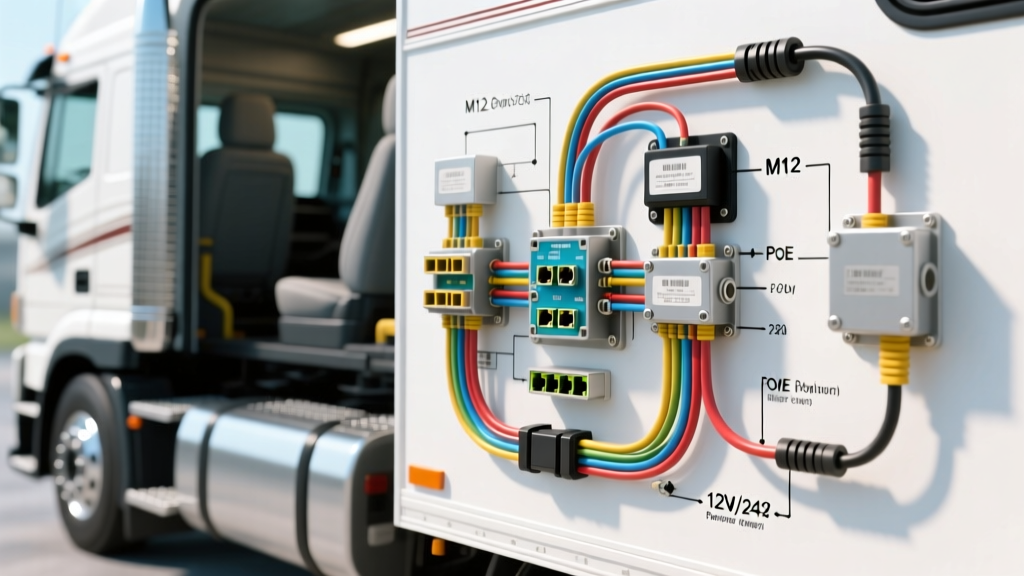
Introduction to Mobile Hikvision IP Systems in Heavy-Duty Vehicles
While Hikvision is globally recognized for commercial security, their ruggedized mobile IP cameras and Mobile DVRs (MDVRs) have become the gold standard for heavy-duty fleet trucks, Class 8 semis, and luxury expedition RVs. Performing a successful Hikvision camera installation in an automotive environment requires far more than standard building CCTV knowledge. Automotive electrical systems are hostile environments characterized by extreme electromagnetic interference (EMI), voltage spikes, load dumps, and high-frequency vibration. Standard RJ45 Ethernet connectors will fail within months on a Freightliner Cascadia or a Kenworth T680 due to fretting corrosion and vibration. Therefore, mobile Hikvision installations rely on M12 D-coded or X-coded circular connectors and shielded cabling to maintain uninterrupted Power over Ethernet (PoE) and data transmission. This guide provides a comprehensive, expert-level wiring diagram and installation protocol for integrating Hikvision mobile IP cameras into 12V and 24V heavy-duty vehicle platforms.
Pre-Installation: Vehicle Electrical Assessment
Before routing a single cable, you must map the vehicle's electrical architecture. Heavy-duty trucks and large RVs often operate on 24V nominal systems (two 12V batteries in series), whereas the Hikvision mobile IP cameras and PoE injectors typically require a strict 12V DC input. Feeding 24V into a 12V PoE injector will instantly destroy the injector's internal circuitry and potentially backfeed into the camera's Ethernet PHY chip.
- For 12V Systems (Light/Medium Duty, Standard RVs): You can tap directly into an ignition-switched fuse circuit using a fused piggyback connector. Ensure the circuit can handle the camera's peak draw (typically 8W to 12W with IR illuminators active).
- For 24V Systems (Class 8 Trucks, Heavy Machinery): You must install an isolated DC-DC buck converter rated for automotive transients. The converter must comply with ISO 7637-2 (specifically Pulse 5a load dump protection, which can spike up to 87V on a 24V system during a battery disconnect event).
Always use SAE J1128 compliant TXL (cross-linked polyethylene) primary wire for all power runs. TXL wire features a high-temperature rating (up to 125°C) and thin insulation, making it ideal for routing through tight firewall grommets and chassis conduits.
Hikvision M12 D-Coded Pinout & PoE Wiring Diagram
Mobile Hikvision cameras utilize the M12 D-coded connector for 10/100 Mbps Ethernet and PoE power delivery. Unlike standard RJ45, the M12 connector features a threaded locking ring that is completely impervious to moisture and vibration. Below is the standard pinout mapping for integrating a D-coded M12 pigtail to an IEEE 802.3af compliant PoE injector.
| M12 D-Code Pin | Signal / Function | Standard Cat5e Wire Color (T568B) | PoE Injector Terminal |
|---|---|---|---|
| Pin 1 | TX+ / PoE Positive (+) | White/Orange | PoE OUT (+) / Data TX+ |
| Pin 2 | RX+ / PoE Positive (+) | Orange | PoE OUT (+) / Data RX+ |
| Pin 3 | TX- / PoE Negative (-) | White/Green | PoE OUT (-) / Data TX- |
| Pin 4 | RX- / PoE Negative (-) | Green | PoE OUT (-) / Data RX- |
Diagram Note: The unused pairs in the Cat5e cable (Blue, White/Blue, Brown, White/Brown) should be trimmed and sealed with heat shrink at the PoE injector end. Do not ground the shield drain wire at the camera end; grounding it at both ends creates a ground loop that will introduce severe alternator whine and data packet loss into the video feed.
Step-by-Step Hikvision Camera Installation Guide
Step 1: Routing Shielded Automotive Ethernet Cable
Standard UTP (Unshielded Twisted Pair) Cat5e is unacceptable for vehicle installations. The high-current AC lines from onboard inverters and the heavy DC current from the alternator generate massive EMI fields. You must use S/FTP (Shielded Foiled Twisted Pair) 22 AWG Cat5e cable specifically rated for outdoor/industrial use. When routing the cable through the chassis:
- Never run Ethernet cables parallel to high-current power cables. If they must cross, ensure they intersect at a strict 90-degree angle to minimize inductive coupling.
- Use adhesive-lined marine-grade heat shrink and split loom tubing wherever the cable passes through a metal bulkhead or firewall. The sharp edges of a Kenworth or Peterbilt firewall will slice through cable jackets due to chassis flexing.
Step 2: Integrating the PoE Injector and DC-DC Converter
Mount the PoE injector in the cab or a protected utility bay, away from direct moisture and extreme heat sources like HVAC heater cores.
- Power Tap: Connect the 18 AWG TXL power wire to an ignition-switched upfitter circuit. In Ford Super Duty trucks, this is typically the upfitter switch bank under the dash. In Freightliner models, use the auxiliary fuse block behind the glovebox.
- Fusing: Install a 5A Mini-ATO blade fuse within 6 inches of the power tap source. This protects the wiring harness in the event of a short circuit inside the PoE injector.
- Grounding: The ground connection is the most common point of failure. Scrape away all paint and powder coating down to bare steel. Use a stainless steel star washer to bite into the metal, crimp a closed-ring terminal onto your 18 AWG ground wire, and secure it with an OEM bolt. Coat the terminal with dielectric grease to prevent galvanic corrosion. Verify the ground resistance is less than 0.5 ohms using a digital multimeter.
Step 3: M12 Termination and Camera Mounting
Terminating an M12 connector in the field requires precision. Strip back 25mm of the S/FTP cable jacket. Fold the braided shield back over the jacket and secure it with copper foil tape to maintain the shielding integrity all the way to the connector backshell. Strip the individual 22 AWG conductors to 5mm, insert them into the M12 D-coded insert according to the pinout table above, and crimp using a calibrated M12 ratchet tool. Thread the locking ring and torque it to exactly 0.5 Nm using a torque screwdriver. Overtightening will strip the threads; undertightening will allow water ingress and vibration loosening. Mount the Hikvision camera using stainless steel hardware and apply a thread-locking compound (e.g., Loctite 243) to prevent backing out on rough terrain.
Troubleshooting Common Mobile IP Camera Faults
Even with meticulous installation, mobile environments present unique failure modes. Use this diagnostic decision tree to resolve common Hikvision mobile camera issues.
- Symptom: Camera loses connection intermittently when engine RPM exceeds 1,500.
- Cause: Alternator EMI is overwhelming the Ethernet data signal due to inadequate shielding or a ground loop.
- Fix: Verify that S/FTP shielded cable was used. Ensure the shield drain wire is grounded only at the MDVR/PoE injector end. Check the alternator decoupler and vehicle battery ground straps for corrosion.
- Symptom: Camera reboots or drops offline precisely when the engine is cranked.
- Cause: Voltage drop during engine cranking. The starter motor pulls hundreds of amps, causing system voltage to dip below 9V, which causes the PoE injector to brownout and drop the camera link.
- Fix: Install a 12V DC-DC uninterruptible power supply (UPS) module or a supercapacitor buffer between the vehicle battery and the PoE injector to sustain voltage during cranking cycles.
- Symptom: Night vision (IR) works, but daytime video is heavily artifacted or pixelated.
- Cause: The PoE injector is failing to negotiate the correct power class under high thermal load, causing the camera's image signal processor (ISP) to throttle, or water has breached the M12 connector causing data pair crosstalk.
- Fix: Inspect the M12 connector for moisture. Verify the injector is IEEE 802.3af compliant and capable of delivering a full 15.4W. Replace the M12 insert if pins show signs of arcing or green oxidation.
Authoritative References & Standards
For further technical specifications regarding automotive wiring standards and mobile surveillance equipment, consult the following resources:
- SAE J1128: Low Tension Primary Cable Standard - Essential guidelines for selecting the correct wire gauge and insulation type for vehicle power distribution.
- Hikvision Mobile Solutions & MDVR Documentation - Official pinout diagrams, firmware updates, and M12 termination guides for the DS-2CD and mobile camera series.
- IEEE 802.3af PoE Standard - The foundational specification for Power over Ethernet, detailing power sourcing equipment (PSE) and powered device (PD) negotiation protocols.