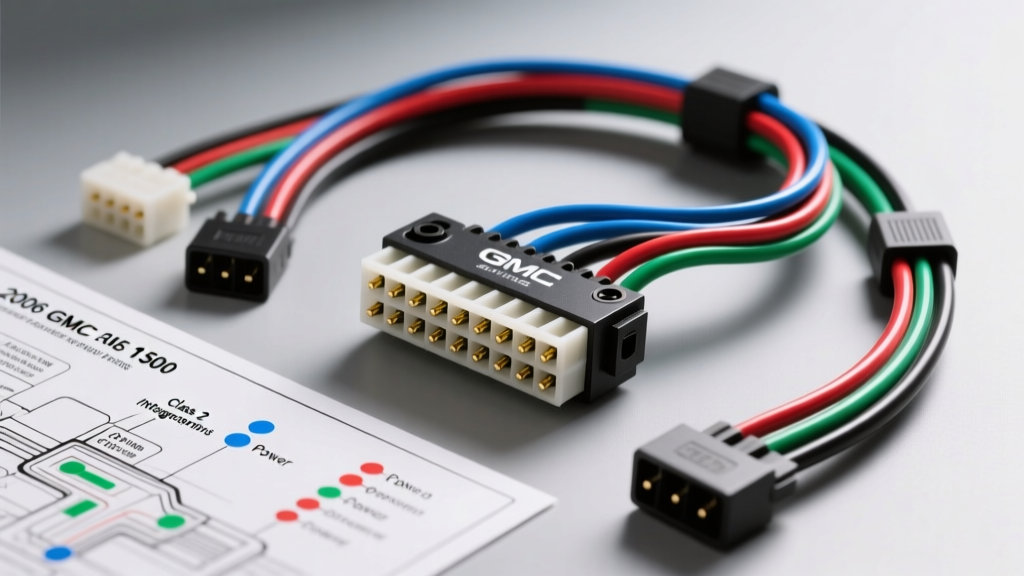
The 2006 GMC Sierra 1500 Audio Upgrade Challenge
Upgrading the factory head unit in a 2006 GMC Sierra 1500 (GMT800 platform) is not a simple plug-and-play endeavor. Unlike older vehicles where the radio was an isolated accessory, the 2006 Sierra integrates the factory Delco/Bose audio system directly into the vehicle's Class 2 Serial Data network. The factory radio acts as a gateway module for critical functions, including door chimes, OnStar telemetry, and steering wheel controls (SWC). If you attempt a standard wiring harness swap without addressing the data bus, you risk triggering U1000 diagnostic trouble codes, losing your turn signal chimes, or causing a parasitic battery draw that will leave your truck dead by morning.
This comprehensive guide breaks down the exact 2006 GMC Sierra 1500 radio wiring diagram, details the 24-pin main connector pinout, and provides the technical roadmap for integrating an aftermarket double-DIN receiver using a data-retention interface like the GMOS-04 or Axxess GMR-CV. Whether you are bypassing a blown Bose amplifier or retaining factory SWC, precision in your wire splicing and data line termination is mandatory.
Understanding the Class 2 Serial Data Network (J1850 VPW)
Before cutting a single wire, it is vital to understand the communication protocol running through your dash. The 2006 Sierra utilizes the SAE J1850 VPW (Variable Pulse Width) standard for its Class 2 data bus. The factory radio is a recognized node on this network. When you remove the radio, the network loses a termination point and a gateway for the Body Control Module (BCM). To retain vehicle alerts and OnStar functionality, an aftermarket interface module must be spliced into the Class 2 data line (typically a Purple wire with a White stripe, located at the BCM or under the driver's kick panel) to simulate the factory radio's presence on the bus.
2006 GMC Sierra 1500 Radio Wiring Diagram: 24-Pin Main Connector
The primary power, ground, and speaker outputs are housed in the 24-pin gray/black Delco connector. Below is the exact pinout and wire gauge specification for the base and premium audio systems. Note that speaker wires are 18 AWG, while power and ground circuits require 16 AWG to handle the continuous load without voltage drop.
| Pin | Wire Color | Function | AWG | Notes / Modification Requirements |
|---|---|---|---|---|
| A1 | Orange | +12V Constant (Battery) | 16 | Splice to aftermarket Yellow wire. Use 14 AWG if adding high-draw amplifiers. |
| A2 | Yellow | +12V Switched (Accessory) | 16 | Splice to aftermarket Red wire. Controlled by BCM via ignition relay. |
| A3 | Black/White | Chassis Ground | 16 | Must be soldered and heat-shrunk. Do not rely on dash frame grounding. |
| A4 | Brown | Amplifier Turn-On | 18 | Outputs +12V when radio is on. Splice to aftermarket Blue/White wire. |
| A5 | Blue | Power Antenna | 18 | Used for external antenna masts or external amplifier triggers. |
| A6 | Gray | Right Front Speaker (+) | 18 | Bypass if using RCA pre-outs for an external DSP/Amp. |
| A7 | Gray/Black | Right Front Speaker (-) | 18 | Do not ground negative speaker wires; GM uses floating BTL amps. |
| A8 | White | Left Front Speaker (+) | 18 | Verify phase with a 9V battery test if polarity is unknown. |
| A9 | White/Black | Left Front Speaker (-) | 18 | Keep away from Class 2 data lines to prevent VPW interference. |
| A10 | Purple | Right Rear Speaker (+) | 18 | Standard EIA color code applies. |
| A11 | Purple/Black | Right Rear Speaker (-) | 18 | Ensure no continuity to chassis ground. |
| A12 | Green | Left Rear Speaker (+) | 18 | Standard EIA color code applies. |
| A13 | Green/Black | Left Rear Speaker (-) | 18 | Solder all connections; crimp caps fail under dash vibration. |
| B2 | Purple/White | Class 2 Serial Data | 20 | CRITICAL: Tap this for the GMOS-04 interface to retain chimes/OnStar. |
Note: Always reference the GM Service Information Portal for module-specific TSB updates regarding Class 2 bus termination resistors.
Retaining Steering Wheel Controls (SWC) and Bose Integration
Steering Wheel Control (SWC) Resistive Ladder
The 2006 Sierra does not use digital CAN-bus signals for the steering wheel buttons. Instead, it utilizes a resistive ladder network. When you press 'Volume Up' or 'Seek Down', the circuit routes through specific resistors, changing the voltage on the Key A and Key B wires. To retain this, you must wire an interface like the Axxess ASWC-1 to the SWC harness located behind the airbag module. The interface reads the analog resistance drops and translates them into infrared or hardwired commands for your Pioneer, Kenwood, or Alpine receiver.
Bose Amplifier Retention vs. Bypass
If your 2006 Sierra 1500 is equipped with the premium Bose system (RPO UQ3), the factory amplifier is located under the center console or behind the rear seat in Crew Cabs. The Bose amp expects low-level, balanced differential signals from the factory radio.
- Bypassing the Bose Amp: Run new 14 AWG speaker wire directly from your aftermarket radio's harness to the door pillars. This is the most reliable method for audio clarity and eliminates the factory amp's inherent noise floor and crossover limitations.
- Retaining the Bose Amp: You must use a line-out converter (LOC) or an interface with RCA pre-outs that simulate the balanced differential signal. Sending standard single-ended high-level speaker wire into the Bose amp will result in severe clipping and potential thermal shutdown of the factory amplifier ICs.
Execution: Aftermarket Double-DIN Installation Protocol
- Disconnect the Battery: Remove the negative terminal from the 12V battery. Wait 15 minutes for the BCM and SIR (airbag) modules to enter sleep mode to prevent accidental deployment or U-code logging.
- Dash Bezel Removal: Tilt the steering wheel down and shift the transfer case into 4LO (if equipped) to provide clearance. Use a plastic trim tool to pop the dash bezel clips. Remove the four 7mm hex bolts securing the factory radio bracket. Torque spec for reinstallation is 2.5 Nm (22 in-lbs).
- Interface Splicing: Connect the Metra GMOS-04 or equivalent interface to the 24-pin harness. Solder the Orange (Constant) and Yellow (Switched) wires using 16 AWG marine-grade heat shrink tubing. Do not use T-tap scotch locks; they cause micro-fractures in the copper strands, leading to high-resistance voltage drops that will cause the aftermarket radio to reboot during engine cranking.
- Class 2 Data Tap: Locate the Purple/White Class 2 data wire. Strip back a 1/4 inch of insulation, wrap the interface's data wire around it, and solder. Wrap with high-temp vinyl tape or heat shrink.
- Antenna Adaptation: The 2006 Sierra uses a standard Motorola plug for AM/FM, but if you are adding SiriusXM, route the magnetic antenna cable through the A-pillar weather stripping or use a factory Sirius adapter module to utilize the roof-mounted shark-fin antenna.
Troubleshooting Common GMT800 Audio Wiring Faults
When modifying the GMT800 electrical system, specific failure modes frequently appear. Use this diagnostic decision tree to resolve post-installation issues:
| Symptom | Probable Cause | Diagnostic & Fix Protocol |
|---|---|---|
| Parasitic Battery Draw (Truck dead in AM) | Aftermarket radio or interface module keeping Class 2 bus awake. | Measure current at battery with multimeter in series. If draw > 50mA after 20 mins, check interface module's accessory wire. It must be tied to the Yellow (Switched) wire, NOT the Orange (Constant) wire. |
| No Door Chimes / Turn Signal Clicks | Class 2 Data line not properly terminated or spliced. | Verify continuity on the Purple/White data wire. Ensure the GMOS-04 module is receiving both Constant 12V and Switched 12V to power its internal data relay. |
| Alternator Whine in Speakers | Ground loop or floating BTL speaker wire grounded to chassis. | Verify that NO speaker negative wires (Gray/Black, etc.) are touching chassis ground. The factory Delco system uses Bridge-Tied Load (BTL) amplifiers; grounding a negative wire will short the internal IC. |
| Radio Reboots During Engine Cranking | Voltage drop on the Constant 12V (Orange) wire. | Check for poor solder joints or undersized wire. Upgrade the interface power feed to 14 AWG and ensure the ground is bolted to bare metal, torqued to 7 Nm. |
Final Verification and Reassembly
Before snapping the dash bezel back into place, reconnect the battery and perform a full system sweep. Turn the ignition to the 'Run' position and verify that the door chime sounds when the driver's door is opened. Test the steering wheel volume controls to ensure the resistive ladder is being read correctly by the SWC interface. Finally, use a digital multimeter to verify that the switched 12V accessory wire drops to 0V within 10 seconds of removing the key, confirming that the BCM has successfully commanded the accessory relay to open. By respecting the Class 2 data architecture and adhering to proper AWG and soldering standards, your 2006 Sierra 1500 will benefit from modern audio fidelity without sacrificing OEM vehicle integration.