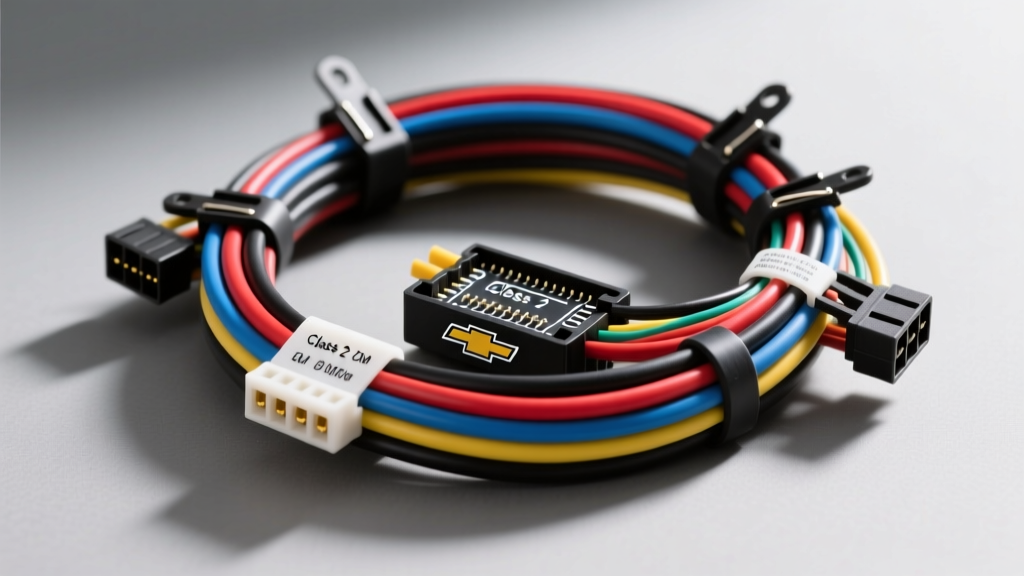
Understanding the 2006 Silverado Audio Architecture
When tackling an audio upgrade on the GMT800 platform, having an accurate 2006 Chevrolet Silverado stereo wiring diagram is the difference between a seamless installation and a frustrating electrical nightmare. The 2006 model year is a critical transition period for General Motors. While the newer GMT900 chassis was introduced, the vast majority of 2006 Silverados sold were the 'Classic' GMT800 body style. This guide focuses exclusively on the GMT800 electrical architecture, which relies heavily on the Delphi 24-pin connector system and the GM Class 2 Serial Data Bus.
Unlike older vehicles that use a simple 12-volt switched accessory wire to turn the radio on, the 2006 Silverado uses a multiplexed data network. The Body Control Module (BCM) sends a digital wake-up signal to the factory head unit. Understanding this network is mandatory before cutting, splicing, or tapping into the factory harness.
The GMT800 Split-Year Warning
Before pulling the dash bezel, verify your chassis. If your 2006 Silverado has the 'Classic' badge or the older interior dash layout, you are working with the GMT800 wiring scheme detailed below. If you have the newer GMT900 interior (which features a different double-DIN stack and different HVAC controls), the pinouts and data bus protocols (GMLAN) are entirely different. Always verify your RPO codes in the glovebox; the UQ3 or UQ4 RPO codes indicate the premium Bose audio system, which requires a different bypass strategy than the base RPO U38 system.
Primary Harness Breakdown: C1 Connector (Power & Data)
The main power and speaker outputs are routed through the primary 24-pin Delphi connector (often labeled C1). Below is the exact OEM wire color matrix for the vehicle-side harness. When using a T-harness adapter (like the Metra 70-2003), these are the colors you will match to your adapter's pigtails.
| Pin / Function | OEM Wire Color | AWG / Notes |
|---|---|---|
| Constant 12V+ (Battery) | Orange | 16 AWG - Hot at all times |
| Ground | Black/White | 16 AWG - Chassis ground |
| Switched 12V+ (Accessory) | N/A (Data Driven) | Requires Class 2 Interface |
| Illumination / Dimmer | Brown/White | 18 AWG - Variable voltage |
| Class 2 Serial Data | Yellow (or Dark Green) | 18 AWG - BCM Wake-up Signal |
Speaker Wiring Matrix: C1 & C2 Connectors
The speaker outputs on the 2006 GMT800 are low-level analog signals, unless your truck is equipped with the factory Bose amplifier. If you have the base or mid-level Delphi system, the head unit outputs standard speaker-level audio directly to the doors.
| Speaker Location | Positive (+) Wire | Negative (-) Wire |
|---|---|---|
| Left Front (Door) | Tan | Gray |
| Right Front (Door) | Light Green | Dark Green |
| Left Rear (Door/B-Pillar) | Brown | Dark Blue |
| Right Rear (Door/B-Pillar) | Dark Blue | Light Blue |
Expert Note: If your truck has the UQ3 Bose system, these wires carry low-level preamp signals, and the factory amplifier is located under the center console or behind the passenger kick panel. You must bypass the factory amp and run new 16 AWG speaker wire from your aftermarket head unit directly to the door speakers, or use a high-quality Line Output Converter (LOC) if retaining the factory wiring.
Navigating the Class 2 Serial Data Bus
The most common point of failure for DIY installers working on a 2006 Chevrolet Silverado stereo wiring diagram is the lack of a traditional red accessory wire. The GM Class 2 Serial Data bus operates at 10.4 kbps using a Variable Pulse Width (VPW) protocol, as defined by the SAE J1850 Standard. When you turn the ignition key to the 'ACC' or 'RUN' position, the BCM broadcasts a digital message over the Yellow data wire telling the radio to power on.
To install an aftermarket double-DIN or single-DIN receiver, you cannot simply tap into a fuse box wire for a switched 12V source without risking parasitic draw issues or BCM confusion. Instead, you must use a Class 2 Data Bus Interface (such as the Axxess GMOS-04 or PAC OS-3). This module plugs inline with the factory harness, 'listens' to the digital data packets, and generates a clean, 12-volt switched accessory wire for your new stereo, while simultaneously retaining the factory door chimes and OnStar functionality.
OnStar and Door Chime Retention
In the 2006 Silverado, the factory radio is the primary speaker for the vehicle's door chimes, turn signal clicks, and OnStar voice prompts. If you unplug the factory radio without a proper data interface, you will lose all warning chimes, which is a significant safety hazard (you will not hear the 'headlights on' or 'key in ignition' warnings).
A premium data interface module will intercept the OnStar audio from the secondary C2 connector and the chime audio from the data bus, amplify it, and route it to your aftermarket radio's auxiliary input or a dedicated front-speaker override circuit. When wiring the interface module, ensure the 'OnStar Mute' wire (usually a Brown/White or Purple wire on the interface harness) is properly connected to your aftermarket radio's mute trigger input.
Step-by-Step Dashboard Disassembly
- Disconnect the Battery: Use a 10mm socket to remove the negative terminal. Wait 5 minutes for the BCM to enter sleep mode to prevent setting U-codes (communication faults).
- Remove the Bezel: The GMT800 dash bezel is held in by tension clips. Use a plastic trim removal tool to gently pry the edges starting from the bottom near the ashtray. Tilt the steering wheel all the way down to allow the bezel to clear the instrument cluster.
- Unbolt the Radio: Locate the four 7mm hex-head screws securing the radio bracket to the dash frame. Support the radio with one hand while removing the final screw.
- Extract the Harness: Press the locking tab on the top of the Delphi 24-pin connector. Do not pull by the wires; pull strictly from the plastic connector housing to avoid backing out the terminal pins.
Amplifier Integration and Grounding Best Practices
When adding an aftermarket amplifier to your Silverado, proper grounding is critical to prevent alternator whine, which is notoriously common in GMT800 trucks due to the high-amperage alternators and long chassis ground paths. According to installation guidelines from Metra Electronics and general automotive electrical best practices, you should never ground an amplifier to a painted surface or a seatbelt bolt.
- Ground Location: Locate the M6 or M8 ground bolt behind the passenger side kick panel or under the driver's seat threshold.
- Preparation: Remove the bolt, sand the chassis contact point down to bare, shiny metal using 80-grit sandpaper.
- Wire Gauge: Use 8 AWG or 4 AWG OFC (Oxygen-Free Copper) wire for the amplifier ground. Keep the ground run under 18 inches.
- Corrosion Protection: Apply a dielectric grease or clear coat over the sanded area after tightening the bolt to 10 Nm (89 lb-in) to prevent future rust, which causes high-resistance ground faults.
Troubleshooting Common GMT800 Audio Electrical Faults
Even with a perfect 2006 Chevrolet Silverado stereo wiring diagram, electrical gremlins can occur. Use this diagnostic decision tree to isolate common issues:
- Symptom: Aftermarket radio does not turn on with the key.
- Cause: Data interface module is not receiving the Class 2 signal, or the interface firmware is outdated.
- Fix: Use a digital multimeter to check for a 0-7V pulsing signal on the Yellow wire at the vehicle harness with the key in 'ACC'. If present, update the interface module firmware via USB.
- Symptom: Alternator whine that pitches up with engine RPM.
- Cause: Ground loop between the head unit chassis and the amplifier ground.
- Fix: Verify the RCA cables are routed on the opposite side of the vehicle from the 12V power wire. Ensure both the radio and amplifier share the same ground potential. Reference Crutchfield's GM wiring guide for specific grounding topology.
- Symptom: Door chimes sound distorted or only play through one speaker.
- Cause: The interface module's internal chime amplifier is clipping, or the front speaker override relay is failing.
- Fix: Adjust the chime volume potentiometer on the side of the data interface module using a small flathead screwdriver. Turn it down slightly to prevent clipping the internal op-amp.
Final Wiring Verification
Before reassembling the dashboard and pushing the radio into the stack, perform a 'bench test'. Reconnect the negative battery terminal, plug the interface and radio into the harness, and test all functions: ignition-on, ignition-off (sleep mode), steering wheel controls, dimmer circuit response, and all four speaker channels. Taking the time to thoroughly test the 2006 Chevrolet Silverado stereo wiring connections on the bench will save you from having to dismantle the dash bezel a second time.