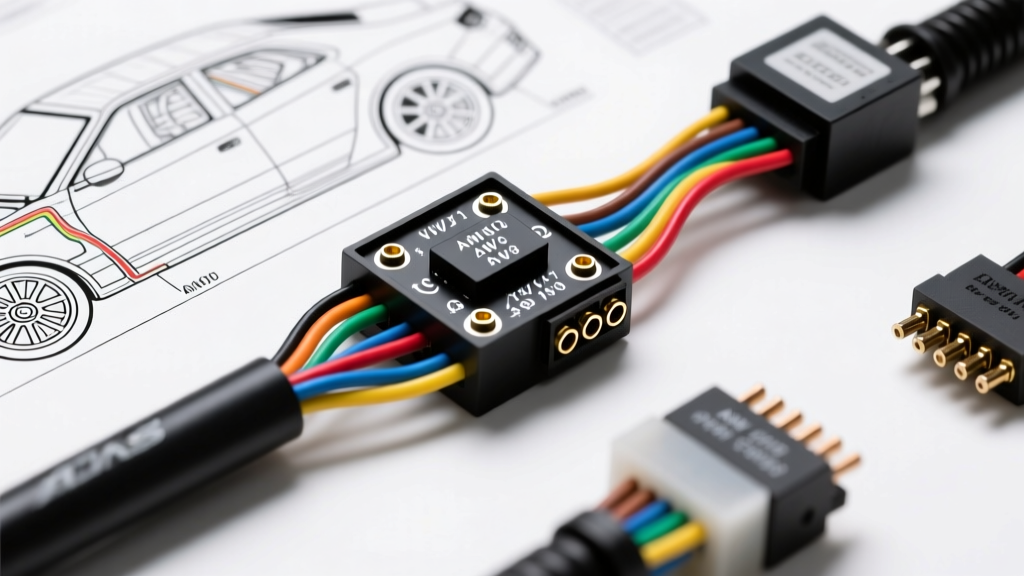
The Shift from Paper Schematics to Digital Harness Design
When executing a complex automotive modification—such as a standalone ECU integration, a custom LS-swap engine harness, or a full chassis rewire for a pro-touring build—relying on hand-drawn schematics or generic PDF diagrams is a recipe for voltage drop, CAN bus communication failures, and catastrophic short circuits. Modern vehicle architecture demands precision. Utilizing dedicated car wiring diagram software allows builders, 12V technicians, and hot rodders to simulate electrical loads, generate accurate Bills of Materials (BOMs), and map exact pinout configurations before a single wire is crimped.
For upgrade and modification projects, the primary goal of electrical design software is to bridge the gap between logical schematics and physical harness routing. This means calculating wire gauge requirements based on SAE standards, planning connector cavity layouts to prevent terminal back-out, and ensuring high-speed data lines like CAN bus are properly terminated. In this guide, we break down the top software tiers for automotive harness design and walk through a real-world LS-swap harness mapping scenario.
Evaluating Car Wiring Diagram Software for Automotive Mods
Not all electrical CAD (Computer-Aided Design) platforms are created equal. While generic flowchart tools can map basic relay logic, true harness design requires software that understands wire routing, insulation thickness, and terminal types. Here is how the industry-standard platforms break down for automotive modification projects:
1. Zuken E3.series (The OEM & Professional Harness Standard)
Zuken E3.series is the gold standard for OEM wire harness design, but it is increasingly accessible to high-end custom shops. Unlike standard schematic capture tools, E3.series features a dedicated Formboard module. This allows you to design the harness flat on a digital nail-board, calculating exact wire cut lengths, accounting for breakout points, and accommodating the physical bend radius of braided shielding. For a custom build utilizing a Holley Terminator X or a MoTeC M150 ECU, E3.series can auto-route the shielded twisted pairs required for crank and cam sensors, ensuring you maintain the critical 2-4mm gap from high-current ignition coils.
2. AutoCAD Electrical (The Schematic & Logic Powerhouse)
For builders focusing on complex power distribution centers (PDCs), auxiliary lighting arrays, and multi-relay logic, AutoCAD Electrical remains a dominant force. Its strength lies in its vast component library and real-time wire numbering. When designing a custom fuse block for an off-road rig, AutoCAD Electrical will automatically flag a circuit if a 14 AWG wire is assigned to a 30A fuse, preventing potential thermal events. It excels at generating terminal connection lists and wire routing tables, though it lacks the 3D physical harness routing capabilities of specialized tools.
3. SkyCAD Electrical & Arcadia (The Enthusiast & Accessible Tier)
For weekend warriors and independent fabricators, enterprise CAD licenses are cost-prohibitive. SkyCAD Electrical offers a robust, accessible alternative that supports custom automotive symbol libraries. You can import Metripack and Deutsch DT connector footprints, assign pin numbers, and run basic voltage drop simulations. While it won't generate a 3D formboard, it is exceptional for documenting custom CAN bus topologies and mapping out the logic for digital switching modules like the PDM60.
Case Study: Planning an LS-Swap Engine Harness in Software
To understand the practical application of car wiring diagram software, let us examine the process of mapping a custom engine harness for a GM LS1 (Gen III) V8 swap. The factory harness is often bulky, brittle, and packed with unnecessary emissions wiring. Using software, we strip the schematic down to the bare essentials required for the Powertrain Control Module (PCM) to operate the engine.
PCM Critical Power and Ground Mapping
In your software environment, you will create a component block for the 80-way GM PCM connector. The software must be configured to enforce wire color codes and AWG sizing based on current draw. Below is a critical pinout table that must be accurately represented in your digital schematic to ensure the PCM boots and maintains sensor reference voltages:
| PCM Pin | Wire Color (SAE) | AWG Size | Function & Destination | Max Current / Notes |
|---|---|---|---|---|
| 19 | Pink/Black | 14 AWG | Ignition 12V Feed (Switched) | 5A - Sourced from IGN relay |
| 20 | Orange | 10 AWG | Battery 12V Feed (Constant) | 20A - Keep Alive Memory (KAM) |
| 40 | Black/White | 10 AWG | PCM Power Ground | Must route direct to engine block |
| 60 | Black/White | 12 AWG | Sensor Low Reference (Ground) | Do NOT share with power ground |
| 33 | Tan | 18 AWG | Tachometer Output Signal | Low current, shielded to dash |
By defining these parameters in the software, the tool will automatically generate a cut list. Furthermore, it will flag an error if you attempt to route the Sensor Low Reference (Pin 60) to the same physical ground bus bar as the high-current fuel pump relay, a common mistake that introduces noise into the MAF and O2 sensor circuits.
CAN Bus Topology and High-Speed Data Routing
Modern swaps rarely rely solely on analog signals. Integrating a digital dash (like a Haltech IC7 or AIM MXG) requires mapping a CAN bus network. Car wiring diagram software is essential here to enforce ISO 11898-2 standards. In your schematic, you must define the CAN High (CAN H) and CAN Low (CAN L) lines as a twisted pair. The software will remind you to place 120-ohm terminating resistors at the two extreme physical ends of the bus topology. If your software supports impedance simulation, it will verify that the parallel resistance of the network reads exactly 60 ohms between CAN H and CAN L, ensuring the ECU and dash can communicate without throwing U-codes (network communication faults).
SAE Standards and Wire Selection in Digital BOMs
A major advantage of using dedicated automotive electrical software is the integration of SAE wire specifications. Standard PVC wire is unacceptable for under-hood modification projects due to heat degradation and fluid exposure. Your software library should be populated with cross-linked polyethylene (XLPE) wires conforming to SAE J1128 standards.
- GXL (Standard Wall): Rated for 125°C. The default choice for most engine bay harnesses. Offers excellent abrasion resistance and is compatible with standard adhesive-lined heat shrink.
- TXL (Thin Wall): Rated for 125°C. Used when harness bulk is a concern, such as routing through tight firewall grommets or inside braided nylon expandable sleeving. The software will adjust the BOM to reflect the smaller outer diameter (OD) of TXL, which affects how many wires can pass through a specific Deutsch DT connector cavity seal.
- SXL (Special Cross-Linked): Rated for 150°C. Reserved for extreme heat zones, such as routing near exhaust manifolds or turbocharger downpipes.
When you assign 'GXL 14 AWG' to a circuit in the software, the BOM will not only order the wire but also cross-reference the correct crimp tool settings (e.g., setting a Molex or HCC crimp die to the 14-16 AWG station) and the appropriate cavity plug if a connector position is left unused to prevent moisture ingress.
Voltage Drop and Load Calculation Tables
One of the most critical features of advanced car wiring diagram software is the automated voltage drop calculator. According to SAE guidelines, a 12V nominal system should not experience a voltage drop exceeding 3% (0.36V) for sensitive ECU feeds, and no more than 5% (0.6V) for high-draw lighting or starter circuits. The software calculates this based on the total circuit length (power + ground return path), the specific resistivity of copper at operating temperature, and the amperage draw.
| Circuit Type | Target Load | Max Length (One Way) | Software Assigned AWG | Calculated Voltage Drop |
|---|---|---|---|---|
| ECU Constant 12V | 8A | 8 Feet | 12 AWG | 0.12V (Pass - Sensitive) |
| Fuel Pump (In-Tank) | 18A | 12 Feet | 10 AWG | 0.26V (Pass - High Draw) |
| LED Light Bar (Relay) | 25A | 15 Feet | 10 AWG | 0.48V (Pass - Lighting) |
| Cooling Fan (PWM) | 35A | 6 Feet | 8 AWG | 0.15V (Pass - High Draw) |
If a user attempts to assign 16 AWG wire to the 35A cooling fan circuit in the schematic, the software will immediately highlight the wire in red, indicating a severe voltage drop and a high risk of the wire insulation melting, prompting the designer to upgrade to 8 AWG or install a local relay.
From Digital Schematic to Physical Assembly
The final output of your car wiring diagram software is the physical assembly documentation. This includes the pinout sheets taped to your workbench and the BOM sent to suppliers like Mouser Electronics or Aptiv. A professional BOM generated by the software will include not just the wires and connectors, but the Terminal Position Assurance (TPA) locks, secondary locking mechanisms, and silicone cavity plugs required for Delphi Metri-Pack 280 and Weather-Pack series connectors.
For example, if your software schematic shows a 4-pin Metri-Pack 280 connector used for an electronic throttle body, but only 3 pins are populated, the BOM will automatically add a blanking plug (cavity seal) for the 4th position. This prevents water and conductive debris from entering the empty cavity and wicking into the adjacent throttle position sensor (TPS) signal wire via capillary action.
Conclusion
Upgrading and modifying modern vehicle electrical systems requires more than a multimeter and a crimp tool. By leveraging dedicated car wiring diagram software, builders can eliminate guesswork, enforce SAE safety standards, and create reliable, OEM-quality harnesses. Whether you are mapping the intricate CAN bus topology of a modern Coyote swap or simply designing a robust auxiliary lighting PDC for an overland rig, digital harness planning ensures your project starts up on the first key cycle and performs flawlessly on the road.