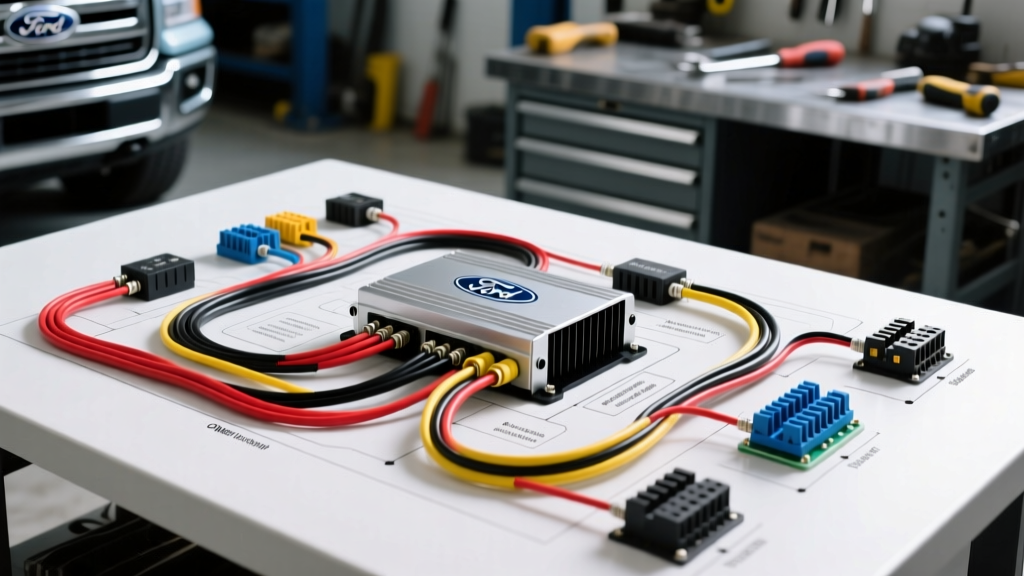
Decoding the OEM Car Amp Wiring Diagram for Ford F-150 Premium Audio
When diagnosing audio failures in late-model trucks, relying on a generic aftermarket guide will lead to misdiagnosis. The modern Ford F-150 equipped with the Sony or B&O premium audio system relies on a complex network of CAN-bus communication, balanced differential audio signals, and high-current Class D amplification. To properly diagnose a no-sound condition, Bluetooth dropout, or severe alternator whine, you must reference the factory car amp wiring diagram and follow a systematic electrical troubleshooting flow.
This guide provides a step-by-step diagnostic sequence for the Ford F-150 OEM amplifier (typically located under the rear passenger seat or behind the B-pillar trim). We will cover hardwired power verification, MS-CAN network wake-up signals, and differential input load testing.
Essential Diagnostic Tools & Safety Protocols
Before probing the 38-pin amplifier connector, ensure you have the correct diagnostic equipment. Back-probing with standard test leads can spread the terminal pins, causing future intermittent connection failures.
- Digital Multimeter (DMM): Must be capable of measuring millivolt drops and AC ripple.
- Automotive Oscilloscope (PicoScope): Required for verifying MS-CAN dominant/recessive states and differential audio waveforms.
- Terminal Back-Probes: Use nylon-coated T-pins or dedicated breakout boxes to interface with the 38-pin connector without damaging the weather seals.
- Safety: Disconnect the negative battery terminal before removing the amplifier or performing resistance checks on the CAN-bus lines to prevent module bus-off faults.
Ford F-150 OEM Car Amp Wiring Diagram: 38-Pin Pinout Reference
The premium audio amplifier utilizes a 38-pin cavity connector (C3024 or similar, depending on the exact model year). Below is the critical pinout data required for the troubleshooting flow.
| Pin | Wire Color | Circuit Function | AWG |
|---|---|---|---|
| 1 | YE/RD (Yellow/Red) | Battery 12V+ (Hot at all times) | 10 AWG |
| 14 | WH/BU (White/Blue) | MS-CAN High (+) | 20 AWG |
| 15 | BN/YE (Brown/Yellow) | MS-CAN Low (-) | 20 AWG |
| 38 | BK/WH (Black/White) | Chassis Ground (G206) | 10 AWG |
| 4 | WH (White) | LF Audio Input (+) | 18 AWG |
| 5 | WH/BK (White/Black) | LF Audio Input (-) | 18 AWG |
| 18 | VT/BN (Violet/Brown) | RF Audio Input (+) | 18 AWG |
| 19 | VT/WH (Violet/White) | RF Audio Input (-) | 18 AWG |
Note: Wire colors and pinouts can vary slightly between the 2015-2020 Sony systems and the 2021+ B&O Unleashed systems. Always cross-reference with the specific vehicle build sheet.
Step-by-Step Troubleshooting Flow
Step 1: Verifying Hardwired Power and Ground Integrity
The most common cause of sudden amplifier death is a voltage drop on the high-current power or ground circuits. The amplifier requires a stable 12V supply to maintain the Class D switching power supply.
- Check the BJB Fuse: Locate the Battery Junction Box (BJB) under the hood. Verify the 30A or 40A audio fuse (typically Fuse 33 or similar) using a DMM. Do not just visually inspect; test for continuity.
- Perform a Voltage Drop Test: Set your DMM to DC Volts. Place the red probe on the battery positive terminal and the black probe on Pin 1 (YE/RD) of the amp connector with the system turned ON and attempting to play audio. A reading above 0.2V indicates high resistance in the power feed.
- Ground Circuit Testing: Place the red probe on Pin 38 (BK/WH) and the black probe on the battery negative terminal. A voltage drop exceeding 0.1V on the ground side points to corrosion at ground splice G206, located behind the right rear kick panel. Clean the ring terminal and chassis mating surface with a wire brush.
Step 2: CAN-Bus Network Wake-Up Signal
If power and ground are perfect but the amp remains dead (no clicking, no heat), the module is likely not receiving the network wake-up message from the Audio Control Module (ACM) or Front Controls Display Interface Module (FCDIM).
- Measure Termination Resistance: With the battery disconnected, measure the resistance between Pin 14 (MS-CAN H) and Pin 15 (MS-CAN L). You should read exactly 60 ohms (the parallel resistance of the two 120-ohm terminating resistors on the MS-CAN bus). A reading of 120 ohms means one module is disconnected; an open circuit (OL) means a broken wire.
- Verify Dominant/Recessive States: Reconnect the battery and use an oscilloscope on Pins 14 and 15. MS-CAN operates at 125 kbps. Recessive state should show CAN-H at ~2.5V and CAN-L at ~2.5V. During a dominant bit transmission, CAN-H should rise to ~3.5V and CAN-L should drop to ~1.5V. If the lines are flatlined at 12V or 0V, the ACM has likely suffered an internal CAN-transceiver failure, preventing the amp from waking up.
Step 3: Differential Audio Input & Output Load Testing
If the amplifier turns on but produces no sound, or if the audio is severely distorted, the issue lies in the signal path. Ford uses balanced differential audio inputs from the ACM to the amplifier to reject Electromagnetic Interference (EMI) and alternator whine, as outlined in SAE J1113 EMC standards.
- Test for Alternator Whine (Ground Offset): If you hear a high-pitched whine that rises with engine RPM, the ACM and the Amplifier are experiencing a ground potential difference. Do not install aftermarket ground loop isolators on OEM differential lines. Instead, verify that the ACM chassis ground and the Amp G206 ground share the same resistance path back to the battery negative.
- Check Speaker Output Shorts: Ford's Class D amplifiers feature aggressive short-circuit protection. If a single speaker voice coil shorts to the chassis, the amp will mute all channels to protect the output ICs. Disconnect the speaker harness at the amp. Measure resistance between each speaker output pin and chassis ground. Any reading below 10k ohms indicates a chafed wire in the door jamb boot or a blown speaker voice coil.
Diagnostic Decision Tree: Symptom to Solution
Use this rapid-reference table to isolate the exact failure mode based on customer complaints and initial observations.
| Symptom | Primary Suspect | Diagnostic Action |
|---|---|---|
| Touchscreen works, Bluetooth pairs, but zero audio from all speakers. | CAN-Bus Wake Failure or Amp Internal Fault | Scope MS-CAN Pins 14/15. If active, verify 12V+ at Pin 1. If both present, replace Amp. |
| Audio cuts out intermittently when driving over bumps. | Ground G206 Intermittent | Perform dynamic voltage drop test on Pin 38 while tapping the B-pillar trim. |
| Only Left Front and Right Front speakers work; subwoofer and rears are dead. | Speaker Short Protection Triggered | Isolate rear/subwoofer harnesses. Check for water intrusion in rear door speaker connectors. |
| Severe alternator whine in all channels. | Differential Shielding / Ground Offset | Verify ACM ground. Inspect the twisted-pair routing of the 18 AWG audio input wires. |
Advanced Integration & Bypass Considerations
When owners opt to replace the failing OEM Sony amplifier with an aftermarket DSP/Amp combo, simply tapping into the speaker wires at the amp plug will yield poor results. The OEM amplifier applies heavy Digital Signal Processing (DSP), including time alignment and aggressive crossover slopes, to the outputs. To achieve a flat, full-range signal for aftermarket integration, technicians must utilize a CAN-bus decoding interface (such as a PAC or Metra OEM integration module) that intercepts the MS-CAN data and commands the ACM to output a flat, pre-processed signal. For detailed integration harnesses, Crutchfield's OEM Integration Labs provides excellent vehicle-specific bypass schematics.
Always consult the official Ford Motorcraft Service Documentation for the exact torque specifications on ground studs (typically 9 Nm) and the latest firmware flash procedures for the ACM, as many 'dead amp' complaints are resolved simply by recalibrating the Audio Control Module via a J2534 pass-thru device.