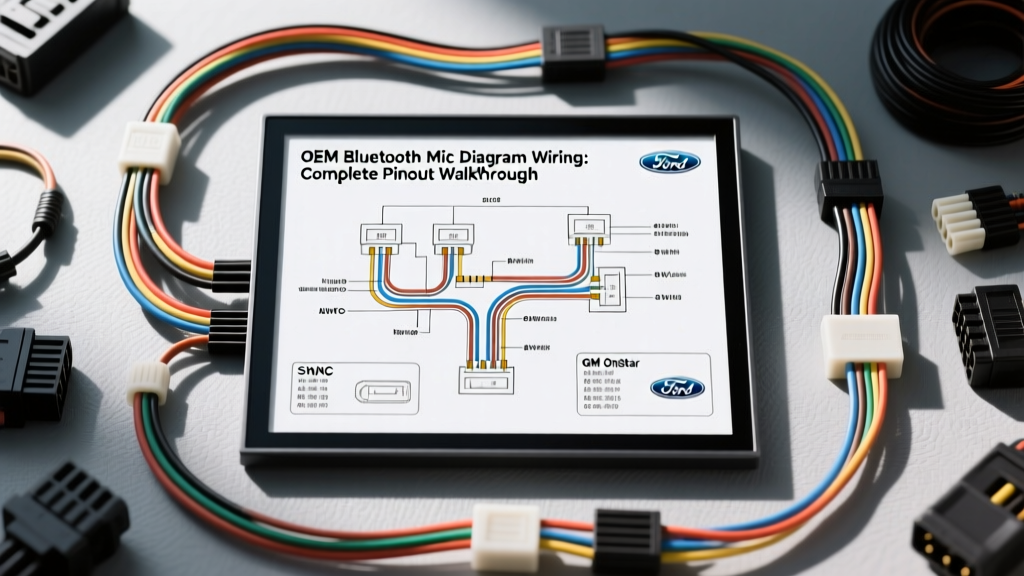
Understanding Automotive Mic Diagram Wiring Schematics
When diagnosing voice command failures or Bluetooth call quality issues, consulting a mic diagram wiring schematic is the critical first step. Unlike standard speaker wire that carries amplified, high-voltage AC audio signals, automotive microphone circuits operate on low-voltage DC bias and micro-volt AC audio signals. Modern vehicles utilize differential signaling and active shielding to prevent electromagnetic interference (EMI) from the alternator, ignition coils, and high-voltage CAN bus networks.
Most OEM systems, including Ford SYNC and GM IntelliLink, use electret condenser or MEMS (Micro-Electromechanical Systems) microphones located in the overhead console (OHC) or rearview mirror assembly. These microphones require a specific DC bias voltage (typically 2.5V to 5.0V) supplied by the APIM (Accessory Protocol Interface Module) or VCIM (Voice Command Interface Module) to power the internal field-effect transistor (FET) impedance converter. Understanding the precise pinout, wire gauge, and shielding requirements is essential for any successful repair or aftermarket integration.
Ford SYNC 3 APIM Microphone Pinout Walkthrough
The Ford SYNC 3 system routes the overhead console microphone through the A-pillar harness directly to the APIM, located behind the center stack display. The mic diagram wiring for this circuit relies on a differential pair to achieve a high Common-Mode Rejection Ratio (CMRR), effectively cancelling out alternator whine and ignition noise.
Below is the exact pinout for the APIM microphone circuit (Connector C2283 or equivalent, depending on the specific vehicle platform like the F-150 or Mustang).
| APIM Pin | Wire Color | AWG | Function | Signal Type |
|---|---|---|---|---|
| 33 | VT/WH (Violet/White) | 22 AWG | MIC+ (Non-Inverting) | Differential Audio + 5V Bias |
| 34 | VT/BN (Violet/Brown) | 22 AWG | MIC- (Inverting) | Differential Audio Reference |
| 35 | Bare / BK | 24 AWG | Shield / Drain Wire | EMI Ground (APIM Side Only) |
Expert Note: The shield drain wire must only be grounded at the APIM connector end. If the shield is grounded at both the APIM and the overhead console, it creates a ground loop. This loop acts as an antenna for the vehicle's charging system, resulting in severe alternator whine during Bluetooth calls. For detailed factory routing and connector cavity views, refer to the official Motorcraft Service Manuals.
GM OnStar & VCIM Mic Diagram Wiring Breakdown
General Motors vehicles integrate the Bluetooth and OnStar microphones into the VCIM (Voice Command Interface Module) or the newer HMI (Human Machine Interface) module. The GM mic diagram wiring differs slightly from Ford, often utilizing a dedicated ground reference wire alongside the differential audio pair.
| VCIM Pin (X2) | Wire Color | AWG | Function |
|---|---|---|---|
| 14 | DK GN (Dark Green) | 22 AWG | Microphone Signal High |
| 15 | LT GN (Light Green) | 22 AWG | Microphone Signal Low |
| 16 | BK (Black) | 22 AWG | Microphone Low Reference (Ground) |
GM uses a 3-wire unsealed Yazaki or Molex CTX50 connector system at the microphone pigtail. A common failure mode in GM trucks (Silverado/Sierra) is water ingress into the overhead console, which corrodes the DK GN and LT GN terminals, leading to muffled audio or complete VCIM voice command failure. Always inspect the terminal crimp barrels for green copper oxide when diagnosing these circuits.
Adapting OEM Mics to Aftermarket Head Units
Integrating an OEM differential microphone into an aftermarket head unit (like Pioneer, Kenwood, or Alpine) is a frequent challenge. Aftermarket head units typically use a standard 3.5mm TRS (Tip-Ring-Sleeve) stereo jack for the microphone input. The mic diagram wiring for a 3.5mm jack provides a 3V to 5V DC bias on the Tip or Ring, with the Sleeve acting as the ground.
Because OEM mics use differential signaling (Mic+ and Mic-) and aftermarket units expect single-ended unbalanced signals (Signal and Ground), you cannot simply splice the wires together. Doing so will short the bias voltage or result in severe phase cancellation, causing your voice to sound robotic or completely muted.
Integration Steps for Aftermarket Adaptation:
- Identify the OEM Mic+ Wire: Use a multimeter to find the wire carrying the 2.5V-5V DC bias from the OEM module. This is your non-inverting signal.
- Isolate the Mic- Wire: The inverting wire must be capped and insulated. Do not connect it to the aftermarket ground.
- Use an Isolation Transformer or Pre-Amp: To properly adapt the differential OEM mic to a single-ended 3.5mm jack without introducing noise, use an automotive mic impedance matching adapter. These adapters step down the differential signal and provide the correct bias voltage expected by the OEM mic capsule.
- Verify Bias Voltage: Consult Crutchfield Automotive Integration guides to ensure your specific aftermarket head unit outputs the correct bias voltage. If the head unit outputs 8V (common in some European models), you will fry the OEM Ford or GM mic capsule, which is rated for a maximum of 5.5V.
Wire Gauge, Shielding, and Connector Specifications
When repairing a severed mic harness or extending wires for a custom dashboard build, adhering to automotive EMC (Electromagnetic Compatibility) standards is non-negotiable. According to SAE J1113 EMC Standards, low-voltage audio signal wires must be protected from radiated emissions.
- Wire Gauge: Always use 22 AWG or 24 AWG stranded, oxygen-free copper (OFC). Solid core wire will fracture from vehicle vibration.
- Shielding: Use a braided copper shield with a dedicated 24 AWG tinned copper drain wire. Foil shields are prone to tearing during wire pulls through the A-pillar grommets.
- Connectors: Use Molex CTX50 or TE Connectivity AMP unsealed automotive connectors. Never use solder-and-tape splices in the mic circuit; the heat from soldering can melt the internal Teflon insulation of the 22 AWG wire, causing a short between the Mic+ and Shield.
- Twist Rate: The Mic+ and Mic- wires must be twisted at a rate of at least 4 twists per inch. This twisting is what allows the differential receiver in the APIM to reject common-mode EMI noise.
Troubleshooting Decision Tree: Static, Echo, and Whine
Use this diagnostic tree to isolate faults in the mic diagram wiring circuit:
Symptom 1: Severe Alternator Whine During Calls
- Cause: Ground loop on the shield drain wire or compromised differential twist.
- Fix: Verify the shield is grounded ONLY at the APIM/VCIM module. Check for pinched wires behind the dash where the shield may be touching the metal chassis.
Symptom 2: Muffled or Distant Audio (No Clarity)
- Cause: Loss of DC bias voltage or torn MEMS diaphragm.
- Fix: Backprobe the Mic+ wire at the module connector with the ignition ON. You should read between 2.5V and 5.0V DC. If 0V is present, check for an open circuit or a blown internal APIM trace. If voltage is present, replace the microphone capsule.
Symptom 3: Echo Cancellation Failure (Other Party Hears Themselves)
- Cause: The Mic- (inverting) wire is open or shorted to ground, destroying the differential CMRR. The DSP (Digital Signal Processor) cannot calculate the cabin noise profile.
- Fix: Perform a continuity test on the Mic- wire from the OHC connector to the APIM. Repair any open circuits using a 22 AWG twisted pair extension.