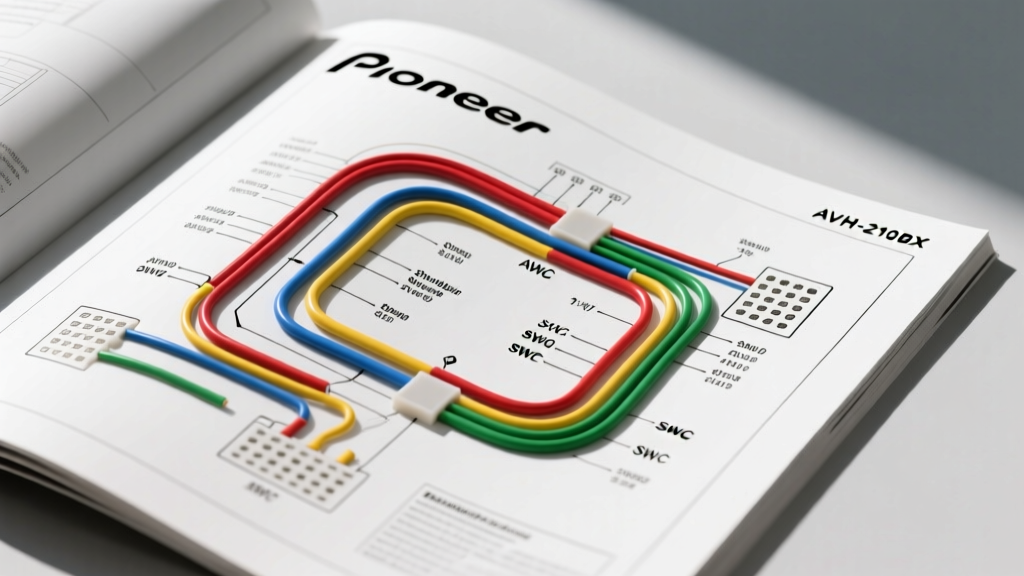
Introduction to the Pioneer AVH-210EX Harness Architecture
Upgrading to a double-DIN multimedia receiver like the Pioneer AVH-210EX dramatically improves your vehicle's infotainment capabilities, offering DVD playback, Bluetooth streaming, and smartphone integration. However, the transition from an OEM head unit to an aftermarket multimedia hub requires a precise understanding of the vehicle's electrical topology. While most installers search for a Pioneer AVH-210EX wiring diagram PDF, physical manuals are easily lost in the shop environment. This comprehensive walkthrough serves as your definitive digital reference, detailing every pinout, wire color code, AWG specification, and integration requirement for a flawless installation.
Unlike basic single-DIN units, the AVH-210EX utilizes a multi-harness architecture. It relies on a primary 16-pin power and speaker harness, alongside a secondary harness for AV inputs, steering wheel controls (SWC), and safety interlocks. Miswiring these circuits can result in blown internal fuses, CAN-bus network disruption, or permanent damage to the unit's logic board. According to the Mobile Electronics Certification Program (MECP), proper wire preparation, gauge selection, and termination are just as critical as the pin-to-pin mapping itself.
Primary 16-Pin Power and Speaker Harness Breakdown
The main 16-pin ISO-style connector handles the unit's power delivery, ground, amplifier turn-on, and front/rear speaker outputs. Pioneer adheres to the standard CTA/EIA aftermarket color code, but the internal amperage draw of the AVH-210EX's built-in 50W x 4 MOSFET amplifier requires strict adherence to minimum wire gauge standards.
| Pin | Wire Color | Function | Min. AWG | Expert Installation Notes |
|---|---|---|---|---|
| 1 | Yellow | Constant 12V (Battery) | 16 AWG | Direct to battery or constant 12V source. Fused at 10A. |
| 2 | Yellow | Constant 12V (Memory) | 18 AWG | Often jumpered to Pin 1. Maintains clock and EQ presets. |
| 3 | Black | Chassis Ground | 16 AWG | Must terminate to bare, unpainted metal. Never use a cigarette lighter ground. |
| 4 | Red | Switched 12V (ACC) | 18 AWG | Triggers via ignition. Swapping Red/Yellow causes memory loss. |
| 5 | Blue/White | Amp Turn-On / Antenna | 20 AWG | Outputs +12V when unit is on. Max draw 300mA. |
| 6 | Orange/White | Illumination / Dimmer | 22 AWG | Connect to OEM headlight switch circuit to dim the display. |
| 7 | White | Front Left (+) | 18 AWG | Standard EIA speaker color. |
| 8 | White/Black | Front Left (-) | 18 AWG | Do not ground to chassis; use isolated speaker returns. |
| 9 | Gray | Front Right (+) | 18 AWG | Standard EIA speaker color. |
| 10 | Gray/Black | Front Right (-) | 18 AWG | Do not ground to chassis. |
| 11 | Green | Rear Left (+) | 18 AWG | Standard EIA speaker color. |
| 12 | Green/Black | Rear Left (-) | 18 AWG | Do not ground to chassis. |
| 13 | Purple | Rear Right (+) | 18 AWG | Standard EIA speaker color. |
| 14 | Purple/Black | Rear Right (-) | 18 AWG | Do not ground to chassis. |
| 15 | N/C | Not Connected | - | Empty pin on standard Pioneer 16-pin harness. |
| 16 | N/C | Not Connected | - | Empty pin on standard Pioneer 16-pin harness. |
The Classic Pioneer Memory Loss Fault
A frequent issue reported in forums and support desks is the AVH-210EX losing its Bluetooth pairings and EQ settings every time the ignition is turned off. This is almost exclusively caused by improper mapping of the Yellow and Red wires. In many modern vehicles (especially Chrysler and VW platforms), the OEM harness provides a switched 12V on the pin designated for constant power. If you tie the Pioneer Yellow and Red wires together at the head unit harness rather than routing them to their correct respective sources on the vehicle adapter, the radio will either fail to power on, or it will drain the vehicle's battery. Always verify the vehicle-side harness with a digital multimeter (DMM) before making final connections, referencing the Crutchfield Car Stereo Wiring Guide for vehicle-specific pinouts.
Secondary AV, SWC, and Safety Interlock Harness
The AVH-210EX features a secondary harness and specialized ports for multimedia and vehicle integration. Understanding these is critical for a complete installation.
Steering Wheel Control (SWC) Integration
Pioneer utilizes a standard 3.5mm SWC input jack on the rear chassis, alongside a wired 22-pin connector that includes hardwired SWC options for specific data modules. If you are using an analog resistor-based SWC adapter (like the Axxess ASWC-1 or PAC RPAC-01), you will map the adapter's output to the 3.5mm jack. However, if your vehicle utilizes a CAN-bus data network for steering wheel commands (common in GM and Ford vehicles post-2010), you must use a digital data interface. The interface module reads the CAN-high and CAN-low signals from the OBD-II port or vehicle gateway and translates them into a digital signal the AVH-210EX can process via its proprietary data port.
The Parking Brake Interlock (Light Green Wire)
To comply with DOT safety regulations regarding in-motion video playback, the AVH-210EX includes a Light Green parking brake interlock wire.
- How it works: The radio requires a specific ground pulse sequence (Ground -> Un-ground -> Ground) that mimics the physical engagement and release of a mechanical handbrake to unlock DVD playback menus.
- Proper Routing: For safety and legal compliance, this wire should be routed down the driver's A-pillar and connected directly to the vehicle's parking brake switch circuit. When the e-brake is applied, the circuit completes to ground, signaling the head unit that the vehicle is stationary.
- Warning: While many DIYers search for 'bypass' methods (such as wiring a toggle switch or grounding directly to the chassis), doing so violates federal motor vehicle safety standards and creates a severe distraction hazard. As an automotive electrical professional, I strictly advise routing this to the OEM e-brake switch.
OEM Harness Mapping and Wire Termination Standards
When connecting the Pioneer AVH-210EX harness to your vehicle's OEM wiring, the method of termination dictates the longevity and reliability of the audio system. The Pioneer AVH-210EX Operating Manual specifies that all connections should be secure and insulated to prevent short circuits against the metal dash sub-structure.
Soldering vs. Crimping
While twist-on connectors and electrical tape are common in amateur installs, they are highly susceptible to thermal expansion and contraction, leading to increased resistance and voltage drop over time.
- Best Practice: Strip 1/4 inch of insulation, twist the copper strands, and apply rosin-core solder. Seal the connection with dual-wall, adhesive-lined heat shrink tubing. The internal adhesive melts and creates a waterproof, vibration-proof seal.
- Alternative: If soldering in the dash cavity is unfeasible, use high-quality nylon-insulated butt crimps and a ratcheting crimper tool to ensure a gas-tight mechanical bond.
Troubleshooting Common AVH-210EX Wiring Faults
Even with a perfect diagram, real-world vehicle variables can cause anomalies. Use this decision tree to diagnose common installation faults.
| Symptom | Probable Cause | Diagnostic Fix |
|---|---|---|
| Unit powers on, but no audio from rear speakers. | Rear speaker negative wires grounded to chassis, or OEM amplified system interference. | Verify Green/Purple negatives are isolated. If vehicle has a factory amp (e.g., Bose/JBL), you must use a line output converter or bypass the factory amp. |
| 'Check Parking Brake' error message on screen. | Light Green wire not receiving the correct pulse sequence or is left floating. | Verify connection to the e-brake switch. Ensure the switch provides a clean ground when engaged. Check for voltage bleed on the brake circuit. |
| Steering wheel controls respond erratically or not at all. | Incorrect SWC adapter programming or poor 3.5mm jack seating. | Ensure the 3.5mm plug is fully seated (requires a firm push). Re-program the SWC module per manufacturer instructions while the ignition is in the ACC position. |
| Unit resets when engine is cranked. | Voltage drop on the Yellow Constant 12V wire during starter engagement. | Upgrade the Yellow power wire to 14 AWG and run it directly to the battery with an inline 15A fuse, or install a stiffening capacitor on the accessory circuit. |
Final Verification and Reassembly
Before pushing the AVH-210EX into the dash sleeve and tightening the ISO mounting screws, perform a full systems check. Verify Bluetooth pairing, test all four speaker channels using the receiver's internal test tone, and confirm that the illumination circuit dims the screen when the headlights are activated. By treating the wiring diagram not just as a map, but as a strict electrical blueprint, you ensure that your Pioneer multimedia upgrade will deliver flawless performance for the life of the vehicle.