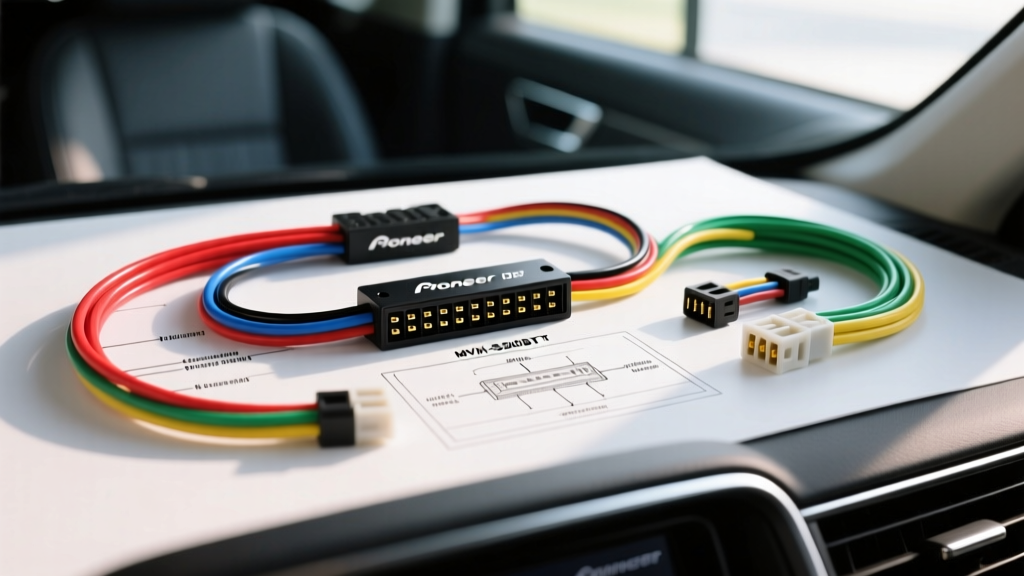
Beyond the PDF: Complete Pioneer MVH-S320BT Wiring Walkthrough
Searching for a Pioneer MVH-S320BT wiring diagram PDF often leaves installers with a low-resolution, monochrome schematic that lacks critical context for modern vehicle integration. As a digital media receiver featuring Bluetooth, USB, and smartphone connectivity, the MVH-S320BT requires a stable voltage supply, proper CAN-BUS adaptation, and precise speaker phase alignment to function optimally. This comprehensive walkthrough replaces the need for a static PDF, providing exact 16-pin harness pinouts, AWG gauge requirements, and real-world troubleshooting protocols for professional and DIY installers alike.
Pioneer 16-Pin Harness Pinout & Color Code Chart
The MVH-S320BT utilizes Pioneer’s industry-standard 16-pin ISO-style power and speaker harness. Below is the definitive pinout reference. When cross-referencing with your vehicle’s factory wiring, always use a digital multimeter (DMM) to verify voltages before making connections.
| Pin / Wire Color | Function | AWG | Technical Notes |
|---|---|---|---|
| Yellow | +12V Constant (B+) | 18 AWG | Supplies memory for presets and Bluetooth pairing. Connect directly to battery or constant 12V source. |
| Red | +12V Switched (ACC) | 18 AWG | Turns the unit on/off. Must read 0V when key is off, 12V+ when in ACC/RUN. |
| Black | Chassis Ground | 18 AWG | Must be terminated to bare, unpainted metal. Do not share with high-draw amplifiers. |
| Blue / White | System Remote Control | 18 AWG | Outputs +12V (max 200mA) to trigger external amplifiers or powered antennas. |
| Orange | Illumination | 18 AWG | +12V when headlights are on. Triggers screen dimming if Orange/White is unused. |
| Orange / White | Dimmer Control | 18 AWG | Variable voltage or PWM signal for dashboard dimmer integration. |
| White | Front Left Speaker (+) | 18 AWG | Do not ground to chassis. Internal MOSFET amp requires floating ground. |
| White / Black | Front Left Speaker (-) | 18 AWG | Negative return path. |
| Grey | Front Right Speaker (+) | 18 AWG | Ensure correct phase alignment with LF speaker for proper sound staging. |
| Grey / Black | Front Right Speaker (-) | 18 AWG | Negative return path. |
| Green | Rear Left Speaker (+) | 18 AWG | Rear channel output. |
| Green / Black | Rear Left Speaker (-) | 18 AWG | Negative return path. |
| Purple | Rear Right Speaker (+) | 18 AWG | Rear channel output. |
| Purple / Black | Rear Right Speaker (-) | 18 AWG | Negative return path. |
Power Circuit Integration & AWG Specifications
While the Pioneer MVH-S320BT pigtail uses 18 AWG stranded copper, automotive electrical standards dictate specific practices for extending these wires. According to Crutchfield’s Car Stereo Wiring Guide, maintaining voltage integrity is critical for head units with active Bluetooth modules to prevent random rebooting or pairing drops.
Handling CAN-BUS & Multiplexed Vehicles
In modern vehicles (e.g., 2008+ Chrysler, Dodge, Jeep, and many European models), the factory radio harness does not provide a traditional 12V switched (Red wire) source. Instead, power state data is broadcast over the CAN-BUS network. If you wire the MVH-S320BT’s Red wire to a pulsed CAN data line, you risk destroying the head unit’s internal logic board. You must use a vehicle-specific CAN-BUS interface (such as those found in the Metra Electronics Wiring Harness Catalog) to translate the data signal into a clean 12V ACC output for the Pioneer’s Red wire.
The Memory Loss Dilemma (Red vs. Yellow)
A common symptom during initial testing is the loss of radio presets and Bluetooth pairings every time the ignition is turned off. This is almost always caused by swapping the Yellow (Constant) and Red (Switched) wires at the T-harness. In some late-model Nissan and Subaru applications, the factory harness colors are reversed relative to the aftermarket standard. Always verify the constant 12V source with a multimeter; it should maintain voltage when the key is removed from the ignition cylinder.
Speaker Wiring, Impedance, and Phase
The MVH-S320BT features a built-in 4-channel MOSFET amplifier rated at 14 Watts x 4 RMS (CTA-2006 compliant) into a 4-ohm load. The internal amplifier is bridge-tied load (BTL) design, meaning both the positive and negative speaker wires carry active, amplified AC signals.
- Never Ground Speaker Wires: Touching any speaker negative wire (e.g., White/Black) to the vehicle chassis will instantly short-circuit the internal MOSFET, causing permanent damage to the head unit. This is not covered under warranty.
- Impedance Matching: Do not wire speakers in parallel if it drops the impedance below 4 ohms. The MVH-S320BT does not support 2-ohm stable operation on its internal amplifier.
- Phase Alignment: If bass response is weak or hollow, your speaker polarity is likely reversed. Swap the positive and negative wires on one speaker channel to test phase coherence.
Steering Wheel Control (SWC) & Accessory Wiring
The Pioneer MVH-S320BT supports factory steering wheel controls via a dedicated 3.5mm SWC input jack on the rear chassis, as well as a wired remote input. To integrate factory buttons, you cannot simply splice wires; you must use a resistive or data-based SWC interface module. PAC Audio Steering Wheel Interfaces (like the SWI-JACK or SWI-RC) are programmed to read the voltage drops from your factory clock spring and translate them into the specific resistive values the Pioneer’s 3.5mm jack expects.
Dimmer and Illumination Best Practices
The Orange wire triggers the unit to switch to the ‘Night’ color theme and reduce backlight intensity. However, if your vehicle uses a PWM (Pulse Width Modulated) dimmer circuit rather than a variable voltage dimmer, connecting the Orange/White wire may cause the screen to flicker. In PWM vehicles, connect only the solid Orange wire to the headlight trigger circuit and leave the Orange/White wire safely capped and isolated.
Termination Standards: Crimping vs. Soldering
When adapting the Pioneer harness to a vehicle-specific T-harness, avoid the ‘twist and tape’ method. Electrical tape degrades under the extreme temperature fluctuations of a vehicle dashboard (often exceeding 140°F in summer). Instead, use SAE-compliant heat-shrink butt connectors. The adhesive-lined heat shrink creates a watertight seal that prevents copper oxidation and high-resistance joints, which are the primary culprits behind alternator whine and voltage drop issues.
Troubleshooting Common MVH-S320BT Installation Faults
| Symptom | Probable Cause | Diagnostic Fix |
|---|---|---|
| Unit won’t power on | Blown inline fuse or bad ground | Check the 10A blade fuse on the Yellow/Red pigtail. Verify Black wire has <0.1 ohm resistance to chassis. |
| Alternator whine in speakers | Ground loop or shared ground point | Ensure head unit ground is on bare metal, isolated from aftermarket amplifiers and fuel pumps. |
| Bluetooth randomly disconnects | Voltage drop on Switched 12V | Check Red wire for voltage drop below 11.5V during cranking. Add a 12V relay if the factory ACC line is weak. |
| USB port not reading drives | Insufficient 5V rail power | Verify constant 12V (Yellow) is robust. The internal 5V step-down converter requires solid B+ to power external USB drives. |
By following this detailed walkthrough rather than relying on a generic Pioneer MVH-S320BT wiring diagram PDF, you ensure a safe, reliable, and fully integrated installation. Always disconnect the vehicle’s negative battery terminal before splicing or routing any harnesses behind the dashboard to prevent shorting the SRS (airbag) or CAN-BUS modules.