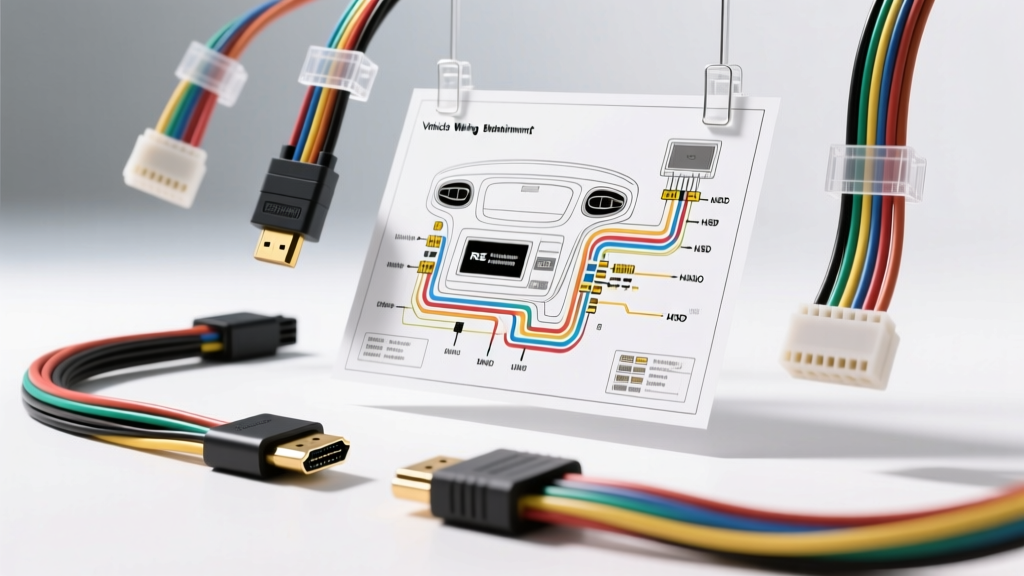
Why Standard HDMI Fails in Automotive Environments
Integrating high-definition video into a vehicle—whether for an aftermarket head unit, a Rear Seat Entertainment (RSE) system, or a dedicated dashcam/mirror setup—requires far more than simply plugging in a cable. A standard wiring diagram hdmi setup designed for home theater use will almost certainly fail in an automotive environment. Vehicles are hostile electrical ecosystems plagued by high-frequency Electromagnetic Interference (EMI) from ignition coils, alternators, and electric power steering racks.
Standard HDMI cables rely on Transition Minimized Differential Signaling (TMDS). When exposed to automotive EMI, the TMDS data pairs suffer from bit errors, manifesting as 'snow,' color banding, or complete signal dropouts on your display. Furthermore, the physical vibration of a vehicle will quickly destroy the friction-fit friction of a standard Type-A HDMI connector. To achieve a reliable installation, automotive electrical engineers utilize an HDMI-to-LVDS (Low-Voltage Differential Signaling) conversion module, routing the signal via automotive-grade HSD (High-Speed Data) or API connectors. This guide provides a comprehensive vehicle HDMI wiring diagram and installation protocol for integrating external HDMI sources into factory and aftermarket infotainment networks.
Decoding the Automotive Video Signal Architecture
Before cutting into your vehicle's harness, it is critical to understand the signal flow. In a professional automotive integration (such as adding an HDMI input to a factory Porsche PCM or a Ford SYNC 4 system via a Nav-TV or mObridge interface), the signal path operates as follows:
- Source Device: Outputs a standard 19-Pin HDMI Type-A signal (TMDS video, DDC I2C data, and CEC control).
- Interface Module: Receives the HDMI signal, decodes the HDCP (High-bandwidth Digital Content Protection), and converts the TMDS pairs into LVDS (Low-Voltage Differential Signaling).
- Automotive Harness: The LVDS signal is transmitted over a shielded, impedance-matched twisted-pair cable terminated with a Molex HSD or TE Connectivity MATEnet connector.
- Head Unit / Display: Receives the LVDS signal and drives the internal LCD panel.
The Importance of Shielding and Impedance Matching
According to SAE International's J1113 standards for automotive electromagnetic compatibility, high-speed data lines must be heavily shielded and routed away from high-current inductive loads. LVDS operates at very low voltage swings (typically 350mV) but at extremely high frequencies (up to 1.5 GHz for 1080p/4K video). If the shield drain wire on your automotive harness is improperly grounded, the cable will act as an antenna, absorbing alternator whine and ignition noise.
Automotive HDMI to LVDS/HSD Pinout & Wiring Chart
The following table outlines the critical connections required when wiring an aftermarket HDMI-to-LVDS integration module into a vehicle's CAN-bus and power network. While the internal LVDS mapping is proprietary to the module manufacturer, the external power, ground, and network wiring follows strict automotive standards.
| Function / Signal | Wire Color (Typical Module) | AWG Rating | Connection Point / Notes |
|---|---|---|---|
| +12V Constant (B+) | Yellow | 14 AWG | Battery or Constant 12V Fuse Panel. Requires inline 10A ATO fuse. |
| +12V Switched (IGN) | Red | 14 AWG | Ignition-controlled fuse. Wakes the module logic board. |
| Chassis Ground | Black | 14 AWG | Bare metal chassis point. MUST be sanded to bare steel. Max length 18 inches. |
| CAN-H (High) | Orange / Green | 22 AWG | Vehicle OBD-II Pin 6 or Infotainment CAN-H. Required for module wake/sleep. |
| CAN-L (Low) | Orange-White / Green-White | 22 AWG | Vehicle OBD-II Pin 14 or Infotainment CAN-L. Do not use twisted pair from OBD if heavily loaded. |
| LVDS Shield Drain | Bare / Silver Braid | 18 AWG | Grounded AT THE MODULE ONLY to prevent ground loops. Never ground both ends. |
| Video Mute / Blanking | Purple | 18 AWG | Connects to Head Unit Video Interrupt pin (forces screen to switch to HDMI input). |
Reference: For detailed specifications on high-speed automotive connectors, consult the Molex HSD Connector Datasheet.
Step-by-Step Installation Guide
Phase 1: Power, Ground, and CAN-Bus Integration
Never use T-taps for power or data connections in modern vehicles. T-taps pierce the wire insulation, exposing copper to moisture and causing galvanic corrosion over time, which increases resistance and causes voltage drops.
- Disconnect the Battery: Always isolate the negative terminal before tapping into the CAN-bus to prevent accidental shorting and module bricking.
- Establish the Ground: Locate a factory grounding bolt within 18 inches of the module mounting location. Remove the bolt, sand away the paint and e-coat using 80-grit sandpaper, attach your 14 AWG black ground wire with a proper ring terminal, and reinstall the bolt. Apply dielectric grease over the terminal to prevent rust.
- Splice Power Wires: Use POSI-Taps or solder-and-heat-shrink methods to connect your 14 AWG Yellow (Constant) and Red (Switched) wires to the vehicle's fuse panel using an Add-A-Circuit (piggyback) fuse holder.
- Tap the CAN-Bus: Using a 22 AWG wire, carefully strip back the insulation on the vehicle's infotainment CAN-H and CAN-L wires. Solder your module's CAN wires in parallel, ensuring the twisted pair geometry of the vehicle's original harness is maintained up to the splice point. Seal with dual-wall adhesive heat shrink.
Phase 2: Routing and Shielding the Video Signal
Routing the HDMI and LVDS cables requires careful planning to avoid EMI sources.
- Source Side (HDMI): Connect your external device (e.g., media player, game console) to the module using a high-quality, double-shielded HDMI Type-A cable. If the cable must pass through a center console hinge or seat track, you must use a flexible, high-strand-count automotive HDMI cable rated for continuous flexing to prevent internal conductor fatigue.
- Routing the LVDS Harness: Route the HSD/LVDS cable through the vehicle's existing main wiring loom channels. Crucial Rule: Never run LVDS cables parallel to high-current wires (such as amplifier power cables or power seat motors) for more than 6 inches. Cross high-current wires at a strict 90-degree angle to minimize inductive coupling.
- Ignition Coil Avoidance: Keep the video harness at least 6 inches away from spark plug wires and ignition coils. The high-voltage arcs generate massive RF interference that will easily penetrate standard shielding, causing TMDS handshake failures.
- Shield Grounding: The LVDS cable features an 18 AWG shield drain wire. Ground this wire to the chassis only at the display/head unit end. Grounding both the module end and the display end creates a ground loop, allowing alternator AC ripple to travel through the shield, resulting in audio hum and video scrolling bars.
Advanced Troubleshooting: EMI, Ground Loops, and Handshake Failures
Even with a perfect vehicle HDMI wiring diagram, real-world variables can cause issues. Use this diagnostic tree to resolve common integration failures.
Symptom 1: 'Snow' or Sparkles on the Display
- Cause: TMDS bit errors due to high-frequency EMI or impedance mismatch.
- Fix: Verify that the LVDS cable has not been zip-tied too tightly (which crushes the internal dielectric foam and alters the 100-ohm differential impedance). Install a split-bead ferrite choke on the HDMI source cable near the module to block RF ingress.
Symptom 2: 'No Signal' After Vehicle Restart
- Cause: CEC (Consumer Electronics Control) handshake failure or HDCP timeout. When the vehicle turns off, the module loses switched power, but the source device (like a Roku or Apple TV) may stay asleep and fail to re-initiate the HDCP handshake upon reboot.
- Fix: Wire the module's 'CEC Override' or 'Hotplug Detect' (HPD) reset wire to a 12V switched source. This forces the module to electronically 'unplug' and 'replug' the HDMI connection every time the ignition cycles, forcing the source device to wake and renegotiate the HDCP encryption. For deeper CAN-bus integration protocols, refer to the HDMI Licensing Administrator Specifications.
Symptom 3: Alternator Whine in the Audio System
- Cause: Ground loop introduced via the HDMI shield connecting the source device's ground to the vehicle's chassis ground.
- Fix: Ensure the source device (e.g., a media player mounted in the rear) is powered by an isolated DC-DC buck converter rather than sharing a ground with a high-draw amplifier. If the whine persists, install an automotive HDMI ground loop isolator (which uses high-frequency optocouplers to break the DC ground path while maintaining the high-speed TMDS data).
Conclusion
Successfully executing an automotive HDMI installation requires abandoning home-theater habits and embracing strict vehicle wiring protocols. By utilizing LVDS conversion, respecting CAN-bus wake sequences, and adhering to rigorous shielding and grounding practices, you can achieve a flawless, factory-grade high-definition video integration that will withstand the harsh electrical and physical environment of any vehicle.