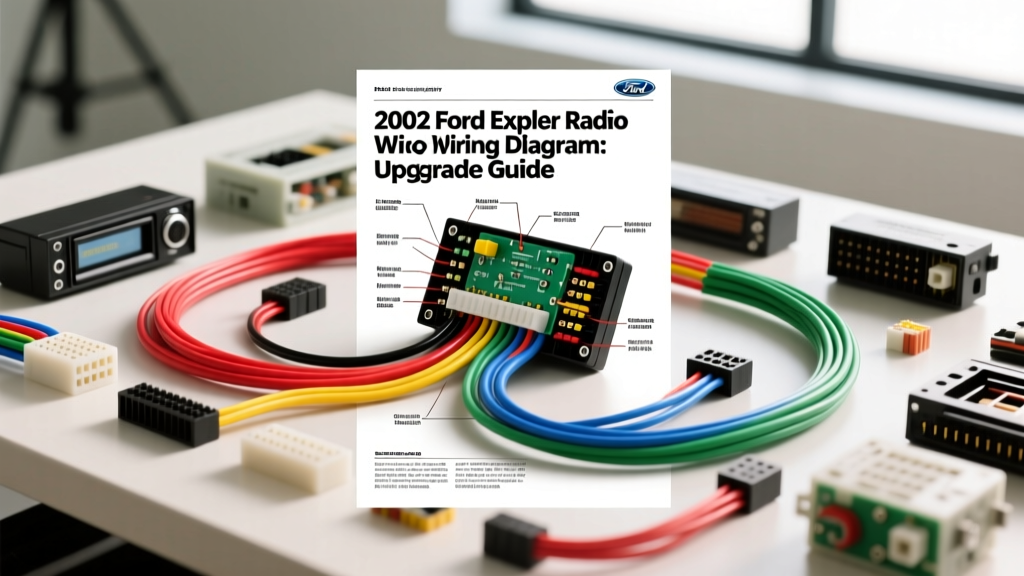
Project Overview: Upgrading the 2002 Ford Explorer Audio System
The second-generation Ford Explorer (2002-2005) introduced a unibody chassis and a significantly more complex electrical architecture compared to its predecessors. When executing an aftermarket stereo upgrade, understanding the 2002 Ford Explorer radio wiring diagram is critical to avoiding CAN-bus interference, battery drain, and blown factory circuits. This guide provides the exact pinout configurations, wire color codes, and modification strategies required to bypass the factory Mach premium audio system and integrate modern high-fidelity head units and amplifiers.
2002 Ford Explorer Radio Wiring Diagram & Pinout
The 2002 Explorer utilizes a standard Ford 24-pin OEM harness connector behind the double-DIN radio bezel. Whether you are using a hardwired pigtail or an adapter harness like the Metra 70-1771, matching the correct circuits is mandatory. Below is the definitive pinout for the base audio system and the power/ground circuits shared across all trim levels.
| Pin | Function | OEM Wire Color | Polarity / Note |
|---|---|---|---|
| 14 | 12V Constant (Memory) | Yellow / Light Green | +12V Always On |
| 15 | 12V Switched (Accessory) | Light Green / Purple | +12V Ignition ON |
| 16 | Chassis Ground | Black / Light Green | Negative (-) |
| 17 | Illumination | Light Blue / Red | Dims with headlights |
| 5 | Left Front Speaker | White / Orange | Positive (+) |
| 6 | Left Front Speaker | Brown / Orange | Negative (-) |
| 3 | Right Front Speaker | White / Violet | Positive (+) |
| 4 | Right Front Speaker | Brown / Violet | Negative (-) |
| 7 | Left Rear Speaker | White / Green | Positive (+) |
| 8 | Left Rear Speaker | Brown / Green | Negative (-) |
| 1 | Right Rear Speaker | White / Red | Positive (+) |
| 2 | Right Rear Speaker | Brown / White | Negative (-) |
Constant vs. Switched Power: Avoiding Battery Drain
A common failure mode in DIY Explorer installations is reversing the constant (Pin 14) and switched (Pin 15) 12V feeds. If the Yellow/Light Green wire is connected to an ignition-switched source, your aftermarket head unit will lose its memory (radio presets, EQ settings) every time you turn off the SUV. Conversely, tying the Light Green/Purple accessory wire to a constant 12V source will keep the head unit's internal amplifier in standby mode, leading to a parasitic draw that will drain the Explorer's battery within 48 hours. Always verify these circuits with a digital multimeter (DMM) before crimping.
Bypassing the Factory Mach Premium Amplifier
If your 2002 Explorer is equipped with the Mach 460 or Premium audio package, the speaker wires at the head unit do not run directly to the speakers. Instead, they feed a factory amplifier located under the driver's seat or in the rear quarter panel. The factory amp processes the signal through an internal bandpass crossover and outputs it to low-impedance (2-ohm) factory speakers.
The Upgrade Solution: Do not attempt to drive aftermarket 4-ohm speakers with the factory Mach amplifier, and do not use the factory speaker wires as high-level inputs for an aftermarket subwoofer LOC (Line Output Converter). The factory amp's signal is heavily EQ'd and clipped at high volumes. For a true high-fidelity upgrade, you must bypass the factory amplifier entirely. This requires running new 16 AWG OFC (Oxygen-Free Copper) speaker wire from the new head unit, through the A-pillar, and into the door jambs.
Speaker Wire Routing and AWG Specifications
Routing wire through the 2002 Explorer's door boots requires patience. The factory rubber grommets are tight and house the power window and lock wiring. Use a blunt-nosed fish tape and a silicone-based lubricant to pull the new 16 AWG wire without tearing the factory vapor barrier. Puncturing the vapor barrier will lead to water intrusion into the cabin and rust on the door sills.
| Circuit Application | Recommended AWG | Material | Max RMS Power |
|---|---|---|---|
| Door Speakers (Front/Rear) | 16 AWG | OFC | 75W per channel |
| Subwoofer Enclosure Run | 12 AWG | OFC | 250W (High-Level) |
| Main Amplifier Power (Battery) | 8 AWG or 4 AWG | OFC | Up to 1000W |
Integrating an Aftermarket Subwoofer and Amplifier
When adding an aftermarket amplifier to the 2002 Explorer, you will need to tap into the audio signal and run a 12V remote turn-on lead. Because the factory head unit lacks dedicated RCA pre-outs, you must use a High-Level to Low-Level Line Output Converter (LOC).
- Signal Tap: Tap the LOC into the Left and Right Front speaker wires (Pins 3, 4, 5, and 6) directly at the back of the head unit. This provides a full-range, unfiltered signal before it reaches any factory crossovers.
- Remote Turn-On: Connect the amplifier's remote turn-on terminal to the head unit's switched 12V accessory wire (Light Green/Purple). If your aftermarket head unit features a dedicated blue/white 'System Remote Control' wire, use that instead to prevent the amplifier from turning on during engine cranking, which can cause voltage spikes.
- Power Routing: Run your 8 AWG or 4 AWG main power wire through the factory firewall grommet located behind the driver's side kick panel. Use a fuse holder with an ANL fuse rated 20% higher than your amplifier's maximum current draw, installed within 18 inches of the positive battery terminal under the hood.
Common Troubleshooting & Grounding Issues
The 2002 Explorer chassis is heavily coated with an electro-deposition (E-coat) anti-corrosion layer. A frequent mistake during amplifier installation is bolting the ground ring terminal directly onto painted metal or over the E-coat. This creates a high-impedance ground, resulting in severe alternator whine in the audio signal and thermal throttling of the amplifier.
The Proper Grounding Procedure:
- Locate a solid steel chassis point in the rear cargo area (behind the trim panels).
- Use 80-grit sandpaper or a rotary wire brush to strip away the E-coat and paint down to bare, shiny steel.
- Crimp your 8 AWG ground wire to a tinned copper ring terminal.
- Bolt the terminal to the chassis and torque to 10 Nm (7.4 lb-ft).
- Seal the bare metal and terminal with dielectric grease or rust-inhibiting paint to prevent future oxidation.
Authoritative References
For further technical validation on wire gauge standards and vehicle-specific teardown procedures, consult the following resources:
- SAE J1128 Low Tension Primary Cable Standard - Provides the definitive specifications for automotive wire gauge, insulation temperature ratings, and current-carrying capacity.
- Crutchfield 2002 Ford Explorer Fit Guide - Excellent visual references for dash kit compatibility and factory speaker sizes (6x8 inch oval).
- Haynes Ford Explorer Repair Manual - Essential for detailed chassis grounding locations and door panel push-rivet removal techniques.