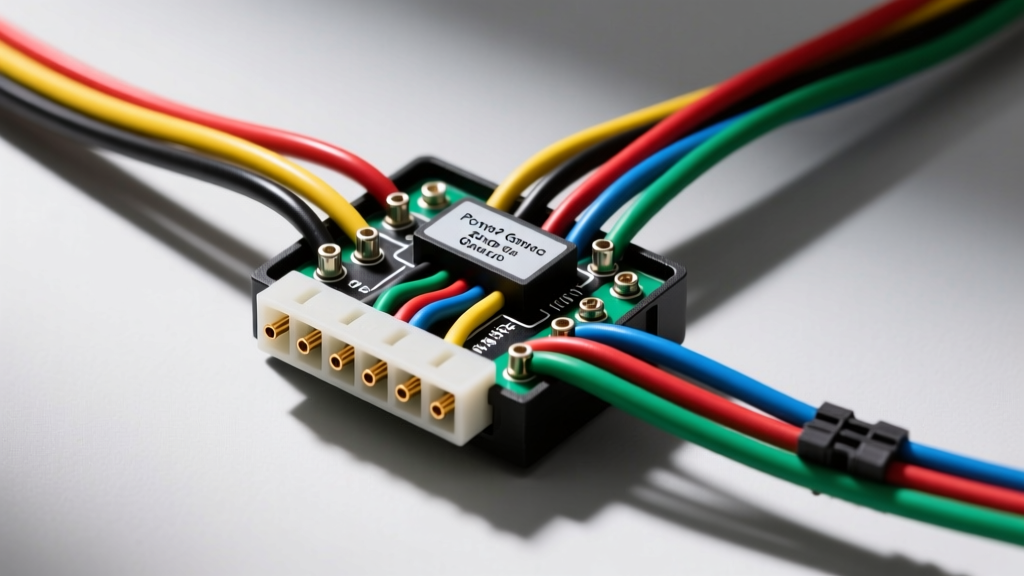
Introduction to the W-Body GM Audio System
The 2004 Pontiac Grand Prix, part of GM's 7th-generation W-body platform, represents a transitional era in automotive electrical architecture. Unlike older vehicles that relied on simple 12V switched accessory wires, the 2004 Grand Prix integrates the head unit directly into the Body Control Module (BCM) network via the GM Class 2 Serial Data bus. Understanding the 2004 Pontiac Grand Prix radio wiring diagram is critical for avoiding parasitic battery drains, retaining factory warning chimes, and properly integrating aftermarket amplifiers.
This complete wiring walkthrough provides exact pinout configurations, wire color codes, and integration strategies for both base and premium (Monsoon) audio systems. Whether you are installing a double-DIN touchscreen or wiring a high-output subwoofer amplifier, adhering to these OEM specifications ensures a reliable, noise-free installation.
Dashboard Disassembly and Harness Access
Before testing any circuits, you must safely extract the factory radio and access the C1 and C2 harness connectors. The 2004 Grand Prix dash utilizes a combination of friction clips and hidden fasteners.
- Disconnect the negative battery terminal (10mm nut) to prevent shorting the Class 2 data bus or blowing the BCM logic fuse.
- Remove the two 7mm bolts located at the top of the instrument cluster bezel.
- Gently pry the bezel away from the dashboard using a nylon trim removal tool, starting from the bottom near the climate controls.
- Disconnect the hazard switch and traction control connectors.
- Remove the four 7mm bolts securing the factory radio to the sub-dash bracket.
- Press the release tabs on the C1 (24-pin main power/data) and C2 (12-pin speaker) connectors to detach them from the rear of the head unit.
Factory Radio Harness Pinout (C1 & C2 Connectors)
The factory wiring harness is split into two primary connectors. The C1 connector handles power, ground, illumination, and serial data, while the C2 connector routes the speaker outputs. Below are the exact pin configurations based on GM service documentation.
C1 Connector: Power, Ground, and Data (24-Pin)
| Pin | Wire Color | Function | Specification / Notes |
|---|---|---|---|
| A1 | Orange | Battery +12V (Constant) | Fused at 15A. Supplies memory and BCM sleep logic. |
| A8 | Black/White | Chassis Ground | Must read < 0.05 ohms to battery negative. |
| A9 | Light Green | Class 2 Serial Data | SAE J1850 VPW. Wake-up signal from BCM. |
| A10 | Brown/White | Illumination (Dimmer) | Variable 0-12V based on headlight switch PWM. |
| A12 | Pink | Switched Accessory (Aux) | Only active on specific trim levels; rely on A9 for wake. |
C2 Connector: Speaker Outputs (Base Audio 12-Pin)
| Pin | Wire Color | Channel | Polarity |
|---|---|---|---|
| B1 | Tan | Left Front | Positive (+) |
| B2 | Gray | Left Front | Negative (-) |
| B3 | Light Green | Right Front | Positive (+) |
| B4 | Dark Green | Right Front | Negative (-) |
| B5 | Brown | Left Rear | Positive (+) |
| B6 | Yellow | Left Rear | Negative (-) |
| B7 | Dark Blue | Right Rear | Positive (+) |
| B8 | Light Blue | Right Rear | Negative (-) |
Aftermarket Integration: Bypassing the Class 2 Data Bus
The most common mistake when installing an aftermarket stereo in a 2004 Grand Prix is attempting to wire the radio's red accessory wire to a fuse box ignition source. Because the factory radio relies on the SAE J1850 VPW Class 2 Serial Data network for its wake-up and sleep commands, bypassing this logic will result in the aftermarket radio staying on after the key is removed, leading to a dead battery within hours.
Furthermore, the Grand Prix routes critical vehicle warning chimes (seatbelt, turn signals, door ajar) and OnStar audio through the factory radio. To retain these safety features and properly wake up an aftermarket head unit, you must use a data interface module such as the PAC OS-2C or Axxess XGM-3B. These modules intercept the Light Green Class 2 data wire, translate the BCM's digital wake-up command into a standard 12V analog accessory output for your aftermarket radio, and route the factory chimes through a small dash-mounted speaker.
Testing the Class 2 Data Line
Before connecting your interface module, verify the integrity of the data bus using a digital multimeter (DMM).
- Set your DMM to DC Voltage.
- Probe the Light Green wire (Pin A9) with the red lead, and a known good chassis ground with the black lead.
- Turn the ignition to the 'ON' position.
- A healthy Class 2 bus will show a pulsing DC voltage fluctuating rapidly between 0V and 7V. If you see a solid 0V or a solid 12V, the data bus is shorted or the BCM is asleep.
Premium Audio (Monsoon) Amplifier Bypass
If your 2004 Grand Prix is equipped with the premium Monsoon audio system, the wiring diagram changes significantly. The factory head unit does not output speaker-level signals. Instead, it outputs 8 channels of low-level (pre-amp) analog audio via shielded twisted-pair cables to a factory amplifier located in the trunk behind the driver-side trunk trim panel.
When installing an aftermarket radio in a Monsoon-equipped vehicle, you have two options:
- Run New Speaker Wire: Bypass the trunk amplifier entirely and run new 16 AWG speaker wire from your aftermarket radio directly to each door speaker. This is labor-intensive but yields the cleanest audio signal.
- Use an Active Line Output Converter (LOC): Splice into the low-level outputs at the back of the radio and use a device like the AudioControl LC2i to sum the channels and restore any factory bass roll-off. You will also need to wire a remote turn-on lead to the factory amp's trigger wire (typically a Blue/White wire at the trunk amp harness) to wake up your new aftermarket amplifier.
For detailed vehicle-specific fitment and harness compatibility, consulting established databases like the Crutchfield 2004 Grand Prix Fitment Data is highly recommended to ensure you purchase the correct Metra or Scosche dash kit and wiring interfaces.
Amplifier Power Wire Routing and Grounding
When adding a subwoofer amplifier to the Grand Prix, proper power and ground routing is essential to prevent alternator whine and voltage drops.
Firewall Pass-Through
Do not pierce the factory firewall grommets with a screwdriver. The W-body platform features a dedicated rubber grommet located behind the brake booster, accessible from the engine bay near the strut tower. Use a stiff wire fish tape and apply silicone dielectric grease to safely pull an 8 AWG Oxygen-Free Copper (OFC) power wire through the firewall without tearing the moisture seal. Secure the wire with a zip-tie to the factory hood release cable to keep it away from the exhaust manifold.
Trunk Grounding Specifications
A poor ground is the leading cause of amplifier clipping and thermal shutdown. In the trunk of the Grand Prix, locate a structural bolt near the wheel well or the rear seat latch bracket.
- Sand away all paint, primer, and rust down to bare, shiny metal using 80-grit sandpaper.
- Crimp your 8 AWG ground wire using a heavy-duty, closed-end ring terminal (not a spade or open-eyelet terminal).
- Secure the terminal using an M8 or M10 factory bolt, torqued to approximately 18-22 ft-lbs to ensure maximum surface area contact and vibration resistance.
- Coat the terminal with a thin layer of petroleum jelly or anti-corrosion paste to prevent future oxidation.
Common Wiring Faults & Troubleshooting
Even with the correct 2004 Pontiac Grand Prix radio wiring diagram, installers frequently encounter specific electrical faults. Use this decision tree to diagnose common issues:
Symptom: Radio Turns On, But No Audio and No Chimes
- Cause: The Class 2 data interface module is not waking up the factory amplifier (if equipped) or the data bus is asleep.
- Fix: Check the Blue/White remote turn-on wire from your interface module. Ensure it is connected to the amplifier remote trigger input. Verify the Light Green data wire has a solid connection at the T-tap.
Symptom: Loud 'Pop' Through Speakers When Ignition is Turned Off
- Cause: The amplifier is staying on longer than the head unit, discharging its capacitors through the speakers as it loses voltage.
- Fix: Install a relay or a PAC TR-4 turn-on delay module. This ensures the head unit powers down completely before the amplifier's remote trigger cuts power, eliminating the DC offset pop.
Symptom: Parasitic Battery Drain (Over 50mA Sleep)
- Cause: The aftermarket radio's illumination or accessory wire is back-feeding voltage into the BCM's data bus, preventing the vehicle from entering 'Sleep Mode'.
- Fix: Disconnect the radio harness and measure the current draw at the negative battery terminal using a DMM in series. If the draw drops below 30mA, the interface module is faulty or wired incorrectly. Never splice the radio's orange constant 12V wire directly to the BCM's logic circuits.
By strictly following these wiring diagrams, utilizing the correct data interfaces, and adhering to professional wire routing standards, your 2004 Pontiac Grand Prix audio upgrade will deliver pristine sound quality while maintaining the integrity of the vehicle's complex electrical network.