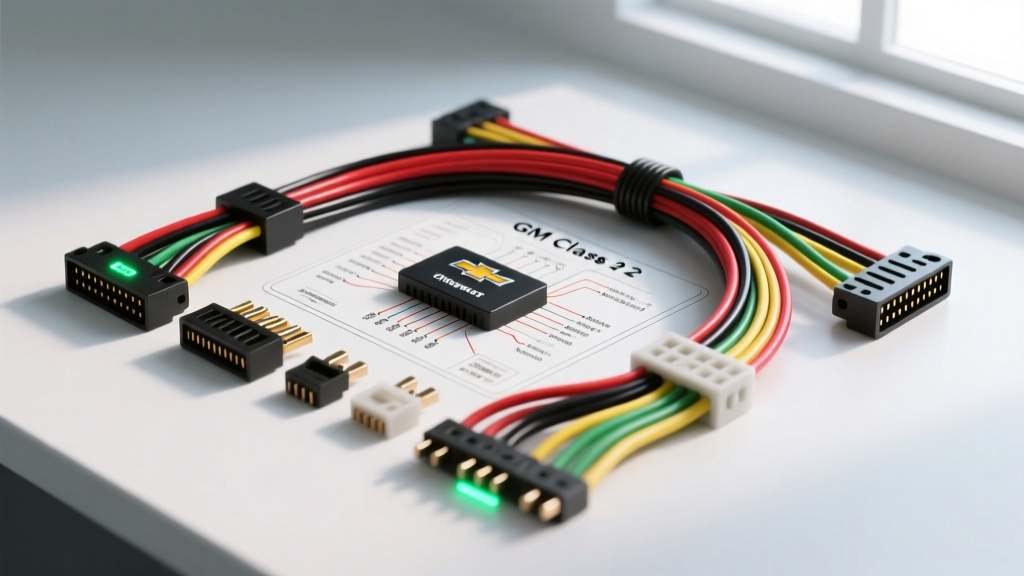
The Reality of 9th-Gen GM Audio Integration
Upgrading the audio system in a 2006 Chevrolet Impala is not a simple plug-and-play endeavor. Unlike older vehicles where a $5 wiring harness adapter solved every connection issue, the 2006 Impala (the first year of the 9th generation) relies heavily on the SAE J1850 Class 2 Serial Data Bus. In this architecture, the factory head unit acts as a gateway module. It controls the vehicle's chimes, door-ajar warnings, OnStar integration, and the Passlock anti-theft system. If you attempt to bypass the factory wiring without the correct data interface, you risk bricking the vehicle's security system or losing critical safety chimes.
This guide provides a comprehensive cost and tool requirements analysis for safely executing an aftermarket stereo installation using the 06 Impala stereo wiring diagram. We will break down the exact financial investment, the specialized tools required for GM data bus integration, and the precise pinout configurations needed to retain factory functionality while achieving high-fidelity sound.
Project Cost Breakdown: Retaining Factory Features
Budgeting for an 06 Impala stereo swap requires looking beyond the price of the aftermarket head unit. Because the 2006 model lacks a physical 12V accessory (ignition) wire at the radio harness, you must purchase a data bus interface module to decode the Class 2 serial data and generate a switched 12V signal. Below is the realistic cost analysis for a professional-grade installation.
| Component Category | Specific Part / Recommendation | Estimated Cost | Technical Justification |
|---|---|---|---|
| Data Interface Module | PAC RP5-GM11 or Axxess GMOS-04 | $85.00 - $130.00 | Decodes Class 2 Data bus to provide ACC 12V, retains chimes, and supports OnStar/Steering Wheel Controls (SWC). |
| Dash Integration Kit | Metra 95-2013 (Double DIN) | $18.00 - $25.00 | Provides structural mounting brackets and ABS plastic trim bezel to match the Impala's curved dashboard contours. |
| Antenna Adapter | Metra 40-GM10 | $8.00 - $12.00 | Converts the proprietary GM Delphi antenna connector to a standard Motorola DIN plug. |
| Primary Wiring Pigtails | 18 AWG Tinned Copper Wire | $15.00 | Required for extending harness leads if the interface module is mounted deep behind the HVAC assembly. |
| Consumables | Heat shrink, Tesa tape, zip ties | $12.00 | Tesa tape is mandatory for wrapping harnesses to prevent dash rattles and abrasion against the GM steel subframe. |
| Total Estimated Hardware Cost (Excluding Head Unit) | $138.00 - $192.00 | ||
Essential Tool Requirements for GM Class 2 Integration
Working with the 06 Impala stereo wiring diagram requires precision tools. Standard household wire strippers will crush the delicate 22 AWG data lines, leading to intermittent Class 2 communication failures and random battery drains. Ensure your toolkit includes the following specialized equipment:
- Digital Multimeter (DMM): A true-RMS multimeter (e.g., Fluke 115) is required to verify the 12V constant memory line and to check for PWM (Pulse Width Modulation) data signals on the serial bus. The Class 2 bus operates at 10.4 kbps; a standard test light cannot verify this signal.
- Precision Wire Strippers: Must accommodate 22 AWG to 10 AWG. The GM radio harness utilizes 22 AWG for speaker outputs and data lines, but 18 AWG for power and ground. Using oversized strippers will nick the copper strands, increasing resistance and causing thermal failure at the crimp joint.
- Ratcheting Crimper: For insulated and non-insulated terminals. Solder-seal heat shrink connectors are highly recommended over standard butt connectors due to the high-vibration environment behind the Impala's dashboard.
- Nylon Trim Removal Kit: The 2006 Impala's center console bezel is secured by hidden friction clips and 7mm hex bolts located behind the ashtray and passenger-side fuse panel access door. Metal pry tools will permanently mar the soft-touch GM interior plastics.
Interpreting the 06 Impala Stereo Wiring Diagram (Base Audio)
The 2006 Chevrolet Impala with the base (non-Bose) audio system utilizes a primary 24-pin Delphi connector (Connector C1). Below is the critical pinout data required to map the factory harness to your aftermarket interface module. Note: Always verify these colors with a DMM, as mid-year production changes at the Oshawa assembly plant occasionally resulted in trace color variations.
| Pin Number | Wire Color | Function / Signal | AWG Size |
|---|---|---|---|
| A1 | Brown | Left Rear Speaker (+) | 22 AWG |
| A2 | Tan | Left Front Speaker (+) | 22 AWG |
| A3 | Light Green | Right Front Speaker (+) | 22 AWG |
| A4 | Dark Blue | Right Rear Speaker (+) | 22 AWG |
| A5 | Yellow | Left Rear Speaker (-) | 22 AWG |
| A6 | Gray | Left Front Speaker (-) | 22 AWG |
| A7 | Dark Green | Right Front Speaker (-) | 22 AWG |
| A8 | Light Blue | Right Rear Speaker (-) | 22 AWG |
| B1 | Orange | Battery Positive (B+ / Memory) | 18 AWG |
| B2 | Black/White | Chassis Ground | 18 AWG |
| B12 | Yellow/Black | Class 2 Serial Data Bus | 22 AWG |
Critical Missing Wire: Notice that there is no Red (Accessory/Ignition) wire on the 2006 Impala's factory radio harness. The vehicle's Body Control Module (BCM) wakes up the radio via the Class 2 Data line (Pin B12). Your interface module (e.g., PAC RP5-GM11) must be spliced into this data line to intercept the 'wake up' command and close an internal relay, providing a 12V accessory output to the aftermarket head unit's red wire.
Step-by-Step Wiring & Interface Module Configuration
1. Battery Isolation and Module Reset
Before touching any wiring, disconnect the negative battery terminal. In 9th-Gen GM vehicles, the BCM and radio modules retain volatile memory. Disconnecting the battery for 10 minutes forces a hard reset of the Class 2 network, preventing the BCM from throwing a U-code (network communication fault) when the new interface module is introduced to the bus.
2. Interface Module DIP Switch Programming
The PAC RP5-GM11 requires physical DIP switch configuration before making any electrical connections. For a 2006 Impala Base Audio system without OnStar, set the DIP switches to the 'GM Class 2 / Non-Amplified' profile as dictated by the manufacturer's matrix. Incorrect switch placement will result in the module outputting pre-amplified line-level signals to the speakers, causing immediate clipping and potential voice coil damage.
3. Harness Splicing and Solder-Seal Integration
Connect the interface module's 24-pin pigtail to the vehicle's factory harness. Use solder-seal heat shrink connectors for all power, ground, and data lines. The Class 2 data wire (Yellow/Black) is highly sensitive to resistance. A poor crimp on the data line will cause the vehicle's turn signal chimes to fail and the 'Door Ajar' warning to illuminate on the Driver Information Center (DIC).
4. Routing and Amplifier Integration (Optional)
If you are adding an external amplifier for a subwoofer, you must run a dedicated 12V remote turn-on wire from the interface module's 'ACC+' output to the amplifier's remote terminal. Use 18 AWG primary wire for the remote line. For the main amplifier power, route 8 AWG or 4 AWG OFC (Oxygen-Free Copper) wire directly from the battery, utilizing an inline ANL fuse within 18 inches of the positive terminal, passing through the Impala's firewall via the main body harness grommet located behind the brake master cylinder.
Troubleshooting Common 2006 Impala Audio Failures
Even with the correct Metra dash kits and wiring diagrams, installation anomalies occur. Use this diagnostic tree to resolve common post-installation issues:
- Symptom: Head unit powers on, but no turn signal chimes or door-ajar warnings.
Cause: The interface module is not communicating on the Class 2 bus.
Fix: Verify continuity between the vehicle's Yellow/Black data wire and the module's data input. Check for pinched wires behind the HVAC unit. Ensure the module's internal DIP switches match the 2006 Base Audio profile. - Symptom: Head unit turns on, but shuts off immediately when the key is removed, draining the battery over 48 hours.
Cause: The constant 12V (Orange) and Accessory 12V (Red) wires are swapped at the head unit harness.
Fix: Swap the Yellow (Constant) and Red (Accessory) wires at the aftermarket radio's ISO connector. The interface module's generated accessory wire must connect to the radio's Red wire. - Symptom: Severe alternator whine in the speakers that scales with engine RPM.
Cause: Ground loop induced by sharing a chassis ground point with the BCM or using CCA (Copper Clad Aluminum) power wire.
Fix: Ensure the amplifier and head unit interface module are grounded to bare, unpainted steel. Sand away any GM factory E-coat or primer. Upgrade the main power wire to pure OFC copper to reduce resistance and voltage drop.
By understanding the financial and technical requirements outlined in this 06 Impala stereo wiring diagram analysis, you can avoid the costly pitfalls of GM data bus integration. Proper tool selection, adherence to SAE communication standards, and meticulous wire management will ensure your 9th-generation Impala retains its factory safety features while delivering premium aftermarket audio performance.