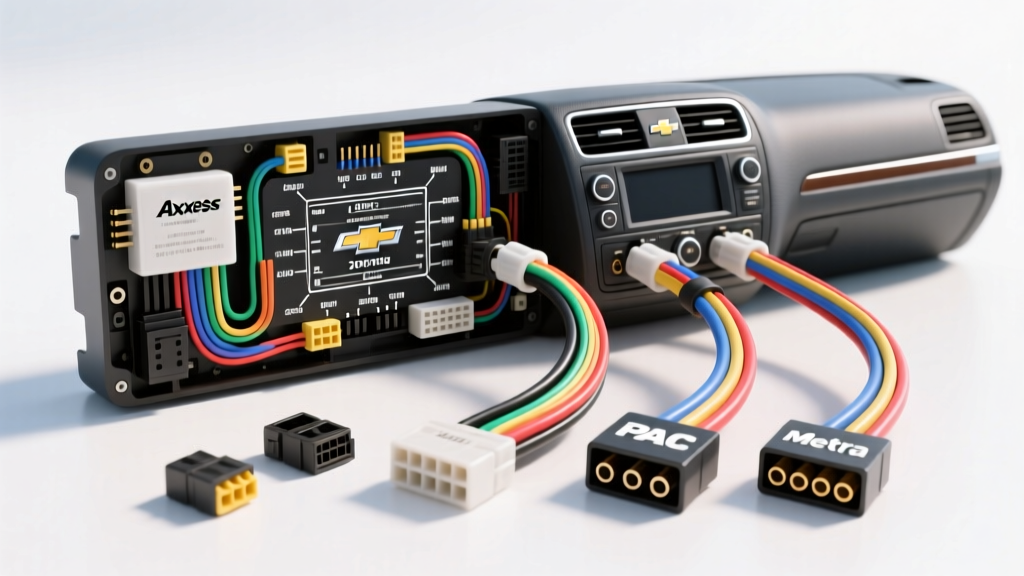
Decoding the 2006 Impala Radio Wiring Diagram
The 9th-generation 2006 Chevrolet Impala represents a pivotal shift in General Motors' electrical architecture. Unlike older vehicles where the head unit relied on a simple switched 12V ignition wire, the 2006 Impala integrates the factory radio into the vehicle's Class 2 Data Bus (GMLAN). This means the factory stereo receives its 'turn-on' command, Retained Accessory Power (RAP) logic, and warning chime signals digitally via a single data wire. Understanding the 2006 Impala radio wiring diagram is not just about matching speaker colors; it is about selecting the correct integration module to translate digital CAN-bus commands into analog 12V signals for your aftermarket head unit.
Attempting a direct wire splice using a generic universal harness will result in a dead radio, loss of dashboard warning chimes (which are routed through the factory amp/speakers), and the disabling of OnStar. To execute a flawless installation, you must pair the OEM pinout data with the correct vehicle-specific data bus interface. Below, we break down the factory 24-pin connector specifications and compare the top-tier aftermarket integration modules available for this platform.
OEM 24-Pin Radio Connector Pinout
The base 2006 Impala (non-Bose) utilizes a standard GM 24-pin connector for power, ground, data, and speaker outputs. If your vehicle is equipped with the premium Bose amplifier, the speaker outputs will be low-level differential signals requiring a separate line output converter (LOC) or an amplifier bypass harness.
| Pin | Function | OEM Wire Color | Aftermarket EIA Equivalent |
|---|---|---|---|
| 1 | Left Front Speaker (+) | Tan | White |
| 2 | Left Front Speaker (-) | Gray | White/Black Stripe |
| 3 | Right Front Speaker (+) | Light Green | Gray |
| 4 | Right Front Speaker (-) | Dark Green | Gray/Black Stripe |
| 5 | Left Rear Speaker (+) | Brown | Green |
| 6 | Left Rear Speaker (-) | Yellow | Green/Black Stripe |
| 7 | Right Rear Speaker (+) | Dark Blue | Purple |
| 8 | Right Rear Speaker (-) | Light Blue | Purple/Black Stripe |
| 13 | Class 2 Data Bus | Yellow/Black | N/A (Data Module Input) |
| 16 | Battery 12V+ (Constant) | Yellow | Yellow |
| 17 | Ground | Black/White | Black |
Harness Selection Guide: Comparing Integration Modules
Because the 2006 Impala lacks a physical 12V accessory (ignition) wire at the radio cavity, you must use a data bus interface to 'listen' to the GMLAN network and generate a 12V accessory output for the aftermarket head unit's red wire. Furthermore, if you want to retain steering wheel controls (SWC) or OnStar, the complexity increases. Here is a product comparison of the three primary harness solutions on the market.
1. The Basic Non-Data Harness (Metra 70-2105 / Axxess 70-2105)
Best For: Base model Impalas with no OnStar, no Bose, and no steering wheel controls.
How it Works: This is a simple pass-through harness. It translates the OEM speaker and constant 12V wires to standard EIA colors. However, because it lacks a data module, it does not generate a 12V accessory wire. You will have to manually run a switched 12V wire from the fuse box or ignition column to the red wire on your aftermarket stereo. Additionally, you will lose all door chimes and turn signal clicks, as those are generated by the factory radio.
2. The Data Bus Integration Module (Axxess GMOS-LAN-04)
Best For: Vehicles with OnStar, warning chimes, or Bose amplifiers.
How it Works: The GMOS-LAN-04 intercepts the Class 2 Data wire (Pin 13). It wakes up with the vehicle, generates a clean 12V accessory output, and retains the factory warning chimes by routing them through an internal speaker or the front left channel. It also provides a dedicated amplifier turn-on lead (Blue/White) if you are installing an aftermarket subwoofer. Axxess Interfaces Technical Documentation notes that this module is essential for maintaining the vehicle's RAP (Retained Accessory Power), allowing the radio to stay on until the driver's door is opened.
3. The All-In-One SWC & Data Interface (PAC RP5-GM11)
Best For: Enthusiasts wanting a single-box solution for OnStar, Chimes, and Steering Wheel Controls.
How it Works: PAC's RP5-GM11 combines the data bus translator with a built-in steering wheel control (SWC) interpreter. Instead of buying a separate Axxess ASWC-1 module and splicing it into the harness, the RP5-GM11 handles the digital SWC commands and outputs the standard 3.5mm jack or hardwired resistor ladder signals required by Pioneer, Kenwood, and Alpine head units. It is the most expensive option but drastically reduces installation time and wiring clutter behind the dash.
Integration Module Comparison Chart
| Feature | Metra 70-2105 (Basic) | Axxess GMOS-LAN-04 | PAC RP5-GM11 |
|---|---|---|---|
| Generates 12V Accessory | No (Manual wire needed) | Yes | Yes |
| Retains Warning Chimes | No | Yes | Yes |
| Retains OnStar | No | Yes | Yes |
| Steering Wheel Controls | No | No (Requires ASWC-1) | Yes (Built-in) |
| Amp Turn-On Lead | No | Yes | Yes |
| Estimated MSRP Tier | $15 - $20 | $50 - $70 | $90 - $120 |
Wiring the Aftermarket Harness: Step-by-Step Integration
Once you have selected the appropriate interface module based on your Impala's trim level, you must mate the module's output harness to your aftermarket head unit's pigtail. Do not use twist-connectors or cheap crimp caps. According to Crutchfield's Chevy Impala Stereo Installation Guide, the vibration and temperature fluctuations inside a vehicle dash will cause mechanical crimps to oxidize and fail over time.
Wire Gauge and Splicing Specifications
- Power and Ground (Yellow/Black): The factory 16 AWG wire is sufficient for head units producing 14W x 4 RMS. However, if your data module includes an amplifier turn-on lead or you are powering a high-draw digital media receiver, solder an 18 AWG primary wire extension to ensure minimal voltage drop.
- Speaker Wires: Standard 18 AWG copper-clad aluminum (CCA) or pure oxygen-free copper (OFC) is required. Match the EIA standard colors (White, Gray, Green, Purple) to the data module's output.
- Data Wire (Yellow/Black): This is a low-voltage, high-frequency digital signal. Keep this wire routed away from power cables and amplifier RCA interconnects to prevent electromagnetic interference (EMI) from corrupting the GMLAN bus, which can trigger dashboard check engine lights or stability control faults.
- Connections: Strip 1/4 inch of insulation, twist the strands, apply rosin-core solder, and seal with 3M dual-wall heat shrink tubing containing an internal adhesive lining. This creates a waterproof, vibration-proof bond.
Troubleshooting Common 2006 Impala Stereo Failures
Even with the correct wiring diagram and premium harness, the 2006 Impala's complex electrical system can present unique failure modes. Use this diagnostic tree to resolve common installation issues.
Symptom: Radio turns off immediately when the engine is cranked.
Cause: Voltage drop on the constant 12V memory wire or a failure of the data module to maintain the RAP logic during starter engagement.
Fix: Verify that the yellow constant 12V wire on your aftermarket harness is connected to a true battery source that does not drop below 9V during cranking. If the data module is resetting, ensure the ground wire (Black) is grounded to bare, unpainted chassis metal within 12 inches of the radio cavity, not to a plastic dash support bracket.
Symptom: Alternator whine or high-pitched data noise in the speakers.
Cause: Ground loop induced by the Class 2 Data wire sharing a pathway with speaker outputs, or a poor ground on the data interface module.
Fix: The SAE J1850 standard for Class B Data Communication outlines the sensitivity of GM's data bus to EMI. Reroute the data module harness away from the main power harness. If the whine persists, install a ground loop isolator on the RCA cables (if using an external amp) or verify that the Bose factory amplifier (if retained) has a clean, dedicated chassis ground.
Symptom: Steering Wheel Controls (SWC) respond erratically or not at all.
Cause: Incorrect resistor ladder mapping or outdated firmware on the SWC interface.
Fix: If using the PAC RP5-GM11 or an Axxess ASWC-1, you must manually program the module by holding the 'Volume Up' button on the steering wheel while turning the ignition to the 'Run' position until the LED flashes. Ensure the SWC data wire (usually Key 1 / Brown or Brown/White) is securely soldered to the correct pin on the aftermarket head unit's SWC input.
Final Integration Notes
Upgrading the audio system in a 2006 Chevrolet Impala requires respecting the vehicle's GMLAN architecture. By referencing the OEM 24-pin diagram and investing in a proper data bus interface like the Axxess GMOS-LAN-04 or PAC RP5-GM11, you preserve the vehicle's safety chimes, OnStar functionality, and steering wheel controls while unlocking the superior sound processing of a modern aftermarket head unit. Always disconnect the negative battery terminal for 10 minutes before splicing into the Class 2 Data network to prevent triggering GM's Body Control Module (BCM) security lockouts.