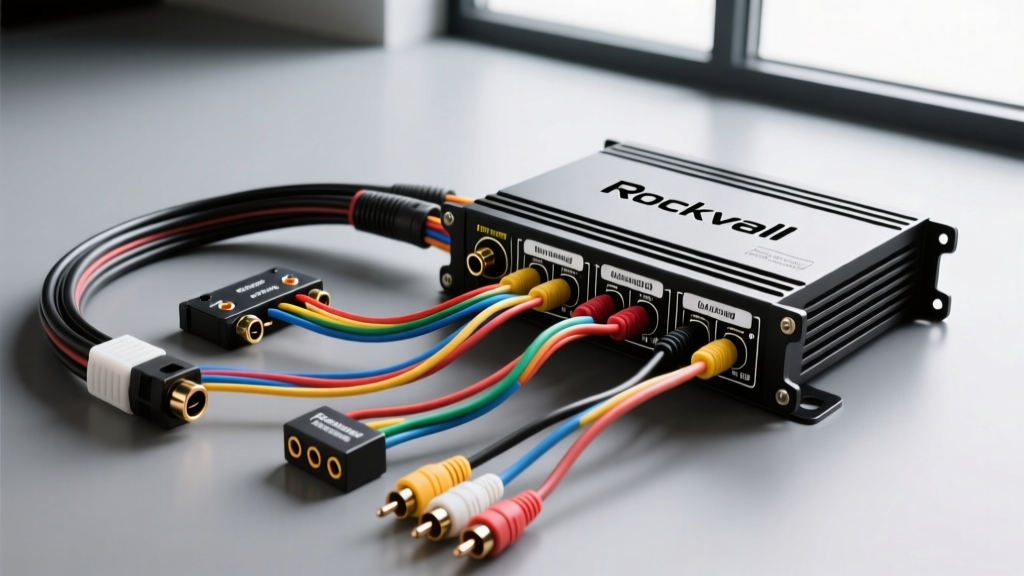
Understanding Rockville Amplifier Topologies and Diagram Basics
Rockville Audio has carved out a massive footprint in the mobile audio industry by offering high-output amplifiers at accessible price points. Whether you are installing a Rockville DB series mono-block for earth-shattering bass or an RXA-V5 5-channel amplifier for a complete system overhaul, interpreting the Rockville amp wiring diagram correctly is the difference between a reliable system and a catastrophic electrical failure. Rockville amplifiers generally utilize high-efficiency Class D topologies for subwoofer channels and Class AB or Class D full-range topologies for mid and high-frequency channels. Understanding the specific current draw and signal flow of your exact model is the first step in this complete wiring walkthrough.
Unlike generic wiring guides, this walkthrough decodes the specific terminal blocks, set-screw tolerances, and signal routing requirements unique to Rockville's PCB layouts. We will reference the CTA-2015 Mobile Audio Power Standard to ensure your power delivery meets strict automotive electrical safety benchmarks, and cross-reference installation methodologies outlined by industry experts at Crutchfield's Amplifier Wiring Guide.
Power and Ground Circuit Specifications
The most common point of failure in any Rockville amplifier installation is undersized or poorly terminated power wiring. Rockville's high-wattage claims (often measured at 14.4V peak) require robust Oxygen-Free Copper (OFC) wiring. Many budget kits ship with Copper-Clad Aluminum (CCA), which suffers from higher resistance and voltage drop under heavy bass transients. Always verify your wire is 100% OFC.
| Rockville Amp RMS Output | Recommended OFC AWG | Main Fuse Rating (ANL/MAXI) | Max Current Draw (14.4V) |
|---|---|---|---|
| Up to 500W | 8 AWG | 60A | ~45A |
| 500W - 1000W | 4 AWG | 100A | ~85A |
| 1000W - 1500W | 2 AWG or 1/0 AWG | 150A - 200A | ~130A |
| 1500W - 2500W+ | 1/0 AWG | 250A ANL | ~200A+ |
The Grounding Protocol
Rockville amplifier ground terminals (labeled GND or B-) are highly sensitive to impedance variations. A poor ground will trigger the amp's internal protection circuit or introduce severe alternator whine into your audio signal. Locate a factory chassis bolt within 18 inches of the amplifier. Remove the bolt and use a wire brush or 80-grit sandpaper to strip away all paint, primer, and rust down to bare steel. Crimp a copper ring terminal onto your ground wire, secure it tightly to the chassis, and apply a generous layer of dielectric grease over the connection to prevent galvanic corrosion and moisture intrusion.
Decoding the RCA and Signal Wiring Diagram
Rockville amplifiers feature standard unbalanced RCA inputs, but the internal gain staging requires careful attention. Most Rockville multi-channel amps feature an input sensitivity range of 200mV to 6V. If your head unit outputs 4V pre-outs, you must adjust the amp's gain knob to the midpoint or lower to prevent immediate clipping, which can destroy your voice coils.
- Low-Level Inputs (RCA): Use high-quality, shielded twisted-pair RCA cables. Route these cables strictly down the opposite side of the vehicle's cabin from your main power wire to prevent Electromagnetic Interference (EMI) from the alternator.
- High-Level Inputs (Speaker Wire): If your factory head unit lacks RCA outputs, use Rockville's included high-level input harness. Splice into the factory speaker wires using T-taps or, preferably, by soldering and applying heat shrink tubing. The amp's internal summing circuit will step the voltage down to line-level.
- Remote Turn-On (REM): The REM terminal requires a 12V trigger signal to wake the amplifier. Use an 18 AWG blue/white striped wire connected to your head unit's amp turn-on lead. Rockville REM circuits can typically tolerate anywhere from 5V to 24V, but a clean 12V source is ideal to prevent premature relay wear.
Speaker Output Terminal Configurations
Rockville uses heavy-duty set-screw terminal blocks for speaker outputs. When wiring subwoofers to a mono-block (like the DB1500), pay strict attention to the impedance mapping. Rockville mono amps are generally stable at 1 Ohm, but running them at this minimum threshold generates massive heat.
- Strip exactly 10mm of insulation from your 12 AWG speaker wire.
- Insert the bare copper into the terminal block until it hits the backstop.
- Tighten the set screw using a precision flathead or Allen driver. Apply approximately 0.8 Nm of torque. Overtightening will strip the soft brass threads inside the Rockville terminal block, while undertightening will cause arcing and melted wire insulation.
- For dual voice coil (DVC) subwoofers, wire the coils in series or parallel to achieve a final 2-Ohm load, which offers the best balance of RMS power output and thermal management for Rockville's Class D output stage.
Step-by-Step Rockville Amp Wiring Walkthrough
Follow this exact sequence to ensure safety and prevent accidental short circuits during the installation process.
- Disconnect the Battery: Always remove the negative terminal from your vehicle's battery before routing any power cables.
- Run the Power Wire: Route your 4 AWG (or larger) OFC power wire from the battery, through the firewall using a rubber grommet, to the amp location.
- Install the Main Fuse: Install an ANL or MAXI fuse holder on the power wire within 18 inches of the battery's positive terminal. Do not insert the fuse yet.
- Establish the Ground: Prepare the chassis grounding point as detailed above and secure the ground wire to the Rockville amp's GND terminal.
- Route Signal Cables: Run your RCA cables and 18 AWG remote wire down the opposite side of the vehicle, away from the power wire and factory ECU wiring harnesses.
- Connect the Remote Wire: Insert the remote wire into the REM terminal and tighten the set screw.
- Connect Speaker Outputs: Wire your subwoofers and full-range speakers to the respective output terminals, double-checking polarity (+ to +, - to -) to prevent phase cancellation.
- Final Power Connection: Connect the main power wire to the B+ terminal on the Rockville amp. Reconnect the vehicle's battery negative terminal, and finally, insert the main fuse near the battery.
Troubleshooting Common Rockville Protection Faults
Even with a perfect Rockville amp wiring diagram execution, you may encounter protection mode triggers. Rockville amplifiers utilize a multi-stage protection circuit indicated by the LED status light (usually shifting from Green/Blue to Red or flashing).
Thermal Protection
If the amp shuts down after 15-20 minutes of heavy use, it has entered thermal protection. This is often caused by mounting the amp in a confined space without airflow, or by wiring a subwoofer to a lower impedance than the amp's 1-Ohm minimum. Check your voice coil wiring configuration and ensure the amp's heat sink fins are exposed to cabin air.
Short Circuit Protection
If the amp immediately goes into protect mode upon receiving a 12V remote signal, you likely have a speaker wire short. A single stray strand of 12 AWG copper touching the vehicle chassis or crossing the positive and negative terminal blocks will trigger the short-circuit relay. Disconnect all speaker outputs, reset the amp by pulling the main fuse, and test the amp with only Power, Ground, and Remote connected. If it turns on, the fault is in your speaker wiring.
DC Offset and Clipping
If your Rockville amp's protection light flashes rapidly, it may be detecting a DC offset from a failing head unit, or your gain is set so high that the amp is outputting clipped square waves, which the internal microprocessor interprets as a dangerous DC voltage spike. Use an oscilloscope or a digital multimeter set to AC Volts to set your gain properly, referencing the Rockville Audio Official Manuals for your specific model's target AC voltage output formula.