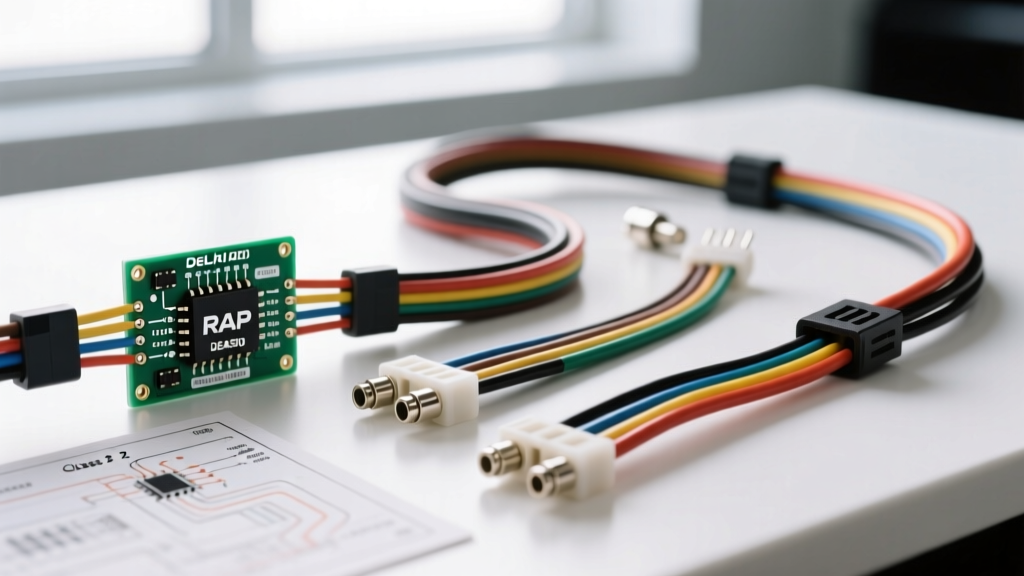
Understanding the Delphi DEA500 Architecture
The Delphi DEA500 represents a highly specific epoch in General Motors' infotainment and electrical evolution, predominantly featured in GMT800 platform vehicles and select passenger cars from the late 1990s through the mid-2000s. Unlike modern CAN-bus systems, the DEA500 relies on the GM Class 2 Serial Data protocol for anti-theft verification, chime passing, and retained accessory power (RAP) management. When referencing a delphi dea500 radio wiring diagram, technicians and automotive electricians must look beyond basic power and speaker routing. A successful installation or diagnostic procedure requires a comprehensive understanding of the Body Control Module (BCM) integration, Variable Pulse Width (VPW) data lines, and the physical Delphi Metri-Pack connector specifications.
Physical Connector Specifications and Wire Gauge Requirements
The DEA500 interfaces with the vehicle's main harness via the standard GM 24-pin connector, which is physically divided into two 12-pin cavities (Connector 1 and Connector 2) clipped together in a single housing. The terminals utilized are Delphi Metri-Pack 150 and 280 series, designed to withstand high-vibration automotive environments. The wire insulation is typically TXL (cross-linked polyethylene), rated for continuous operation at 125°C, which provides superior resistance to under-dash heat compared to standard PVC.
Power and Ground Distribution Standards
For standard head unit operation, the DEA500 utilizes 14 AWG to 16 AWG wire for primary power delivery. The constant 12V memory circuit (Orange wire) maintains the radio's EEPROM and preset memory, while the switched 12V ignition circuit (Yellow wire) triggers the main power relay inside the unit. The primary ground (Black/White wire) must be secured to a clean, unpainted chassis point with a resistance of less than 0.05 ohms to prevent ground-loop alternator whine in the audio signal path. If you are extracting speaker-level signals to feed an external Digital Signal Processor (DSP) or amplifier, note that the internal DEA500 amplifier is generally stable down to 2 ohms, but adding parallel loads via poorly wired Line Output Converters (LOCs) can trigger the unit's thermal protection circuitry.
The Delphi DEA500 Radio Wiring Diagram: 24-Pin Pinout Table
The following table outlines the critical pin assignments for the primary 24-pin GM harness connector associated with the DEA500 platform. Wire colors listed reflect standard GM OEM factory specifications, though aftermarket adapter harnesses (such as those from Metra or Scosche) may utilize different color codes.
| Pin Number | Circuit Function | Standard GM Wire Color | AWG Size |
|---|---|---|---|
| Connector 1, Pin A1 | Left Rear Speaker (+) | Brown/White | 18 AWG |
| Connector 1, Pin A2 | Left Rear Speaker (-) | Dark Green/White | 18 AWG |
| Connector 1, Pin A3 | Right Rear Speaker (+) | Tan/White | 18 AWG |
| Connector 1, Pin A4 | Right Rear Speaker (-) | Tan/Dark Green | 18 AWG |
| Connector 1, Pin A5 | Left Front Speaker (+) | Light Blue | 18 AWG |
| Connector 1, Pin A6 | Left Front Speaker (-) | Dark Blue | 18 AWG |
| Connector 1, Pin A7 | Right Front Speaker (+) | Light Green | 18 AWG |
| Connector 1, Pin A8 | Right Front Speaker (-) | Dark Green | 18 AWG |
| Connector 2, Pin B7 | Battery Positive (Constant 12V) | Orange | 14 AWG |
| Connector 2, Pin B8 | Switched 12V (Ignition / RAP) | Yellow | 14 AWG |
| Connector 2, Pin B9 | Main Chassis Ground | Black/White | 14 AWG |
| Connector 2, Pin B12 | Class 2 Serial Data Bus | Brown | 20 AWG |
| Connector 2, Pin B11 | Illumination / Dimmer | Gray/White | 20 AWG |
Advanced Integration: Class 2 Data and Theftlock Protocols
The most complex aspect of the delphi dea500 radio wiring diagram is the integration of the Class 2 Serial Data line (Pin B12). According to the SAE J1850 VPW Standard, this single-wire communication bus operates at 10.4 kilobits per second (kbps) using a 0V to 7V logic swing. The DEA500 uses this data line to communicate with the BCM and the Powertrain Control Module (PCM).
VIN Verification and Anti-Theft Lockout
Upon ignition startup, the DEA500 broadcasts a request for the Vehicle Identification Number (VIN) over the Class 2 bus. If the radio does not receive the correct VIN string from the BCM or PCM within a designated timeout window (usually 2.5 seconds), the unit will enter 'Theftlock' mode, displaying 'LOC' or 'LOCK' on the LCD/VFD screen and disabling all audio outputs. When performing a bench test or transplanting a DEA500 into a non-GM custom application (such as a marine or RV retrofit), you must utilize a specialized Class 2 data simulator or a standalone anti-theft bypass module to spoof the VIN handshake. Failing to address the data line will result in a permanently locked head unit.
Chime Passing and Safety Alerts
In many GM vehicles equipped with the DEA500, the radio acts as the primary speaker for vehicle safety chimes, including the seatbelt warning, door ajar alert, and turn signal clicks. These audio cues are generated by the BCM and transmitted as digital data packets over the Class 2 bus to the radio, which then synthesizes the audio through the front left speaker. Disconnecting the brown Class 2 data wire will silence these critical safety warnings, which is a violation of federal motor vehicle safety standards (FMVSS) in street-driven applications.
Navigating Retained Accessory Power (RAP) Circuits
The switched 12V circuit (Yellow wire, Pin B8) on the DEA500 is rarely fed directly from the ignition cylinder. Instead, it is managed by the BCM via the Retained Accessory Power (RAP) relay. The RAP system keeps the radio powered after the ignition is turned off, until a door is opened or a 10-minute timeout expires. If you are wiring the DEA500 in an environment without a GM BCM, connecting the Yellow wire to a standard ignition toggle switch will bypass the RAP logic. However, you must ensure the toggle switch is rated for at least 10 amps to handle the initial inrush current of the radio's internal power supply capacitors and output ICs. For high-current aftermarket setups drawing power alongside the DEA500, always use a 30-amp automotive relay triggered by the Yellow wire to protect the BCM's internal solid-state switches from thermal failure.
Troubleshooting Common DEA500 Electrical Faults
When diagnosing issues related to the Delphi DEA500 wiring, follow this structured decision tree to isolate electrical and data-bus faults:
Symptom 1: Radio Displays 'LOC' and Will Not Power On
- Cause: Class 2 Data Bus failure or VIN mismatch.
- Diagnostic Step: Use an oscilloscope to probe Pin B12 (Brown wire). You should see a 0-7V square wave pulsing at 10.4 kbps when the ignition is ON. If the line is flat at 0V, check for a short to ground in the harness. If the line is pulled high to 12V, another module on the bus is shorting the data line. Refer to AA1Car GM Class 2 Diagnostics for module isolation procedures.
Symptom 2: High-Pitched Alternator Whine in Speakers
- Cause: Ground loop or inadequate main ground connection.
- Diagnostic Step: Measure the voltage drop between the radio's ground pin (Pin B9) and the vehicle's negative battery terminal while the engine is running and the headlights are on. A reading higher than 0.1V DC indicates a poor ground. Clean the chassis grounding point with 80-grit sandpaper and apply dielectric grease to prevent oxidation.
Symptom 3: Radio Powers Off Immediately After Ignition is Turned Off (No RAP)
- Cause: BCM RAP relay failure or broken Yellow wire circuit.
- Diagnostic Step: Verify 12V on the Orange wire (Constant) and test the Yellow wire (Switched). If the Yellow wire drops to 0V the moment the key is turned to the 'OFF' position (before the door is opened), the BCM is failing to hold the RAP relay closed, or the vehicle's door jamb switch circuit is falsely reporting an 'open door' state to the BCM, prematurely killing the accessory power.
Amplifier Integration and Signal Extraction
If your build requires adding external amplification to the DEA500, you must extract the speaker-level signals from Pins A1 through A8. Because the DEA500 utilizes a built-in BTL (Bridge-Tied Load) amplifier IC, the speaker outputs carry a common-mode DC offset voltage (typically around 6V) relative to the chassis ground. Do not ground the negative speaker wires (A2, A4, A6, A8) to the chassis when connecting to an aftermarket Line Output Converter (LOC). Doing so will short the internal BTL amplifier IC, resulting in immediate thermal shutdown or permanent silicon failure. Always run both the positive and negative speaker wires directly to the LOC's isolated inputs to maintain the differential signal integrity and protect the Delphi head unit's output stage.