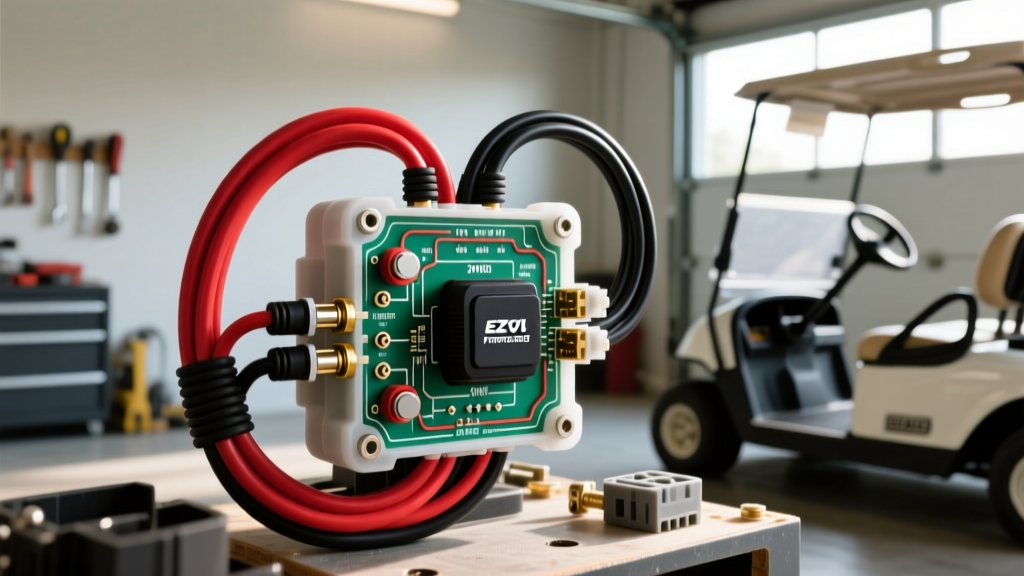
Introduction to 36V E-Z-GO F/R Architecture
When diagnosing or rebuilding a classic E-Z-GO TXT, accessing an accurate 36 volt ezgo forward reverse switch wiring diagram is only the first step. The forward/reverse (F/R) assembly is the critical junction that dictates motor rotation by manipulating the relationship between the armature and the stator (field) windings. Unlike modern AC drive systems that handle direction changes via software logic in the motor controller, legacy 36V E-Z-GO systems rely on high-amperage mechanical switching or precision microswitch arrays. Miswiring this assembly will not only result in a non-functional cart but can instantly destroy the solenoid, melt the main harness, or shatter the motor commutator due to severe inductive kickback.
This advanced technical deep dive covers the exact wiring topologies, terminal matrices, and failure mode analyses for both the heavy-duty 4-post mechanical switches (Series Wound motors) and the microswitch-based setups (36V DCS and Sep-Ex systems).
System Identification: Mechanical vs. Microswitch
Before cutting or crimping a single wire, you must identify which 36V architecture your E-Z-GO utilizes. The wiring diagrams are fundamentally incompatible between the two.
1. The 4-Post Mechanical Switch (Series Wound Motors)
Found primarily on 36V E-Z-GO TXT Fleet models (pre-1995) and resistor-speed-control carts. This switch physically routes the massive 200A+ main motor current. It features four large 5/16-18 threaded copper posts and a robust internal brass contactor bar. The switch housing is typically made of high-temperature phenolic resin to resist arcing.
2. The Microswitch Array (36V DCS & Sep-Ex)
Introduced with the 1995+ 36V DCS (Drive Control System) and later Sep-Ex (Separately Excited) models. The mechanical F/R lever in the cab does not carry motor current. Instead, it actuates a bank of 12V/36V low-current microswitches (typically Honeywell or Cherry brand) mounted on a cam plate behind the dash. These switches send logic signals to the solid-state motor controller, which then uses internal MOSFETs/IGBTs to reverse the motor field electronically.
36 Volt EZGO Forward Reverse Switch Wiring Diagram: 4-Post Series Motor
For Series Wound motors, the F/R switch must reverse the field (Stator) relative to the Armature to change direction. The standard E-Z-GO 4-post switch uses a diagonal cross-over wiring scheme. Below is the definitive terminal matrix for the heavy-duty mechanical switch.
| Terminal Post | Location | Wire Destination | Cable Spec | Ring Terminal |
|---|---|---|---|---|
| Post 1 | Top Left | Motor Armature 1 (A1) | 2 AWG SGX (Red) | 5/16' Closed Eye |
| Post 2 | Top Right | Motor Stator 2 (S2 / F2) | 2 AWG SGX (Black) | 5/16' Closed Eye |
| Post 3 | Bottom Left | Motor Stator 1 (S1 / F1) | 2 AWG SGX (Black) | 5/16' Closed Eye |
| Post 4 | Bottom Right | Motor Armature 2 (A2) | 2 AWG SGX (Red) | 5/16' Closed Eye |
Internal Contactor Logic
- Forward Position: The internal brass bar connects Post 1 to Post 3 (A1 to S1) and Post 2 to Post 4 (S2 to A2). Current flows through the armature and field in the same relative polarity.
- Reverse Position: The bar shifts diagonally, connecting Post 1 to Post 4 (A1 to A2 - wait, this is a common misconception. The actual cross-over is achieved by the cables crossing, or the switch internally connects 1-4 and 2-3). In the standard E-Z-GO setup, the switch connects Top Left to Bottom Right, and Top Right to Bottom Left. This reverses the S-field polarity while maintaining A-armature polarity, reversing the cart.
- Neutral: The circuit is open. No continuity between any posts.
36V DCS Microswitch F/R Wiring Pinout
If your cart utilizes a 36V DCS controller (often a 10-pin or 16-pin connector), the F/R lever actuates microswitches. According to E-Z-GO Official Service Documentation, the logic circuit relies on a 12V reference (stepped down via a voltage reducer) or direct 36V pack voltage, depending on the specific controller revision.
| Switch Function | Wire Color (Typical) | Controller Pin | Actuation State |
|---|---|---|---|
| Forward Input | White/Blue Tracer | Pin 3 (FWD) | Normally Open (Closes in FWD) |
| Reverse Input | White/Yellow Tracer | Pin 4 (REV) | Normally Open (Closes in REV) |
| Motor Limit / Brake | Blue | Pin 5 (Limit) | Normally Closed (Opens at end of travel) |
Expert Note: Always use a digital multimeter (DMM) in continuity mode to verify the exact pinout on your specific cam plate, as aftermarket replacement switches frequently alter the COM (Common), NO (Normally Open), and NC (Normally Closed) terminal designations.
Advanced Troubleshooting & Failure Mode Decision Tree
When the cart exhibits directional failure, do not immediately replace the controller. Follow this diagnostic tree to isolate the F/R assembly.
Symptom: Cart moves in Forward, but dead in Reverse
- Cause 1 (Series Motor): Pitted internal contacts on the Reverse throw of the 4-post switch. Fix: Perform a loaded voltage drop test. Place DMM leads across Post 1 and Post 4 while the pedal is depressed. A reading above 0.05V indicates severe internal resistance. Replace the switch.
- Cause 2 (DCS/Sep-Ex): Failed Reverse microswitch or broken White/Yellow tracer wire. Fix: Probe the Reverse microswitch COM and NO terminals. If 12V/36V is present at COM but not at NO when the lever is pulled back, replace the Honeywell/Cherry microswitch.
Symptom: F/R Switch Housing is Melting or Smells Like Ozone
- Cause: Loose 5/16' ring terminals on the heavy-duty posts. A loose connection creates a high-resistance point. At 250A inrush current, this generates immense heat (I²R losses), melting the phenolic housing and causing secondary arcing.
- Fix: Cut off the oxidized terminals. Strip the 2 AWG SAE J1128 Type SGX cable back to clean copper. Use a 6-ton hydraulic crimper (never a handheld ratchet crimper for 2 AWG) to attach new tinned copper ring terminals. Seal with 3M FP-301 marine heat shrink.
Symptom: Cart 'Chatters' or Solenoid Clicks Rapidly in Reverse
- Cause: The Reverse microswitch on a DCS system is 'fluttering' due to a worn cam lobe or weak internal leaf spring, causing the controller to rapidly cycle the main solenoid.
- Fix: Inspect the nylon cam roller for flat spots. Adjust the microswitch mounting bracket to ensure 1mm of over-travel compression when the lever is fully engaged in Reverse.
Torque Specifications and Preventative Maintenance
Proper torque is non-negotiable when terminating high-amperage DC circuits. Under-torquing leads to thermal runaway; over-torquing strips the brass threads embedded in the phenolic switch block.
- 5/16-18 Hardware (Standard 4-Post Switch): Torque to 9 - 11 ft-lbs (108 - 132 in-lbs).
- 3/8-16 Hardware (Upgraded Heavy-Duty Switches): Torque to 15 - 18 ft-lbs.
- Microswitch Terminals: Use 1/4' spade connectors with a positive detent. Crimp with a ratcheting AWG 22-16 insulated terminal tool. Do not solder directly to microswitch blades, as heat transfer will warp the internal Bakelite isolators.
Annually, apply a micro-thin layer of dielectric grease (such as NO-OX-ID A-Special) to the external threads and ring terminal faces of the 4-post switch to prevent galvanic corrosion between the copper lugs and the brass/steel hardware. Never spray aerosol contact cleaner directly into the mechanical switch housing, as it will wash away the factory-applied arc-suppression grease on the internal brass contactor bar.