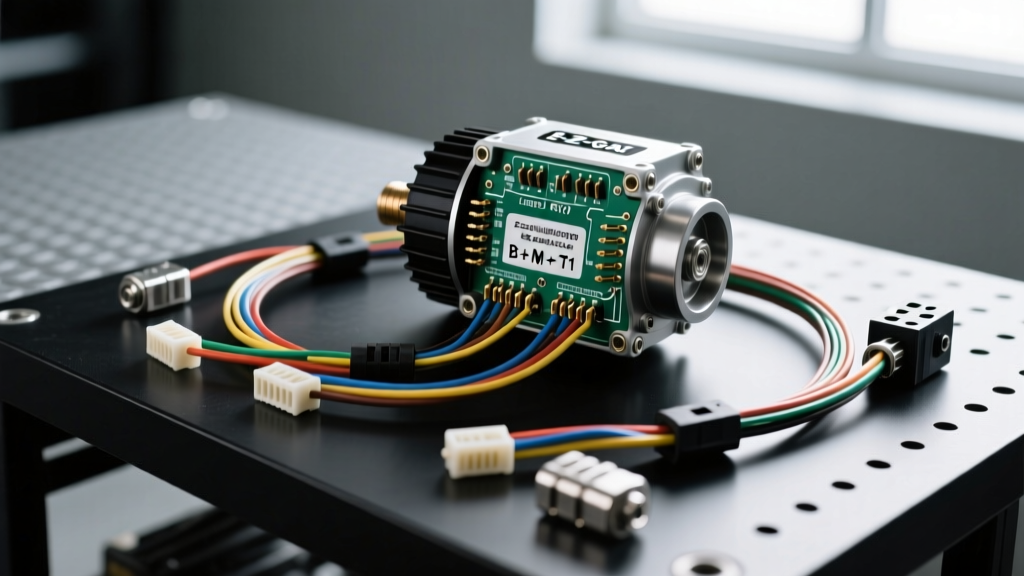
Mastering the E-Z-GO RXV Wiring Diagram: AC Controller Installation
The E-Z-GO RXV represents a massive leap in golf cart electrical architecture compared to the older TXT models. While the TXT relied on simple mechanical microswitches and heavy-duty solenoids, the RXV utilizes a fully integrated solid-state AC motor controller, an electronic shifter, and an Electric Parking Brake (EPB). When upgrading, replacing, or troubleshooting the RXV drivetrain, relying on a generic golf cart schematic will lead to immediate faults. You need an exact E-Z-GO RXV wiring diagram tailored to AC induction motors and solid-state logic.
This practical how-to guide walks you through the installation and wiring of an aftermarket AC controller (such as the Curtis 1238E series, the industry standard for RXV Danaher replacements) into the E-Z-GO RXV 48V platform. We will cover high-current routing, logic pinouts, and the notoriously tricky EPB integration.
RXV Architecture vs. Legacy TXT Systems
Before cutting a single wire, you must understand the fundamental differences in the RXV wiring harness. The RXV lacks a traditional high-amperage forward/reverse solenoid. Directional changes are handled entirely via logic signals sent from the dashboard shifter to the controller. Furthermore, the RXV features an Electric Parking Brake (EPB) mounted directly to the motor housing. The controller must receive a 'brake released' confirmation signal before it will enable the inverter bridge. If your wiring diagram does not account for the EPB microswitch and solenoid circuit, the cart will throw a High Pedal Disable (HPD) fault or refuse to move entirely.
Required Tools and Materials
- Wire: 2 AWG stranded copper welding cable (High Voltage); 18 AWG stranded primary wire (Logic/Throttle); 12 AWG wire (EPB Solenoid).
- Connectors: 2 AWG ring terminals (3/8-inch stud); Deutsch DT series connectors for logic splices.
- Tools: Hydraulic wire crimper, wire strippers, digital multimeter, torque wrench (inch-pounds and foot-pounds).
- Safety: 100W 100-Ohm precharge resistor, insulated gloves, safety glasses.
For all low-tension primary wiring, we strictly adhere to SAE J1128 standards to ensure the insulation can withstand the under-seat thermal environment of the RXV battery compartment.
E-Z-GO RXV AC Controller Pinout Reference Table
When replacing the OEM Danaher controller with a Curtis 1238E AC controller, you must map the RXV OEM harness to the new controller's J1, J2, and J3 connectors. Below is the critical pinout mapping for the 48V RXV system.
| Controller Pin | Function | Wire Color (OEM/Curtis) | AWG Size | Torque Spec |
|---|---|---|---|---|
| B+ (Main) | Battery Positive | Red | 2 AWG | 120 in-lbs |
| B- (Main) | Battery Negative | Black | 2 AWG | 120 in-lbs |
| Motor U | AC Phase A | Yellow | 2 AWG | 18 ft-lbs |
| Motor V | AC Phase B | Green | 2 AWG | 18 ft-lbs |
| Motor W | AC Phase C | Blue | 2 AWG | 18 ft-lbs |
| J2 Pin 1 | Throttle High (Signal) | White | 18 AWG | N/A |
| J2 Pin 2 | Throttle Low (Ground) | White/Black | 18 AWG | N/A |
| J2 Pin 5 | Forward Switch Input | Green | 18 AWG | N/A |
| J2 Pin 6 | Reverse Switch Input | Blue | 18 AWG | N/A |
| J3 Pin 4 | EPB Release / Brake Sw | Orange | 18 AWG | N/A |
Step-by-Step Installation Guide
Step 1: Battery Disconnect and Capacitor Discharge
The RXV controller contains massive internal capacitors. Disconnecting the main 48V battery pack (whether 4x12V or 6x8V configuration) is not enough; lethal DC voltage remains in the bus bars. Never unbolt the B+ or B- terminals without discharging the capacitors first. Connect a precharge resistor (or a 12V incandescent test light in a pinch) across the controller's main B+ and B- studs. Wait 60 seconds until the light fades or the resistor cools. Verify with a multimeter that the voltage reads below 5V before proceeding. Reference the Curtis 1238E Installation Manual for specific precharge circuit diagrams.
Step 2: High-Voltage Cable Routing and Motor Phases
Cut your 2 AWG welding cable for the B+, B-, and Motor Phase connections. When routing the motor phase cables (U, V, W) from the controller to the RXV AC motor, keep them at least 4 inches away from the logic harness to prevent Electromagnetic Interference (EMI) from corrupting the throttle signal. Crimp 3/8-inch ring terminals onto the 2 AWG cables using a hydraulic crimper. Soldering 2 AWG battery cable is not recommended for golf cart applications due to vibration-induced solder fatigue. Attach the motor phase cables to the motor studs. If the motor spins backward during testing, simply swap the U (Yellow) and W (Blue) phase wires at the controller terminals. Torque the motor phase nuts to exactly 18 ft-lbs to prevent arcing and terminal melting.
Step 3: Logic Harness and EPB Integration
This is where the E-Z-GO RXV wiring diagram diverges from standard carts. The RXV shifter is a low-current digital switch pack. Splice into the OEM Forward (Green) and Reverse (Blue) wires using Deutsch DT connectors. Do not use cheap twist-caps or electrical tape; the under-seat environment is prone to moisture and battery acid off-gassing.
The Electric Parking Brake (EPB): The RXV EPB uses a 48V solenoid to release the mechanical brake band. Your aftermarket controller needs to know the brake is released. Wire the EPB microswitch (located on the motor brake housing) to the controller's 'Brake Switch' or 'Interlock' logic pin (typically J3 Pin 4). If your controller does not have a dedicated EPB driver, you must install a heavy-duty 48V automotive relay triggered by the keyswitch to power the EPB solenoid, while simultaneously sending a 48V-to-logic step-down signal to the controller to confirm the brake is disengaged.
Step 4: Throttle Calibration and ITS Wiring
The RXV uses a Hall Effect Inductive Throttle Sensor (ITS). It requires a 5V reference, a ground, and a signal return. Wire the 5V reference to J2 Pin 14, Ground to J2 Pin 2, and the Signal wire to J2 Pin 1. Using your multimeter, back-probe the signal wire. With the pedal at rest, you should read approximately 0.8V to 1.0V. At wide-open throttle (WOT), the voltage should climb smoothly to 3.2V to 3.5V. If the voltage jumps erratically, the ITS magnet is misaligned or the sensor is failing, which will trigger an HPD (High Pedal Disable) fault code upon startup.
Common RXV Wiring Failure Modes and Troubleshooting
Even with a perfect wiring diagram, real-world conditions introduce variables. Here is a diagnostic decision tree for common RXV AC controller faults:
- Symptom: Cart powers on but refuses to move; Red LED flashes 2 times.
Cause: High Pedal Disable (HPD). The controller detected a throttle voltage above 1.2V upon key-up.
Fix: Check the ITS throttle return spring. Ensure the pedal box is free of debris holding the pedal down. Verify the 18 AWG ground wire for the throttle is not sharing a ground loop with the high-current motor solenoid. - Symptom: Motor hums or vibrates violently but does not spin.
Cause: Missing or crossed Motor Phase connection (U, V, W).
Fix: Inspect the 2 AWG motor phase terminals. Ensure the Yellow, Green, and Blue wires are securely torqued to 18 ft-lbs. A loose M8 nut on the motor stud will cause single-phasing and destroy the controller's internal IGBTs. - Symptom: EPB will not release, clicking sound from rear axle.
Cause: Voltage drop across the EPB solenoid wiring.
Fix: The OEM 12 AWG EPB wires often suffer from corrosion at the chassis ground. Perform a voltage drop test across the EPB solenoid while pressing the pedal. You must see at least 44V under load. Clean the chassis ground star washer with a wire brush and apply dielectric grease.
Final Verification and Testing
Before lowering the RXV seat back onto the battery compartment, perform a 'dead bug' test. Jack up the rear wheels off the ground. Turn the key to ON, select Forward, and gently press the throttle. The motor should spin smoothly and quietly. Select Reverse; the motor should spin the opposite direction, and the backup alarm (wired to the controller's reverse output relay) should sound. Lower the cart, torque all battery interconnect cables to 11 ft-lbs, and apply a thin coat of anti-corrosion spray to the 48V terminals.
For further technical documentation on RXV electrical systems and battery configurations, consult the official E-Z-GO Technical Documents portal. Proper adherence to these wiring standards ensures your RXV will deliver reliable, high-torque performance for years to come.