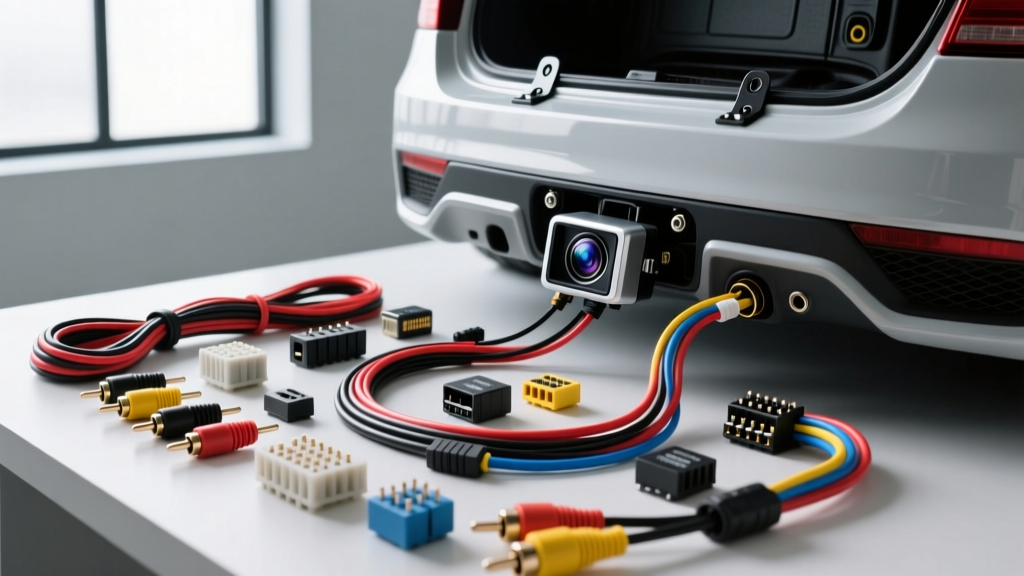
Introduction to Reverse Camera Fundamentals
Upgrading your vehicle's visibility is one of the most practical safety modifications you can make. While you may have originally searched for 'how to instal reverse camera' systems online, proper installation goes far beyond simply mounting a lens to your license plate. It requires a fundamental understanding of automotive electrical circuits, signal shielding, and modern vehicle network behaviors. In this beginner-friendly guide, we will break down the exact wiring diagrams, AWG (American Wire Gauge) requirements, and troubleshooting steps needed to integrate an aftermarket backup camera into your factory or aftermarket head unit flawlessly.
Understanding the Reverse Camera Wiring Diagram
Before cutting into a single wire, you must understand the four primary connections required for a standard reverse camera system. Unlike complex CAN bus integrations, a basic camera relies on analog power and composite video signals.
- 12V DC Power: Supplies constant or switched power to the camera sensor and IR (infrared) night vision LEDs.
- Ground (GND): Completes the DC circuit back to the vehicle's chassis.
- Composite Video (RCA): Transmits the analog NTSC/PAL video signal to the display.
- Reverse Trigger Wire: A low-current signal wire that tells the head unit to switch from your radio or navigation screen to the camera input.
Wiring Specification & Pinout Table
| Wire Function | Typical Aftermarket Color | Recommended AWG Size | Connection Point & Hardware |
|---|---|---|---|
| Camera 12V+ Power | Red | 18 AWG | Reverse Light Positive / Posi-Tap |
| Camera Ground | Black | 18 AWG | Chassis Metal / M6 Ring Terminal |
| Video Signal | Yellow RCA (Shielded) | N/A (Coaxial) | Head Unit Camera RCA Input |
| Head Unit Trigger | Purple or Orange/White | 18 AWG | Reverse Light Positive / Harness Tap |
Step-by-Step: How to Install a Reverse Camera
Step 1: Mounting and Routing the Video Cable
The physical routing of your RCA video cable is critical to avoiding electromagnetic interference (EMI). According to SAE J1113 standards for electromagnetic compatibility, unshielded or poorly routed signal wires will pick up high-frequency noise from the alternator and ignition coils, resulting in rolling horizontal lines on your display.
Route the shielded RCA coaxial cable along the vehicle's outer threshold panels (either driver or passenger side), tucking it beneath the plastic door sill trim. Avoid running the video cable directly alongside the vehicle's main CAN bus wiring harness or high-current amplifier power wires. When passing through the firewall or trunk grommet, use a silicone-based wire lubricant and ensure the RCA barrel connector is wrapped in foam tape to prevent rattling against the chassis.
Step 2: Tapping the Reverse Light Circuit (The 12V Trigger)
To power the camera and trigger the head unit simultaneously, you must tap into the vehicle's reverse light circuit. Locate the reverse light bulb socket in the tail light assembly. Using a digital multimeter (DMM), probe the wires while the vehicle is in reverse (engine off, ignition on) to identify the positive 12V feed.
Expert Tip: Never use cheap 'T-taps' or 'scotch locks'. These pierce the wire insulation, exposing bare copper to moisture and leading to galvanic corrosion and voltage drops over time. Instead, use a Posi-Tap connector or strip a small section of the factory wire, solder an 18 AWG pigtail, and seal it with heat-shrink tubing lined with marine-grade adhesive.
Step 3: The Modern Vehicle PWM Problem (Flickering Cameras)
If you are installing a camera on a modern vehicle (e.g., 2015+ Ram, Jeep, BMW, or VW), you will likely encounter a flickering camera or a 'No Signal' error. This is because modern vehicles use Pulse Width Modulation (PWM) to monitor bulb health. Instead of a steady 12V DC, the reverse light receives a rapid square-wave voltage that confuses the camera's internal voltage regulator.
The Fix: Build a PWM Filter Circuit
You can smooth this PWM signal into a clean 12V DC line using two inexpensive electronic components:
- 1N4004 Diode: Wire this in series with your 12V trigger tap. The silver band (cathode) should point toward the camera, allowing current to flow only one way and blocking the voltage drop phase of the PWM wave.
- 2200µF 25V Electrolytic Capacitor: Wire this in parallel across the camera's 12V+ and Ground wires (positive leg to 12V+, negative leg to Ground). The capacitor acts as a reservoir, filling in the 'gaps' of the PWM square wave to provide a steady, uninterrupted voltage to the camera.
Alternatively, you can use a standard 12V automotive relay (Bosch-style 5-pin or 4-pin). Use the PWM reverse light wire to trigger the relay coil (pins 85/86), and run a dedicated 12V constant or ignition-switched fuse tap to the relay's input pin (30), feeding the camera from the output pin (87).
Step 4: Establishing a Proper Chassis Ground
A poor ground is the number one cause of backup camera failure and ground-loop noise (a high-pitched whine that syncs with engine RPM). Do not simply wrap the ground wire around a random bolt. Find an M6 or M8 chassis bolt in the trunk or hatch area. Remove the bolt, use 80-grit sandpaper or a Dremel tool to strip away the factory paint and clear coat down to bare, shiny metal. Crimp an 18 AWG ring terminal onto your black ground wire, secure it to the bare metal, and torque the bolt to approximately 10 Nm. Finally, smear dielectric grease over the terminal to prevent oxidation.
Step 5: Head Unit Integration
At the front of the vehicle, plug the yellow RCA into the port labeled 'CAM IN' or 'RCAM' on your aftermarket stereo. Next, locate the head unit's reverse trigger wire (commonly Purple on Pioneer/Alpine units, or Orange/White on others). Connect this to the same reverse light 12V+ tap you used at the back of the car, or run a dedicated trigger wire from the rear alongside the RCA cable. If you are using a factory radio, you will need a vehicle-specific camera integration harness (like those from Axxess or Maestro) to step down the camera's 12V to the factory radio's required 6V or data-trigger signal. For more on head unit integration, the Crutchfield Learning Center offers excellent vehicle-specific fit guides.
Common Beginner Mistakes & Troubleshooting
Symptom: Rolling Horizontal Lines on Display
Cause: Alternator whine / EMI interference or a ground loop.
Fix: Ensure the RCA cable is not routed near the alternator or amplifier power wires. If the issue persists, install a Ground Loop Isolator on the RCA line near the head unit to break the continuous ground path causing the audio/video hum.
Symptom: Camera Flickers or Shuts Off While in Reverse
Cause: PWM signal interference on modern CAN bus vehicles, or excessive voltage drop due to long 18 AWG wire runs.
Fix: Install the diode/capacitor PWM filter mentioned in Step 3, or use a 12V relay to isolate the camera power from the vehicle's bulb-check module.
Symptom: Display Says 'No Signal' but Camera LEDs Turn On
Cause: The head unit is not receiving the 12V reverse trigger signal, meaning it doesn't know to switch to the video input.
Fix: Check the connection at the head unit's purple/orange trigger wire. Verify with a multimeter that 12V is reaching the back of the stereo when the car is shifted into reverse. Ensure the stereo's internal menu settings have 'Backup Camera' enabled and set to 'Battery' or 'Auto' rather than 'Off'.
Final Safety and Testing Protocols
Before reassembling your trunk trim and dash panels, perform a full functional test. Start the engine (to engage the alternator and introduce electrical noise), apply the parking brake, and shift into reverse. Verify that the camera powers on within 1.5 seconds, the image is free of static, and the head unit automatically reverts to the radio display when shifted into Park. By respecting AWG limits, avoiding cheap wire taps, and understanding PWM circuits, your reverse camera installation will provide years of reliable, crystal-clear visibility.