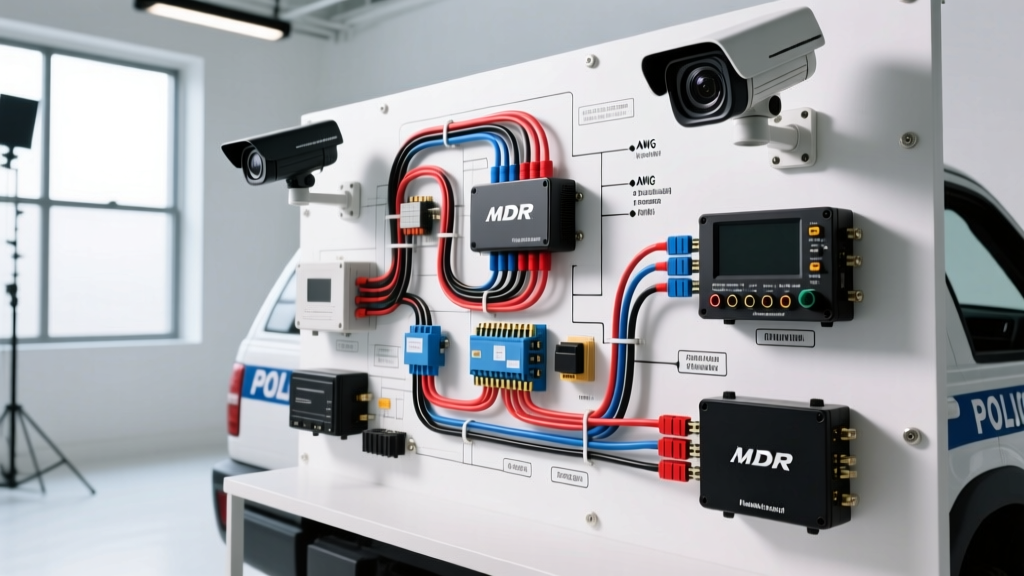
Mobile Surveillance Architecture for Campus Patrol Fleets
When security professionals plan a mobile surveillance camera installation, campus administrators expect seamless integration between vehicle telemetry and multi-channel video recording. Unlike fixed IP camera networks, mobile campus security vehicles—ranging from Ford Police Interceptor Utilities (FPIU) to 48V Low-Speed Vehicles (LSVs) like the Cushman Eagle—require automotive-grade 12V/24V electrical integration. The core of this system is the Mobile Digital Video Recorder (MDVR), which must handle severe voltage transients, alternator ripple, and high-current RF interference from onboard P25 police radios.
This complete wiring diagram walkthrough details the power distribution, M12 connector pinouts, and signal routing required for a 4-channel AHD/IP hybrid MDVR system used in campus patrol fleets. All wiring practices align with SAE J1128 standards for low-tension primary automotive cable and IPC/WHMA-A-620 requirements for crimp and shield termination.
Core Power Distribution: Tapping the Patrol Vehicle Fuse Box
A campus patrol vehicle's electrical system is subjected to heavy loads from lightbars, sirens, and radio amplifiers. Tapping into the wrong circuit for the MDVR will result in system reboots during siren wail or lightbar activation. For the Ford FPIU, you must utilize the dedicated Upfitter Circuits located in the right rear quarter panel module.
Upfitter Circuit Selection & Low-Voltage Cutoff
The MDVR requires two power inputs: a constant 12V+ (for memory retention and parking mode) and an ignition-switched 12V+ (to trigger recording). To protect the vehicle's cranking battery during extended campus night shifts, the MDVR's internal Low-Voltage Cutoff (LVC) must be configured to 11.8V. If the battery drops below this threshold, the MDVR will sever the constant power relay and safely park the HDD read/write heads.
| Circuit Function | Wire Type / AWG | Max Length (One Way) | Fuse Rating (ATC/MAXI) | Connection Point |
|---|---|---|---|---|
| Main Power (Battery Hot) | 12 AWG SXL (Red) | 15 Feet | 15A MAXI | FPIU Upfitter Circuit 33 |
| Ignition Trigger | 18 AWG SXL (Yellow) | 20 Feet | 3A ATC | FPIU Upfitter Circuit 35 |
| Chassis Ground | 12 AWG SXL (Black) | 3 Feet | N/A (Ring Terminal) | Seatbelt Anchor Bolt (M10) |
| Camera Drop (per cam) | 18 AWG SXL (4-Conductor) | 25 Feet | Integrated PTC | MDVR Channel 1-4 |
M12 Connector Pinout & Camera Wiring Diagram Walkthrough
Exterior campus patrol cameras are subjected to high-pressure car washes, rain, and extreme temperature cycling. Standard RCA or BNC connectors will fail within months. The industry standard for mobile surveillance is the IP67-rated M12 aviation connector. Below is the wiring schematic breakdown for both analog AHD and IP PoE camera deployments.
4-Pin M12 A-Coded (AHD / Analog Cameras)
For standard 1080p AHD exterior bullet cameras mounted on the patrol vehicle's grille, roof rack, and rear bumper, the 4-pin M12 connector carries power, ground, video, and audio over a single shielded cable.
| Pin Number | Wire Color (Standard) | Function | Voltage / Signal Level |
|---|---|---|---|
| Pin 1 | Red | DC Power (+) | 12V DC (Regulated by MDVR) |
| Pin 2 | White | Audio In | Line Level / Mic Bias |
| Pin 3 | Green | Video Signal | 1.0V p-p (AHD/CVI/TVI) |
| Pin 4 | Black | DC Ground (-) | 0V Reference |
8-Pin M12 X-Coded (IP / PoE Cameras)
For high-resolution PTZ (Pan-Tilt-Zoom) cameras used for license plate recognition (ALPR) at campus gates, Ethernet over M12 X-Coded connectors is required. This provides Gigabit data and PoE+ (Power over Ethernet) simultaneously.
| Pin | Color Code (T568B Equiv) | Function | Notes |
|---|---|---|---|
| 1 | White/Orange | TX+ / PoE+ | Data Pair 1 |
| 2 | Orange | TX- / PoE+ | Data Pair 1 |
| 3 | White/Green | RX+ / PoE+ | Data Pair 2 |
| 4 | Blue | PoE+ Return | Power Pair |
| 5 | White/Blue | PoE+ Return | Power Pair |
| 6 | Green | RX- / PoE+ | Data Pair 2 |
| 7 | White/Brown | PoE+ Return | Power Pair |
| 8 | Brown | PoE+ Return | Power Pair |
Signal Routing, Shielding, and RF Interference Mitigation
Campus security vehicles are essentially mobile radio towers. The installation of VHF, UHF, and 800MHz P25 antennas creates massive electromagnetic interference (EMI). If camera cables are routed parallel to radio coaxial cables or the vehicle's main wiring harness, the MDVR will record severe horizontal tearing, rolling bars, or digital packet loss.
Best Practices for EMI Reduction
- Orthogonal Routing: Always route M12 camera cables perpendicular (at 90-degree angles) to radio antenna coax and high-current siren wiring. Never bundle camera drops with power amplifier cables.
- Shield Drain Wire Termination: The braided shield inside the M12 camera cable must be grounded at the MDVR end only. Grounding both ends creates a ground loop, which will induce alternator whine into the audio channel and 60Hz hum into the video signal.
- Dielectric Grease Application: Apply a liberal amount of silicone dielectric grease to the M12 connector threads and O-rings before mating. This prevents galvanic corrosion between the brass pins and the vehicle's aluminum body panels, a common failure point in exterior surveillance camera installations.
Troubleshooting Decision Tree: Video Loss & Power Drops
When a campus patrol vehicle returns to the motor pool with a 'Video Loss' or 'HDD Error' flagged on the MDVR, follow this diagnostic sequence to isolate the fault.
Symptom 1: MDVR Reboots When Siren or Lightbar Activates
- Cause: Voltage sag on the 12V bus dropping below the MDVR's 9V minimum operating threshold.
- Test: Connect a digital multimeter (DMM) with Min/Max hold to the MDVR power input terminal. Activate the siren. If voltage drops below 10.5V, the circuit is overloaded.
- Fix: Move the MDVR constant power tap to a dedicated secondary battery bank or install an isolated DC-DC converter (e.g., 12V to 12V 10A) with a supercapacitor buffer to ride out the voltage transients.
Symptom 2: Horizontal Rolling Bars on AHD Camera Feed
- Cause: Alternator ripple or ground loop interference bleeding into the video signal wire (Pin 3).
- Test: Disconnect the camera's ground pin (Pin 4) at the MDVR. If the rolling bars disappear, a ground loop exists between the camera chassis (grounded to the vehicle exterior) and the MDVR chassis (grounded to the interior cage).
- Fix: Install a BNC/M12 ground loop isolator on the video line, or ensure the camera housing is isolated from the vehicle chassis using nylon mounting washers, relying solely on the M12 Pin 4 for ground reference.
Symptom 3: IP Camera Drops Offline Intermittently
- Cause: PoE+ negotiation failure due to voltage drop over long 18 AWG Ethernet runs, or water ingress in the X-Coded connector.
- Test: Check the MDVR's PoE management page. If the camera draws erratic wattage (e.g., fluctuating between 2W and 15W), the connector is compromised.
- Fix: Inspect the M12 X-Coded connector for bent pins or moisture. Re-crimp using an IPC-certified M12 ratcheting crimp tool, ensuring the cable jacket is secured inside the connector's strain relief boot to prevent tension from pulling the PoE+ return pins loose.
Summary of Installation Standards
A successful mobile surveillance camera installation for campus patrol fleets relies on respecting the harsh automotive electrical environment. By utilizing SAE J1128 SXL wire, properly configuring upfitter circuits with LVC protection, and adhering to strict M12 pinout and shielding protocols, fleet managers can ensure 99.9% uptime for critical incident recording. Always verify all crimp connections with a pull-test gauge per IPC/WHMA-A-620 standards before sealing the vehicle's interior trim panels.