The Hidden Dangers of Automotive CCTV Camera Installation
While residential security systems dominate the consumer market, commercial fleet, RV, and heavy-duty trailer surveillance requires an entirely different engineering approach. When performing a commercial cctv camera installation on a Class 8 truck, horse trailer, or fifth-wheel RV, technicians frequently apply household wiring logic to high-vibration, high-EMI automotive environments. This leads to catastrophic failures, alternator whine, and fried camera sensors.
Automotive CCTV systems endure extreme voltage spikes from alternators, constant chassis flexing, and exposure to road salts and high-pressure washdowns. Below, we break down the most dangerous and common mistakes made during mobile CCTV camera installations, complete with SAE-compliant wiring specifications and troubleshooting matrices.
Mistake 1: Undersizing Wire Gauge for Long Trailer Runs
The most frequent cause of nighttime CCTV camera failure on trailers is voltage drop. Many installers use the 18 AWG wire included in the camera kit for runs exceeding 25 feet. While an 18 AWG wire might sufficiently power a camera drawing 150mA during the day, it fails dramatically when the infrared (IR) LED array activates at night.
The IR Surge Problem
Heavy-duty backup and cargo cameras utilize high-output IR LEDs that can surge the current draw from 150mA to over 800mA. Over a 40-foot run (80 feet round-trip), the resistance of 18 AWG copper wire causes a severe voltage drop. The camera receives less than 10.5V, causing the internal voltage regulator to overheat, the image to flicker, or the IR illuminators to shut down entirely.
| Total Wire Run (Round Trip) | Max Current Draw (Day/Night) | Minimum AWG (Copper) | Expected Voltage Drop at 13.2V |
|---|---|---|---|
| Under 15 Feet | 800mA (IR Active) | 18 AWG | 0.17V |
| 15 to 30 Feet | 800mA (IR Active) | 16 AWG | 0.21V |
| 30 to 50 Feet | 800mA (IR Active) | 14 AWG | 0.26V |
| 50 to 80 Feet (Gooseneck/5th Wheel) | 1.2A (Heated Lens + IR) | 12 AWG | 0.38V |
Always refer to SAE J1128 Low Tension Primary Cable standards when selecting wire. For commercial trailer runs, use SXL or GXL cross-linked polyethylene jacketed wire, which resists melting against exhaust components and chassis friction points far better than standard PVC.
Mistake 2: Miswiring 4-Pin Aviation Connectors (M12)
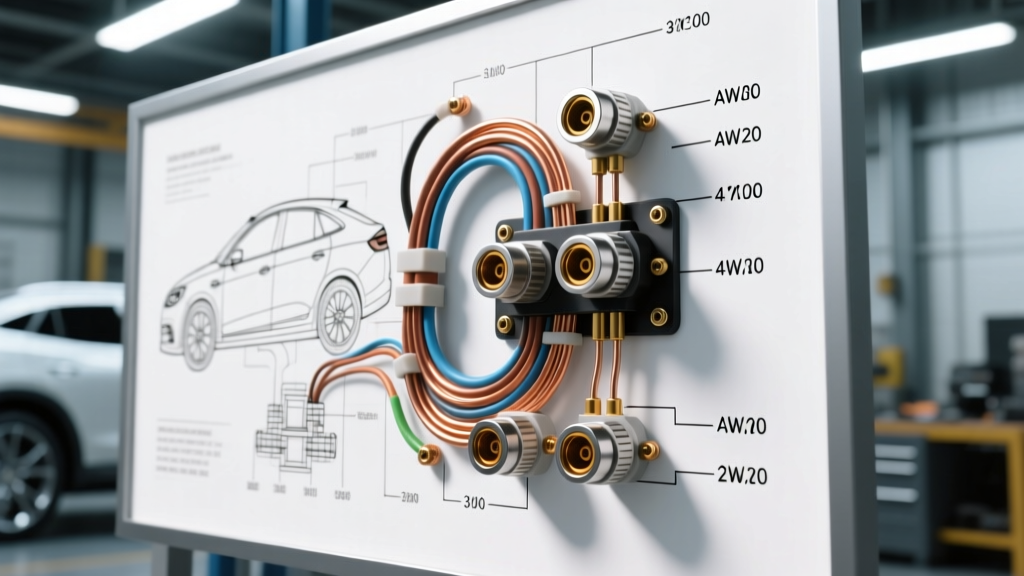
Mobile CCTV systems rely on M12 or M16 4-pin aviation connectors to ensure waterproof, vibration-proof connections between the cab and the trailer. A critical safety warning: not all 4-pin connectors are wired to the same standard. Assuming a universal pinout will instantly short-circuit the camera or the monitor.
Standard Automotive 4-Pin CCTV Pinout
Before soldering or crimping your aviation connectors, verify the manufacturer spec sheet. However, the most common industry standard for analog and AHD (Analog High Definition) mobile cameras is as follows:
| Pin Number | Function | Standard Wire Color | Signal Type |
|---|---|---|---|
| Pin 1 | Power (VCC) | Red | 12V DC / 24V DC |
| Pin 2 | Audio / Trigger | White or Blue | Analog Audio or Reverse Trigger |
| Pin 3 | Ground (GND) | Black | DC Return / Shield Drain |
| Pin 4 | Video Signal | Yellow (Center Coax) | 1.0Vp-p 75-Ohm Composite |
For detailed mechanical retention and IP68 sealing specifications on these connectors, installers should consult Amphenol LTW M12 Connector Specs. Never use standard solder without applying a dual-wall adhesive heat shrink over the solder cups; vibration will cause rigid solder joints to fracture within weeks on a commercial trailer.
Mistake 3: Creating Ground Loops and Alternator Whine
Audio buzzing and horizontal rolling bars on the CCTV monitor are classic symptoms of a ground loop. This occurs when the camera and the monitor are grounded to different chassis points that have differing electrical potentials, causing current to flow through the coaxial cable shield (Pin 3).
How to Prevent Ground Loop Interference
- Star Grounding: Ground the CCTV monitor and the main power distribution block to the exact same bare-metal chassis bolt.
- Isolated DC-DC Converters: For Class 8 trucks with massive alternator ripple, power the CCTV system through a galvanically isolated DC-DC converter rather than tapping directly into the fuse panel.
- Coax Shield Integrity: If the RG59 coaxial shield inside the 4-pin connector is pinched or frayed, it acts as an antenna for J1939 CAN-bus signals and alternator EMI. Strip the coax precisely and ensure the braided shield makes full contact with the aviation connector ground pin.
Mistake 4: Ignoring 24V Heavy-Duty Truck Architectures
A fatal mistake in commercial fleet CCTV camera installation is plugging a 12V camera system into a European or heavy-duty North American truck (like a Freightliner Cascadia or Volvo VNL) that operates on a 24V nominal electrical system. When the engine is running, a 24V truck alternator outputs up to 28.5V. Connecting a 12V camera directly to the marker light circuit or the upfitter switch will instantly destroy the camera internal voltage regulator and pose a severe fire risk.
The Fix: Install a heavy-duty, IP67-rated 24V-to-12V step-down converter (such as a Victron Orion or equivalent fleet-grade buck converter) in the cab. Wire the converter to a switched ignition source, and ensure the output side is fused at 125% of the total CCTV system amperage draw.
Mistake 5: Piercing Wires and Compromising IP69K Ratings
Vampire taps (Posi-Taps) have no place in a professional mobile CCTV camera installation. Piercing the insulation of a shielded CCTV cable or an automotive harness introduces a microscopic entry point for moisture. Through capillary action, water will travel down the copper strands directly into the camera housing or the monitor, corroding the PCB from the inside out.
Furthermore, exterior cameras on commercial trucks are subjected to IP69K conditions (high-pressure, high-temperature steam washing). Installers must apply dielectric grease to all exterior aviation connectors before mating them, and must always create a 'drip loop' in the cable before it enters the camera housing. A drip loop ensures that water running down the cable jacket drips onto the road rather than pooling against the connector O-ring.
Troubleshooting Matrix: CCTV Video Artifacts
When a commercial installation yields poor video quality, use this decision tree to isolate the fault without blindly replacing parts:
| Symptom | Probable Cause | Diagnostic Action |
|---|---|---|
| Horizontal rolling bars that rev with the engine | Alternator whine / Ground Loop | Check Pin 3 continuity to chassis; install ground loop isolator on the video line. |
| Image is black and white during daylight | IR Sensor Stuck / Low Voltage | Measure voltage at the camera pigtail. If below 11.5V, upgrade AWG wire size. |
| Digital tearing or ghosting on AHD systems | CAN-bus EMI Interference | Reroute CCTV cable away from J1939 twisted pairs; verify coax shield termination. |
| Monitor displays 'No Signal' when in Reverse | Reverse Trigger Wire Miswired | Verify Pin 2 is receiving 12V+ from the reverse light circuit using a multimeter. |
Safety and Compliance Warnings
According to FMCSA Fleet Safety Guidelines, any aftermarket wiring added to a commercial motor vehicle must not interfere with the primary vehicle safety systems. This means your CCTV power draws must never be spliced into ABS (Anti-lock Braking System) wiring, airbag circuits, or primary engine ECM sensor returns. Always pull dedicated power from the battery or an approved upfitter module, utilizing inline automotive blade fuses located within 18 inches of the power source.
By respecting the harsh realities of the automotive electrical environment—specifically voltage drop, EMI, and moisture intrusion—technicians can execute a commercial cctv camera installation that survives millions of miles on the highway.