Introduction to Automotive PTZ Camera Systems
When outfitting a recreational vehicle (RV), heavy-duty truck, or fleet trailer, a standard fixed-lens backup camera often falls short. This is where a PTZ (Pan-Tilt-Zoom) camera installation becomes invaluable. Unlike static cameras, PTZ units allow the driver or spotter to actively scan blind spots, monitor shifting cargo, and zoom in on tight clearance points while navigating narrow campgrounds or loading docks. However, the addition of motorized pan and tilt mechanisms introduces a layer of electrical complexity that intimidates many beginners. This guide breaks down the fundamental wiring architecture of automotive PTZ cameras, focusing on power delivery, video signal transmission, and the critical RS-485 data control lines.
Decoding the PTZ Camera Wiring Harness
A standard automotive PTZ camera utilizes a multi-conductor harness, typically terminating in a waterproof 7-pin or 8-pin aviation connector (such as the GX16 or GX12 series). To successfully wire the system, you must understand the three distinct circuits operating within this single cable jacket.
1. Power Delivery (12V/24V DC)
PTZ cameras require significantly more amperage than fixed cameras due to the internal stepper motors used for panning and tilting. While a standard backup camera draws roughly 150mA, a PTZ camera can experience inrush currents of up to 2.5 Amps when the motors engage. According to SAE J1128 standards for low-tension primary automotive cable, using undersized wire will result in severe voltage drop. If the voltage at the camera head drops below 10.5V during a pan command, the internal microcontroller will reset, causing the camera to freeze or jitter. For runs under 15 feet, 16 AWG stranded copper is sufficient. For RV runs exceeding 25 feet, upgrade to 14 AWG to maintain optimal voltage delivery.
2. Video Signal Transmission
Most entry-level and mid-range automotive PTZ systems utilize analog HD (AHD, TVI, or CVI) video signals transmitted over a dedicated coaxial line within the harness. The center conductor carries the high-frequency video signal, while the braided shield acts as the signal ground and protects against electromagnetic interference (EMI) generated by the vehicle's alternator and ignition system. Ensure the coaxial shield is grounded only at the monitor/display end to prevent ground loops, which manifest as rolling horizontal bars on the screen.
3. RS-485 Control Data (The PTZ Magic)
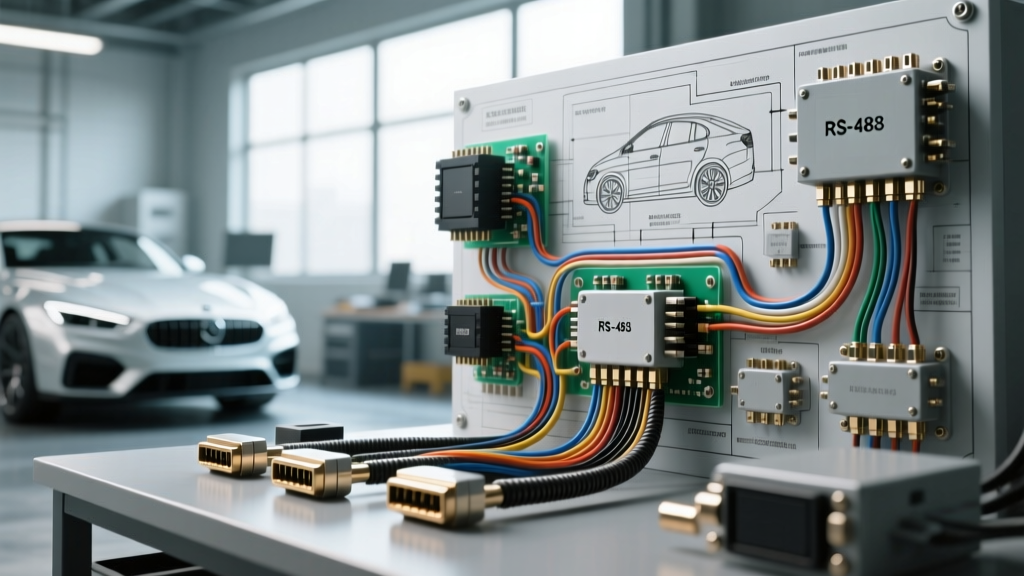
The ability to pan, tilt, and zoom is dictated by the RS-485 serial communication protocol. RS-485 uses differential signaling across a twisted pair of wires (Data A+ and Data B-). Because the receiver reads the voltage difference between the two wires rather than the voltage relative to ground, it is highly immune to the common-mode electrical noise found in automotive environments. As detailed in Texas Instruments' RS-485 design guides, maintaining the twist of this pair all the way to the termination block is crucial for signal integrity over long distances.
7-Pin GX16 Aviation Connector Pinout Reference
The GX16 7-pin connector is the industry standard for heavy-duty RV and trailer camera systems. Below is the standard pinout configuration used by most aftermarket PTZ manufacturers. Always verify with your specific manufacturer's schematic, as variations exist.
| Pin Number | Wire Color (Typical) | Function | Specification / Notes |
|---|---|---|---|
| Pin 1 | Red | DC Power (+) | 12V or 24V DC (Match camera spec) |
| Pin 2 | Black | Ground (-) | Chassis or dedicated ground return |
| Pin 3 | Yellow | Video Signal | Coax center conductor (AHD/CVI) |
| Pin 4 | White | Video Ground | Coax shield / Signal return |
| Pin 5 | Green | RS-485 Data A (+) | Twisted pair with Pin 6 |
| Pin 6 | Blue | RS-485 Data B (-) | Twisted pair with Pin 5 |
| Pin 7 | Shield/Bare | EMI Shield Drain | Connect to chassis ground at monitor |
Step-by-Step PTZ Camera Installation Fundamentals
Executing a reliable PTZ camera installation requires attention to physical routing and environmental sealing. Follow these beginner-friendly steps to ensure a professional-grade result.
- Plan the Route and Drill Points: Identify where the camera will mount (e.g., the rear cap of a fifth wheel or the top of a trailer door). Drill a 5/8-inch hole for the aviation connector. Crucial: Always drill from the outside in to prevent the drill bit from splintering the interior fiberglass or wood paneling.
- Install a Rubber Grommet and Drip Loop: Insert a marine-grade rubber grommet into the drilled hole. Before pushing the connector through, create a "drip loop" in the cable just below the entry point. This ensures that rainwater runs down the cable and drips off the bottom of the loop rather than following the wire directly into the chassis.
- Pull and Protect the Harness: Route the cable through the RV's interior walls or under the chassis. If routing under the chassis, use split-loom corrugated tubing and secure it with UV-resistant zip ties every 12 inches. Keep the camera harness at least 6 inches away from 120V AC inverter wiring to prevent video signal degradation.
- Terminate the RS-485 Network: If your cable run from the dashboard monitor to the rear camera exceeds 50 feet, the RVIA (Recreational Vehicle Industry Association) best practices recommend adding a 120-ohm termination resistor across the Data A+ and Data B- terminals at the monitor end to prevent signal reflection and data corruption.
- Seal the Exterior Mount: Mount the PTZ camera bracket using stainless steel hardware. Apply a generous bead of Dicor butyl rubber sealant (not standard silicone, which degrades and peels on RV surfaces) around the base of the bracket and over all exposed screw heads.
Real-World Troubleshooting Decision Tree
Even with meticulous wiring, PTZ systems can exhibit quirks. Use this decision tree to diagnose common post-installation issues.
- Symptom: Camera displays video, but does not Pan or Tilt.
- Check 1: Verify RS-485 polarity. Swapping Data A+ and Data B- will not damage the board, but it will prevent communication. Swap the Green and Blue wires at the monitor terminal block.
- Check 2: Check for voltage drop. Use a multimeter to measure voltage at the camera's GX16 connector while commanding a pan. If it drops below 11V, upgrade the power wire gauge.
- Symptom: Camera pans left/right, but tilts erratically or grinds.
- Diagnosis: This is rarely an electrical wiring issue. It usually indicates a stripped internal nylon tilt gear or a misaligned limit switch inside the camera housing. The unit requires replacement or internal mechanical servicing.
- Symptom: Severe alternator whine or rolling bars on the video feed.
- Check 1: Ground loop. Ensure the video shield (Pin 4) and the EMI drain wire (Pin 7) are not both grounded at the camera end. They should only be grounded at the monitor/head unit.
- Check 2: EMI interference. Verify the RS-485 twisted pair was not untwisted for more than 2 inches at the termination points, and ensure the video coax is not zip-tied parallel to high-current DC lines (like solar charge controller wires).
Final Thoughts on PTZ Integration
A successful PTZ camera installation bridges the gap between standard automotive wiring and low-voltage data networking. By respecting the amperage requirements of the stepper motors, maintaining the integrity of the RS-485 twisted pair, and prioritizing weatherproof sealing techniques, beginners can achieve a rock-solid, commercial-grade camera system. Always disconnect the vehicle's negative battery terminal before splicing into the main 12V distribution block, and test all pan, tilt, and zoom functions on the bench before finalizing the exterior mounting and sealant application.