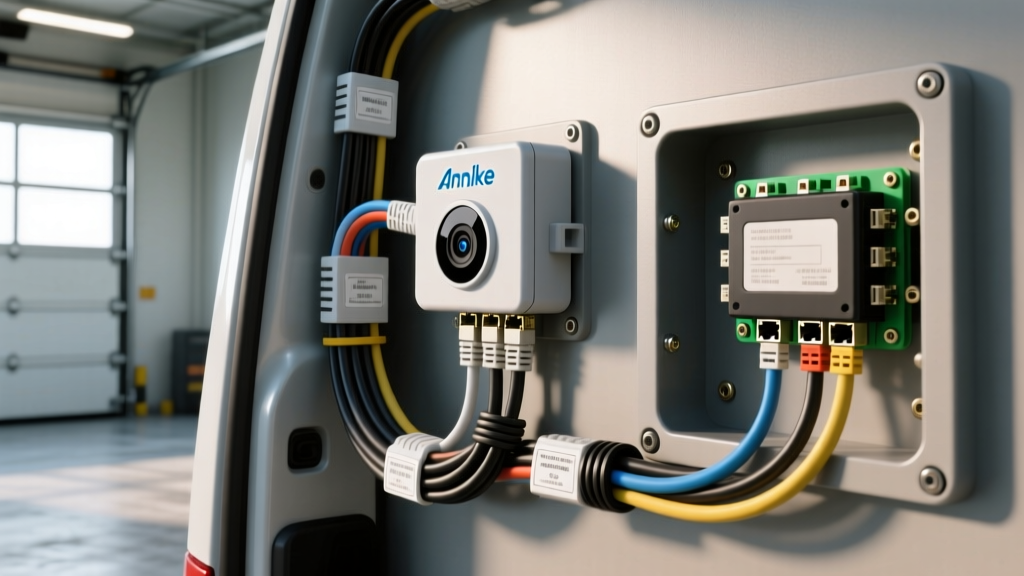
Adapting Annke Cameras for Heavy-Duty Automotive Environments
While Annke is globally recognized for commercial and residential security systems, their high-resolution IP and analog cameras are increasingly being adapted for heavy-duty automotive applications. Fleet managers, expedition RV builders, and skoolie converters frequently turn to Annke for robust, weather-sealed camera modules. However, a standard Annke camera installation in a home relies on 120V AC power and Cat6 Ethernet. In a 12V or 24V vehicle electrical system, integrating these cameras requires specialized DC-DC power conversion, EMI shielding, and automotive-grade connectorization.
This guide compares the two primary Annke architectures—PoE (Power over Ethernet) IP cameras and Analog BNC systems—and provides the exact wiring diagrams, AWG specifications, and pinouts required to integrate them safely into a vehicle's chassis without introducing ground loops or voltage drop failures.
Product Selection: PoE IP vs. Analog BNC for Vehicle Use
Choosing the right Annke model for your vehicle depends on your existing network infrastructure, cable routing constraints, and display capabilities. Below is a technical comparison of adapting the popular Annke NC800 (4K PoE) versus the Annke H500 (Analog 5MP) for automotive use.
| Feature | Annke NC800 (4K PoE IP) | Annke H500 (Analog 5MP BNC) |
|---|---|---|
| Native Voltage | 44-57V DC (IEEE 802.3af) | 12V DC (±10%) |
| Vehicle Power Requirement | 12V-to-48V DC-DC Boost Converter (Min 60W) | 12V-to-12V Buck-Boost Stabilizer |
| Signal Cable | Shielded Cat6 (F/UTP), 23 AWG | RG59 Coaxial + 18 AWG Power Siamese |
| Automotive Connector | RJ45 Waterproof Bulkhead or M12 X-Coded | BNC with Dielectric Boot / Amphenol AT |
| Best Application | Class 8 Trucks, Large Motorhomes (NVR routing) | Utility Trailers, Box Trucks (Direct DVR routing) |
Power Architecture: The 48V PoE Challenge
The most significant hurdle in an IP-based Annke camera installation on a vehicle is power delivery. According to the IEEE 802.3af PoE Standard, PoE devices require a nominal 48V DC supply. A running vehicle alternator outputs between 13.8V and 14.4V. You cannot wire a PoE camera directly to a vehicle's fuse box.
12V to 48V DC-DC Boost Converter Wiring
To power an Annke PoE camera, you must install an isolated 12V-to-48V DC-DC boost converter. For a single 4K camera drawing approximately 8W (up to 12W with IR night vision engaged), a 60W (1.25A at 48V) isolated converter is recommended to account for startup inrush current and voltage drop over long cable runs.
- Input Wiring (12V Side): Use 10 AWG SXL (Cross-Linked) wire from the vehicle's main distribution bus to the boost converter. SXL wire is mandated by SAE J1292 for high-temperature automotive environments. Protect this circuit with a 15A MAXI fuse located within 6 inches of the power source.
- Output Wiring (48V Side): Use 16 AWG wire from the boost converter to the PoE injector. Because the voltage is higher, current is lower, minimizing I²R (heat) losses.
- Grounding: The DC-DC converter ground must be bonded directly to the vehicle chassis using a dedicated star-ground point. Do not daisy-chain this ground with audio amplifiers or lighting circuits.
Connector Pinouts & Waterproofing
Standard RJ45 connectors will fail rapidly in automotive environments due to vibration, moisture ingress, and thermal cycling. For exterior Annke camera installations, you must transition from standard Ethernet to automotive-grade sealed connectors or use IP68-rated bulkhead pass-throughs.
RJ45 Alternative A PoE Pinout to 8-Pin Amphenol AT Adapter
When adapting Cat6 Ethernet to an 8-pin Amphenol AT06-08SA waterproof connector for chassis routing, use the IEEE 802.3af Alternative A pinout (where power and data share the same pairs):
| Amphenol AT Pin | Wire Color (Cat6) | Function (Alternative A) |
|---|---|---|
| Pin 1 | White/Orange | TX+ / 48V DC (+) |
| Pin 2 | Orange | TX- / 48V DC (+) |
| Pin 3 | White/Green | RX+ / 48V DC (-) |
| Pin 4 | Blue | Bi-Directional Data |
| Pin 5 | White/Blue | Bi-Directional Data |
| Pin 6 | Green | RX- / 48V DC (-) |
| Pin 7 | White/Brown | Unused / Shield Drain |
| Pin 8 | Brown | Unused / Shield Drain |
Expert Tip: Always use a ratcheting crimp tool (e.g., Daniels M317) for Amphenol AT stamped contacts. Hand-crimped solid-core Cat6 wires into automotive pins often suffer from micro-fractures that fail under heavy-duty vehicle vibration.
Analog BNC Installation: Coaxial Routing & Shielding
If you opt for the Annke H500 analog series, the wiring architecture is vastly simpler but highly susceptible to Electromagnetic Interference (EMI) generated by the vehicle's alternator, ignition coils, and CAN bus networks.
Cable Selection and Routing
Do not use standard indoor RG59 siamese cable. The thin 22 AWG power wires in commercial siamese cables will suffer severe voltage drop over a 40-foot trailer run, causing the camera's IR LEDs to flicker or the internal voltage regulator to reset. Instead, run separate cables:
- Video Signal: Use RG59 with a 95% tinned-copper braided shield. The braided shield is critical for blocking the high-frequency EMI radiated by the vehicle's ECU and alternator stator.
- Power: Run a dedicated 18 AWG (minimum) twisted-pair power cable alongside the coaxial. Twist the power wires to cancel out low-frequency magnetic interference.
Ground Loop Isolation
A common failure mode in analog automotive camera setups is the "rolling bar" effect on the display, caused by a ground loop. This occurs when the camera's ground (at the rear of the vehicle) and the DVR's ground (at the dashboard) have a slight voltage potential difference due to chassis resistance. To fix this during your Annke camera installation, install a BNC Ground Loop Isolator (GLI) at the DVR end of the coaxial run. The GLI uses a toroidal transformer to pass the high-frequency video signal while blocking the low-frequency DC ground loop.
Real-World Troubleshooting & Failure Modes
When integrating commercial security hardware into mobile platforms, environmental factors dictate system reliability. Use this decision tree to diagnose common post-installation faults.
| Symptom | Probable Cause | Technical Fix |
|---|---|---|
| Camera boots, but IR LEDs strobe or fail at night. | Voltage drop below 10.5V at the camera when IR array engages (draws extra 4-6W). | Upgrade power wire from 18 AWG to 14 AWG. Check boost converter output under load. |
| PoE Camera link light flashes, no IP address assigned. | Cat6 shield drain wire shorting against the chassis or RJ45 metal housing. | Ensure the shield drain wire is terminated at the NVR/Injector end ONLY. Float the shield at the camera end. |
| Alternator whine heard in vehicle audio when camera is on. | Dirty 12V power from the DC-DC boost converter feeding back into the vehicle's CAN bus or audio ground. | Install a 10,000µF filtering capacitor across the 12V input terminals of the boost converter. |
| Condensation inside Annke dome lens after temperature drop. | Failed O-ring seal or silica gel desiccant pack saturated during installation. | Open dome, bake desiccant pack at 200°F for 2 hours, replace O-ring, and apply dielectric grease to the seal. |
Compliance and Final Integration Notes
For commercial fleet vehicles, all external wiring must pass through the chassis using rubber grommets and bulkhead connectors to prevent water ingress and sheet-metal wire chafing. The RV Industry Association (RVIA) strictly mandates that any wire passing through a metal bulkhead must be protected by a clamped, sealed pass-through gland. When routing Cat6 or RG59 from the exterior camera into the cabin, use an IP68-rated nylon cable gland tightened to 2.5 Nm to ensure a watertight seal against the vehicle's aluminum or fiberglass skin.
By treating your Annke camera installation not as a standard home security job, but as a ruggedized automotive electrical integration, you ensure crystal-clear telemetry, reliable night vision, and a system capable of surviving the harsh thermal and vibrational realities of the road.