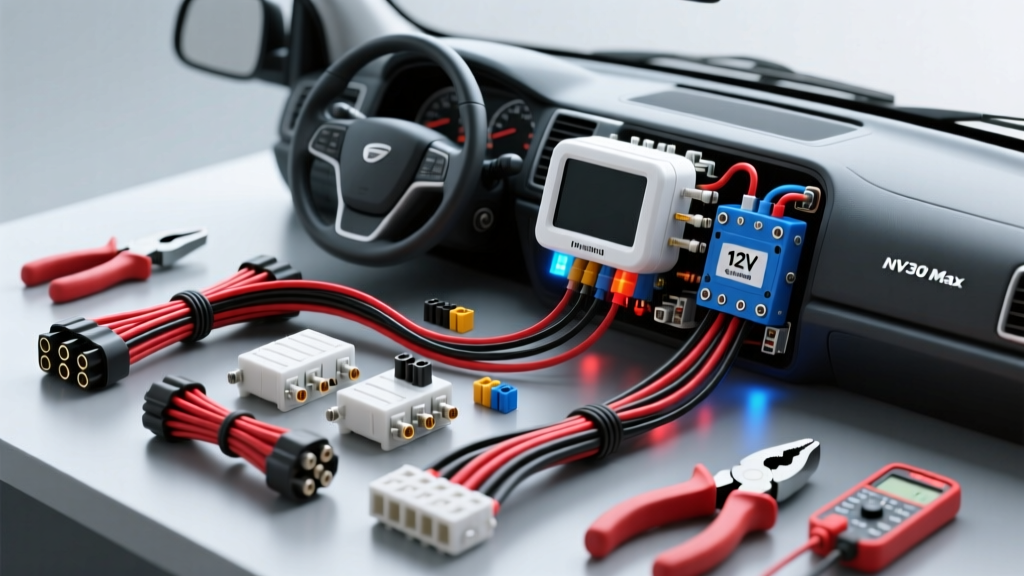
Introduction to the NV300 Max Thermal Camera
Upgrading your vehicle with an NV300 Max thermal camera is one of the most effective ways to improve nighttime driving safety. Unlike traditional optical dash cams that rely on ambient light or harsh infrared LEDs, thermal sensors detect heat signatures, allowing you to see pedestrians, wildlife, and stalled vehicles long before your headlights illuminate them. However, the advanced imaging capabilities of the NV300 Max are only as reliable as its power supply. For beginners, the hardest part of the NV300 Max thermal camera installation is not mounting the sensor, but properly integrating the 3-wire hardwire kit into the vehicle's electrical system without causing parasitic drains or triggering airbag faults.
This beginner-friendly fundamentals guide will walk you through the exact steps, wire colors, and safety protocols required to hardwire your thermal camera for both continuous driving recording and 24/7 parking surveillance mode.
Essential Tools and Materials
Before touching a single wire, gather the following tools. Using the correct materials ensures your installation meets automotive safety standards and prevents voltage drop issues.
- Multimeter: Essential for identifying constant vs. switched 12V fuses.
- Add-A-Circuit Fuse Taps: Matches your vehicle's fuse type (Mini, ATO, Micro2, or Low-Profile Mini).
- 18 AWG Primary Wire: If you need to extend the hardwire kit, use copper wire that complies with the SAE J1128 standard for low-tension primary cable. The NV300 Max draws less than 1.5 amps, making 18 AWG more than sufficient.
- Tesa Tape (Fleece Wiring Harness Tape): Prevents rattles and protects wires from chafing.
- Ring Terminals and Star Washers: For creating a reliable chassis ground.
- Trim Removal Tools: Nylon pry tools to avoid scratching interior plastics.
Understanding the 3-Wire Hardwire Kit
To enable parking mode (where the camera wakes up upon detecting motion or an impact while the engine is off), the NV300 Max utilizes a 3-wire hardwire kit with a built-in Low Voltage Cutoff (LVC) module. Understanding these three wires is the foundation of your installation:
- Red Wire (VCC / BAT+): Connects to a Constant 12V power source. This wire keeps the camera's internal memory alive and powers the parking mode surveillance circuit.
- Yellow Wire (ACC): Connects to a Switched 12V (Ignition) power source. This tells the camera when the engine is running (start recording) and when the engine is off (enter parking mode).
- Black Wire (GND): Connects to an unpainted metal chassis ground.
Note: Always verify the wire colors on your specific NV300 Max manual. While Red/Yellow/Black is the industry standard, some manufacturers swap Red and Yellow. Use a multimeter to confirm the wire functions at the LVC module box if you are unsure.
Finding the Right Fuses with a Multimeter
The most common beginner mistake is guessing which fuses to tap. According to the Haynes Automotive Electrical Basics manual, you must test fuses with a digital multimeter to confirm their behavior.
Step 1: Find a Constant 12V Source (For the Red Wire)
Set your multimeter to DC Voltage (20V setting). With the vehicle completely turned off and the key removed from the ignition, probe the fuses in the interior cabin fuse box. Place the black probe on a known metal ground and the red probe on the exposed test points on top of the fuse. You are looking for a fuse that reads ~12.4V to 12.6V. Safe circuits to tap: Interior lighting, power seats, or hazard lights. Never tap: Airbags (SRS), ABS, ECU, or fuel pump circuits.
Step 2: Find a Switched 12V Source (For the Yellow Wire)
Turn the vehicle's ignition to the 'ON' or 'ACCESSORY' position (do not start the engine). Probe the fuses again. You need a fuse that reads 0V when the car is off, but jumps to ~12.4V when the ignition is turned on. Safe circuits to tap: Cigarette lighter, radio/head unit, or power windows.
The Fuse Tap 'Golden Rule'
A fuse tap (Add-A-Circuit) allows you to power your camera without cutting factory wires. However, inserting the fuses in the wrong orientation will bypass the factory circuit's protection, creating a severe fire hazard.
| Slot Position | Which Fuse Goes Here? | Amperage Rating |
|---|---|---|
| Bottom Slot (Closest to the metal prongs) | The Original Factory Fuse | As specified by vehicle manual (e.g., 10A) |
| Top Slot (Furthest from the metal prongs) | The New Fuse for the NV300 Max Camera | 2A or 5A (Never exceed 5A for dash cams) |
Why this matters: Power flows from the prongs, through the bottom fuse, then through the top fuse, and finally out to your camera. If reversed, the camera draws power directly from the bus, bypassing the bottom fuse's protection.
A-Pillar Routing and Airbag Safety
Once your power connections are made at the fuse box (usually located in the driver or passenger kick panel), you must route the 18 AWG wire up the A-pillar to the rearview mirror where the NV300 Max display and sensor mount.
If your vehicle is equipped with side-curtain airbags, improper wire routing can turn your camera cable into a lethal projectile during an airbag deployment. The Mobile Electronics Certified Professional (MECP) guidelines dictate strict safety protocols for A-pillar wiring:
- Remove the Trim: Use a nylon pry tool to pop the A-pillar plastic trim off. Do not just wedge the wire under the weatherstripping.
- Route Behind the Airbag: The wire must always pass behind the airbag module and its metal mounting brackets, never across the front of it.
- Secure with Tesa Tape: Wrap the camera wire in fleece Tesa tape and secure it to the factory wiring harness using zip ties. Ensure there is no slack that could droop into the airbag deployment path.
- Retain the Factory Clips: Ensure the factory plastic retaining clips on the A-pillar trim are intact. These clips are designed to break away safely and guide the airbag over the trim during deployment.
Establishing a Proper Chassis Ground
The black ground wire is just as critical as the power wires. A poor ground will cause the NV300 Max to reboot randomly, corrupt SD cards, or fail to enter parking mode. Do not simply wrap the bare wire around a bolt.
- Locate a factory grounding bolt in the kick panel area (usually an M6 or M8 bolt with multiple black wires attached).
- Crimp an 18 AWG ring terminal onto the camera's black ground wire.
- Use a wire brush or sandpaper to remove any paint, rust, or E-coat from the metal surface beneath the bolt head to ensure bare metal-to-metal contact.
- Place a star washer between the ring terminal and the chassis. The star washer's teeth will bite into the metal, guaranteeing a vibration-proof electrical connection.
- Tighten the bolt securely and apply a small dab of dielectric grease or touch-up paint over the terminal to prevent future corrosion.
Troubleshooting Common Beginner Mistakes
Even with careful preparation, issues can arise. Use this decision tree to diagnose common NV300 Max installation problems.
| Symptom | Probable Cause | The Fix |
|---|---|---|
| Camera does not turn on at all. | Blown fuse on the hardwire kit or poor ground connection. | Check the inline glass fuse on the Red/Yellow wires. Sand the ground point to bare metal. |
| Camera turns on, but immediately shuts off when cranking the engine. | Yellow (ACC) wire is tapped to a 'Crank-Retained' or delayed accessory circuit. | Move the Yellow wire fuse tap to a circuit that loses power instantly when the key is turned to 'Start'. |
| Camera stays on after engine is off, draining the car battery. | Red and Yellow wires are swapped, or both are connected to Constant 12V. | Retest fuses with a multimeter. Yellow must go to a circuit that reads 0V when the car is off. |
| Camera constantly reboots while driving. | Voltage drop due to using 22+ AWG wire extensions or a loose ground. | Ensure all extensions are 18 AWG or thicker. Tighten the ground bolt and use a star washer. |
| Parking mode motion detection is too sensitive / fills SD card. | LVC module sensitivity dial set too high, or radar module mounted near AC vents. | Adjust the physical sensitivity dial on the LVC box. Ensure the radar/microwave sensor is not facing vibrating interior plastics. |
Final System Check and Calibration
Before reassembling your interior trim, perform a final functional test. Turn the vehicle on and verify the NV300 Max boots into standard driving mode. Turn the vehicle off, remove the key, and close all doors. Wait 60 seconds. The camera should audibly click or announce that it is entering parking surveillance mode. If it does, your ACC and Constant power logic is perfectly configured.
Once verified, neatly zip-tie the LVC module and excess 18 AWG wire behind the fuse box panel, ensuring it does not interfere with the hood release latch or the driver's foot pedals. Reinstall the A-pillar trim, snap the panels back into place, and route the display cable cleanly along the headliner. You have now successfully completed a professional-grade, safe, and reliable NV300 Max thermal camera installation.