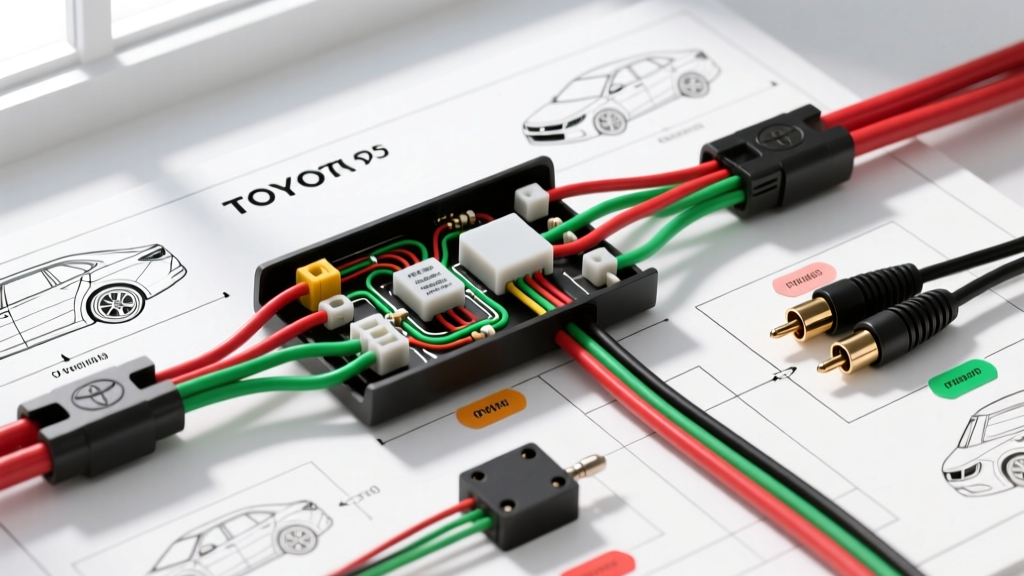
Project Overview: Upgrading the Toyota Camry XV50 with Aftermarket Vision
Upgrading a base-model 2012-2017 Toyota Camry (XV50 chassis) with an aftermarket head unit and a reverse camera is one of the most impactful modification projects you can undertake. While higher trims came with factory-integrated backup cameras, the LE and SE base models rely on standard audio units. When swapping to a modern double-DIN multimedia receiver, integrating a reverse camera requires navigating Toyota’s multiplex wiring architecture. This guide details exactly how to install reverse camera in Toyota vehicles, specifically focusing on the XV50 Camry, addressing the notorious Pulse Width Modulation (PWM) signal noise that plagues many modern Toyota reverse light circuits.
Wiring Specifications & Component Requirements
Before beginning the teardown, ensure you have the correct materials. Using substandard wire or improper connectors will lead to voltage drops, video noise, and premature camera failure. According to SAE J1113 standards for automotive electromagnetic compatibility, proper shielding and gauge selection are critical for low-voltage video signals.
| Component / Wire Type | Specification | Application Notes |
|---|---|---|
| Camera Power & Ground | 18 AWG Stranded Copper | Sufficient for <500mA draw; flexible for trunk lid routing. |
| Head Unit Reverse Trigger | 20 AWG Primary Wire | Carries low-current signal to HU logic board. |
| Video Cable | Shielded RG-59 RCA | Must feature a ferrite core to block alternator whine. |
| Connectors | Adhesive-Lined Heat Shrink | Never use Scotch-Loks; they invite corrosion and voltage drop. |
| PWM Filter Relay | Standard 5-Pin 12V Bosch | Required to clean Toyota's multiplex reverse light signal. |
Phase 1: Rear Hatch Power & PWM Filtering
The most common mistake DIYers make when learning how to install reverse camera in Toyota platforms is tapping directly into the reverse bulb wire for power. On the XV50 Camry, the body control module uses a PWM signal to monitor bulb health. If you tap an RCA camera directly into this PWM wire, the camera will receive pulsed DC power, resulting in rolling horizontal bars on your head unit screen or a complete 'No Signal' error.
Tapping the Reverse Light Circuit
Locate the left rear combination taillight assembly. Remove the trunk liner to access the wiring harness. You are looking for the main taillight connector. The reverse light wire is typically RED with a BLACK tracer (RED/BLK). The ground wire is WHITE with a BLACK tracer (WHT/BLK). Use a digital multimeter (DMM) to verify: you should see a pulsing 12V signal when the vehicle is in reverse and the engine is running.
Building the 12V DC Relay Filter
To convert the PWM signal into a clean, constant 12V+ source for both the camera and the head unit trigger, we use a standard 5-pin automotive relay. Wire the relay as follows:
- Pin 85: Connect to chassis ground (M6 bolt, 10mm socket).
- Pin 86: Connect to the Toyota RED/BLK reverse light wire. (This pulsed signal is enough to energize the relay coil).
- Pin 30: Connect to a clean, constant 12V+ source (e.g., a fused tap from the rear cigarette lighter or a dedicated run from the battery).
- Pin 87: Output clean 12V+. Splice this to the camera’s red power wire AND the head unit’s reverse trigger wire.
- Pin 87a: Leave empty and taped off.
Phase 2: RCA Routing and Ground Loop Isolation
Routing the video cable from the trunk lid to the cabin requires patience to prevent wire fatigue. The transition point between the trunk lid and the body is protected by a rubber accordion grommet. Spray the interior of the grommet with silicone lubricant and use a flexible nylon fish tape to pull the RCA and 18 AWG power wires through.
Preventing RCA Ground Loops
Video ground loops occur when the camera ground and the head unit ground are at different electrical potentials, causing the RCA shield to carry current. This manifests as severe alternator whine or static on the screen. To prevent this, ensure the camera's 18 AWG ground wire is terminated to a bare metal chassis point near the taillight, NOT to the negative terminal of the battery. Furthermore, as noted in Toyota Technical Information System (TIS) wiring manuals, maintaining a common ground plane for all aftermarket AV equipment is essential. If your RCA cable has an exposed ground loop isolator wire at the head unit end, leave it floating unless testing reveals a persistent hum.
Phase 3: Head Unit Reverse Trigger Configuration
Once the RCA cable and the 20 AWG trigger wire are routed under the left-side door sill plates and up the A-pillar to the dash, it is time to integrate with the aftermarket head unit harness. Most premium units (Pioneer, Alpine, Kenwood) utilize a specific reverse trigger wire to switch the display input and overlay the parking guidelines.
Aftermarket ISO / Dash Harness Pinout Integration
| Head Unit Brand | Reverse Trigger Wire Color | Connection Point |
|---|---|---|
| Pioneer | Purple / White | Splice to Relay Pin 87 output |
| Alpine | Orange / White | Splice to Relay Pin 87 output |
| Sony | Orange | Splice to Relay Pin 87 output |
| Kenwood | Purple / White | Splice to Relay Pin 87 output |
After soldering and sealing the connection with adhesive-lined heat shrink, you must enter the head unit’s hidden settings menu. Set the 'Camera Input' to 'On', 'Battery Type' to 'Normal' (not multi-camera), and 'Guide Lines' to 'On' if your camera does not have built-in overlays. For deeper integration specifics, Crutchfield's camera installation database provides excellent model-specific harness adapters that eliminate the need to cut factory dash wires.
Troubleshooting Decision Tree: No Signal or Video Noise
If your upgrade project does not function correctly upon first power-up, follow this systematic diagnostic tree before tearing the dash apart:
- Symptom: Rolling horizontal lines on the video feed.
- Cause: PWM signal feeding the camera directly.
- Fix: Verify the 5-pin relay is installed. Check that Pin 30 has constant 12V and Pin 87 is feeding the camera.
- Symptom: Camera turns on, but head unit stays on radio screen.
- Cause: Head unit not receiving the 12V+ trigger signal.
- Fix: Use a DMM to test the Purple/White (or Orange/White) wire at the back of the HU while in reverse. If 0V, check the splice at Relay Pin 87. If 12V is present, check the HU internal menu settings.
- Symptom: 'No Signal' message on the head unit.
- Cause: Broken RCA center pin, or camera lacks power/ground.
- Fix: Test camera power at the trunk lid with a DMM (must be 12V+ and solid ground). Inspect the RCA male connector to ensure the center pin hasn't been pushed back into the plastic housing during the fish-tape pulling process.
- Symptom: Image is upside down or mirrored.
- Cause: Camera orientation or internal DIP switch settings.
- Fix: Many universal license-plate cameras have tiny loop wires on the pigtail. Snipping the 'Flip' loop will invert the Y-axis, while snipping the 'Mirror' loop corrects the X-axis for rear-view accuracy.
By adhering to these wiring standards and utilizing a relay to bypass the Toyota multiplex PWM system, your reverse camera upgrade will deliver a crisp, reliable, and factory-like experience every time you shift into reverse.