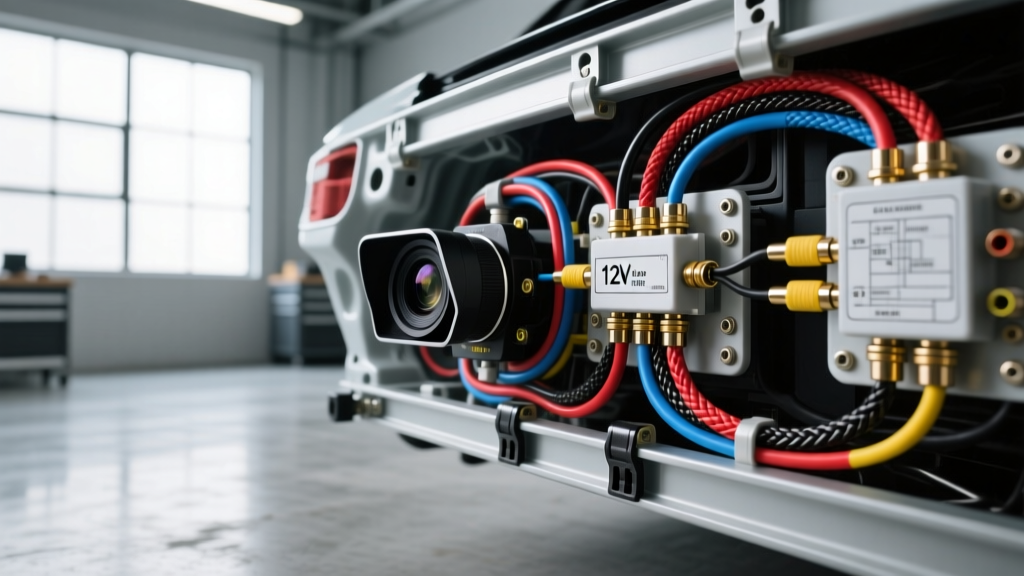
The Evolution of the Reverse Lighting Circuit
Executing a flawless aftermarket reverse camera installation on modern vehicles requires far more than splicing into the reverse light bulb wire. While older vehicles (pre-2010) utilized simple, switched 12V DC circuits directly from the transmission range selector or a basic body control module (BCM) relay, modern automotive electrical architectures have fundamentally changed. Today, platforms utilizing CANbus or LIN bus networks—such as the Volkswagen MQB, BMW F/G-Series, and Stellantis TIPM systems—employ Pulse Width Modulation (PWM) and active bulb-out monitoring. This technical deep dive explores the advanced wiring protocols, relay isolation techniques, and signal shielding required to integrate aftermarket camera systems without triggering dashboard faults or experiencing signal degradation.
The PWM and CANbus Trigger Problem
In modern automotive lighting circuits, the BCM does not simply send a solid 12V signal to the reverse lamps. Instead, it uses PWM to modulate voltage, allowing the module to monitor circuit resistance and detect blown bulbs. When you attempt a standard aftermarket reverse camera installation by tapping directly into a PWM-controlled reverse light wire, two critical failures typically occur:
- Camera Flickering or Failure to Boot: Most aftermarket CMOS and CCD backup cameras require a stable, continuous 12V DC input (typically drawing 120mA to 250mA). A PWM signal will cause the camera's internal voltage regulator to oscillate, resulting in a flickering image, rolling horizontal lines, or complete failure to initialize.
- BCM Fault Codes (Hyperflashing/Bulb Out): The BCM continuously measures current draw. Splicing a camera's power wire into the reverse lamp circuit alters the total impedance of the circuit. The BCM interprets this parasitic draw as a short circuit or an out-of-spec bulb, triggering a dash warning and potentially cutting power to the circuit entirely via solid-state protection.
The Solid-State Relay Isolation Solution
To circumvent BCM interference, professional installers utilize a relay-isolated trigger circuit or a dedicated CANbus decoder (such as the PAC TR-4 or TR-5 interface modules). By using the vehicle's reverse light wire solely as a low-current logic trigger for a relay coil, the camera draws its operating current directly from the battery or a stable 12V accessory fuse, completely isolating the camera from the BCM's sensitive monitoring circuits.
Relay-Isolated 12V Trigger Wiring Protocol
For this installation, we utilize a standard Bosch-style Mini ISO relay (Part No. 0 332 209 150). This electromechanical switch handles up to 30A, more than sufficient for a camera and its associated monitor trigger. Below is the precise pinout and wiring sequence for the relay harness.
Bosch Mini ISO Relay Pinout Configuration
- Pin 86 (Coil Positive / Logic Trigger): Splice into the vehicle's reverse light positive wire using a T-tap or, preferably, a TE Connectivity AMP Posi-Tap connector. This wire carries the PWM signal, which is sufficient to energize the relay coil but draws negligible current from the BCM.
- Pin 85 (Coil Ground): Terminate with an M6 ring terminal to a verified, unpainted chassis ground. Sand the area to bare metal, secure the bolt to 8 Nm of torque, and seal with dielectric grease to prevent galvanic corrosion.
- Pin 30 (Common / Power Input): Run a dedicated 14 AWG TXL wire from the vehicle's battery or a constant 12B+ distribution block. This line must be protected by an inline 5A Mini-ATM fuse located within 18 inches of the power source.
- Pin 87 (Normally Open / Switched Output): This provides the clean, stable 12V DC output. Connect this to the camera's red power pigtail and, if applicable, the head unit's reverse trigger wire (often labeled 'BACK' or 'REV').
Wire Gauge and Insulation Matrix
Selecting the correct automotive-grade wire is critical for longevity and voltage drop mitigation. Never use household THHN or generic PVC wire in a vehicle. The following matrix outlines the exact specifications required for a professional-grade aftermarket reverse camera installation.
| Circuit Function | AWG Rating | Insulation Type | Connector / Terminal Spec |
|---|---|---|---|
| Camera Power (12V+ from Relay) | 18 AWG | GXL (Cross-linked) | TE Connectivity AMP Superseal 1.5 |
| Relay Coil Logic Trigger | 20 AWG | TXL (Thin-wall) | Posi-Tap / Solder Seal Connector |
| Main 12V B+ Feed (Pin 30) | 14 AWG | TXL (Thin-wall) | Inline Maxi Fuse Holder |
| Relay Chassis Ground (Pin 85) | 18 AWG | GXL (Cross-linked) | M6 Ring Terminal (Crimp & Heat Shrink) |
| RCA Shield Ground Isolation | 22 AWG | Coaxial Braid | Solder Sleeve / Heat Shrink Tubing |
RCA Signal Integrity and Ground Loop Mitigation
A common failure mode in advanced camera installations is the introduction of alternator whine (a high-pitched noise that pitches up and down with engine RPM) or rolling horizontal interference bars on the monitor. This is caused by ground loops and electromagnetic interference (EMI). According to SAE J1113 Electromagnetic Compatibility Standards, automotive environments are highly saturated with RF noise from ignition coils, alternators, and CANbus transceivers.
Implementing a Ground Loop Isolator
If your head unit and the reverse camera are grounded at different physical locations on the chassis, a voltage potential difference occurs between the two grounds. This difference forces current to flow through the outer shielding of the RCA coaxial video cable, introducing severe audio and video noise. To resolve this:
- Install a dedicated RCA Ground Loop Isolator (10Hz - 100kHz frequency response) inline on the video cable, typically located behind the head unit or near the camera harness.
- Ensure the RCA cable is routed strictly along the opposite side of the vehicle's main wiring harness. Never run low-voltage RCA video cables parallel to high-current power wires (e.g., 4 AWG amplifier power cables) to prevent inductive coupling.
- Verify that the camera's ground wire is tied directly to the same ground node as the monitor or head unit, creating a single-point star ground topology.
Advanced Troubleshooting Decision Tree
When an installation fails to perform as expected, use this structured diagnostic tree to isolate the fault without resorting to trial-and-error part swapping.
- Symptom: Camera image flickers rapidly or displays rolling bars.
- Cause A: PWM signal reaching the camera directly.
- Fix: Verify relay isolation. Ensure the camera is powered by Pin 87, not tapped directly to the reverse bulb.
- Cause B: Alternator EMI on the RCA line.
- Fix: Install a ground loop isolator; reroute RCA away from power cables.
- Cause A: PWM signal reaching the camera directly.
- Symptom: BCM throws 'Bulb Out' dash warning; camera receives no power.
- Cause: BCM detected impedance change and entered protection mode (cut power).
- Fix: Install a CANbus load resistor (e.g., 180-Ohm 50W) parallel to the reverse bulb, or switch to a dedicated PAC TR-4 Universal Trigger Module which reads CAN data directly rather than relying on analog voltage taps.
- Cause: BCM detected impedance change and entered protection mode (cut power).
- Symptom: Head unit does not automatically switch to the camera UI when shifted into reverse.
- Cause: Missing or weak 12V trigger signal to the head unit's 'REV' wire.
- Fix: Use a multimeter to verify 12V at Pin 87 of the relay when in reverse. If present, check continuity of the trigger wire run from the trunk to the dash. Use a diode (1N4001) in series to prevent back-feeding voltage into the head unit.
- Cause: Missing or weak 12V trigger signal to the head unit's 'REV' wire.
Authoritative References
For further engineering specifications regarding automotive relay tolerances, electromagnetic shielding, and CANbus integration protocols, refer to the following industry documentation: