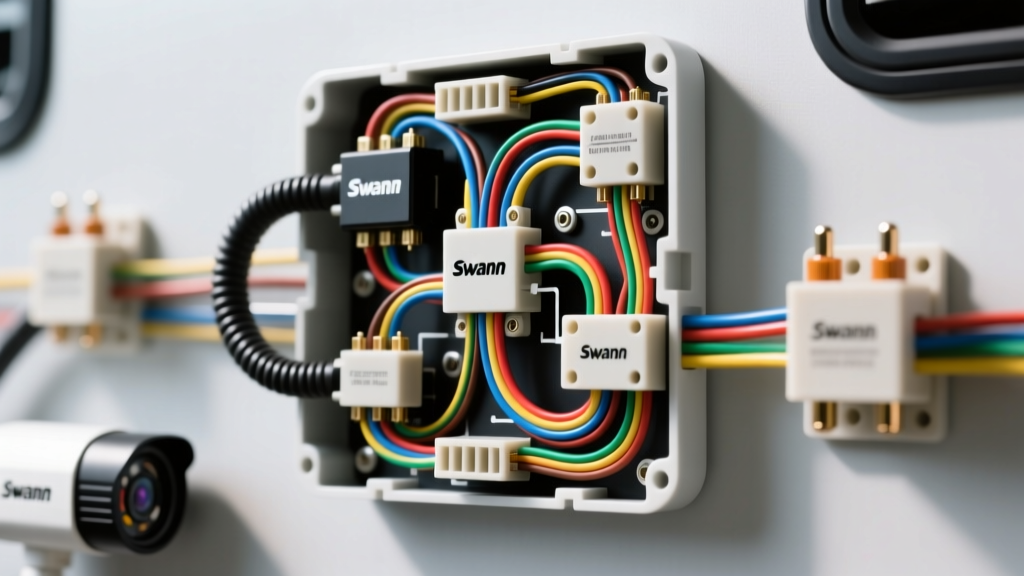
Adapting the Swann Camera Wiring Diagram for Mobile Applications
While Swann analog and HD-over-Coax cameras are engineered primarily for static CCTV security, their rugged build quality and cost-effectiveness make them a popular choice for heavy-duty trucking, RVs, and horse trailer backup systems. However, adapting a static Swann camera wiring diagram to a mobile 12V DC environment introduces unique electrical failure modes. Unlike dedicated DOT-compliant commercial vehicle cameras, Swann units rely on standard BNC terminations and RG59 Siamese cabling, which are highly susceptible to voltage drop, impedance mismatches, and ground loop interference when stretched across a 30-foot trailer harness.
This step-by-step troubleshooting flow is designed for automotive and RV electrical technicians to systematically isolate power delivery, signal format, and grounding faults in Swann camera integrations.
Phase 1: Power Supply & Voltage Drop Diagnostics
Swann cameras typically require a stable 12V DC input. The internal voltage regulators can tolerate minor fluctuations, but mobile environments are notorious for voltage sag, especially when the vehicle's alternator is under load or the camera's infrared (IR) cut filter engages at dusk.
Step 1.1: Measure Voltage Under Load
The most common reason for a Swann camera rebooting continuously or failing to display night vision is a brownout condition. When the IR LEDs activate, the camera's current draw spikes from roughly 150mA to over 600mA. If the wiring harness cannot sustain this amperage, the voltage at the camera's pigtail will drop below the critical 10.5V threshold.
- Set your Digital Multimeter (DMM) to DC Voltage.
- Back-probe the camera's power pigtail (Red for 12V+, Black for Ground) while the camera is connected and actively drawing power.
- Cover the camera's ambient light sensor with your hand to force the IR LEDs to engage.
- Observe the DMM. If the voltage drops below 10.8V, you have a voltage drop issue in the harness.
Step 1.2: AWG Sizing for Long Trailer Runs
Standard Swann Siamese cable includes an 18 AWG power pair. According to RVIA (RV Industry Association) wiring standards, 18 AWG copper wire over a 25-foot run (50 feet total circuit length) will experience significant voltage drop at 600mA. For trailer runs exceeding 15 feet, you must abandon the Siamese power pair and run a dedicated 14 AWG stranded copper power and ground wire directly from the tow vehicle's auxiliary battery or a dedicated 12V fused distribution block.
Phase 2: Coaxial Signal, Format, and BNC Termination
If power is verified at a stable 12.2V to 14.4V, the next diagnostic phase targets the video signal. Swann cameras output analog composite video, but modern units default to HD-over-Coax formats (TVI, CVI, or AHD) at 1080p. Standard aftermarket RV monitors and truck head units only accept NTSC/CVBS (480i) via RCA inputs.
Step 2.1: Signal Format Mismatch (The Black Screen Fault)
If your Swann camera wiring diagram is correctly terminated but the monitor remains completely black (no 'No Signal' banner, just a dark screen or rolling sync bars), the camera is likely outputting a 1080p TVI signal that the monitor cannot decode.
- The Fix: Access the Swann camera's internal OSD (On-Screen Display). If your monitor does not support UTC (Up-The-Coax) control, you must use the physical joystick or button located on the camera's pigtail. Hold the button for 5 seconds to force the camera to downgrade its output to standard CVBS/NTSC format.
Step 2.2: BNC Termination and Impedance Verification
Analog video requires a strict 75-ohm impedance. A poorly crimped BNC connector on RG59/U cable will cause signal reflection, resulting in 'ghosting' or double images on the monitor.
- Inspect the BNC crimp. The hex crimp die must be exactly .324' for standard RG59 BNC connectors.
- Verify the center pin. The 20 AWG copper-clad steel center conductor must be flush with the BNC pin tip. If it is recessed, it will not make contact with the RCA adapter's internal spring.
- Check for shield shorts. Use the DMM in continuity mode. Probe the BNC outer shell and the center pin. There must be zero continuity (OL). If there is continuity, the braided shield is touching the center conductor inside the crimp, shorting the video signal to ground.
Phase 3: Ground Loop & Interference Isolation
Mobile environments generate massive electromagnetic interference (EMI). As noted in SAE J1113 standards for vehicular EMC, alternator whine and ignition noise can easily couple into unshielded or improperly grounded coaxial runs.
Step 3.1: Identifying Alternator Whine and Rolling Bars
If the video displays horizontal bars that scroll vertically, or if an audio buzz is present (on systems with integrated microphones), you are experiencing a ground loop. This occurs when the camera ground (at the trailer chassis) and the monitor ground (at the vehicle dashboard) are at different electrical potentials.
Step 3.2: Installing a 12V DC Ground Loop Isolator
Do not attempt to fix a ground loop by removing the BNC shield ground; this will destroy the 75-ohm impedance and ruin the video. Instead, install a 12V DC Ground Loop Isolator.
- Placement: The isolator must be installed inline on the 12V power wire near the monitor, not near the camera. This filters the noise before it enters the camera's internal power regulator.
- Video Isolation: If the noise persists, install a BNC Video Ground Loop Isolator between the camera's BNC pigtail and the RCA adapter entering the cab.
Swann-to-Vehicle Wiring Specification Chart
| Component | Specification | Mobile Install Requirement |
|---|---|---|
| Power Wire (Up to 15ft) | 18 AWG Stranded Copper | Use Siamese pair, fuse at 2A |
| Power Wire (Over 15ft) | 14 AWG Stranded Copper | Dedicated run, fuse at 5A |
| Coaxial Cable | RG59/U 75-Ohm | 95% Braided Shield required |
| BNC Connector | 2-Piece Crimp Type | Hex die .324', no solder on center pin |
| Adapter | BNC Female to RCA Male | Must feature isolated outer shell |
| Operating Voltage | 12V DC Nominal | Must not drop below 10.5V under IR load |
Diagnostic Decision Tree: Symptom-to-Fix Flow
- Symptom: Camera works in daylight, but clicks rapidly and loses video at night.
Cause: IR LED power draw causing voltage brownout.
Fix: Upgrade power harness to 14 AWG; check battery ground at trailer hitch. - Symptom: Monitor displays 'No Signal' or a solid blue/black screen.
Cause: HD-over-Coax format mismatch (TVI/AHD vs NTSC).
Fix: Use camera pigtail button to force CVBS/NTSC mode. - Symptom: Video is present but shows a double-image or 'ghosting' effect.
Cause: Impedance mismatch due to poor BNC crimp or using 50-ohm RG58 cable instead of 75-ohm RG59.
Fix: Replace cable with verified 75-ohm RG59/U; re-crimp BNC with proper die. - Symptom: Horizontal rolling bars on the display that change speed with engine RPM.
Cause: Alternator AC ripple coupling into the DC power line (Ground Loop).
Fix: Install 12V DC inline noise filter/isolator near the monitor power tap.
Authoritative References & Further Reading
When designing or troubleshooting mobile CCTV integrations, always adhere to established vehicular electrical standards to prevent fire hazards and ensure signal integrity. For comprehensive EMC testing protocols regarding coaxial shielding in vehicles, refer to the SAE J1113 Electromagnetic Compatibility Standards. For low-voltage wiring gauge and overcurrent protection requirements specific to recreational vehicles and trailers, consult the RVIA (RV Industry Association) NFPA 1192 guidelines. Finally, for exact impedance and attenuation specifications of RG59/U coaxial cables used in these wiring diagrams, reference the Belden Cable Technical Data Sheets.