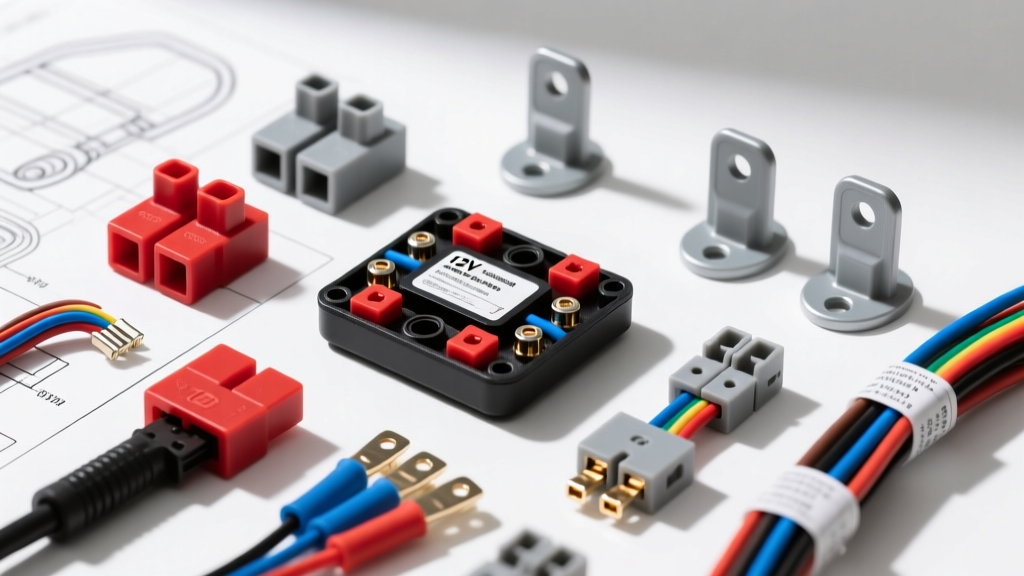
Evaluating Security Camera Installation Services in Carmel IN vs. DIY Hardwiring
When vehicle owners seek out professional security camera installation services in Carmel IN, they are typically looking to integrate advanced 360-degree surveillance systems, multi-channel dash cams, or dedicated parking-mode security modules. The harsh Midwestern climate, combined with the need for reliable vehicle monitoring in busy commercial lots or residential driveways, makes automotive security cameras a vital upgrade. However, whether you are hiring a certified MECP (Mobile Electronics Certified Professional) installer or tackling the 12V hardwire process yourself, understanding the underlying electrical architecture is non-negotiable.
A poorly executed camera installation can lead to parasitic battery drain, blown OEM fuses, or catastrophic interference with the vehicle's CAN bus network. This practical how-to guide breaks down the exact wiring specifications, fuse tap orientations, and routing protocols required to install a hardwired automotive security camera safely and effectively.
Essential Tools and Material Specifications
Before tapping into the vehicle's electrical system, ensure you have the correct materials. Using substandard wire or incorrect fuse taps is a primary cause of post-installation failure.
- Wire Gauge: 18 AWG stranded copper (standard for 12V/3A hardwire kits). For high-draw 4-channel 360-degree security systems, upgrade to 16 AWG to mitigate voltage drop over long cable runs.
- Connectors: Posi-Tap connectors or solder-and-heat-shrink for any inline splices. Never use 'scotch locks' (insulation displacement connectors), as they allow moisture ingress and cause galvanic corrosion.
- Fuse Taps (Add-A-Circuit): Must match the OEM fuse box profile (Micro2, Low-Profile Mini, Mini, or Standard ATO).
- Testing Equipment: Digital Multimeter (DMM) capable of measuring DC voltage and resistance/continuity.
Step 1: Identifying Constant (B+) and Accessory (ACC) Circuits
To enable 'Parking Mode'—the core feature of any automotive security camera—the hardwire kit requires three connections: Constant 12V (B+), Switched 12V (ACC), and Ground (GND). The hardwire kit's internal voltage monitor uses the ACC signal to detect when the ignition turns off, triggering the camera to switch from continuous recording to low-power motion-impact surveillance.
Multimeter Testing Protocol
- Locate the Interior Fuse Panel: Typically found under the driver's side dashboard or behind the kick panel.
- Test for Constant 12V (B+): Set your DMM to DC Voltage. Place the black probe on a known bare metal ground and the red probe into the fuse slots. You are looking for a circuit that reads 12.2V - 12.6V with the vehicle completely OFF and the key removed. Target circuits: Power seats, interior lighting, or hazard lights.
- Test for Switched 12V (ACC): Keep the black probe on the ground. Find a circuit that reads 0V with the key OFF, but jumps to 12.2V+ when the key is turned to the 'ON' or 'ACC' position. Target circuits: Windshield wipers, radio, or 12V accessory sockets.
Warning: Never tap into safety-critical circuits such as airbags (SRS), ABS modules, or ECU power feeds. According to MECP installation guidelines, interfering with safety restraint systems can cause lethal deployment failures or trigger secondary collision faults.
Step 2: The Add-A-Circuit (Fuse Tap) Orientation Rule
The most common mistake made by amateur installers—and a key differentiator when evaluating the quality of security camera installation services in Carmel IN—is the incorrect orientation of the fuse tap. A fuse tap has two slots and a single output lead.
- The Feed Slot (Closest to the metal pins): This must hold the original OEM fuse. It receives raw power directly from the vehicle's fuse block busbar.
- The Load Slot (Furthest from the metal pins): This must hold the new fuse (typically 2A or 3A) for the security camera.
If reversed, the camera's current draw is forced through the OEM fuse. If the camera experiences a short or inrush current spike, it will blow the OEM fuse, killing the vehicle's wipers or radio, while leaving the camera unprotected. For deeper electrical standards on circuit protection, refer to the Littelfuse Automotive Fuse Specifications.
Step 3: A-Pillar Routing and Airbag Safety
Routing the 18 AWG camera cable from the overhead console down to the fuse box requires navigating the A-pillar. Modern vehicles are equipped with side-curtain airbags that deploy downward from the roof rail with explosive force.
- Trim Removal: Use a plastic pry tool to pop the A-pillar trim clip. Disconnect any tweeter speaker harnesses.
- Airbag Pathing: The camera wire MUST be routed behind the airbag curtain and the main airbag wiring harness. Secure the camera wire to the vehicle's existing wiring loom using nylon zip-ties every 6 inches.
- Clearance Check: Ensure no wire crosses the deployment path of the airbag. If an airbag deploys and catches your camera wire, it can turn the wire into a high-speed projectile inside the cabin.
Step 4: Establishing a True Chassis Ground
A security camera's voltage cutoff monitor relies on a flawless ground reference. A poor ground will cause the camera to read phantom voltage drops, shutting down parking mode prematurely or causing endless reboot loops.
- Locate an unpainted M6 or M8 structural bolt under the dashboard (often near the kick panel or hood release latch).
- Use a wire brush or 220-grit sandpaper to remove any factory paint, clear coat, or rust from the metal surface around the bolt hole.
- Attach the 18 AWG black ground wire using a ring terminal. Ensure the terminal is crimped tightly and sealed with adhesive-lined heat shrink.
- Reinstall the bolt and torque to factory specifications (typically 10-15 Nm for M8 body bolts).
- Verification: Set your DMM to Resistance (Ohms). Place one probe on the battery's negative terminal and the other on your new ground ring terminal. The reading must be less than 0.2 ohms. Apply dielectric grease over the connection to prevent future oxidation.
Technical Reference: Hardwire Kit Voltage Cutoff Settings
Automotive security cameras draw between 250mA and 400mA in parking mode. To prevent the vehicle's starter battery from being depleted below the threshold required to crank the engine, hardwire kits feature adjustable voltage cutoffs. Setting these incorrectly based on your battery chemistry is a leading cause of dead batteries.
| Battery Chemistry | Recommended Cutoff Voltage | Timer Limit (Max) | Notes / Application |
|---|---|---|---|
| Standard Flooded Lead-Acid | 11.8V | 24 Hours | Standard for most older vehicles and base-trim models. |
| AGM / EFB (Start-Stop) | 12.0V or 12.2V | 12 - 24 Hours | Required for vehicles with Auto Start-Stop. AGM batteries suffer permanent sulfation if dropped below 12.0V. |
| External LiFePO4 Dash Cam Battery | 12.4V | N/A (Runs off pack) | Charges while driving, powers camera while parked. Zero parasitic draw on the starter battery. |
Wire Color Code Discrepancies by Manufacturer
One of the most dangerous assumptions in automotive electrical work is assuming standardized wire colors across all aftermarket brands. When connecting your hardwire kit to the camera module, verify the pinout. Reversing Constant and ACC will cause the camera to never enter parking mode, or worse, remain on indefinitely and drain the battery.
- Thinkware / Viofo Standard: Red = Constant 12V (B+), Yellow = Switched 12V (ACC), Black = Ground.
- BlackVue Standard: Yellow = Constant 12V (B+), Red = Switched 12V (ACC), Black = Ground.
- Garmin / Nextbase: Often utilize proprietary 12V cigarette lighter plugs or specific micro-USB pinouts. Hardwiring requires their brand-specific OEM cable to manage the internal voltage step-down transformers.
Troubleshooting: Parasitic Draw and CAN Bus Interference
If your vehicle throws a 'Battery Drain' warning on the dashboard, or if the CAN bus goes to sleep but immediately wakes up in a loop, the camera installation is likely at fault. Modern vehicles utilize complex multiplexed networks governed by strict SAE J1113 Electromagnetic Compatibility (EMC) standards. Poorly shielded 18 AWG camera wires routed too close to the CAN-H and CAN-L twisted pairs can induce electromagnetic interference (EMI), preventing the vehicle's modules from entering sleep mode.
The Fix: Ensure your camera's power cable is routed at least 4 inches away from any twisted-pair data cables. If using an OBD2 hardwire adapter instead of a fuse tap, ensure the adapter includes a dedicated CAN-bus sleep relay; otherwise, the camera's constant polling will keep the ECU awake, resulting in a 1.5A+ parasitic draw that will kill a battery in less than 12 hours.
Conclusion: Professional Standards for Carmel IN Drivers
Whether you are performing this installation in your own garage or vetting security camera installation services in Carmel IN, the electrical principles remain absolute. A proper installation requires verifying fuse tap orientation, respecting airbag deployment zones, establishing a sub-0.2 ohm ground, and matching voltage cutoffs to the specific battery chemistry. By adhering to these MECP-level standards, you ensure your vehicle's security system operates flawlessly without compromising the integrity of the factory electrical network.