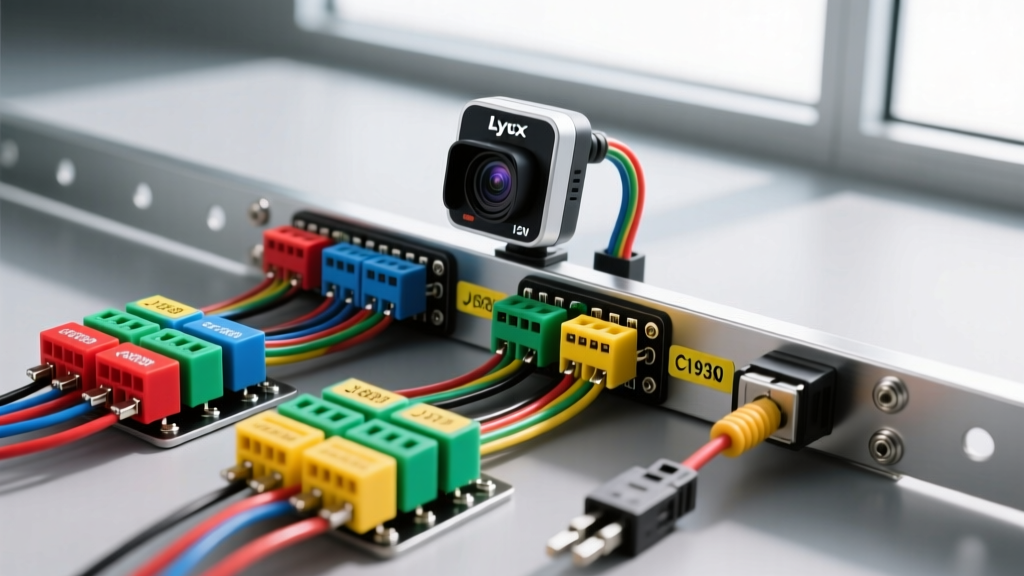
Introduction to Lytx Telematics Hardware Integration
Deploying a Lytx camera installation across a commercial fleet requires strict adherence to automotive electrical standards. Lytx Machine Vision (MV) and Driver Coaching (DC) units are sophisticated edge-computing devices that rely on stable voltage, clean chassis grounds, and uninterrupted Controller Area Network (CAN) bus communication to log telematics, trigger event recording, and transmit video via cellular networks. Improper wiring not only risks device failure but can introduce parasitic draws, corrupt OEM engine control module (ECM) data, or trigger dashboard diagnostic trouble codes (DTCs).
This technical specification reference outlines the exact wiring protocols, wire gauge requirements, and data bus integration standards necessary for a professional-grade Lytx camera installation in both heavy-duty (Class 8) and light-duty commercial vehicles.
Power and Ground Routing Specifications
Lytx hardware is engineered to withstand the harsh electrical environments of commercial vehicles, featuring an operating voltage range of 9V to 36V DC. However, maintaining clean power during engine cranking—when system voltage can momentarily drop below 10V—is critical to prevent the device from entering a continuous reboot loop.
Wire Gauge and Insulation Standards
For power and ground runs under 10 feet, utilize 16 AWG stranded copper wire. According to SAE J1128 Wire Specifications, you must use GXL (cross-linked polyethylene) or TXL insulated wire for under-dash and engine bay routing. GXL wire offers superior resistance to heat, abrasion, and chemical exposure compared to standard PVC primary wire, which can become brittle and crack in the high-temperature environment of a commercial truck cab.
Chassis Grounding Protocols
A poor ground is the leading cause of intermittent camera reboots and cellular transmission failures. The Lytx ground wire must terminate to a bare metal chassis point using a ring terminal. Follow these strict grounding rules:
- Paint Penetration: Always use a star washer between the ring terminal and the chassis to bite through paint, powder coating, and rust.
- Resistance Testing: Measure the voltage drop between the negative battery terminal and the device ground point with the unit under load. The resistance must be less than 0.5 ohms, and voltage drop should not exceed 0.1V.
- Ground Loops: Do not share the Lytx ground point with high-current accessories like inverters or CB radios, as this will introduce electromagnetic interference (EMI) into the camera's audio and sensor circuits.
Load Dump Protection
Commercial alternators can generate voltage spikes exceeding 40V during a load dump event (e.g., a battery cable disconnecting while the alternator is charging). Ensure the Lytx power harness includes an inline fuse rated at 5A or 10A ATC, and verify that the specific Lytx model being installed complies with SAE J1113-11 for load dump immunity to protect internal capacitors and logic boards.
Ignition Sense and Sleep Mode Configuration
To prevent parasitic battery drain, the Lytx unit must accurately detect vehicle ignition states. The device utilizes an Ignition Sense wire (typically white or yellow in the Lytx harness) to trigger the device into an active recording state and subsequently into a low-power sleep mode when the vehicle is parked.
Light-Duty Vehicles (OBD-II): Tap into the accessory circuit at the ignition switch or the upfitter auxiliary relay block. Ensure the circuit provides 12V in the 'Run' and 'Start' positions, but drops to 0V in the 'Off' and 'Accessory' positions.
Heavy-Duty Vehicles (J1939): Do not tap directly into the ignition switch, as heavy-duty cabs often use multiplexed body controllers. Instead, tap into the ECM Wake-Up circuit or the dedicated OEM Telematics ignition pin at the body builder connector. This ensures the Lytx device powers down only after the engine after-run routines (like DEF pump purging or DPF regeneration) have fully completed.
Data Bus Integration: J1939 vs. OBD-II
Lytx devices pull critical telematics data—such as vehicle speed, RPM, throttle position, and ABS braking events—directly from the vehicle's CAN bus. Splicing into the CAN network requires precision; a poor splice can alter the characteristic impedance of the twisted pair, causing signal reflection and network-wide communication failures.
Heavy-Duty J1939 Integration
Class 8 trucks utilize the SAE J1939 protocol. The Lytx harness must be connected to the J1939 High (CAN-H) and J1939 Low (CAN-L) circuits. According to the SAE International J1939 Standard, these wires must remain a twisted pair with approximately 2 twists per inch to reject common-mode EMI.
Warning: Never use 'T-taps' or 'scotch locks' on CAN bus wires. The vibration in a commercial truck cab will cause T-taps to intermittently lose contact, generating U-codes (Network Communication DTCs) across the entire chassis. Use Posi-Tap connectors or, ideally, install an inline Deutsch breakout harness to maintain factory harness integrity.
CAN Bus Pinout Reference Table
| Connector Type | Pin / Terminal | Function | Standard Wire Color | Voltage Range (Dominant) |
|---|---|---|---|---|
| 6-Pin Deutsch | Pin C | J1939+ (CAN-H) | Yellow | 2.5V - 3.5V |
| 6-Pin Deutsch | Pin D | J1939- (CAN-L) | Green | 1.5V - 2.5V |
| 9-Pin Deutsch | Pin 3 | J1939+ (CAN-H) | Yellow | 2.5V - 3.5V |
| 9-Pin Deutsch | Pin 1 | J1939- (CAN-L) | Green | 1.5V - 2.5V |
| OBD-II (Light Duty) | Pin 6 | CAN-H (ISO 15765-4) | Yellow / White | 2.5V - 3.5V |
| OBD-II (Light Duty) | Pin 14 | CAN-L (ISO 15765-4) | Green / White | 1.5V - 2.5V |
GPS Antenna and Accelerometer Calibration
The internal and external GPS modules require a clear view of the sky. When routing the active GPS antenna coaxial cable, maintain a minimum separation of 6 inches from high-current power cables, inverters, and two-way radio antennas to prevent RF desensitization. Secure the coaxial cable every 12 inches using adhesive-backed P-clips; sharp bends in the coaxial cable (less than a 1-inch bend radius) will damage the internal dielectric and cause signal attenuation.
Following physical installation, the Lytx unit's internal 3-axis accelerometer must be calibrated. This requires driving the vehicle in a straight line on a level surface at a steady speed (typically above 25 MPH) so the software can map the device's physical orientation to the vehicle's true longitudinal and lateral axes. Failure to perform this calibration will result in false 'harsh braking' and 'sway' event triggers.
Troubleshooting CAN Bus Terminating Resistance
If the Lytx device fails to read vehicle speed or RPM, but power and ground are verified, the issue likely lies within the CAN bus physical layer. The National Truck Equipment Association (NTEA) and OEM upfitter guidelines emphasize the importance of maintaining proper network termination.
A healthy J1939 or OBD-II CAN network requires exactly two 120-ohm terminating resistors located at opposite ends of the bus. When measured with a digital multimeter (DMM) set to Ohms, with the vehicle batteries disconnected, you should read 60 ohms across CAN-H and CAN-L (two 120-ohm resistors in parallel).
Resistance Diagnostic Decision Tree
- Reading is ~60 Ohms: The physical CAN network is healthy. Check Lytx pin-to-pin continuity and verify the device is configured for the correct baud rate (250 kbps for J1939, 500 kbps for most OBD-II).
- Reading is ~120 Ohms: One terminating resistor is missing or the network is open. This often happens if an aftermarket telematics device was recently removed and a terminator plug was lost. Locate the open circuit and install a 120-ohm terminator.
- Reading is < 60 Ohms (approaching 0): There is a short circuit between CAN-H and CAN-L. This is frequently caused by a crushed harness, a poorly executed T-tap splice, or water intrusion in the diagnostic connector.
- Reading is Infinite (OL): Both resistors are missing, or the multimeter probes are not making contact with the correct pins. Verify pinout against the OEM wiring schematic.
Final Verification and Sealing
Once all Lytx camera installation wiring is complete, perform a final voltage drop test under load. Turn the vehicle ignition to the 'Run' position and initiate a live cellular upload on the Lytx device to maximize current draw. Verify that the voltage at the device harness connector does not drop more than 0.5V below the battery voltage. Finally, seal all under-dash connections with high-quality adhesive-lined heat shrink and secure the main harness with split loom tubing to protect against abrasion from the steering column and brake pedal linkages. Adhering to these stringent electrical standards ensures maximum uptime and reliable risk management data for your fleet.