The Short Answer: Yes, But Your Wiring Kit Dictates Success
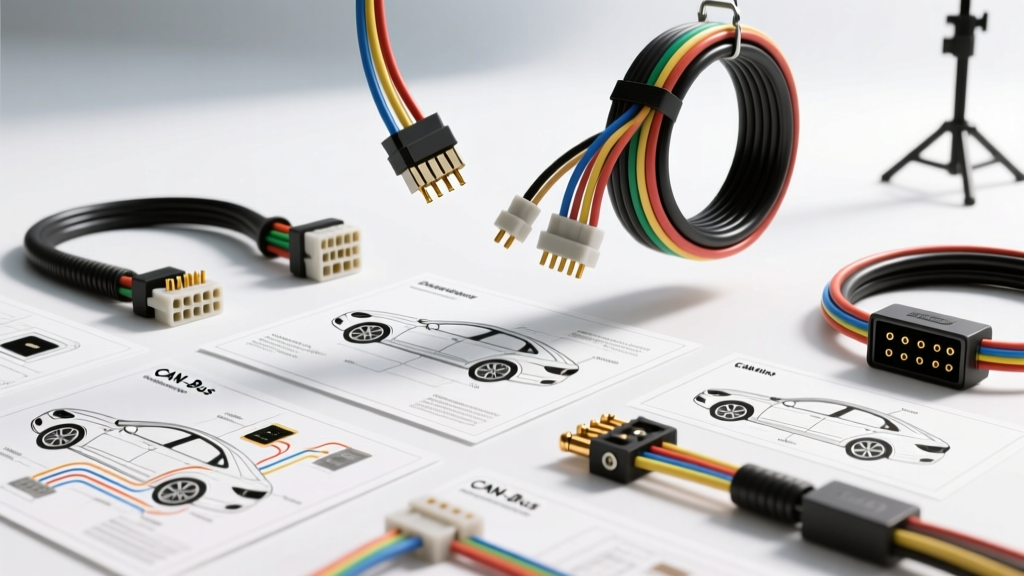
When drivers and DIYers ask, "can you install a backup camera on a car that didn't come with one from the factory?" the answer is universally yes. However, the success of the retrofit relies entirely on selecting the correct wiring architecture for your vehicle's specific electrical network. Modern vehicles utilize complex multiplexed systems, meaning a simple splice into the reverse light bulb is no longer a guaranteed solution. In fact, doing so on a modern CAN-bus vehicle can trigger dashboard errors, flickering video feeds, or even module shorts.
As an automotive electrical specialist, I have evaluated dozens of aftermarket camera systems. Below is a comprehensive product comparison and selection guide to help you choose the right wiring kit, complete with AWG specifications, pinout configurations, and real-world failure modes.
Comparing the 3 Primary Backup Camera Wiring Architectures
Selecting the right kit requires understanding how your vehicle handles the reverse trigger signal and how the head unit processes the video input. Here is a breakdown of the three dominant wiring kits available on the market.
1. Analog Composite (RCA) with Direct Reverse Tap
Best For: Vehicles manufactured before 2012, basic aftermarket head units, and budget-conscious installs.
How It Works: These kits use a standard 75-ohm RCA coaxial cable for video transmission and a bare 20-22 AWG trigger wire. The installer taps the trigger wire directly into the positive feed of the passenger-side reverse light bulb.
The Catch: If your vehicle uses Pulse Width Modulation (PWM) for lighting (common in BMW, VW, Audi, and modern FCA vehicles), the camera will receive a pulsing DC signal instead of a clean 12V constant, resulting in severe video flickering or rolling horizontal bars.
2. CAN-Bus Integrated with OBD-II / Multiplex Trigger
Best For: Late-model vehicles (2015+), factory screen integrations, and CAN-bus sensitive networks.
How It Works: Instead of splicing into high-current lighting circuits, these premium kits (such as those from Axxess or Rostra) utilize a CAN-bus decoder module. The module reads the OBD-II or CAN-High/CAN-Low network data. When the transmission is shifted into reverse, the vehicle's BCM (Body Control Module) broadcasts a hex code, and the decoder outputs a clean 12V, 300mA trigger signal to the camera.
The Catch: Requires vehicle-specific firmware. A kit programmed for a 2018 Ford F-150 will not work on a 2018 Ram 1500, even if the physical connectors match.
3. Digital Wireless (FHD 1080p) with Aviation Connectors
Best For: Heavy-duty trucks, RVs, trailers, and commercial fleets where routing a 20-foot shielded RCA cable through the chassis is impractical.
How It Works: These kits replace the RCA cable with a digital 2.4GHz or 5.8GHz transmitter/receiver pair. They utilize 4-pin screw-lock aviation connectors for weatherproofing.
The Catch: High power draw. The transmitter requires a dedicated 12V constant and ground, usually drawing 400mA, which necessitates a relay if triggered directly off a low-amperage BCM reverse circuit.
Technical Specification & Wire Gauge Chart
Proper wire gauge selection is critical to prevent voltage drop, which can cause the camera's IR night-vision LEDs to dim or the image sensor to reboot randomly. Refer to this specification chart when building or extending your harness.
| Wire Function | Recommended AWG | Insulation / Shielding | Routing & Termination Notes |
|---|---|---|---|
| Video Signal (Analog) | RG59 (75-Ohm Coax) | Braided Copper Shield | Keep away from high-voltage ignition wires to prevent alternator whine and EMI interference. |
| Camera Power (12V+) | 18 AWG | Stranded Copper, PVC | Must handle up to 500mA (especially when IR LEDs activate in darkness). |
| Camera Ground | 18 AWG | Stranded Copper, PVC | Ring terminal to bare chassis metal. Do NOT rely on license plate screw grounds. |
| Reverse Trigger Signal | 20 - 22 AWG | Stranded Copper | Low amperage signal wire used to wake the head unit monitor. |
| Power Extension (Runs > 15ft) | 16 AWG | Stranded Copper, GXL | Use automotive-grade GXL wire for runs from the front dash to the rear trunk/hatch. |
The PWM Problem: Why Cameras Flicker on Modern Vehicles
One of the most common failure modes when answering the question "can you install a backup camera on a car" is encountering the PWM (Pulse Width Modulation) lighting issue. To monitor bulb outages without adding extra wiring, modern Body Control Modules (BCMs) pulse the 12V supply to the reverse lights at high frequencies (often around 500Hz). While this tricks the incandescent or LED bulb into staying lit, an aftermarket camera's voltage regulator interprets this as rapid power cycling.
The Fix: If you are using an Analog RCA kit on a PWM vehicle, you must install a 12V DC rectifier filter between the reverse light tap and the camera's power/trigger wire. According to installation guidelines verified by the Mobile Electronics Association, a standard filter circuit consists of a 1N4001 rectifier diode and a 1000µF 16V electrolytic capacitor. Alternatively, use a dedicated CAN-bus relay interface (like the PAC TR-4) which reads the PWM signal and outputs a clean, solid 12V DC trigger from an independent fused ignition source.
Common Connector Pinouts & Harness Identification
When selecting a kit, you will generally encounter two main connector types at the camera head. Understanding these pinouts is vital for troubleshooting and custom harness fabrication.
Standard RCA + 2-Pin Trigger (Butterfly Connector)
- Yellow RCA Male: Composite Video Signal (Center pin carries signal, outer shield is ground).
- Red Male Bullet: 12V+ Trigger (Connects to the reverse light positive or CAN-bus decoder output).
- Red Female Bullet: 12V+ Output (Routes to the head unit's "Reverse" or "Backup" trigger wire, typically Purple or Orange/White depending on the radio brand).
4-Pin Aviation Connector (Screw-Lock)
Common in wireless and heavy-duty kits, the 4-pin layout is standardized but occasionally reversed by cheap manufacturers. Always verify with a multimeter before applying power.
- Pin 1: Ground (GND)
- Pin 2: Power (12V+ DC)
- Pin 3: Audio / Microphone (Usually left unconnected unless using a dual-function audio/video cable)
- Pin 4: Video Signal Output
Step-by-Step Reverse Trigger Wiring Decision Tree
To ensure a flawless installation, follow this diagnostic tree before cutting or splicing any wires. Data mapping via the SEMA Garage Vehicle Data Network is highly recommended for late-model vehicles to identify exact CAN-bus IDs.
- Identify the Vehicle Year and Network: Is the vehicle pre-2012 (likely analog) or post-2015 (likely CAN-bus/multiplexed)?
- Test the Reverse Light Circuit: Use a digital multimeter (DMM) on the DC voltage setting. Probe the reverse light positive wire with the car in reverse (engine running).
- Result A: Solid 13.5V - 14.2V. -> Proceed with standard analog tap.
- Result B: Fluctuating voltage or square wave on oscilloscope. -> PWM detected. Install relay filter or CAN-bus decoder.
- Locate Head Unit Reverse Input: Check the aftermarket radio's wiring harness diagram. Locate the "Reverse", "Backup", or "R-Cam" wire. Apply 12V to this wire to verify the screen switches to the camera input automatically.
- Route and Shield: Run the video cable down the passenger side of the vehicle to avoid the main wiring loom and ignition components on the driver's side, minimizing Electromagnetic Interference (EMI).
Expert Troubleshooting & Real-World Failure Modes
Even with the correct kit, environmental and electrical factors can cause issues. Here is how to diagnose the most common post-installation complaints:
- Symptom: Screen turns blue/black when shifted into reverse, but camera powers on.
Cause: The head unit is not receiving the 12V trigger signal, or the video ground is floating. Check the continuity of the RCA outer shield back to the camera's ground plane. - Symptom: Dashboard displays "Check Reverse Lamp" or "Bulb Outage" warning.
Cause: The BCM detected a change in resistance on the reverse lighting circuit because an LED camera was wired in parallel with the factory bulbs. Fix: Install a CAN-bus error canceller (load resistor) or use a relay to isolate the camera draw from the BCM circuit. - Symptom: Image is blurry or has a "ghosting" effect.
Cause: Ground loop interference. The camera ground and the head unit ground are at different electrical potentials. Ensure both devices share a common, clean chassis ground point.
Final Selection Verdict
So, can you install a backup camera on a car? Absolutely. If you are working on an older, analog vehicle, a high-quality shielded RCA kit with 18 AWG power extensions will provide years of reliable service. However, if you are retrofitting a modern CAN-bus equipped vehicle, investing in a vehicle-specific CAN-bus interface kit from reputable manufacturers like Axxess Interfaces or Metra Electronics is non-negotiable. Bypassing the vehicle's data network to save money on a wiring kit will inevitably lead to diagnostic headaches, flickering screens, and potential BCM damage. Choose your architecture wisely, respect the AWG requirements, and always verify your trigger signals with a multimeter before finalizing the dash reassembly.