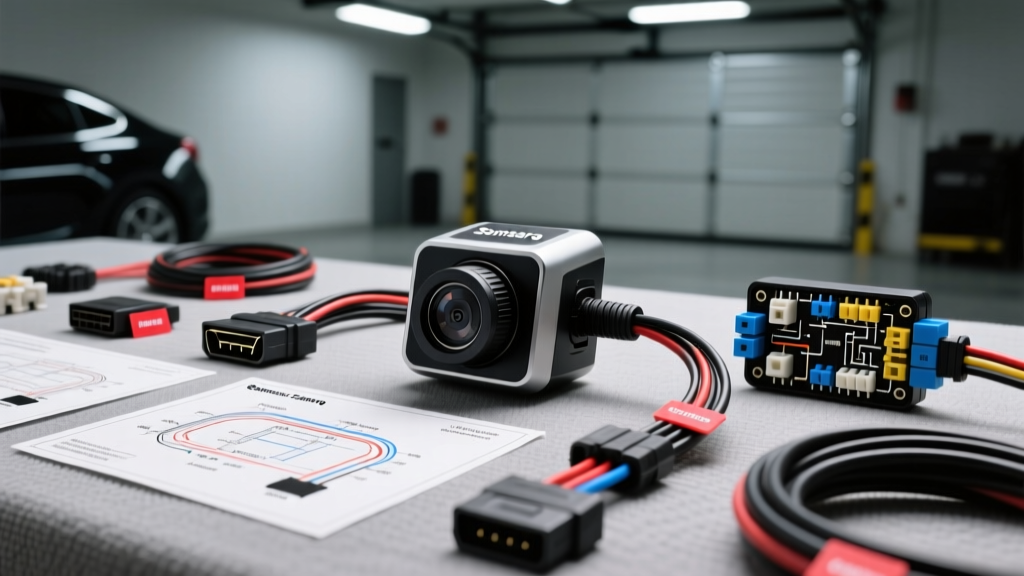
Introduction to Samsara Fleet Telematics and Camera Systems
Deploying a fleet telematics and AI dash cam system requires precision, an understanding of vehicle electrical architecture, and strict adherence to safety protocols. A proper Samsara camera installation involves more than just plugging a device into the OBD-II port and mounting a lens to the windshield. It requires integrating the VG54 Vehicle Gateway, hardwiring the CM31 or CM32 AI dash cams for reliable parking mode and ignition sensing, and routing external backup or side-view cameras through harsh environments. This complete wiring diagram walkthrough provides the technical specifications, pin configurations, and real-world troubleshooting insights necessary for a flawless, professional-grade installation.
Core Wiring Diagram: VG54 Gateway and OBD-II Integration
The Samsara VG54 Vehicle Gateway is the brain of the operation, reading CAN bus data to track vehicle health, speed, and fault codes. While it can be hardwired, the standard and most reliable method is via the SAE J1962 OBD-II diagnostic connector. Improper tapping into the CAN bus can cause severe drivability issues or trigger check engine lights.
SAE J1962 Pinout Configuration
When using a Y-splitter harness to maintain access to the OBD-II port for mechanics, you must verify the pinout. According to the SAE J1962 standard, the standard 16-pin connector utilizes specific pins for power and high-speed CAN communication:
| Pin Number | Function | Wire Color (Typical) | Specification |
|---|---|---|---|
| 16 | Battery Positive (V_BAT) | Red / White | Constant 12V, fused at 15A max |
| 4 & 5 | Chassis & Signal Ground | Black | Must have < 0.5 ohms resistance to battery negative |
| 6 | CAN High (CAN-H) | Green / White | ISO 15765-4 High-Speed CAN |
| 14 | CAN Low (CAN-L) | Blue / White | ISO 15765-4 High-Speed CAN |
Expert Warning: Never use piercing probe taps (scotch locks) on CAN-H or CAN-L wires. The change in impedance can reflect signals and corrupt the CAN bus network. Always use a high-quality OBD-II Y-splitter passthrough harness with gold-plated terminals.
Hardwiring the CM31 and CM32 AI Dash Cams
While the VG54 handles telematics, the CM31 (forward-facing) and CM32 (dual-facing) AI dash cams require dedicated power to support high-bitrate video recording, internal supercapacitors, and parking surveillance. Hardwiring directly to the vehicle's fuse box ensures a clean 12V supply and prevents the OBD-II port from being overloaded.
Fuse Box Integration and Add-A-Circuit Orientation
Samsara hardwire kits typically utilize 18 AWG GXL (cross-linked polyethylene) wire, which is rated for high-temperature automotive environments up to 125°C. The harness includes three primary wires:
- Red Wire (Constant 12V): Connects to a circuit that is always hot (e.g., interior lighting, hazard lights, or power seats). This maintains the camera's internal clock and powers parking mode.
- Yellow/White Wire (Switched 12V / Ignition): Connects to a circuit that only receives power when the key is in the ACC or ON position (e.g., wipers, 12V auxiliary outlet, or radio).
- Black Wire (Ground): Must be secured to a bare metal chassis point.
When using an Add-A-Circuit (fuse tap), orientation is critical. As noted in Littelfuse automotive fuse guidelines, inserting the fuse tap backwards bypasses the original circuit's fuse, creating a severe fire hazard. The prong that feeds the original circuit must receive power first from the fuse box slot, followed by the prong feeding the new dash cam circuit. Always test both the original vehicle component and the new camera circuit with a multimeter after installation.
A-Pillar Routing and Airbag Safety
Routing the 18 AWG power cable from the fuse box to the windshield requires navigating the A-pillar. Never route wires over or in front of the side-curtain airbag. In the event of deployment, the wire can act as a guillotine or prevent the airbag from inflating correctly. Remove the A-pillar trim, route the wire behind the airbag housing, and wrap the harness in Tesa 51036 PET cloth tape to prevent rattles and protect against chafing against sharp metal edges.
External Backup and Side Camera Routing
For commercial trucks and vans, integrating Samsara's external IP69K-rated backup and blind-spot cameras requires heavy-duty cabling. These cameras do not use standard RCA composite video; they utilize digital IP protocols over ruggedized connectors.
M12 Connector Sealing and CAT6A Routing
Samsara external cameras typically terminate in M12 X-coded or D-coded circular connectors, which carry both Power over Ethernet (PoE) and high-speed data. When routing CAT6A shielded twisted pair (STP) cables through the vehicle cab:
- Drilling: Use a stepped unibit to drill a clean 1-inch hole through the cab wall or floor pan.
- Sealing: Install a marine-grade rubber grommet. After passing the M12 connector (if pre-terminated) or pulling the raw cable, seal the penetration with butyl rubber tape and a top coat of marine-grade silicone to prevent water ingress and cab rust.
- Shielding: The CAT6A drain wire must be grounded at the gateway end to prevent electromagnetic interference (EMI) from the vehicle's alternator, which can cause video tearing or packet loss.
Reverse Trigger Relay Diagram
If integrating a third-party analog backup camera or a heavy-duty reverse trigger circuit, do not tap the camera's trigger wire directly to the vehicle's reverse light bulb wire. LED reverse lights draw minimal current, and incandescent bulbs can cause voltage spikes that fry the camera's logic board. Instead, use a standard Bosch-style 5-pin 12V 30A automotive relay:
- Pin 86: Connect to the vehicle's reverse light positive wire (trigger).
- Pin 85: Connect to chassis ground.
- Pin 30: Connect to a fused constant 12V battery source.
- Pin 87: Connect to the camera's reverse trigger input.
This setup ensures the camera receives a clean, stable 12V signal capable of handling the inrush current of the camera's infrared illuminators without overloading the vehicle's reverse lighting circuit.
Troubleshooting Decision Tree: Power and Connectivity
Even with meticulous wiring, fleet installations can encounter issues. Use this diagnostic tree based on Samsara hardware troubleshooting protocols:
- Symptom: Camera powers on but immediately shuts off when engine cranks.
- Cause: Voltage drop during cranking falls below the camera's 9V minimum threshold.
- Fix: Check the ground connection. Sand the paint away to bare metal, apply dielectric grease, and torque the M6 ground bolt to 10 Nm. Verify the Add-A-Circuit is not sharing a circuit with high-draw starter components.
- Symptom: VG54 Gateway shows 'No GPS' or severe GPS drift.
- Cause: The internal GPS antenna is blocked by metallic window tint or placed too deep under the dashboard.
- Fix: Relocate the gateway higher on the windshield behind the rearview mirror (outside the DOT tint band), or install an external active GPS puck antenna on the roof using an SMA connector.
- Symptom: External backup camera displays 'Signal Lost' only when engine is running.
- Cause: Alternator whine / EMI interfering with the unshielded data cable.
- Fix: Replace standard CAT5e with shielded CAT6A (STP) and ensure the drain wire is properly grounded to the VG54 chassis.
Final Inspection and Handover
A professional Samsara camera installation concludes with a physical and digital audit. Verify that no trim panels are loose, all wiring is secured with nylon zip-ties (trimmed flush to prevent sharp edges), and the windshield mount is cleaned with isopropyl alcohol prior to applying the 3M VHB adhesive pad. Finally, use the Samsara Admin app to verify the live video feed, calibrate the AI horizon line, and confirm that the OBD-II gateway is successfully logging CAN bus data before releasing the vehicle back into the fleet.