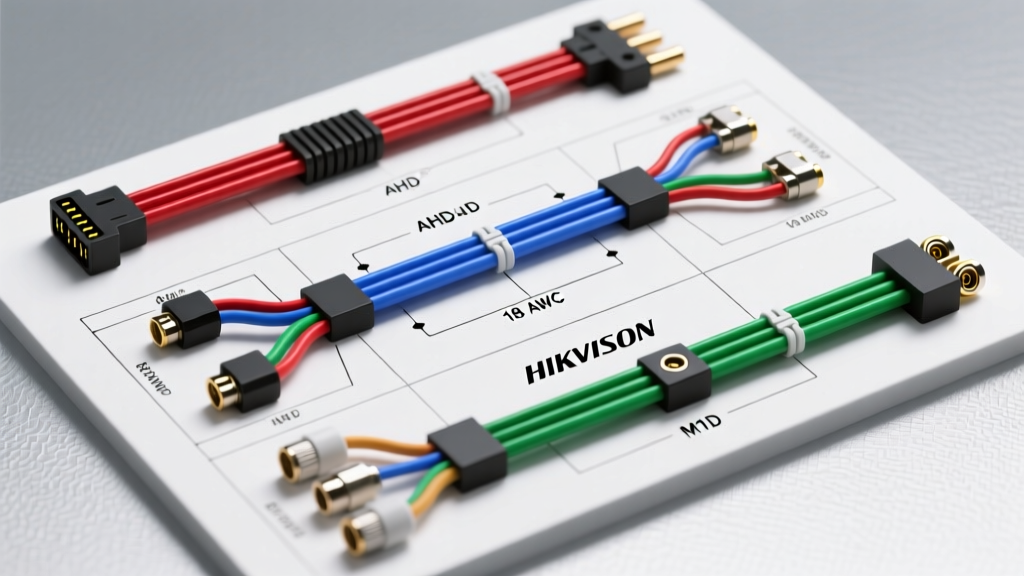
System Overview: Hikvision Mobile AHD Architecture
While Hikvision is globally recognized for commercial IP surveillance, their Mobile division produces ruggedized Analog High Definition (AHD) cameras specifically engineered for the harsh electrical and physical environments of fleet vehicles, motorhomes, and heavy-duty trucks. A standard Hikvision camera install in an automotive context typically involves integrating an AHD mobile turret or bullet camera (such as the DS-2CE56H1T series) with a mobile DVR (MDVR) or an aftermarket AHD-to-HDMI head unit adapter.
Unlike standard composite video (CVBS), AHD signals transmit uncompressed 1080p video over standard coaxial or twisted-pair cables up to 500 meters. However, the automotive environment introduces severe Electromagnetic Interference (EMI) from alternators, ignition systems, and high-current DC motors. This practical how-to guide details the exact wiring methodologies, M12 aviation connector terminations, and OEM reverse-trigger integrations required to achieve a noise-free, reliable mobile camera system.
Component & Wiring Specifications
Before initiating the installation, verify that your materials meet automotive-grade standards. Using standard indoor security cables in a vehicle will result in rapid failure due to vibration and temperature cycling. According to SAE J1292 automotive wiring standards, all conductors must be rated for the specific thermal and chemical environment of the vehicle chassis.
| Component | Specification / Rating | Application Notes |
|---|---|---|
| Camera Power Cable | 18 AWG, GXL or TXL insulation | Handles 12V/24V DC with minimal voltage drop over 15m runs. |
| Video Signal Cable | RG59 Siamese or 4-Core Shielded Twisted Pair (STP) | STP is mandatory for AHD to reject alternator whine and EMI. |
| Chassis Connector | M12 4-Pin Aviation Connector (IP67) | Screw-locking mechanism prevents vibration-induced disconnects. |
| Splice Method | Solder + Adhesive-Lined Heat Shrink | Crimp-only connections oxidize in high-humidity RV environments. |
| Fuse Rating | 2A to 5A ATO Blade Fuse | Placed within 18 inches of the power source or battery tap. |
M12 Aviation Connector Pinout Configuration
Hikvision mobile cameras utilize the industry-standard M12 4-pin screw-on aviation connector. This connector provides a waterproof seal and locks securely into the DVR or bulkhead passthrough. When fabricating custom extension harnesses or repairing a damaged pigtail, adhering to the correct pinout is critical. Reversing the power and ground pins will instantly destroy the camera's internal voltage regulator.
| Pin Number | Wire Color (Hikvision Pigtail) | Function | Multimeter Verification (to Chassis Ground) |
|---|---|---|---|
| Pin 1 | Red | DC Power (+12V / +24V) | 12.6V (Engine Off) / 14.2V (Engine Running) |
| Pin 2 | Black | Ground (GND) | 0.0V (Continuity to chassis < 0.5 Ohms) |
| Pin 3 | Yellow | AHD Video Signal (+) | N/A (Impedance should read 75 Ohms to ground) |
| Pin 4 | White | Audio / Trigger / No Connect | Depends on MDVR configuration (often left floating) |
Step-by-Step Installation Procedure
Phase 1: Bulkhead Routing and Drip Loops
Routing cables from the exterior camera mount into the vehicle cabin or cargo area is the most common point of failure in mobile installations. Water ingress will destroy both the camera and the MDVR.
- Select the Passthrough Point: Identify an existing rubber grommet on the rear doors or roof. If drilling a new hole is required, use a step bit and immediately apply a rust-inhibiting primer to the bare metal.
- Install a Bulkhead Connector: Instead of passing a raw cable through the metal, install an IP67-rated M12 bulkhead passthrough adapter. This allows the exterior cable to be disconnected without pulling wires through the vehicle interior.
- Create a Drip Loop: Before the cable enters the bulkhead, ensure it dips below the entry point and curves back up. This "drip loop" forces rainwater to fall off the lowest point of the cable rather than tracking directly into the connector.
- Seal with Polyurethane: Apply automotive-grade polyurethane sealant (e.g., 3M Marine Adhesive Sealant 5200) around the exterior flange of the bulkhead connector.
Phase 2: OEM Reverse Trigger Integration (Ford Transit Example)
For backup camera applications, the MDVR or head unit requires a +12V trigger signal to switch the display to the rear camera feed when the vehicle is shifted into reverse. Splicing directly into the rear tail light harness often causes CAN-bus errors or hyper-flashing on modern vehicles equipped with Pulse Width Modulation (PWM) lighting circuits.
For a commercial van like the Ford Transit, reference the Ford Body Builder Layout Book. The Transit features a Rear Body Builder Module (BBM) located behind the rear bumper or inside the rear pillar.
- Locate the BBM connector.
- Identify the Reverse Lamp Status circuit (typically Pin 4 on the secondary BBM connector, providing a clean +12V logic signal when reverse gear is engaged).
- Use a Posi-Tap connector or cut-and-solder method to tap this wire. Never use cheap scotch-lock T-taps, as they sever the OEM wire strands and cause intermittent voltage drops.
- Route this trigger wire to the MDVR's "BACKUP" or "REVERSE" trigger input.
Phase 3: Termination and EMI Shielding
AHD signals are highly susceptible to alternator whine—a high-pitched audio and visual noise that fluctuates with engine RPM. This is caused by the vehicle's alternator injecting AC ripple into the DC ground plane.
- Shield Grounding: If using a 4-core STP cable, the braided shield must be grounded at one end only (preferably the DVR/MDVR end) to the chassis ground. Grounding both ends creates a ground loop, which acts as an antenna for EMI.
- M12 Crimping: When terminating the male M12 connector, use a ratcheting micro-crimp tool (such as the Titan T38-610). Ensure the wire ferrules are crimped squarely. A loose pin inside the M12 housing will cause the video feed to black out when the vehicle hits a pothole.
- Dielectric Grease: Pack the interior of the M12 screw collar with dielectric grease before mating the connectors. This prevents galvanic corrosion between the brass pins and the aluminum housing.
Diagnostic Decision Tree: Video Artifacts and Power Loss
Even with a meticulous Hikvision camera install, mobile environments can introduce faults. Use this decision tree to diagnose post-installation issues.
- Symptom: Horizontal rolling bars or high-pitched whine on the display.
- Cause: Alternator EMI or Ground Loop.
- Fix: Verify the video cable shield is grounded at only one end. Install a 12V DC power filter (LC filter) inline on the camera's red power wire near the DVR to smooth out AC ripple.
- Symptom: Camera powers on but displays "No Signal" or flashes black.
- Cause: AHD signal degradation or impedance mismatch.
- Fix: AHD requires a 75-Ohm impedance. If you spliced a standard 50-Ohm RG58 radio cable instead of 75-Ohm RG59, the signal will reflect and drop. Replace the cable with 75-Ohm automotive coax or high-quality STP.
- Symptom: Camera works during the day but resets at night.
- Cause: Voltage drop under load.
- Fix: When the camera's IR LEDs activate, current draw spikes. If the wire gauge is too thin (e.g., 22 AWG over a 40-foot RV run), the voltage at the camera drops below 10.5V, triggering a low-voltage reset. Upgrade the power conductors to 16 AWG or 14 AWG.
Expert Tips for Long-Term Reliability
To ensure your installation meets the rigorous standards outlined in the IPC/WHMA-A-620 wire harness assembly guidelines, always secure cables every 12 to 18 inches using UV-resistant nylon cable ties or adhesive-backed P-clips. Never zip-tie a camera cable directly to a moving suspension component or a high-heat exhaust bracket. Maintain a minimum 6-inch clearance from exhaust components to prevent the cable insulation from melting and shorting against the chassis. Finally, always test the entire system with a multimeter and a portable monitor before buttoning up the interior trim panels, verifying both the 14.2V charging system voltage and the clean AHD signal output.