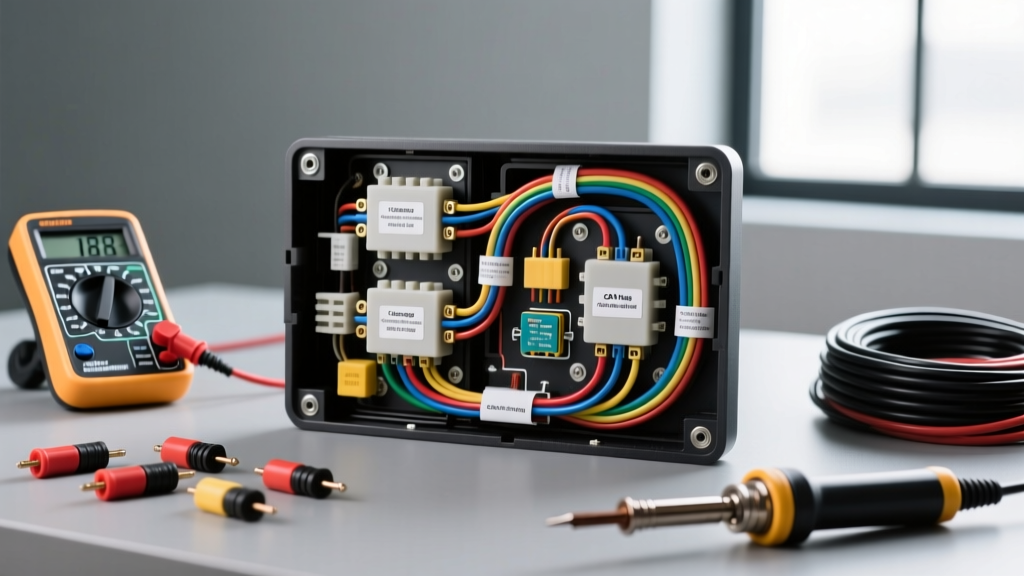
Understanding the Dual-Circuit Nature of Backup Cameras
Installing an aftermarket backup camera is one of the most rewarding DIY automotive electrical projects, but it frequently overwhelms beginners due to the dual-circuit nature of the system. When learning how to install a reverse camera in a car, you must understand that you are actually managing two distinct electrical pathways: the analog video signal and the 12V DC logic trigger. The camera itself requires a constant 12V power source and a clean chassis ground to operate the CMOS sensor. Simultaneously, your aftermarket head unit requires a separate 12V positive trigger signal to instruct the internal logic board to switch the display from your standard audio interface to the rear-view RCA input.
Many universal camera kits include a long RCA cable with a small red pigtail wire attached to both ends. This red wire is a pass-through trigger harness designed to save you from running a separate 18 AWG wire the entire length of the vehicle. By splicing this red wire into the reverse light circuit at the rear, and connecting the other end to the head unit trigger wire at the dash, the RCA cable acts as both a video shield and a trigger conduit. According to the Mobile Electronics Certification Program (MECP), understanding signal isolation and proper wire gauge selection is critical to preventing video degradation and logic faults.
Wire Gauge and Component Specifications
Automotive wiring must withstand extreme temperature fluctuations, vibration, and chemical exposure. Always adhere to the SAE J1128 Low Tension Primary Cable Standard when selecting wire for your camera installation. Stranded copper wire with cross-linked polyethylene (XLPE) or PVC insulation is mandatory. Never use solid core household wire, as engine and chassis vibration will cause it to snap.
| Wire Gauge (AWG) | Application | Max Current | Connector Type |
|---|---|---|---|
| 18 AWG | Camera Power and Ground | 5 Amps | Heat Shrink Butt / Ring Terminal |
| 22 AWG | Head Unit Reverse Trigger | 1 Amp | Posi-Tap or Solder |
| Shielded RCA | Analog Video Signal | N/A (Signal) | RCA Plugs / BNC Adapter |
Step 1: Routing the RCA and Trigger Harness
Begin by routing the RCA cable from the trunk or hatch to the dashboard. Always route wiring along the factory wiring harnesses on the interior side of the vehicle, typically beneath the door sill plates and kick panels. Use a trim removal tool to pop the plastic sill covers. Secure the RCA cable to the factory harness using UV-resistant nylon zip ties every 12 to 18 inches. Crucially, keep the RCA video cable on the opposite side of the vehicle from any high-current power wires, such as those running to an aftermarket amplifier. Running a low-voltage analog video signal parallel to a high-current 4 AWG power wire will induce electromagnetic interference (EMI), resulting in visible alternator whine or scrolling bars on your camera display.
When passing the cable from the exterior trunk lid into the interior cabin, you must use the existing rubber weatherproofing grommets. Use a blunt plastic pry tool to gently slip the RCA connectors through the rubber boot. Never pierce a rubber weather seal with a wire, as this will allow moisture to enter the cabin and trunk, leading to severe corrosion and interior water damage.
Step 2: Tapping the Reverse Light Power Safely
To power the camera and generate the trigger signal, you must tap into the vehicle reverse light circuit. Locate the tail light assembly and identify the reverse bulb socket. While older vehicles used simple color-coded wires, modern vehicles utilize complex multiplexed wiring. Therefore, you must use a Digital Multimeter (DMM) to identify the correct wire. Never use a standard incandescent test light on modern vehicles, as the added resistance can trigger false bulb-out warnings on the dashboard or damage sensitive CAN-bus control modules.
Set your DMM to DC Voltage (20V scale). Insert the black probe into a known clean chassis ground and use the red probe to pierce the wire insulation or back-probe the connector while the vehicle is in reverse (engine off, ignition on). The correct wire will read between 12.2V and 14.4V. Once identified, use a high-quality Posi-Tap connector or strip the wire, solder the connection, and seal it with adhesive-lined marine-grade heat shrink. Avoid cheap scotch-locks or T-taps, which are notorious for vibrating loose and causing intermittent camera failures.
Step 3: The CAN-Bus PWM Problem and Relay Solution
If you are installing a camera in a modern vehicle (typically 2015 and newer, especially European models, FCA/Stellantis, and Ford), you will likely encounter Pulse Width Modulation (PWM) on the reverse light circuit. Modern vehicles use PWM to rapidly cycle power on and off to dim LED lights or perform cold-diagnostic bulb checks. If you connect a camera directly to a PWM reverse light, the camera will flicker violently, fail to power on, or cause the head unit to drop the video signal.
The most robust, beginner-friendly solution to this problem is installing a standard Bosch-style 12V automotive mini-relay. This isolates the camera from the dirty PWM signal and provides clean, constant 12V power. Below is the standard 4-pin relay wiring diagram for this application:
| Relay Pin | Standard Color | Connection Point | Function |
|---|---|---|---|
| Pin 85 | Black | Clean Chassis Ground | Energizes the internal relay coil |
| Pin 86 | Red/White | Reverse Light Positive (PWM) | Acts as the low-current trigger switch |
| Pin 30 | Yellow | Fused 12V Ignition Source | Provides high-current clean power input |
| Pin 87 | Blue | Camera 12V+ and Radio Trigger | Outputs clean 12V to camera and head unit |
By wiring the relay this way, the PWM signal only triggers the low-draw coil, while the heavy-duty internal switch passes clean 12V from the ignition fuse panel directly to your camera and radio trigger wire.
Step 4: Head Unit Trigger and RCA Connection
At the dashboard, connect the RCA plug to the head unit input specifically labeled 'RCAM', 'Rear Camera', or 'CAM IN'. Do not plug it into a standard 'Video In' or 'Aux' RCA, as these inputs will not automatically switch when the trigger signal is received. Next, locate the head unit reverse trigger wire. On most standard aftermarket radios (Pioneer, Kenwood, Alpine), this wire is typically Purple/White or Orange/White and is labeled 'Reverse' or 'Back'. Connect the red pigtail wire from your RCA cable (or the output from Pin 87 if using a relay) to this head unit wire using a crimp cap or solder joint.
Troubleshooting Common Video and Trigger Failures
Even with careful planning, beginners often encounter specific failure modes. Use this diagnostic decision tree to resolve common issues:
- Symptom: Camera image flickers rapidly or rolls.
Cause: PWM signal interference or poor camera ground.
Fix: Install the 12V relay filter described above. Ensure the camera ground wire is attached to bare, unpainted metal on the chassis, not to the plastic tail light housing. - Symptom: Audio system emits a high-pitched whine that revs with the engine, or video has horizontal scrolling bars.
Cause: Ground Loop. The camera ground and the head unit ground are at different electrical potentials, causing current to flow through the RCA shield.
Fix: Move the camera ground to a different chassis location, or install an RCA Ground Loop Isolator inline near the head unit. - Symptom: Camera works, but the radio screen does not automatically switch to the video input when in reverse.
Cause: Missing or blown trigger signal. You may have tapped the wrong wire, or the head unit internal trigger diode has blown.
Fix: Use a multimeter to verify that 12V+ is reaching the radio harness reverse wire when the vehicle is shifted into reverse. If 12V is present but the radio does not switch, check the radio internal settings menu to ensure the 'Backup Camera' feature is toggled to 'ON' and set to 'Battery' rather than 'Auto'.
By respecting wire gauge standards, properly isolating PWM signals, and securing clean ground connections, you will achieve a factory-quality reverse camera installation that operates reliably in all weather conditions.