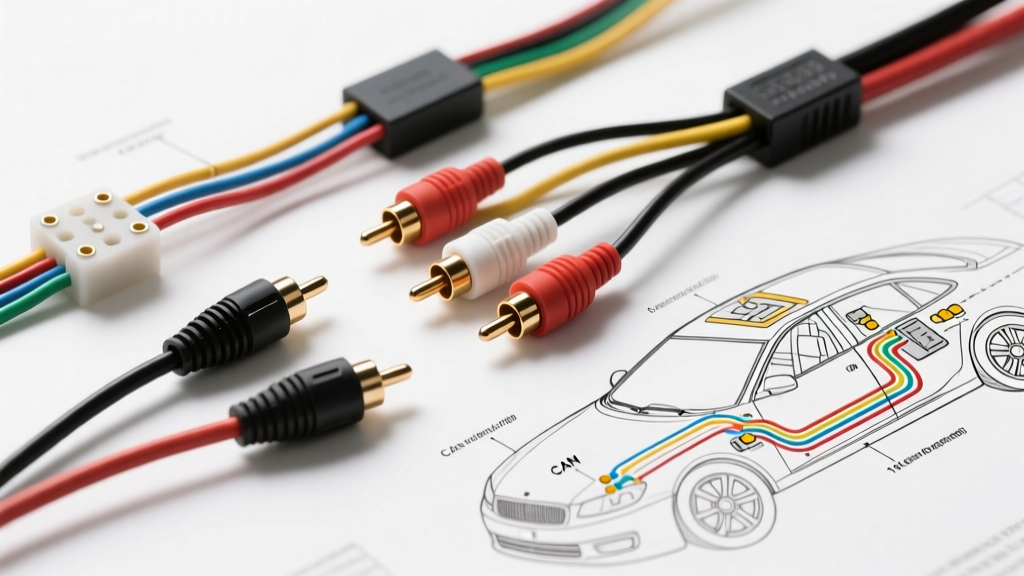
The Hidden Dangers of Improper Reverse Camera Wiring
Learning how to install aftermarket reverse camera systems seems straightforward on paper: tap the reverse light for power, run the RCA cable to the head unit, and mount the lens. However, modern vehicle electrical architectures are highly complex. A naive approach to splicing wires can result in damaged Body Control Modules (BCMs), rolling video interference, or complete camera failure. According to the MECP (Mobile Electronics Certified Professional) guidelines, over 60% of mobile electronics returns are due to improper installation and ground faults rather than defective hardware.
As an automotive electrical specialist, I have diagnosed countless failed backup camera installations. Below is a deep dive into the most critical wiring mistakes, the engineering reasons behind the failures, and the professional-grade solutions required for a flawless integration.
Mistake #1: Tapping PWM-Controlled Reverse Lights
The Symptom
The camera powers on intermittently, displays a rolling horizontal bar, or fails to trigger the head unit's reverse screen. In severe cases, the vehicle's dashboard throws a 'Bulb Out' or 'Check Taillight' warning.
The Engineering Reason
Most vehicles manufactured after 2015 (including Ford, VW, Subaru, and BMW) no longer supply a clean 12V DC signal to the reverse bulbs. Instead, the BCM uses Pulse Width Modulation (PWM) to monitor bulb health and extend filament life. A standard multimeter might read 12V on the wire, but an oscilloscope will reveal a 500Hz to 2kHz square wave that drops to 4V-6V during the 'off' cycle. Aftermarket cameras require a steady, clean 11.5V to 14.5V DC input. Furthermore, drawing an extra 300mA from a PWM-monitored circuit alters the resistance, tricking the BCM into thinking the bulb is blown, which triggers a dash warning or cuts power entirely.
The Professional Fix
Never splice directly into a PWM reverse light wire to power the camera. Instead, use the reverse light wire solely as a low-current trigger signal for a standard ISO mini relay, or install a dedicated PWM filter module.
- Relay Wiring (Bosch ISO Mini 4-Pin):
- Pin 86: Connect to the vehicle's reverse light wire (Trigger In).
- Pin 85: Connect to a clean, unpainted chassis ground.
- Pin 30: Connect to a fused 12V constant or ignition-switched source (use an add-a-circuit fuse tap, max 5A).
- Pin 87: Connect to the camera's 12V+ power wire (Trigger Out).
Mistake #2: RCA Ground Loops and Alternator Whine
The Symptom
The head unit displays the camera feed, but the image is plagued by severe static, rolling bars that pulse with engine RPM, or a high-pitched alternator whine through the audio system.
The Engineering Reason
Video signals are highly susceptible to Electromagnetic Interference (EMI). The SAE J1113 Electromagnetic Compatibility Standards dictate strict shielding protocols for low-voltage signal transmission. An RCA cable's outer metal shield acts as the signal ground. If the installer grounds the RCA shield to the trunk chassis near the camera, and the head unit grounds to the dash chassis, a 'ground loop' is created. Because the trunk and the dashboard are at slightly different voltage potentials (often differing by 0.2V to 0.5V due to alternator ripple), current flows through the RCA shield, introducing severe noise into the composite video signal.
The Professional Fix
Never ground the RCA shield to the vehicle chassis. The RCA cable must act as a continuous, isolated shield from the camera to the head unit. If the camera kit includes a bare ground wire attached to the RCA barrel, leave it disconnected and insulated with heat shrink. Ensure both the head unit and the camera share a common ground reference point where possible, or use a video ground loop isolator if the potential difference cannot be eliminated.
Mistake #3: Undersized Power Wire and Voltage Drop
The Symptom
The camera works on the bench but fails in the vehicle, or the infrared (IR) night-vision LEDs flicker and shut down when engaged.
The Engineering Reason
Many cheap camera kits include 22 AWG or 24 AWG stranded wire for the 20-foot run from the dash to the trunk. While a camera might only draw 250mA during the day, engaging the IR LEDs for night vision spikes the current draw to 600mA - 800mA. According to Del City Automotive Wire Specifications, running 800mA over 40 feet (round trip) of 22 AWG wire results in a voltage drop of over 1.2V. If the battery is at 13.8V, the camera only receives 12.6V, which is borderline. If the vehicle is idling at 12.4V, the camera receives 11.2V, causing the internal voltage regulator to fail and the IR LEDs to brownout.
The Professional Fix
Discard the included 22 AWG power wire. Use 18 AWG TXL or GXL automotive primary wire for the power and ground runs. TXL insulation is rated for 125°C and resists melting against hot exhaust components or pinching in trunk hinges. Solder all connections and seal them with adhesive-lined dual-wall heat shrink to prevent copper oxidation.
Mistake #4: Splicing into SRS or CAN Bus Data Lines
The Safety Warning
When routing the RCA and power harness through the vehicle's kick panels, A-pillars, and headliner, you will encounter thick bundles of factory wiring. A catastrophic mistake made by novices is using a T-tap or Scotchlok connector on an unknown wire to find a ground or 12V source.
WARNING: Never pierce or splice into wires that are Yellow, Orange/Yellow, or twisted pairs (often Green/White or Orange/Brown). Yellow wires are universally reserved for the Supplemental Restraint System (SRS / Airbags). Piercing an SRS wire can alter its resistance, triggering an airbag fault code, or worse, causing accidental deployment. Twisted pairs are CAN High and CAN Low data buses. Splicing into these will corrupt the data network, potentially disabling the ABS, transmission, or BCM.
Diagnostic Decision Tree: Camera Display Failures
Use this structured matrix to troubleshoot installation errors efficiently with a digital multimeter (DMM).
| Symptom | Probable Cause | Multimeter Test | Solution |
|---|---|---|---|
| Head unit does not switch to reverse screen. | Reverse trigger wire not connected or PWM signal confusing the HU. | Test HU reverse trigger pin for +12V DC when in reverse. | Install 12V relay to convert PWM to clean DC trigger. |
| Screen switches, but displays 'No Signal' or black screen. | Camera power loss, blown fuse, or RCA center pin bent. | Test camera 12V+ and Ground pins at the trunk harness. | Verify 18 AWG wire continuity; check inline 2A fuse. |
| Video is present but has severe rolling static bars. | RCA ground loop or EMI from unshielded power wires. | Measure AC voltage between RCA shield and chassis ground. | Isolate RCA shield; route video cable away from power/ignition wires. |
| Image works in day, but IR night vision fails/flickers. | Voltage drop under load due to undersized 22 AWG wire. | Test voltage at camera pigtail with IR LEDs manually triggered. | Replace power/ground run with 18 AWG TXL wire. |
Essential Tools and Safety Protocols
Before beginning any camera integration, adhere to these professional safety protocols:
- Battery Disconnect: Always disconnect the negative battery terminal and wait 15 minutes before working near the dash or kick panels to allow the SRS capacitors to discharge.
- Trim Removal: Use nylon pry tools, not metal screwdrivers, to avoid shorting exposed PCB traces on the back of the head unit or snapping brittle A-pillar clips.
- Wire Routing: Never run the RCA video cable parallel to the vehicle's main power harness or ignition coil wires. Cross them at a 90-degree angle if necessary to minimize inductive coupling and EMI.
- Moisture Sealing: Apply dielectric grease to all exterior Fakra or Z-cam connectors, and use marine-grade silicone to seal the license plate mounting holes to prevent trunk rot.
By respecting the vehicle's electrical architecture and avoiding these common pitfalls, your aftermarket reverse camera installation will be reliable, safe, and free of interference.