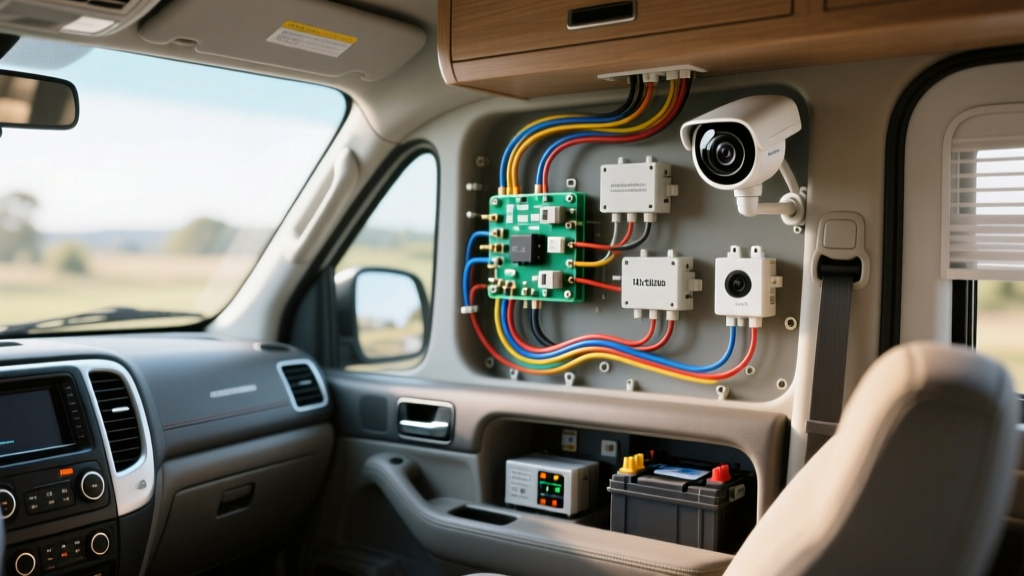
The Electrical Reality of Nest Security Camera Installation in Vehicles
When outfitting an RV, overland expedition vehicle, or fleet transport with remote monitoring, many owners consider a nest security camera installation due to its superior cloud interface, motion zones, and familiar mobile app. However, Nest cameras are fundamentally designed for residential 120V AC or 5V USB power environments. Adapting them to a 12V DC automotive or marine house bank requires precise voltage regulation, careful wire gauge selection, and an understanding of parasitic draw.
Alternatively, native 12V automotive IP cameras (such as Furrion Vision S or Garmin Dash Cam Tandem systems) are engineered for high-vibration environments and direct DC integration. This guide compares the electrical architecture of adapting a Nest Cam for 12V DC use against installing native automotive camera systems, providing exact wiring specifications, AWG requirements, and failure-mode troubleshooting.
Power Architecture: 12V DC Step-Down vs. Native 12V Systems
A standard Nest Cam (Wired Outdoor) requires a continuous 5V DC / 2A input via its proprietary USB-C or barrel connector. In a vehicle, you cannot simply splice a 5V USB cable to a 12V battery; doing so will instantly destroy the camera's internal logic board. You must use a DC-DC buck converter (step-down module) to regulate the vehicle's fluctuating 12.6V–14.4V alternator voltage down to a stable 5.0V.
Wiring the Nest Cam to a 12V House Bank
To perform a safe 12V adaptation, the power must be sourced from a dedicated fused busbar connected to the house battery bank, never from the chassis ignition-switched circuits, to ensure continuous security monitoring.
- Source Wiring (12V Side): Run 14 AWG marine-grade tinned copper wire from the positive terminal of the LiFePO4 or AGM house bank to a Blue Sea Systems fused busbar.
- Circuit Protection: Install a 5A ATO blade fuse on the positive feed. While the camera only draws ~0.8A at 12V, the 5A fuse protects the 14 AWG wire from dead-shorts while accommodating the initial capacitor inrush current of the buck converter.
- Step-Down Conversion: Connect the 12V input to a high-efficiency (90%+) buck converter, such as the Victron Energy Orion 12/12 or a sealed LM2596 module. Cheap, unsealed modules will fail due to automotive humidity and vibration.
- Load Wiring (5V Side): Use 18 AWG wire for the 5V output run to the camera. Because 5V systems suffer from severe voltage drop over distance, keep the 5V wire run under 6 feet. If the camera is further away, step down to 5V at the camera head using a localized converter, running 12V via 16 AWG wire to the remote location.
Step-Down Converter Wiring Specifications
| Circuit Segment | Wire Gauge (AWG) | Expected Amperage | Voltage Drop Limit | Connector Type |
|---|---|---|---|---|
| Battery to Busbar | 14 AWG Tinned | 1.5A (Max Surge) | < 3% | 3/8" Ring Terminal |
| Busbar to Buck Converter | 16 AWG | 0.8A (Continuous) | < 2% | Spade / Quick Disconnect |
| Converter to Nest Cam | 18 AWG | 1.5A @ 5V | < 0.25V | USB-C / Barrel Pigtail |
Product Comparison: Adapted Nest vs. Native Automotive IP Cams
While adapting home security gear is possible, native automotive cameras offer distinct advantages in power efficiency and physical durability. Below is a technical comparison of an adapted Nest installation versus leading 12V automotive IP alternatives.
| Feature | Nest Cam (12V Adapted) | Furrion Vision S (Native 12V) | Garmin Dash Cam Tandem |
|---|---|---|---|
| Operating Voltage | 5V (Requires 12V Buck) | 10V - 16V DC Direct | 12V - 24V DC Direct |
| Power Consumption | ~7.5W (180Ah/mo @ 12V) | ~3.5W (84Ah/mo @ 12V) | ~4.0W (Includes LTE) |
| Ingress Protection | IP65 (Rain, not pressure) | IP69K (High-pressure wash) | IPX7 (Submersion) |
| Vibration Tolerance | Low (Residential spec) | High (SAE J1455 compliant) | High (Automotive spec) |
| Connectivity | 2.4/5GHz Wi-Fi Only | Proprietary 2.4GHz Digital | Integrated 4G LTE / Wi-Fi |
According to the RV Industry Association (RVIA) low-voltage standards, any aftermarket device mounted externally must withstand high-pressure water ingress and severe vibration profiles, areas where native 12V cameras vastly outperform adapted residential units.
Signal Routing & The Faraday Cage Effect
A major hurdle in any Wi-Fi-based nest security camera installation on a vehicle is the chassis itself. Aluminum and steel RV bodies act as a Faraday cage, severely attenuating 2.4GHz and 5GHz Wi-Fi signals. If the Nest Cam is mounted on the rear bumper and the router is in the cab, the connection will drop.
Solutions for Metal Chassis Signal Loss
- External Wi-Fi Repeater: Mount a Ubiquiti NanoStation or similar external Wi-Fi CPE on the roof, routing an Ethernet cable through a weatherproof gland into the cabin to feed a local access point.
- Cellular Router Integration: Instead of relying on campground Wi-Fi, use a 12V Peplink or Cradlepoint router with MIMO roof antennas. The Nest Cam will connect to the router's internal 2.4GHz network, bypassing the metal walls entirely.
- Native Camera Advantage: Systems like the Garmin Tandem use integrated LTE, transmitting video directly over cellular networks without requiring a local Wi-Fi router, entirely bypassing the Faraday cage issue for remote viewing.
Real-World Failure Modes & Troubleshooting
When integrating residential IP cameras into 12V DC automotive environments, installers frequently encounter specific electrical failure modes. Use this diagnostic tree to resolve common issues.
Symptom: Camera Boot-Loops Every 45 Seconds
- Cause: Voltage drop on the 5V DC side. The camera attempts to engage its IR night-vision LEDs, causing a current spike to 2.5A. The undersized wire or weak buck converter drops below 4.5V, triggering a low-voltage reset.
- Fix: Upgrade the 5V output wire from 20 AWG to 16 AWG. Ensure the buck converter is rated for a minimum of 3A continuous output (15W). Add a 1000µF electrolytic capacitor across the 5V output terminals to buffer the inrush current.
Symptom: Parasitic Drain Depletes House Bank Overnight
- Cause: Cheap PWM step-down converters suffer from high 'no-load' quiescent current draw, sometimes pulling 50mA-100mA even when the camera is in standby, alongside the camera's base draw.
- Fix: Replace the linear or cheap PWM converter with a high-efficiency synchronous switching regulator (e.g., Victron Orion). Implement a Voltage Sensitive Relay (VSR) or a low-voltage disconnect (LVD) module set to cut power at 11.8V to protect lead-acid batteries from deep discharge sulfation.
Symptom: Video Artifacting and Digital Noise
- Cause: Electromagnetic Interference (EMI) from the vehicle's alternator or inverter cables running parallel to the camera's data/power lines. The SAE J1113 standard outlines strict EMC (Electromagnetic Compatibility) limits for vehicle electronics, which residential cameras are not shielded to meet.
- Fix: Reroute the camera wiring at least 18 inches away from 120V AC inverter cables and alternator charge lines. If crossing is unavoidable, cross at a strict 90-degree angle. Wrap the 5V DC line in copper-foil EMI shielding tape and ground the shield to the chassis at one end only.
Final Verdict: Adaptation vs. Native Integration
While a nest security camera installation is technically feasible in an RV or fleet vehicle using 12V-to-5V buck converters and external Wi-Fi repeaters, it remains a compromise. The parasitic draw, lack of automotive vibration shielding, and Wi-Fi penetration issues make it a high-maintenance setup. For mission-critical security and seamless 12V integration, native automotive IP cameras with LTE connectivity and IP69K ratings offer vastly superior reliability, lower power consumption, and adherence to vehicular electrical standards.