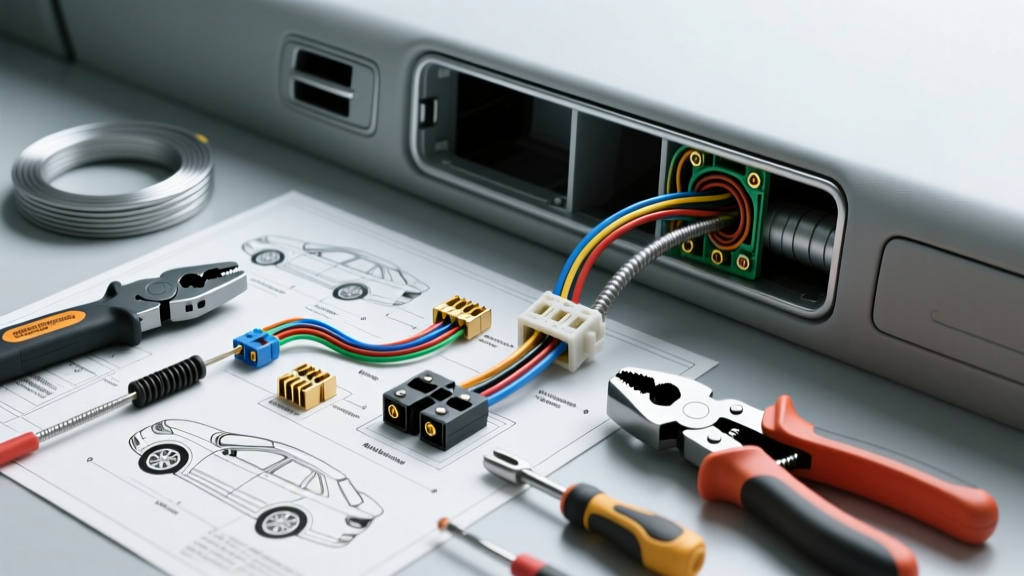
Essential Camera Installation Tools: A Technical Comparison Guide
Integrating aftermarket backup cameras, 360-degree birdseye systems, and high-definition dash cams into modern vehicles requires far more than a basic screwdriver and electrical tape. Modern automotive interiors utilize complex fastener systems, sensitive SRS (Supplemental Restraint System) airbag routing paths, and highly integrated Body Control Modules (BCMs) that can be damaged by improper probing. Selecting the correct camera installation tools is critical to ensuring a factory-fit finish, maintaining signal integrity on coaxial video lines, and preventing parasitic draws or ground loops.
This guide compares the industry-standard tools required for professional camera wiring, evaluating trim removal materials, wire routing tension specs, and precision crimping dies for FAKRA, Molex, and 4-pin aviation connectors.
Trim Removal Tools: Nylon vs. Polycarbonate Durometer Analysis
Removing A-pillar covers, dash end-caps, and tailgate interior panels without marring the surface is the first step in routing camera harnesses. The material hardness (measured on the Shore D scale) of your pry tools dictates their safety on modern soft-touch TPO (Thermoplastic Olefin) and ABS plastics.
Polycarbonate (PC) Trim Tools
- Shore D Hardness: ~70D
- Best Application: Soft-touch dash panels, glossy piano black trim, and delicate infotainment bezels.
- Limitations: Can deform or snap when prying high-tension metal spring clips found in European vehicles (e.g., VW/Audi door cards).
Glass-Filled Nylon Trim Tools
- Shore D Hardness: ~82D
- Best Application: Heavy-duty tailgate panels, truck bed caps, and stubborn push-retainers (e.g., Honda/Toyota 8mm nylon clips).
- Limitations: High rigidity can scratch or gouge softer interior plastics if used without a microfiber buffer.
Expert Recommendation: Use a dual-material kit. Utilize polycarbonate wedges to initiate panel separation, then switch to reinforced nylon forks for clip extraction. Never use steel flathead screwdrivers, as they will permanently deform the plastic retention tabs and cause interior rattles.
Wire Routing: Fiberglass vs. Spring Steel Fish Tapes
Routing the camera video cable (typically RCA, FAKRA coaxial, or Cat5e for digital IP cameras) from the rear tailgate through the vehicle cabin requires specialized fish tapes. The primary hazard during this process is snagging or piercing the yellow SRS airbag wiring looms routed down the A-pillars.
Spring Steel Fish Tapes
Standard 1/8-inch steel tapes offer high pushability but pose a severe electrical hazard. If the steel tape contacts a compromised airbag squib wire or a live 12V constant feed, it can short the circuit or deploy the airbag. Furthermore, steel tapes can kink when navigating the tight rubber grommets between the vehicle chassis and the tailgate hinge.
Non-Conductive Fiberglass Fish Tapes
Fiberglass tapes (typically 3/16-inch diameter, 35-foot length) are the mandatory standard for automotive camera routing. According to Klein Tools wire routing specifications, fiberglass provides the necessary column strength to push through insulated firewalls while remaining completely non-conductive. When routing through the A-pillar, always use a flexible nylon bullet-nose attachment to glide past airbag curtain brackets without snagging.
Precision Crimping Tools for Camera Connectors
Camera systems utilize three primary connector types. Using universal crimpers on these specific terminals leads to high resistance, voltage drop, and eventual video signal degradation.
1. FAKRA Z-Type Coaxial Connectors (HD Backup & 360 Cameras)
Modern OEM and high-end aftermarket 360-camera systems use FAKRA connectors with RG-174 or RG-316 coaxial cable. These require a specialized hex-crimp die.
- Required Tool: Ratcheting coaxial crimper with a .178-inch hex cavity for the outer shield crimp.
- Center Pin: Requires a separate .042-inch indent crimp die.
- Failure Mode: Using a standard .255-inch hex die (meant for RG-58) will crush the FAKRA dielectric insulator, causing a dead short between the video signal and the ground shield, resulting in a completely black camera feed.
2. Molex Mini-Fit Jr. (Aftermarket Head Unit Camera Inputs)
Many aftermarket Android head units and Pioneer/Kenwood radios use 4-pin or 8-pin Molex Mini-Fit Jr. connectors for the reverse camera trigger and video ground.
- Wire Gauge: 18-22 AWG.
- Required Tool: Ratcheting terminal crimper with SN-28B or equivalent Molex-specific dies. Refer to IPC/WHMA-A-620 standards for proper wire-to-terminal crimp validation, ensuring the insulation grip and wire grip are distinctly separated.
3. 4-Pin Aviation (GX12) Connectors (Heavy Duty & Fleet Cameras)
Commercial trucks and RVs use 4-pin aviation connectors for combined power, ground, video, and audio. Pin 1 is 12V+ (Red), Pin 2 is Ground (Black), Pin 3 is Video (Yellow), and Pin 4 is Audio/Trigger (White).
- Required Tool: Solder sleeve heat gun setup or specialized D-sub barrel crimpers. Aviation pins are typically solder-bucket style; crimping them without proper die alignment will bend the pin and prevent the threaded collar from mating.
Circuit Testing & Wire Tapping: Avoiding BCM Damage
To activate the camera overlay on the head unit, you must tap the vehicle's reverse light circuit. On modern vehicles (2015+), the reverse lights are often driven by PWM (Pulse Width Modulation) signals from the BCM rather than a direct 12V relay.
Digital Logic Probes vs. Incandescent Test Lights
Never use an incandescent test light to probe the reverse wire. The filament draws up to 250mA, which can instantly blow the internal BCM transistor or trigger a diagnostic trouble code (DTC) that disables the tail lights. Use a high-impedance (>10 Megohm) Digital Multimeter (DMM) or an LED logic probe to verify the 12V reverse trigger signal.
Wire Tapping: Posi-Tap vs. T-Taps
When tapping the 18 AWG reverse lamp wire to feed the camera trigger (typically a red RCA breakout wire), avoid standard blue scotch-locks or T-taps. These cut completely through the stranded copper, exposing raw metal to moisture and causing galvanic corrosion. Instead, use a Posi-Tap (PTW-2224). The Posi-Tap's internal set-screw pierces the wire insulation without severing the copper strands, maintaining the structural integrity and current-carrying capacity of the host wire as outlined in SAE J1128 low-tension cable guidelines.
Comprehensive Camera Tool Selection Matrix
| Tool Category | Recommended Specification | Primary Application | What to Avoid |
|---|---|---|---|
| Trim Pry Tools | Polycarbonate (Shore 70D) | Soft-touch dash, piano black trim | Steel flatheads, metal putty knives |
| Fish Tape | 3/16" Fiberglass, Bullet Nose | A-pillar routing, firewall pass-through | Spring steel tapes (SRS short risk) |
| Coaxial Crimper | .178" Hex Die (RG-174/FAKRA) | OEM-style HD backup cameras | .255" RG-58 dies (crushes dielectric) |
| Terminal Crimper | Ratcheting SN-28B (Molex) | Aftermarket head unit camera pigtails | Non-ratcheting universal pliers |
| Wire Tap | Posi-Tap PTW-2224 (18-22 AWG) | Reverse light trigger tap | Scotch-locks, U-Taps, T-Taps |
| Voltage Tester | High-Impedance DMM (>10M Ohm) | Testing BCM reverse light output | Incandescent test lights |
Expert Troubleshooting: Ground Loops and Video Noise
A common failure mode in backup camera installations is the presence of horizontal scrolling bars (alternator whine) on the video feed. This is rarely a defect in the camera itself, but rather a ground loop caused by improper tooling and connection methods. If the camera's 12V ground is tied to a painted chassis bolt using a standard ring terminal, the resistance will force the video signal to seek a ground path through the RCA shield back to the head unit.
The Fix: Use a proper terminal crimper to apply a heat-shrink insulated ring terminal to the camera's 18 AWG ground wire. Sand the chassis contact point down to bare, shiny metal, secure it with an M6 bolt and star washer, and apply dielectric grease to prevent oxidation. Ensuring your crimping tools produce a gas-tight connection is the ultimate defense against EMI (Electromagnetic Interference) and ground loop noise in automotive camera systems.