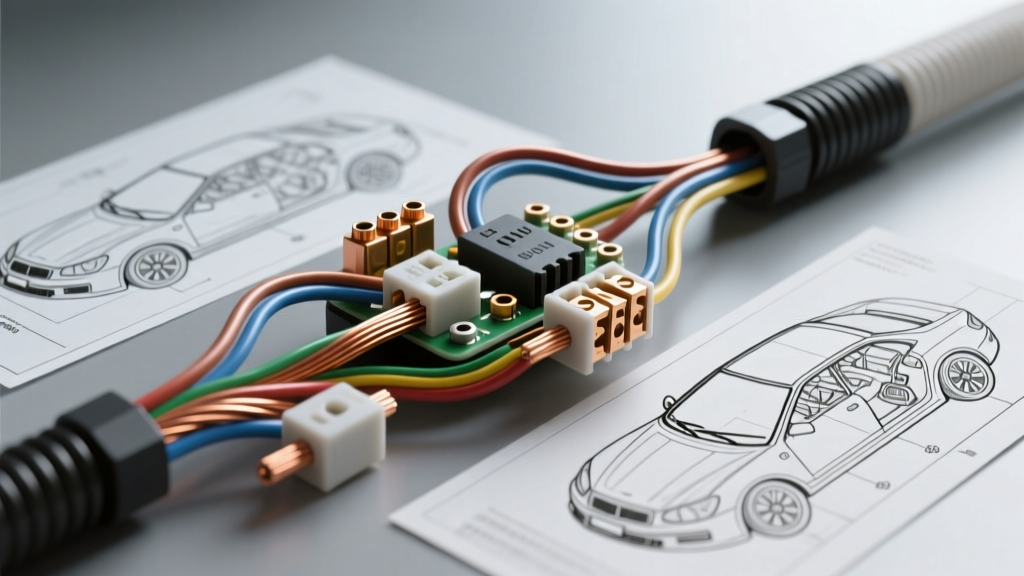
Defining the Automotive Security Camera Architecture
When enthusiasts search for a security camera installation DIY, they are typically thinking of residential CCTV. However, in the automotive sector, a vehicle security camera refers to a hardwired, multi-channel dash cam system equipped with buffered parking mode, motion detection, and impact-triggered sentry recording. Unlike simple cigarette-lighter plug-in cameras, a true automotive security system requires permanent integration into the vehicle's 12V DC electrical architecture. This allows the system to monitor the vehicle's surroundings while the ignition is off, without draining the starter battery below cranking thresholds.
Executing this integration requires a deep understanding of automotive fuse topologies, parasitic draw limits, and CAN-bus proximity routing. This guide provides a comprehensive cost and tool requirements analysis for professionals and advanced DIYers looking to install a vehicle security camera system safely and reliably.
The Diagnostic & Hand Tool Arsenal
A successful 12V camera integration relies on precision diagnostics. Guessing wire functions or using improper crimping tools leads to voltage drops, blown fuses, and damaged Body Control Modules (BCMs). Below is the required tooling for a professional-grade installation.
1. True-RMS Digital Multimeter (DMM)
You must use a True-RMS multimeter with a minimum input impedance of 10 Megohms. Standard averaging multimeters can provide false readings on PWM (Pulse Width Modulated) circuits found in modern vehicle fuse boxes. You will use the DMM to identify Constant 12V (BAT) and Switched 12V (ACC) circuits, and to verify ground resistance (which must read below 0.5 ohms to the chassis).
2. Automotive Trim Removal & Pry Tools
Modern vehicle interiors utilize fragile nylon push-clips and soft-touch plastics. A dedicated set of non-marring polycarbonate pry tools is mandatory to remove A-pillar trims, headliners, and kick panels without snapping retention tabs or leaving permanent gouges.
3. Wire Stripping & Crimping Matrix
Camera hardwire kits typically utilize 18 AWG to 22 AWG stranded copper wire. Using standard household wire strippers will nick the copper strands, reducing the wire's cross-sectional area and creating a high-resistance choke point. Invest in a precision ratcheting micro-crimper designed for 22-18 AWG non-insulated and insulated terminals.
4. Thermal Imaging Camera (Optional but Recommended)
For advanced diagnostics, a thermal camera (like a FLIR attachment) helps identify parasitic draws and high-resistance connections by visualizing heat signatures at the fuse tap and ground points after the system has been running in parking mode for 30 minutes.
Bill of Materials & Cost Analysis
The financial investment for a robust vehicle security camera setup extends beyond the camera unit itself. Cutting corners on wiring components is the primary cause of post-installation electrical fires and battery depletion. Below is the itemized cost analysis for the supporting hardware.
| Component | Specification / Rating | Est. Cost | Installation Purpose |
|---|---|---|---|
| Premium Hardwire Kit | 18 AWG, Integrated LVC (Low Voltage Cutoff) | $35.00 - $50.00 | Steps down 12V to 5V USB/C-Type, monitors battery voltage. |
| Add-A-Circuit Fuse Taps | Micro2, Low-Profile Mini, or ATO (Vehicle Dependent) | $12.00 (Pack) | Piggybacks camera power to existing fuse panel circuits safely. |
| OEM-Grade Fuses | 2A to 5A Low-Profile Mini / Micro2 | $8.00 (Pack) | Dedicated overcurrent protection for the camera's 250mA-400mA draw. |
| Ring Terminals & Heat Shrink | 18-22 AWG, 3:1 Adhesive-Lined Shrink | $15.00 | Secures ground wire to chassis bolt; prevents moisture corrosion. |
| Automotive Cloth Tape | Tesa 51036 (PET Cloth, High Temp) | $18.00 | Wraps camera cables to prevent rattles and protects against chafing. |
| Trim Clip Assortment | Vehicle-specific nylon push retainers | $20.00 | Replaces broken clips during A-pillar and headliner removal. |
Total Auxiliary Material Cost: $108.00 - $131.00
12V Electrical Specifications & Wire Mapping
Understanding the wiring topology of aftermarket camera hardwire kits is critical. While residential security cameras rely on PoE (Power over Ethernet) or standard 120V AC adapters, automotive systems operate on a 12V DC (nominal 12.6V resting, 14.4V charging) negative-ground architecture.
Standard Hardwire Kit Color Codes
- Yellow Wire (BAT / Constant 12V): Connects to a circuit that is live at all times, even when the key is removed. This powers the camera's parking mode and memory buffer.
- Red Wire (ACC / Switched 12V): Connects to a circuit that only receives power when the ignition is in the 'ON' or 'RUN' position (e.g., wipers, 12V accessory socket, radio). This signals the camera to switch from parking mode to continuous driving recording.
- Black Wire (GND / Ground): Must be terminated to an unpainted, bare metal chassis point. Never ground to a painted surface or a plastic trim screw, as this will cause high resistance, leading to random reboots and corrupted SD cards.
Wire Gauge & Voltage Drop Calculations
Most premium hardwire kits utilize 18 AWG stranded copper. According to SAE J1113 Standards for automotive electrical routing, 18 AWG is optimal for runs up to 10 feet carrying under 5 Amps. A typical dual-channel security camera draws roughly 400mA (0.4A) in parking mode. The voltage drop over a 10-foot 18 AWG copper run at 0.4A is a negligible 0.025V. Using thinner 22 AWG wire for the main power run is not recommended, as the increased resistance can cause the camera's internal Low Voltage Cutoff (LVC) to trigger prematurely, shutting down the security system.
Fuse Panel Integration & Load Testing
The most common point of failure in a security camera installation DIY project is the improper use of 'Add-A-Circuit' fuse taps. Modern vehicles use high-density fuse boxes containing Micro2, Low-Profile Mini, or Mini fuses. You must identify the correct fuse orientation to avoid back-feeding the vehicle's BCM.
How to Test for Line vs. Load Side
- Remove the target fuse (e.g., a 10A wiper or accessory fuse) from the panel.
- Set your multimeter to DC Voltage. Place the black probe on a known good chassis ground.
- Probe the two empty slots of the fuse receptacle with the red probe.
- The slot that reads ~12.4V (Constant) or ~12.4V with Ignition ON (Switched) is the Line Side (power coming from the battery).
- The slot that reads 0V is the Load Side (power going to the vehicle's accessory).
Critical Rule: The fuse tap must be inserted so that the power flows through the original vehicle fuse first, and then through the new camera fuse. If inserted backward, the camera's draw is added to the vehicle's accessory draw, potentially overloading the 10A OEM fuse and blowing it, disabling your wipers or radio. For deeper diagnostics on testing automotive circuits, refer to the Haynes Multimeter Testing Guide.
Airbag Compliance & Cable Routing Protocols
Routing the camera's power and coaxial video cables from the overhead console down to the cabin fuse box requires navigating the A-pillar. This area houses the side-curtain airbag deployment zone.
According to NHTSA Airbag Safety Guidelines, any obstruction in the airbag deployment path can turn a loose cable into a lethal projectile during a collision. Never simply zip-tie your camera wires across the front of the airbag curtain. You must:
- Unclip the A-pillar trim carefully.
- Locate the existing OEM wiring harness that is already secured to the metal pillar.
- Wrap your camera cables in Tesa cloth tape to match the OEM harness diameter.
- Zip-tie your wrapped cables behind the airbag curtain, securing them directly to the existing OEM harness or designated metal routing brackets.
Troubleshooting Parasitic Draw & LVC Failures
Even with a perfect physical installation, software and voltage thresholds can cause system failures. The hardwire kit's Low Voltage Cutoff (LVC) module protects your car battery from dying. If the LVC detects the battery dropping below a set threshold (e.g., 12.0V), it physically cuts power to the camera.
Common Failure Modes & Fixes
- Symptom: Camera will not enter parking mode; shuts off immediately after turning off the car.
Cause: The Red (ACC) and Yellow (BAT) wires are swapped, or the LVC dial is set too high (e.g., 12.4V on an older battery that rests at 12.2V).
Fix: Swap fuse tap locations. Lower LVC setting to 12.0V for standard 12V lead-acid batteries. - Symptom: Vehicle battery is dead in the morning despite LVC installation.
Cause: The camera is connected to a 'delayed accessory' circuit (like interior dome lights or a CAN-bus gateway module) that stays awake for 20 minutes after parking, preventing the camera from entering low-power sleep mode.
Fix: Use the multimeter to find a true IGN-switched circuit that drops to 0V immediately upon key removal, such as the windshield wiper motor or heated seat fuse. - Symptom: Corrupted SD card files or random rebooting while driving.
Cause: High resistance at the ground point or voltage drop from using cheap, non-OEM USB power cables instead of the dedicated hardwire kit.
Fix: Sand the chassis ground point to bare metal, apply dielectric grease, and tighten the ring terminal to a minimum of 8 Nm torque.
By investing in the correct diagnostic tools, understanding 18 AWG voltage drop characteristics, and respecting automotive safety routing protocols, your vehicle security camera installation will provide reliable, round-the-clock surveillance without compromising the vehicle's native electrical integrity.