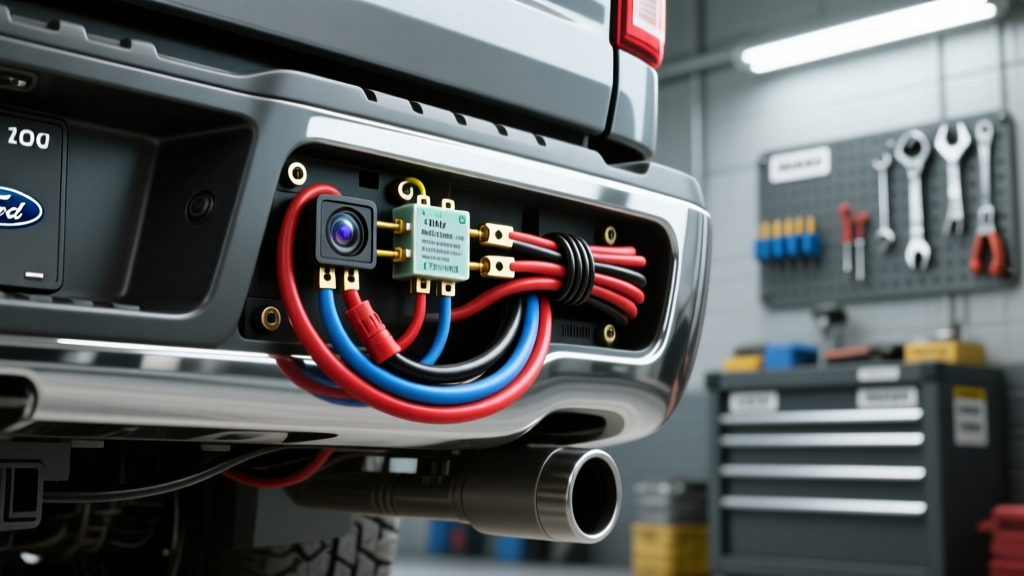
The PWM Challenge: Why Standard Camera Installs Fail on Modern Trucks
When installing a backup camera on a 2015-2020 Ford F-150, technicians frequently encounter a frustrating issue: the camera flickers, displays a 'No Signal' error, or fails to trigger the head unit entirely. This is not a defect in the camera or the head unit. The root cause lies in the vehicle's rear lighting architecture. Modern F-150s utilize LED tail lights driven by Pulse Width Modulation (PWM) or LIN bus signals rather than a clean 12V DC analog feed. A standard multimeter might read 6V to 9V RMS on the reverse wire, which is insufficient to activate the internal DC-DC buck converter inside an aftermarket camera.
To achieve a flawless, OEM-style integration, you must bypass the PWM signal at the tail light and use a 12V automotive relay to switch clean power to both the camera and the head unit's reverse trigger wire. This guide details the professional methodology for installing a backup camera on the 13th-generation F-150, ensuring stable video signals and reliable reverse triggering.
Required Tools & Component Specifications
- Wire: 18 AWG GXL (Cross-linked polyethylene) for trigger/camera power; 14 AWG for relay 12V feed.
- Video Cable: 75-ohm shielded RCA coaxial cable (minimum 18 feet for SuperCrew beds).
- Connectors: Posi-Tap E2 (18-16 AWG) or TE Connectivity AMPSEAL splices. Avoid standard T-taps, which violate IPC/WHMA-A-620 wiring standards and cause stranded wire fatigue.
- Relay: Standard ISO mini 4-pin Bosch-style relay (30A minimum).
- Tools: Wire strippers, heat gun, trim removal pry tools, digital multimeter (DMM), and a 10mm socket set.
Step 1: Dash Teardown and Head Unit Reverse Trigger
Before routing cables to the rear, prepare the head unit harness. For standard aftermarket Double-DIN units (Pioneer, Kenwood, Alpine), the reverse trigger wire is universally coded Purple or Purple/White. This wire requires a +12V signal to switch the head unit from the primary display to the backup camera RCA input.
- Remove the dash bezel and unbolt the head unit bracket (typically 7mm or 8mm bolts).
- Locate the Purple reverse trigger wire on the aftermarket harness.
- Extend this wire using 18 AWG GXL wire and a sealed butt connector, routing it down the driver's side A-pillar, under the door sill plate, and beneath the rear seat bench.
- Leave the extended trigger wire coiled near the driver's side B-pillar floor grommet for later connection to the relay output.
Step 2: Routing the 75-Ohm RCA Video Cable
Electromagnetic Interference (EMI) is the enemy of composite video signals. According to SAE J1113 standards for electromagnetic compatibility, unshielded or poorly routed video cables will pick up high-frequency noise from the alternator and CAN bus lines, resulting in rolling horizontal bars on the display.
- Feed the female RCA connector from the rear of the truck bed, through the floor pan grommet located behind the driver's side rear wheel well, and into the cabin.
- Route the RCA cable along the opposite side of the vehicle's main chassis wiring harness. If the main harness runs down the driver's side, route the RCA down the passenger side sill.
- When crossing the vehicle floor pan, cross the RCA cable at a 90-degree angle to the main chassis harness to minimize inductive coupling.
- Connect the male RCA end to the head unit's designated 'Rear Camera' or 'CAM IN' port. Do not use the standard yellow 'Video In' port, as this port rarely supports automatic reverse triggering.
Step 3: Tailgate Disassembly & Camera Mounting
Whether you are using a license plate frame camera or an OEM-style handle replacement camera, proper moisture sealing is critical.
- Lower the tailgate and remove the interior plastic trim panel (10-12 plastic push-clips and three 8mm bolts).
- If using a license plate camera, route the pigtail through the existing tailgate camera grommet or drill a 3/8" hole and install a rubber firewall grommet to prevent sheet metal chafing.
- Connect the camera's RCA pigtail to your main 75-ohm RCA extension cable. Wrap the connection in liquid electrical tape and self-amalgamating silicone tape to prevent water ingress.
- Route the camera's 18 AWG power pigtail into the tailgate hinge conduit tube, feeding it into the truck bed near the spare tire winch.
Step 4: The 12V Relay Bypass for PWM Circuits
This is the most critical step for installing a backup camera on a modern F-150. You will use the tail light's PWM reverse signal merely as a logic trigger for a relay, which will then switch clean 12V power from the battery or an upfitter switch to the camera and head unit.
Relay Wiring Configuration
| Relay Pin | Function | Wire Color / Source | Connection Method |
|---|---|---|---|
| 86 | Logic Trigger Input | Violet/White (PWM Reverse at Tail Light) | Posi-Tap into tail light harness |
| 85 | Relay Coil Ground | Black (18 AWG to Chassis) | Ring terminal to bed bolt |
| 30 | Switched 12V Source | Red (14 AWG from Upfitter or Fused Bat) | Inline 10A ATO Fuse |
| 87 | 12V Output to Camera/HU | Spliced to Camera +12V and HU Purple Trigger | Heat-shrink solder splice |
Execution: Locate the reverse light wire at the driver's side tail light. On the 2015-2020 F-150, the reverse circuit is typically Violet/White. Use a Posi-Tap to connect Pin 86 of the relay to this wire. Ground Pin 85 to a bare metal bolt on the bed frame. Feed Pin 30 with a fused 12V constant source. Finally, splice the output from Pin 87 to both the camera's red 12V+ wire and the extended Purple reverse trigger wire you routed from the dash in Step 1.
Troubleshooting Signal Loss & Ground Loops
Even with a perfect relay bypass, physical installation variables can cause issues. Use this diagnostic tree if the system fails upon initial testing:
- Symptom: Camera powers on, but screen is black or shows 'No Signal'.
Fix: Check the RCA center pin for continuity. Ensure the head unit camera input is set to 'Battery' or 'Normal' in the hidden factory settings menu, not 'Off'. - Symptom: Engine running causes loud alternator whine through audio and scrolling lines on video.
Fix: You have a ground loop. The camera's ground and the head unit's ground are at different electrical potentials. Isolate the camera ground wire from the tailgate latch (which is heavily grounded to the bed) and instead run a dedicated 18 AWG ground wire back through the tailgate conduit to the main chassis ground block near the spare tire. - Symptom: Image is stretched or compressed.
Fix: Verify the camera's internal DIP switches. Most universal cameras default to NTSC (North America). If accidentally switched to PAL, or if the aspect ratio is set to 4:3 instead of 16:9, the image will distort on modern widescreen displays.
Final Verification
Once all connections are sealed and zip-tied away from moving parts and exhaust components, perform a functional test. Engage the parking brake, turn the ignition to 'Run', and shift into Reverse. The relay should audibly click, the head unit should instantly switch to the camera feed, and the video should remain perfectly stable with the engine running at 2000 RPM. For further reference on vehicle-specific wiring databases and harness pinouts, consult the Crutchfield Vehicle Wiring Database before cutting any factory wires.