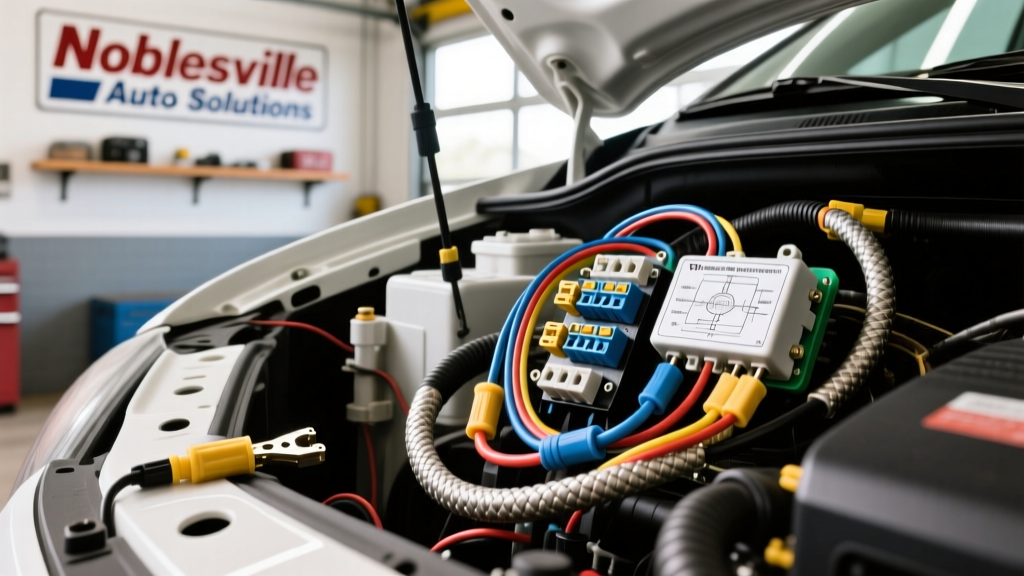
The Noblesville Climate Challenge for Automotive Electronics
When searching for professional camera installation in Noblesville, many vehicle owners are quoted upwards of $800 for labor alone due to the complexity of routing wires through modern, heavily insulated unibody and body-on-frame chassis. However, for the dedicated DIY automotive electrician, executing a dual-channel dash cam and backup camera upgrade is entirely achievable. The primary adversary in the Midwest is not the installation process itself, but the extreme thermal cycling. Noblesville experiences ambient temperatures ranging from -10°F in January to over 100°F in July, with interior cabin temperatures easily exceeding 160°F when parked in direct sunlight.
Standard PVC-insulated wiring becomes brittle in freezing temperatures and softens in extreme heat, leading to insulation cracking and short circuits. To meet the rigorous demands of this environment, this modification project mandates the use of GXL (General Cross-Linked) or TXL (Thin-Wall Cross-Linked) polyethylene insulated wire, conforming to the SAE J1128 Low Tension Primary Cable standard. Cross-linked insulation withstands continuous temperatures up to 125°C (257°F) and resists chemical degradation from road salts and undercarriage brine commonly used on Indiana roads.
Project Specifications: 2019 Ford F-150 Dual-Cam Upgrade
This guide details the integration of a front/rear dash cam system and an aftermarket backup camera into a 2019 Ford F-150 XLT. The F-150’s aluminum-alloy body and high-strength steel frame require specific grounding and routing techniques to prevent galvanic corrosion and signal interference.
| Circuit Function | Wire Type & AWG | OEM Wire Color / Pin | Connector / Protection |
|---|---|---|---|
| Dash Cam Constant 12V | 18 AWG GXL Red | Fuse 33 (Micro2 ATR) | Add-A-Circuit / Adhesive Heat Shrink |
| Dash Cam Switched 12V | 18 AWG GXL Yellow | Fuse 22 (Micro2 ATR) | Add-A-Circuit / Adhesive Heat Shrink |
| System Ground | 16 AWG GXL Black | Chassis M6 Bolt | Ring Terminal / Star Washer |
| Backup Cam Reverse Trigger | 20 AWG TXL Blue | BN/WH (Brown/White Tracer) | Posi-Tap / Dual-Wall Heat Shrink |
| Video Signal (RCA) | RG-59 Coaxial | N/A | Ground Loop Isolator |
Dash Cam Hardwire: Micro2 Fuse Tap & A-Pillar Routing
Selecting the Correct Fuses
The 2019 F-150 interior fuse panel (located behind the passenger kick panel) utilizes Micro2 (ATR) fuses. For the dash cam hardwire kit, identify Fuse 33 (Sync/Accessory module) for constant 12V memory power, and Fuse 22 (Cigar Lighter/Power Point) for switched ignition power. Never tap into airbag (SRS) or CAN-bus communication fuses, as the added resistance and potential for voltage drop can trigger catastrophic module faults.
Routing and Airbag Safety
When routing the 18 AWG GXL harness up the A-pillar, you must navigate the side-curtain airbag deployment zone. According to IPC/WHMA-A-620 wiring harness standards, aftermarket wiring must never cross over or impede an SRS component. Use a nylon trim removal tool to pop the A-pillar trim, then route your camera harness behind the yellow SRS wiring and airbag bracket. Secure the camera harness to the OEM wiring loom using Tesa 51036 PET cloth tape every 4 inches to prevent rattling and abrasion against the aluminum roof bow.
Backup Camera Reverse Trigger & Video Signal Routing
Tapping the Reverse Lamp Circuit
To trigger the backup camera display automatically when the transmission is shifted into Reverse, you must tap the reverse lamp feed. On the 2019 F-150, access the rear driver-side taillight harness. The reverse lamp feed wire is Brown with a White tracer (BN/WH). Strip back 3/8-inch of the BN/WH insulation and use a solder-seal butt connector with an integrated adhesive lining. Standard crimp taps (scotch locks) are strictly prohibited for exterior or undercarriage routing, as they invite moisture ingress and galvanic corrosion, especially when exposed to Noblesville's winter road salt.
Video Signal Shielding and Ground Loops
Long runs of RCA video cables from the rear license plate to the head unit are highly susceptible to electromagnetic interference (EMI) from the alternator and fuel pump modules. If you experience scrolling horizontal bars on your camera display when the engine is running, you have a ground loop. This occurs when the camera ground and the head unit ground are at different electrical potentials. To eliminate this, install a 12V DC Ground Loop Isolator inline on the RCA video cable near the head unit. Ensure the isolator is rated for NTSC/PAL composite video frequencies (up to 10 MHz) to prevent signal degradation and color loss.
Weatherproofing Protocols for Midwest Extremes
Exterior camera connections require military-grade weatherproofing to survive ice, snow, and high-pressure car washes. We utilize the Ford Motor Company approved TE Connectivity AMP Superseal 1.5 series connectors for all exterior splices.
- Wire Stripping: Strip exactly 3.5mm of insulation from the 20 AWG TXL wire. Do not nick the copper strands, as this reduces tensile strength and creates a focal point for corrosion.
- Crimping: Use a precision ratcheting crimp tool (e.g., IWISS SN-28B) designed for Superseal terminals. The crimp must pass a pull-test of at least 15 lbs.
- Sealing: Slide the silicone waterproof plug over the wire insulation before crimping. Once the terminal is crimped, push the silicone plug into the connector housing until it clicks, ensuring the secondary lock engages.
- Backshell Protection: Apply 3M Dual-Wall Adhesive Heat Shrink (3/16 inch diameter) over the rear of the connector housing and the wire. The inner melamine adhesive layer will melt and flow into the wire strands, creating a 100% watertight seal against capillary action.
Troubleshooting Decision Tree: Voltage Drop & Power Failures
Even with meticulous installation, electrical faults can occur. Use this diagnostic tree to isolate issues without replacing expensive components.
- Symptom: Dash cam repeatedly reboots while driving.
- Cause: Voltage drop on the constant 12V supply line exceeding 0.5V under load.
- Fix: Set multimeter to DC Volts. Place red probe on the battery positive terminal and black probe on the dash cam power pin while the unit is recording. If reading is below 11.8V, upgrade the fuse tap wiring from 18 AWG to 16 AWG and verify the Add-A-Circuit fuse seating is tight.
- Symptom: Backup camera displays a solid blue or black screen, but reverse trigger activates the head unit UI.
- Cause: Video signal loss due to a broken RCA center conductor or corroded barrel connector.
- Fix: Test the RCA center pin for continuity from the camera pigtail to the head unit. Replace any barrel adapters with direct, continuous RG-59 coaxial runs.
- Symptom: Camera fails to power on entirely in sub-zero temperatures.
- Cause: Lithium-ion battery failure or supercapacitor voltage bleed due to extreme cold increasing internal resistance.
- Fix: Verify your dash cam utilizes a supercapacitor bank rather than a Li-Ion battery. Supercaps operate reliably down to -40°F, whereas Li-Ion cells suffer permanent capacity loss and swelling when charged below freezing.
Final Grounding Verification
The most common point of failure in aftermarket camera installations is an inadequate ground. Paint, powder coating, and e-coat on the F-150 chassis act as insulators. Locate an M6 or M8 threaded chassis bolt in the cabin or bed. Remove the bolt, sand the contact area down to bare, shiny metal using 120-grit sandpaper. Install an 16 AWG ground wire with a tinned copper ring terminal, followed by a stainless steel star washer to bite through any remaining micro-corrosion. Torque the bolt to 10 Nm (88 lb-in) to ensure a permanent, low-resistance path back to the negative battery terminal. Apply a dab of dielectric grease over the terminal to prevent oxidation. By adhering to these rigorous standards, your camera installation in Noblesville will survive the harshest Midwest seasons while delivering flawless, interference-free video.