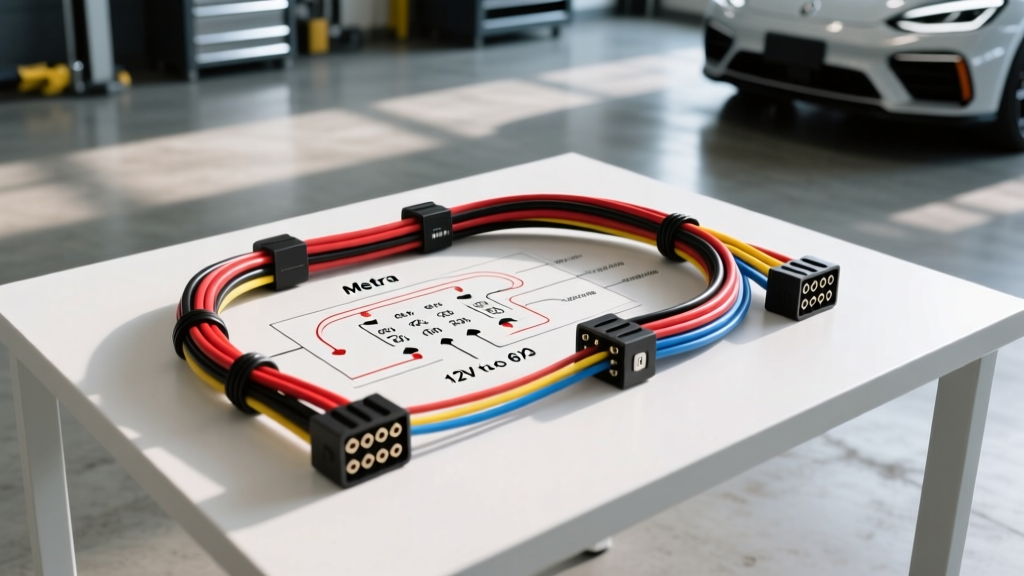
Introduction to Metra Camera Retention Harnesses
Upgrading to an aftermarket head unit in modern vehicles—particularly Chrysler, Jeep, Dodge, and Ford models from 2013 onward—often results in the loss of the factory backup camera. The OEM camera systems are deeply integrated into the vehicle's CAN-bus network and utilize proprietary low-voltage power supplies. To bridge the gap between your new aftermarket radio and the factory camera, integrators rely on specialized modules. Understanding the Metra wiring harness diagram for camera retention modules, such as the popular Metra 40-CR10 or 40-FD11, is critical for a successful upgrade and modification project.
Unlike standard speaker wire adapters, camera retention harnesses are active electronic modules. They contain voltage regulators, signal buffers, and sometimes CAN-bus simulators. Misinterpreting the wiring diagram or bypassing the step-down converter will instantly fry the OEM camera's internal CMOS sensor. This guide provides an expert-level breakdown of the pinouts, wire color codes, AWG specifications, and installation protocols required to retain your factory camera safely.
The 6-Volt vs 12-Volt Camera Power Dilemma
The most common failure mode in DIY camera retention projects is over-voltage. Standard aftermarket reverse cameras operate on 12V, drawing power directly from the reverse light circuit. However, OEM cameras mounted in tight, enclosed spaces like tailgate handles or trunk lids are engineered to run on 5.8V to 6.2V. This lower voltage reduces heat generation and electromagnetic interference (EMI) inside the camera housing.
When you read a Metra wiring harness diagram for a camera retention module, you will notice a dedicated step-down circuit. The module takes the 12V reverse trigger signal from the aftermarket head unit and regulates it down to 6V before sending it to the factory camera. If you attempt to splice the OEM camera power wire directly to the 12V reverse trigger, you will destroy the camera's internal voltage regulator and void the Metra Electronics module's warranty.
Technical Specification: Metra 40-CR10 Pinout and Wire Colors
Below is the definitive wiring specification chart for the Chrysler/Jeep/Dodge camera retention harness. This data is essential for verifying continuity and ensuring proper load distribution during your modification project.
| Wire Color | AWG Size | Function | Connection Destination |
|---|---|---|---|
| Red | 18 AWG | 12V Reverse Trigger Input | Aftermarket Radio Reverse Wire (Purple/White or similar) |
| Yellow | 18 AWG | 6V Stepped-Down Output | OEM Camera Power Pin (via proprietary FAKRA/Molex plug) |
| Black | 18 AWG | Chassis Ground | Vehicle Chassis or Radio Ground Harness |
| Shielded Coax | RG-59 | Composite Video Signal | Aftermarket Radio RCA Camera Input |
| Blue/White | 22 AWG | CAN-Bus Wake Signal | OEM Data Bus (Module dependent) |
Note: Always use a digital multimeter (DMM) to verify the 6V output on the yellow wire before connecting the OEM camera plug. A reading above 6.5V indicates a faulty internal voltage regulator.
Step-by-Step Installation & Modification Guide
Executing a clean integration requires more than just matching wire colors. Proper crimping, shielding, and routing are vital for long-term reliability. Follow these steps to properly integrate the Metra harness into your vehicle's electrical system.
Step 1: Tapping the Reverse Trigger and Grounding
Locate the 12V reverse trigger wire on your aftermarket head unit's wiring harness. Using an 18-22 AWG Posi-Tap or a military-spec solder-and-heat-shrink method, connect the Red wire from the Metra module. Avoid using cheap scotch locks, as they can slice through the 18 AWG copper strands, causing voltage drop under load. Connect the Black ground wire to a clean, unpainted metal surface on the vehicle chassis, ensuring a resistance reading of less than 0.5 ohms to the battery negative terminal.
Step 2: Integrating the RCA Video Output
The Metra module extracts the composite video signal from the OEM FAKRA Z connector and routes it through a shielded RG-59 coaxial cable terminating in a standard male RCA plug. Route this RCA cable down the driver or passenger side A-pillar, keeping it at least 6 inches away from high-current power wires (like amplifier power cables) to prevent alternator whine or rolling video bars.
Step 3: Electromagnetic Interference (EMI) and Shielding
According to SAE J1113 standards for electromagnetic compatibility, automotive video circuits are highly susceptible to radiated emissions from ignition coils and alternators. The Metra harness utilizes a braided copper shield around the video signal core. Ensure the RCA shield is properly grounded at the module end. If you experience video static, installing a 12V ground loop isolator on the RCA line between the Metra module and the head unit is highly recommended.
Troubleshooting Common Camera Retention Failures
Even with a perfect interpretation of the Metra wiring harness diagram, integration issues can arise. Use this symptom-cause-fix decision tree to diagnose problems rapidly.
- Symptom: Camera displays a blue or black screen when shifting into reverse.
Cause: Missing 12V trigger or blown internal step-down fuse.
Fix: Test the Red wire with a DMM while the vehicle is in reverse. If 12V is present, test the Yellow wire for 6V. If the Yellow wire reads 0V, the module's internal PTC resettable fuse has tripped or the regulator is dead. Replace the module. - Symptom: Image is present but features severe horizontal rolling bars.
Cause: Ground loop or insufficient RCA shielding.
Fix: Verify the Black ground wire has a solid chassis connection. Add an inline RCA ground loop isolator. Ensure the RG-59 shield is not pinched against sharp metal brackets under the dash. - Symptom: Dash cluster displays 'Camera Fault' or 'Service Park Assist'.
Cause: CAN-bus impedance mismatch. The vehicle's body control module (BCM) detects an open circuit where the OEM radio used to be.
Fix: Ensure all CAN-H and CAN-L wires on the Metra interface are securely connected. Some vehicles require a 120-ohm load resistor spliced across the CAN lines to simulate the OEM radio's network presence. Consult Crutchfield's car camera retention guides for vehicle-specific CAN-bus termination requirements. - Symptom: Camera image is mirrored or upside down.
Cause: Aftermarket head unit settings overriding the OEM camera orientation.
Fix: Access the aftermarket radio's hidden factory settings menu. Toggle the 'Camera Mirror' and 'Camera Flip' settings. Do not attempt to rewire the video signal pins to fix this, as it will short the composite signal to ground.
Advanced Modification: Adding an Aftermarket Front Camera
For enthusiasts pushing the boundaries of their tech upgrades, the Metra camera retention harness can be modified to support a secondary front-facing camera. By splicing a relay into the 12V reverse trigger line, you can create a toggle switch that feeds 12V into the Red wire of the Metra module on demand. This tricks the module into powering up the video circuit, allowing you to route a second RCA video feed into a secondary AV input on your head unit. Ensure you use a 30A automotive relay with an integrated flyback diode to prevent voltage spikes from damaging the Metra module's sensitive logic board.
Conclusion
Mastering the Metra wiring harness diagram is the difference between a seamless, factory-like tech upgrade and a costly electrical disaster. By respecting the 6V step-down requirements, adhering to 18 AWG wire standards, and properly managing EMI shielding, you ensure your OEM backup camera functions flawlessly with your new aftermarket head unit. Always verify voltages with a multimeter before making final connections, and prioritize solder-and-shrink connections over mechanical crimps for lasting reliability in harsh automotive environments.