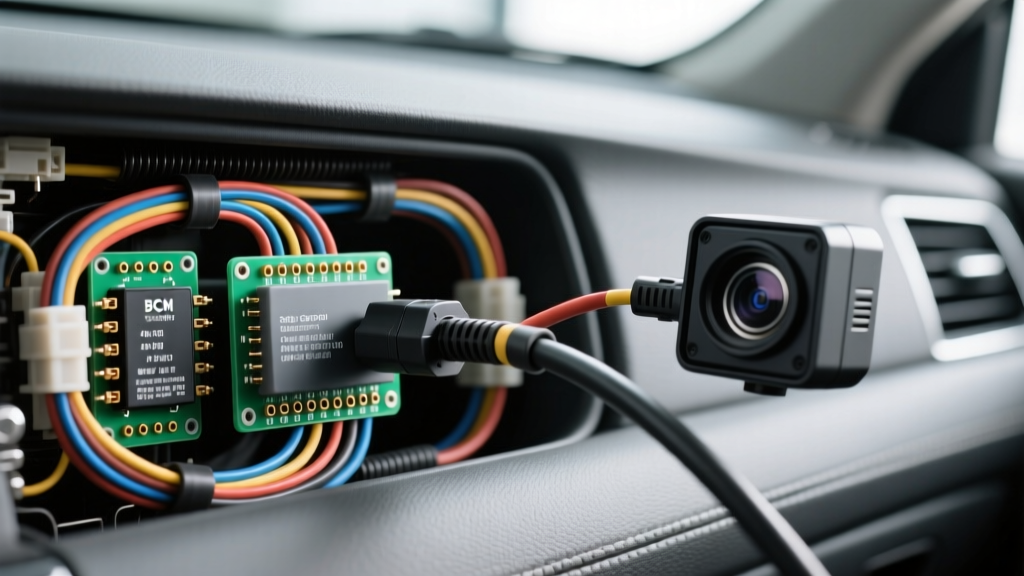
Automotive Security Camera Installation Course: Complete Wiring Walkthrough
Welcome to the definitive masterclass on automotive security camera integration. Whether you are outfitting a commercial fleet of Ford Transits, upfitting a Chevy Express for mobile surveillance, or installing a high-end 3-channel dash and cabin security system in a personal vehicle, the electrical topology remains the most critical point of failure. In this installation course walkthrough, we bypass generic advice and dive directly into OEM-grade wiring diagrams, Body Control Module (BCM) pinouts, CAN-bus sleep states, and airbag-safe routing protocols.
Module 1: Power Topology and the 3-Wire Hardwire Matrix
Modern automotive security cameras require a dedicated hardwire kit to enable 'Parking Mode' (impact and motion detection while the vehicle is off). Unlike simple cigarette lighter adapters, a true security installation relies on a 3-wire topology to monitor vehicle state and protect the starter battery from deep discharge. According to Mobile Electronics Association (MEA) installation standards, all constant and switched power runs must utilize stranded copper wire (GXL or TXL specification) to withstand automotive vibration and thermal cycling.
| Wire Jacket Color | Function | Source Target | AWG Spec | Connection Method |
|---|---|---|---|---|
| Yellow | Constant 12V+ (BATT) | BCM Constant Feed / Battery | 16 AWG - 18 AWG | Add-A-Circuit or POSI-TAP |
| Red | Switched 12V+ (ACC/IGN) | BCM Ignition Sense / Radio | 18 AWG | POSI-TAP 2022 |
| Black | Chassis Ground (-) | OEM Ground Stud / Bolt | 16 AWG | Ring Terminal (Star Washer) |
The Low-Voltage Cutoff Relay
Inside the hardwire kit's inline module is a microcontroller that continuously samples the voltage on the Yellow (Constant) wire. When the vehicle is running, the alternator outputs 13.8V to 14.4V. When the engine shuts off, the system detects the voltage drop to ~12.6V and switches the camera into low-power parking mode. If the battery drops below the configured threshold (typically 11.8V or 12.2V, selectable via DIP switches), the internal relay physically severs the ground path to the camera, preventing a dead starter battery. Always verify this cutoff with a multimeter and a variable DC power supply before finalizing the installation.
Module 2: BCM Integration vs. Fuse Panel Tapping
A common mistake in amateur security camera installations is the reliance on 'Add-A-Circuit' (Mini2 or ATO) fuse taps. While acceptable for older vehicles, modern platforms (2018+ GM, Ford, and Stellantis) utilize complex CAN-bus networks and smart shunt modules on the negative battery terminal. Tapping a fuse panel circuit that is managed by the BCM can introduce parasitic draws that prevent the vehicle's modules from entering 'sleep mode,' leading to battery drain and CAN-bus fault codes.
The POSI-TAP Alternative
For switched ignition (Red wire) and reverse trigger signals, we mandate the use of POSI-TAP connectors (specifically the 2022 model for 18-22 AWG wires). Unlike T-taps or saddle splices which cut through the wire strands and invite corrosion, the POSI-TAP utilizes a conical point to part the copper strands without severing them, maintaining the structural integrity of the OEM harness. Wrap all splices in SAE J1113 compliant TESA 51036 fleece tape to prevent rattles and protect against electromagnetic interference (EMI).
Module 3: Airbag-Safe Routing Protocols
Routing the 18 AWG camera harness down the A-pillar requires strict adherence to OEM safety guidelines. The A-pillar contains the curtain airbag deployment zone. If a wire is routed across the airbag path, it can become a lethal projectile during deployment or inhibit the airbag's expansion.
- Trim Removal: Use a nylon pry tool to remove the A-pillar trim. Locate the OEM airbag tether bracket.
- Routing Path: The camera harness must be routed strictly BEHIND the airbag curtain and secured to the OEM metal bracket using nylon zip-ties or existing OEM clip points.
- Wire Loom: Encase the 3-wire harness in split corrugated loom or high-temp fleece tape from the headliner to the kick panel.
- Door Sill Passage: Pass the wire behind the plastic door sill plate, ensuring it does not pinch against the metal floor pan.
Module 4: Reverse Trigger & Data Line Wiring
Integrating the rear security camera's reverse trigger allows the main display to automatically switch to the rear view when the vehicle is shifted into reverse. On modern vehicles, the reverse lamp is often driven by a PWM (Pulse Width Modulation) signal or a low-side driver from the BCM, which can confuse standard camera relays.
Vehicle Specific Pinout: 2021-2023 Ford Transit
When upfitting a Ford Transit for fleet security, the reverse trigger must be sourced from the BCM rather than the rear tail light assembly to avoid voltage drop over the 15+ foot run. Reference the Ford Fleet Upfitter Guidelines for exact module locations. Below is the BCM pinout for the reverse trigger circuit.
| Module | Connector | Pin Number | Wire Color | Circuit Function |
|---|---|---|---|---|
| BCM | C2280B | 14 | Light Green / Brown Stripe | Reverse Lamp Relay Output |
| BCM | C2280A | 33 | White / Blue Stripe | Ignition Sense (Start/Run) |
| BCM | C2280F | 08 | Yellow / Green Stripe | Constant Battery Feed (Hot at all times) |
Pro-Tip: If the rear camera flickers when the vehicle is in reverse, the BCM is likely outputting a PWM signal to check for blown bulbs. To rectify this, install a 12V DC relay (Bosch style 5-pin) triggered by the BCM reverse wire, and power the camera's reverse trigger from a clean, constant 12V source through the relay's Normally Open (NO) contact. Alternatively, install a 1000µF electrolytic capacitor across the camera's reverse trigger input to smooth the PWM ripple.
Module 5: Grounding and Interference Mitigation
Automotive environments are electrically hostile. Alternator whine, fuel pump interference, and CAN-bus noise can manifest as rolling horizontal bars on the security camera's video feed. This is almost always a ground loop issue.
- Star Grounding: Never ground the camera's black wire to a painted surface or a random sheet metal screw. Locate an OEM ground stud (usually a 10mm bolt securing multiple thick black wires to the chassis). Remove the bolt, clean the contact area with a brass wire brush, attach your camera's ring terminal, and reinstall the bolt using a star washer to bite through any residual oxidation.
- Ferrite Beads: If EMI persists, clamp a snap-on ferrite bead onto the camera's coaxial or RJ45 data cable within 4 inches of the main processing unit.
- Dielectric Grease: Apply a small amount of dielectric grease to the ground stud threads before torquing to 8-10 Nm to prevent future galvanic corrosion.
Module 6: Voltage Drop Calculations for Long Runs
When installing security cameras in extended wheelbase vans or RVs, the length of the power wire introduces resistance. If the voltage at the camera drops below 4.75V (for 5V USB-based cameras) or 11.5V (for 12V hardwire kits), the system will experience boot loops or fail to enter parking mode. Use the following reference chart to select the correct AWG for your specific run length (measured as total round-trip distance).
| Total Wire Run (Round Trip) | 18 AWG Copper (Max 2A) | 16 AWG Copper (Max 3A) | 14 AWG Copper (Max 5A) |
|---|---|---|---|
| 10 Feet | 0.12V Drop | 0.08V Drop | 0.05V Drop |
| 20 Feet | 0.25V Drop | 0.16V Drop | 0.10V Drop |
| 30 Feet | 0.38V Drop (Warning) | 0.24V Drop | 0.15V Drop |
| 40 Feet | 0.51V Drop (Fail) | 0.32V Drop | 0.20V Drop |
Course Summary & Final Testing Protocol
Before reassembling the vehicle's interior trim, perform a rigorous 15-point diagnostic test. Verify the constant and switched power with a digital multimeter. Confirm the camera boots on ignition, shuts down on key-off, and successfully triggers the parking mode sequence. Finally, use an OBD2 scanner to check for any dormant CAN-bus U-codes that may have been triggered during the splicing process. By adhering to these OEM-level wiring diagrams and installation protocols, you ensure that the vehicle's security system operates reliably for the lifespan of the fleet, without compromising the vehicle's native electrical architecture.