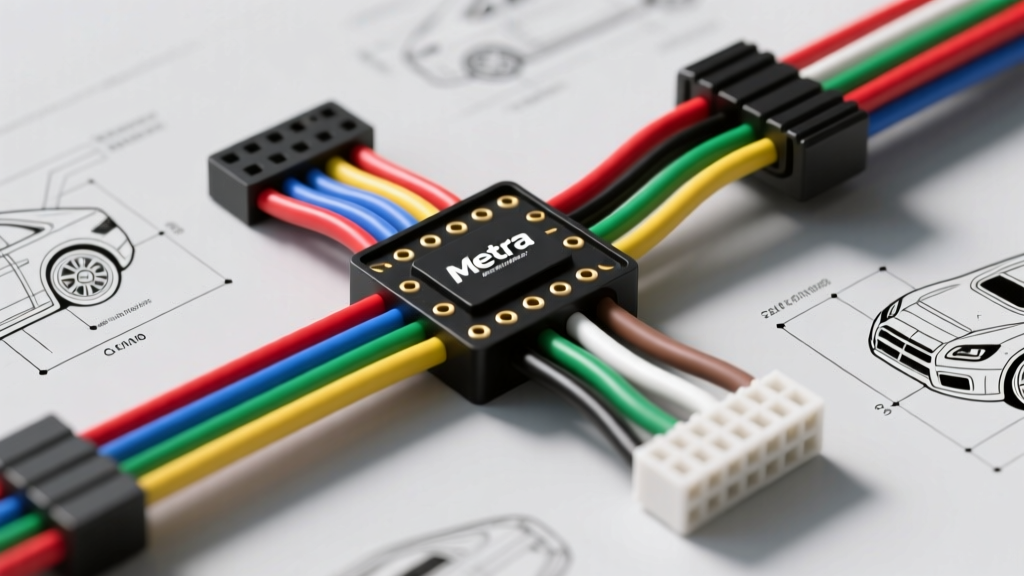
Introduction to Metra Integration Harnesses for Camera Systems
Integrating aftermarket backup cameras, dash cams, and 360-degree bird's-eye view systems into modern vehicles requires a deep understanding of factory electrical architectures. Metra Electronics, alongside its AXXESS division, manufactures integration harnesses that bridge the gap between proprietary factory data networks and universal aftermarket camera displays. For automotive electrical technicians and advanced DIY installers, memorizing or referencing Metra wiring harness color codes is critical to avoid damaging sensitive CAN-bus modules, body control modules (BCMs), or the head unit itself. This technical specification reference outlines the standard color codes, wire gauge requirements, and signal conditioning protocols used in Metra camera and tech integration harnesses.
The CTA/EIA Standard Foundation
Before diving into proprietary data wires, it is essential to understand the baseline color codes established by the Consumer Technology Association (CTA), formerly the Electronic Industries Alliance (EIA). Metra adheres strictly to these standards for all primary power, ground, and accessory wires in their radio and camera integration harnesses. While factory vehicle wiring varies wildly between manufacturers (e.g., GM uses different colors than Ford or Toyota), the Metra harness output side will always follow the CTA/EIA standard to ensure universal compatibility with aftermarket head units and camera trigger inputs.
Comprehensive Metra Camera & Tech Harness Color Code Chart
The following specification table details the standard wire colors found on the output side of Metra integration modules, specifically focusing on functions relevant to camera and technology installations. Wire gauges are specified based on standard Metra harness constructions and SAE International current-carrying guidelines for automotive low-voltage systems.
| Wire Color | Stripe/Trace | Function | Typical AWG | Signal Type & Voltage |
|---|---|---|---|---|
| Yellow | None | +12V Constant (Memory / Dash Cam VCC) | 16-18 AWG | 12V DC Continuous |
| Red | None | +12V Switched (Accessory / Dash Cam ACC) | 16-18 AWG | 12V DC (Ignition ON) |
| Black | None | Chassis Ground | 16-18 AWG | 0V (Reference Ground) |
| Blue | White | Amplifier Turn-On / Camera Reverse Trigger Out | 18-22 AWG | 12V DC (Max 300mA) |
| Purple | White | Right Rear Speaker (-) / Aux Camera Input | 18 AWG | Audio / Analog Signal |
| Orange | None | Illumination / Dash Dimmer | 20-22 AWG | 0-12V DC Variable |
| White | None | CAN-Bus High (Data Network) | 22-24 AWG | Differential Data (2.5V-3.5V) |
| Green | None | CAN-Bus Low / GMLAN Data | 22-24 AWG | Differential Data (1.5V-2.5V) |
| Yellow | RCA | Composite Video Signal (Camera Feed) | Coaxial | 1V p-p (75 Ohm Impedance) |
Reverse Trigger Signal Conditioning and PWM Filtering
One of the most common failure points in backup camera installation is the reverse trigger circuit. In vehicles manufactured after 2015, manufacturers like FCA (Stellantis), General Motors, and Ford utilize Pulse Width Modulation (PWM) to control the reverse lamp circuit. Instead of a clean 12V DC signal, the BCM sends a rapidly pulsing square wave to the reverse bulbs to monitor for burnt-out circuits and extend bulb life.
If an installer taps directly into a factory PWM reverse wire to trigger an aftermarket head unit's camera input, the head unit will receive a flickering 0V-12V signal. This causes the camera display to strobe, fail to initialize, or throw a "No Signal" error. Metra integration modules (such as the AXXESS camera retention and interface modules) feature internal opto-isolators and capacitor banks designed to rectify this PWM signal. The module reads the factory PWM wire and outputs a clean, steady +12V DC signal on the Blue/White wire. This Blue/White wire must be connected directly to the aftermarket head unit's reverse trigger input (often labeled "Back" or "Reverse In").
Composite Video Signal and Ground Loop Prevention
When routing the video signal from the rear-mounted camera to the front display, Metra provides either RCA patch cables or raw composite video wire harnesses. For raw wire setups, the standard color code is Yellow for the center conductor (video signal) and Black for the braided shield (signal ground).
A frequent issue in camera installations is the "rolling bar" or herringbone interference pattern on the display. This is almost always caused by a ground loop, which occurs when the camera's ground reference and the head unit's ground reference are at slightly different electrical potentials. To prevent this, ensure the camera's power ground is tied to the same chassis ground point as the vehicle's rear lighting circuit, and avoid grounding the RCA shield at both the camera and the head unit if using a raw-wire-to-RCA adapter. The Metra Electronics technical bulletins recommend using a ground loop isolator on the RCA video line if the alternator whine or rolling bars persist after verifying all 12V and ground connections.
CAN-Bus Data Integration for Camera Modules
Modern camera systems, particularly those integrating with factory 360-degree views or requiring steering wheel control retention alongside camera switching, rely on vehicle data networks. Metra data harnesses utilize specific twisted-pair wires for these networks. It is imperative not to confuse these low-voltage data wires with standard 12V power wires, as applying 12V to a CAN-bus line will instantly destroy the vehicle's BCM or the Metra interface module.
- HS-CAN (High-Speed CAN): Typically uses White (CAN-H) and White/Black (CAN-L). Operates at 500 kbps. Used for critical powertrain and chassis data.
- MS-CAN (Medium-Speed CAN): Often uses Green (CAN-H) and Green/Black (CAN-L). Operates at 125 kbps. Commonly used for body control, lighting status, and reverse gear engagement signals.
- GMLAN (General Motors Local Area Network): A proprietary single-wire CAN protocol used heavily in GM vehicles, typically identified by a solid Green or Green/White wire. Operates at 33.3 kbps or 83.3 kbps.
When splicing into factory data lines to feed a Metra interface, always use a military-spec solder seal sleeve or a high-quality T-tap designed for 22-24 AWG stranded wire. Never strip back more than 3mm of insulation on a twisted pair, as untwisting the wires too far will alter the characteristic impedance of the cable and cause data packet loss, leading to intermittent camera switching failures.
Dash Cam Hardwire Kit Specifications
For front and rear dash cam installations utilizing Metra's dash cam hardwire integration kits, the color codes align with standard CTA power definitions but serve specific dash cam functions. The Yellow wire connects to a constant 12V fuse (VCC/BATT) to maintain the camera's internal clock and parking mode surveillance. The Red wire connects to an ignition-switched 12V fuse (ACC) to tell the camera when to start and stop recording. The Black wire must be secured to a bare, unpainted metal bolt tied directly to the vehicle's main chassis ground. When using Add-A-Circuit fuse taps, always ensure the original factory fuse is placed in the slot closest to the plug prongs, and the dash cam's fuse (typically 2A to 5A) is placed in the outer slot to protect both circuits independently.
Conclusion and Best Practices
Successful camera and tech integration relies on strict adherence to standardized wiring protocols and an understanding of modern vehicle electrical nuances. By referencing the correct Metra wiring harness color codes, respecting AWG current limits, and properly conditioning PWM and data signals, installers can achieve flawless, factory-like camera performance. Always verify wire functions with a digital multimeter or logic probe before making permanent connections, as aftermarket harness revisions can occasionally introduce trace color variations.