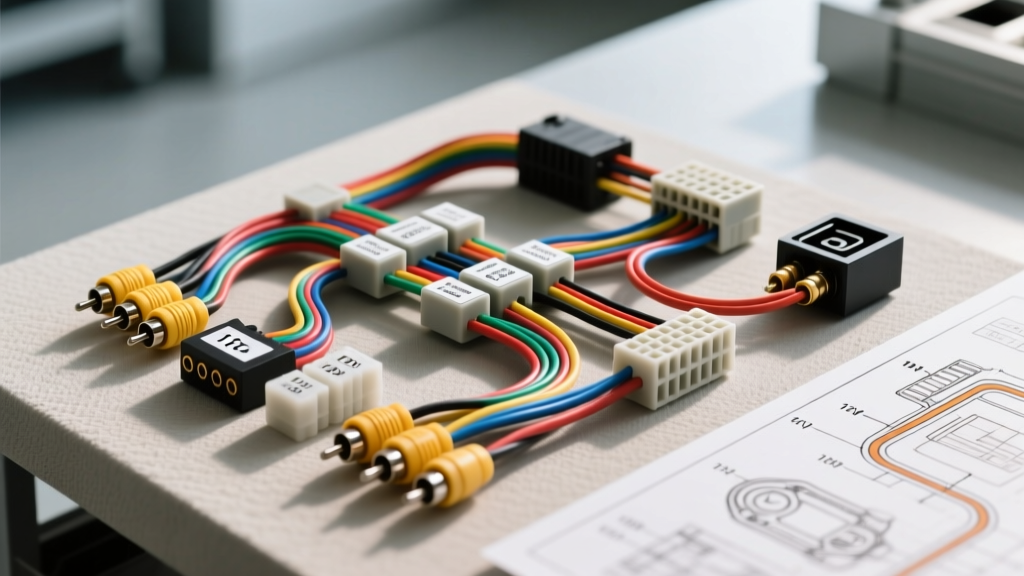
Defining the 'Sweet' Standard in Camera Integration
When mobile electronics professionals refer to a 'sweet camera install,' they are describing a flawless, OEM+ integration. This means hidden harnesses, zero panel gaps, noise-free video feeds, and seamless CAN-bus or BCM (Body Control Module) triggering. However, even the most meticulous aftermarket backup camera or dash cam installations can fall victim to electrical gremlins, voltage drops, or electromagnetic interference (EMI). Instead of tearing the dash apart in frustration, you need a systematic, step-by-step troubleshooting flow to isolate the fault.
This guide provides a comprehensive diagnostic matrix for 12V power, reverse trigger signals, and RCA video continuity, adhering to Mobile Electronics Certification Program (MECP) best practices and SAE J1113 electromagnetic compatibility standards.
Phase 1: Power and Ground Verification (The Foundation)
Before suspecting the camera head or the head unit, verify the foundation. A sweet camera install relies on clean, stable voltage. Dash cams and reverse cameras typically require 12V constant (for parking mode/memory) and 12V switched/trigger.
Step 1.1: The Voltage Drop Test
Do not just check for 12V; check for voltage under load. Set your digital multimeter (DMM) to DC Volts. Place the red probe on the camera's power input pin and the black probe on the battery's positive terminal (not the chassis ground). Crank the vehicle or engage the camera. If you read a voltage drop greater than 0.2V, your power wire is undersized or compromised.
- Wire Gauge Spec: Use a minimum of 18 AWG for short runs (under 6 feet) and 16 AWG for longer runs to the fuse box.
- Fuse Taps: Never use 'Add-A-Circuit' taps on safety-critical fuses like airbags or ABS. Use low-amp accessory circuits (e.g., 12V cigarette lighter, interior lighting).
Step 1.2: Chassis Ground Integrity
The most common cause of a rolling video feed or a rebooting dash cam is a poor ground. Factory seatbelt bolts are often coated in threadlocker or paint, making them terrible ground points.
- The Fix: Scrape away paint to bare metal using a wire brush. Secure an 18 AWG ground wire with a ring terminal and a self-tapping sheet metal screw or a verified factory chassis bolt. Apply dielectric grease over the connection to prevent galvanic corrosion.
Phase 2: The Reverse Trigger Signal Flow
The backup camera must receive a +12V signal to wake up and switch the head unit to the reverse input. Modern vehicles rarely provide a clean 12V DC signal at the taillight due to Pulse Width Modulation (PWM) and CAN-bus bulb monitoring.
Step 2.1: Identifying PWM vs. DC Triggers
If your camera flickers, displays a 'no signal' error intermittently, or fails to trigger entirely, you are likely tapping into a PWM circuit. Vehicles from Chrysler, Jeep, GM, and Ford frequently use PWM to power taillights, pulsing 12V on and off rapidly to simulate lower voltage or monitor filament resistance.
| Vehicle Application | Wire Color / Pinout | Signal Type | Required Integration Method |
|---|---|---|---|
| 2019+ GM Silverado/Sierra | BCM X2 Connector, Pin 14 (Light Green) | Clean 12V DC | Direct Posi-Tap or Solder/Seal |
| 2015-2020 Ford F-150 | Taillight Harness (Violet/White Stripe) | PWM (Pulsed) | 12V DC Relay or CAN-bus Filter |
| 2018+ Jeep Wrangler (JL) | CAN-Bus Data Only (No analog trigger) | Digital Data | OBD2 / CAN-bus Reverse Trigger Module |
Step 2.2: Wiring the 12V DC Relay Bypass
If you confirm a PWM signal, you must isolate the camera from the pulsed voltage using a standard 30A automotive SPDT relay. According to Crutchfield's installation guidelines, tapping the PWM wire to the relay's coil (Pin 86) and grounding Pin 85 allows the relay to click on. You then pull a clean, fused 12V constant or switched source to Pin 30, and route the output from Pin 87 to the camera's red trigger wire. This converts the dirty PWM signal into a buttery-smooth 12V DC output, ensuring a sweet camera install every time.
Phase 3: RCA Video Signal & Shield Diagnostics
If power and triggers are verified but the screen shows static, rolling horizontal bars, or a washed-out image, the fault lies in the RCA video signal path.
Step 3.1: Ground Loop Isolation
Rolling bars (often 60Hz hum) indicate a ground loop. This happens when the camera's ground and the head unit's ground are at slightly different electrical potentials, causing current to flow through the RCA shield wire.
- Diagnostic Test: With the vehicle off, measure the resistance (Ohms) between the camera's metal housing and the head unit's metal chassis. It should read near 0.0 Ohms. If it reads high, your grounds are mismatched.
- The Fix: Install a 1000:1 RCA ground loop isolator between the camera's RCA pigtail and the main RCA extension cable. This breaks the DC path while allowing the AC video signal to pass.
Step 3.2: EMI and Shielding Rules
Following SAE J1113 standards for electromagnetic compatibility, video cables must never run parallel to high-current power wires (like amplifier power or ignition harnesses). If they must cross, route the RCA cable at a strict 90-degree angle to the power wire to minimize inductive coupling. Always use copper-braided, dual-shielded RCA cables rather than cheap, foil-wrapped alternatives.
Decision Tree: Symptom-Cause-Fix Matrix
Use this rapid diagnostic flow when a previously sweet camera install suddenly fails or a new installation refuses to cooperate.
Symptom A: Head Unit Displays 'No Signal' or Blue/Black Screen
- Cause 1: Missing 12V Reverse Trigger at the head unit's 'Reverse In' wire.
- Fix 1: Check continuity from the BCM/Taillight trigger to the head unit harness. Verify the relay (if used) is clicking.
- Cause 2: RCA center pin is bent or disconnected inside the barrel adapter.
- Fix 2: Inspect the RCA male connector. Use a small flathead to gently pry the center pin outward for a tighter friction fit.
Symptom B: Camera Image is Flickering or Stuttering
- Cause 1: PWM voltage at the camera power input.
- Fix 1: Install a 1000µF capacitor across the camera's 12V and Ground wires to smooth the PWM ripple, or use the relay bypass method detailed in Phase 2.
- Cause 2: Voltage drop below 10.5V under load (common in long cargo vans or trucks with 22 AWG kit wires).
- Fix 2: Replace the camera's power lead with a heavier 16 AWG stranded copper wire.
Symptom C: Camera Stays On While Driving Forward
- Cause 1: Backfeeding from a shared circuit or a faulty ground loop isolator.
- Fix 1: Ensure the reverse trigger wire is not spliced into a running light or brake light circuit. Isolate the trigger wire using a diode (1N4001) to prevent reverse-current backfeed into the BCM.
- Cause 2: Head unit reverse-trigger delay setting is enabled.
- Fix 2: Access the hidden OEM service menu of the aftermarket head unit and disable the 'Reverse Delay' or 'Rear Camera Delay' timer.
Final Verification Protocol
A truly sweet camera install isn't finished until it survives the 'shaker test.' With the vehicle in reverse and the engine running (to introduce alternator whine and vibration), gently tap the camera housing and wiggle the RCA connections at the head unit. If the image holds steady, the contrast is sharp, and the overlay guidelines align perfectly with the bumper, your troubleshooting flow has successfully yielded a professional-grade integration.