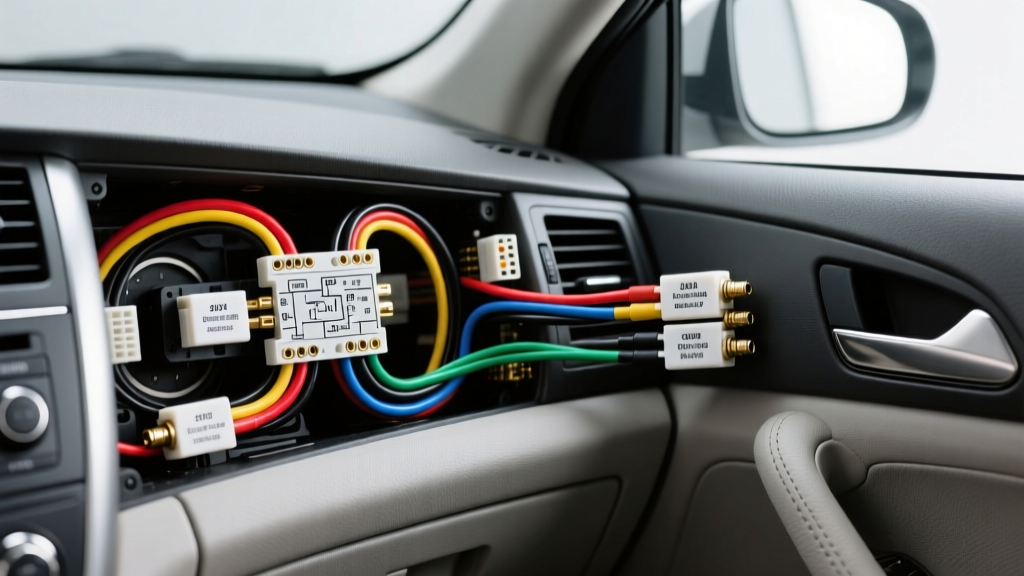
Understanding the 2005 Camry Audio Architecture
Upgrading the head unit in a 2005 Toyota Camry (XV30 generation) requires a clear understanding of the vehicle's factory audio architecture. Unlike modern vehicles that rely heavily on CAN-bus data networks for audio signaling, the 2005 Camry utilizes a traditional analog 12V DC power and speaker-level wiring topology. However, the primary variable that dictates your installation path is whether your vehicle is equipped with the standard 6-speaker audio system or the premium JBL Synthesis amplified system.
If your 2005 Camry features the JBL system, the factory head unit outputs low-level preamp signals to a factory amplifier located under the passenger seat. Bypassing or integrating this amplifier requires specific wiring adapters to prevent severe audio distortion and to ensure the amplifier receives the correct remote turn-on signal. This guide provides the exact 2005 Toyota Camry stereo wiring diagram, pinout configurations, and a practical, step-by-step installation methodology to ensure a reliable, soldered connection that meets automotive electrical standards.
2005 Toyota Camry Stereo Wiring Diagram & Pinout Chart
The standard 2005 Camry utilizes a combined 20-pin EIAJ-style harness or a split 10-pin (power) and 6-pin (speaker) configuration depending on the exact trim level. Below is the comprehensive pinout reference for the standard (non-JBL) audio system. According to SAE J1128 standards for low-tension primary cables, the OEM power wires are typically 16 AWG, while speaker wires are 18 AWG.
| Wire Color | Function | OEM AWG | Connection Note |
|---|---|---|---|
| Blue/Yellow | Constant 12V+ (Battery) | 16 AWG | Connect to aftermarket yellow wire. Use 16-14 AWG butt connector. |
| Gray | Switched 12V+ (Accessory) | 16 AWG | Connect to aftermarket red wire. Active only in ACC/ON position. |
| Brown | Chassis Ground | 16 AWG | Connect to aftermarket black wire. Do not rely on dash bracket grounding. |
| Green | Illumination / Dimmer | 18 AWG | Connect to aftermarket orange/white wire for display dimming. |
| Black/Red | Power Antenna Trigger | 18 AWG | Outputs +12V when AM/FM is selected. Connect to blue aftermarket wire. |
| Pink | Left Front Speaker (+) | 18 AWG | Solder and heat shrink. Do not use twist caps. |
| Purple | Left Front Speaker (-) | 18 AWG | Verify phase with a 9V battery pop test if unsure. |
| Light Green | Right Front Speaker (+) | 18 AWG | Ensure no copper strands short against the dash frame. |
| Blue | Right Front Speaker (-) | 18 AWG | Standard EIAJ polarity. |
| Black | Left Rear Speaker (+) | 18 AWG | Route away from parking brake pedal assembly. |
| Yellow | Left Rear Speaker (-) | 18 AWG | Use 22-18 AWG nylon insulated crimps. |
| Red | Right Rear Speaker (+) | 18 AWG | Standard rear deck speaker wiring. |
| White | Right Rear Speaker (-) | 18 AWG | Standard rear deck speaker wiring. |
JBL Synthesis System: Bypass vs. Integration
If your 2005 Camry has the JBL badge on the door speakers, the standard wiring diagram above will not yield audio without an adapter. The JBL amplifier requires a specific remote turn-on signal and balanced differential audio inputs.
- Integration (Recommended): Use an adapter like the Axxess TYTO-01 or Metra 70-8113. These harnesses plug directly into the OEM JBL connectors and provide standard RCA preamp outputs and a standard 12V remote turn-on wire (Blue/White) for your new head unit.
- Bypass (Advanced): If the factory JBL amplifier is blown, you can bypass it entirely. This requires running new 16 AWG speaker wire from the new head unit directly to each of the six door and rear-deck speakers, bypassing the factory harness and the under-seat amplifier completely.
Step-by-Step Head Unit Installation Guide
Step 1: Dash Panel Disassembly
Begin by disconnecting the negative terminal on the 12V battery to prevent shorting the constant 12V+ (Blue/Yellow) wire against the chassis. Use a plastic trim removal tool to pry the climate control trim panel surrounding the radio and HVAC controls. Pull straight back to release the tension clips. Once the trim is off, you will expose four 10mm bolts securing the factory radio brackets to the dash sub-frame. Remove these bolts using a 1/4-inch drive ratchet with a magnetic 10mm socket.
Step 2: Unplugging the OEM Harness
Slide the head unit out of the dash cavity. Press the release tab on the main 20-pin (or 10-pin/6-pin) electrical connector and pull it straight back. Disconnect the Motorola-style antenna cable and the climate control harness (if integrated into the bezel). Inspect the OEM connector pins for any signs of thermal melting or green copper oxide corrosion, which is common in high-humidity environments.
Step 3: Adapting the Wiring Harness
Never splice directly into the vehicle's factory wiring if it can be avoided. Instead, purchase a Toyota-specific T-harness adapter (e.g., Metra 70-1761). Strip 1/4 inch of insulation from the adapter wires and your new head unit's pigtail. Expert Tip: Use rosin-core solder and 3M adhesive-lined heat shrink tubing (3/16 inch diameter) for all power and ground connections. According to Crutchfield's vehicle wiring guidelines, soldered connections resist the thermal expansion and vibration cycles of automotive environments far better than crimp-only connectors.
Step 4: Antenna and Steering Wheel Controls (SWC)
The 2005 Camry uses a standard Motorola male antenna connector, but the physical routing requires an extension cable (typically 12 feet) to reach the aftermarket head unit in the lower dash cavity. If your vehicle has steering wheel audio controls, you will need an ASWC-1 (Axxess Steering Wheel Control) interface. Connect the ASWC-1 to the vehicle's data wires (usually located in the lower dash kick panel or directly behind the radio harness) and follow the auto-detect programming sequence.
Troubleshooting Common Wiring Faults
Even with a perfect 2005 Toyota Camry stereo wiring diagram, installation errors can occur. Use this decision tree to diagnose post-installation faults.
| Symptom | Probable Cause | Diagnostic Fix |
|---|---|---|
| Radio turns on but loses presets/memory when car is off. | Constant 12V+ and Switched 12V+ wires swapped. | Verify Blue/Yellow (Constant) is connected to the yellow head unit wire, and Gray (Switched) is connected to the red wire. |
| Audio distorts heavily or cuts out at high volume. | Speaker wires shorting to chassis ground. | Use a multimeter in continuity mode to check resistance between each speaker negative wire and the chassis. It should read 'OL' (Open Loop). |
| Factory JBL amplifier does not turn on. | Missing or incorrect remote turn-on signal. | Verify the aftermarket blue/white wire is outputting +12V when the head unit is powered on. Check the inline fuse on the adapter harness. |
| Dashboard illumination does not dim with headlights. | Illumination wire not connected or blown OEM dimmer circuit. | Test the OEM Green wire with a multimeter while toggling the headlight switch. Voltage should drop from 12V to roughly 4V-6V. |
Authoritative References
For further technical validation, OEM service schematics, and wire gauge specifications, consult the following resources:
- Toyota Technical Information System (TIS) - Official OEM wiring schematics and dash disassembly torque specifications.
- SAE J1128 Low Tension Primary Cable Standard - Guidelines for automotive wire gauge, insulation types, and thermal ratings.
- Crutchfield Vehicle Wiring Guide - Verified aftermarket adapter fitment and harness pinout cross-references.