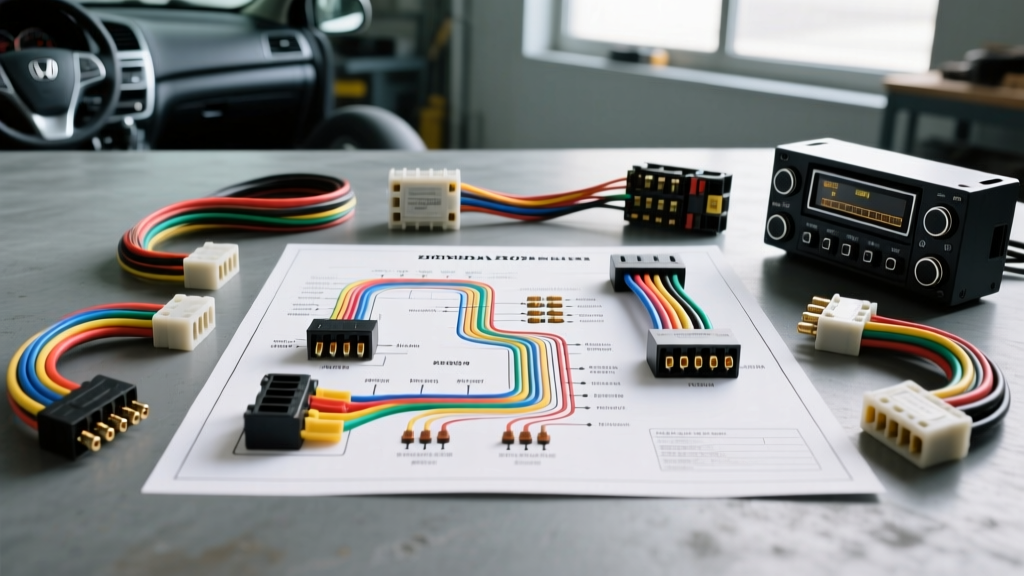
Introduction to the 8th Generation Civic Audio Architecture
Upgrading the head unit in an 8th-generation Honda requires a thorough understanding of the 2007 Honda Civic radio wiring diagram. Unlike older vehicles that relied on simple analog switching, the 2007 Civic integrates its audio system with the vehicle's Multiplex Integrated Control Unit (MICU). The MICU manages the CAN-bus network, power distribution, and sleep-mode cycles. Misinterpreting the wiring schematic or backprobing the wrong data line can result in blown fuses, parasitic battery draws, or permanent MICU damage. This complete walkthrough provides the exact pinouts, wire color codes, and technical specifications required for a flawless aftermarket radio installation or OEM troubleshooting sequence.
Main 20-Pin Harness Pinout & Wire Color Codes
The standard 2007 Honda Civic (DX, LX, and EX trims without premium audio) utilizes a primary 20-pin Yazaki-style molded connector. This single plug carries the constant power, switched accessory power, ground, illumination, and all four speaker channels. When referencing the 2007 Honda Civic radio wiring diagram, it is critical to note that Honda's wire color coding uses a primary color with a secondary stripe. For example, 'Green/Red' indicates a green wire with a red tracer stripe.
According to SAE J1128 standards for low-tension primary automotive cables, the OEM speaker wires in this harness are typically 20 AWG (0.5 mm²), while the constant and accessory power feeds are 16 AWG (1.3 mm²). If you are installing an aftermarket amplifier, you must not use the OEM 16 AWG power wire to feed the new head unit's high-current demands; instead, run a dedicated 12 AWG constant power wire directly from the battery with an inline 15A fuse.
20-Pin Connector (Connector A) Specification Chart
| Pin | Wire Color | Function | AWG / Notes |
|---|---|---|---|
| 1 | Blue/Red | Left Rear Speaker (+) | 20 AWG |
| 2 | Blue/Black | Left Rear Speaker (-) | 20 AWG |
| 3 | Pink/Red | Right Rear Speaker (+) | 20 AWG |
| 4 | Pink/Black | Right Rear Speaker (-) | 20 AWG |
| 5 | White/Red | Right Front Speaker (+) | 20 AWG |
| 6 | White/Black | Right Front Speaker (-) | 20 AWG |
| 7 | Green/Red | Left Front Speaker (+) | 20 AWG |
| 8 | Green/Black | Left Front Speaker (-) | 20 AWG |
| 9 | Black | Chassis Ground | 16 AWG |
| 10 | Red/White | Switched Accessory (IGN) | 16 AWG / MICU Controlled |
| 14 | Yellow/White | Constant 12V (BAT) | 16 AWG / Hot at all times |
| 15 | Red/Black | Illumination (Dimmer) | 20 AWG / 0-12V Variable |
| 16 | Blue/White | Power Antenna / Amp Turn-On | 20 AWG / 12V when radio is ON |
Note: Pins 11, 12, 13, and 17-20 are typically unpopulated or reserved for specific regional accessories and diagnostic communication in the standard DX/LX trims.
Steering Wheel Controls (SWC) and CAN-Bus Data Lines
One of the most complex aspects of the 2007 Honda Civic radio wiring diagram is the integration of the Steering Wheel Controls. The architecture differs significantly depending on your trim level:
- DX, LX, and EX (Non-Navigation): These models use a dedicated analog resistive ladder network for the SWC. You will find a single wire (typically Pink or Brown depending on the exact sub-harness) on the secondary 14-pin connector. This wire outputs varying voltage drops based on which steering wheel button is pressed. An aftermarket interface like the PAC SWI-RC or Axxess ASWC-1 can be programmed to read these analog resistance values and translate them into IR or data commands for your new head unit.
- EX-L and Navigation Models: These trims utilize Honda's proprietary multiplex data bus (a variant of CAN-bus) to communicate SWC inputs, vehicle speed pulses (VSP), and reverse gear triggers. You cannot simply tap into a single analog wire here. As detailed in the official Helm Incorporated Honda Service Manual, attempting to probe the CAN-High or CAN-Low data lines with a standard test light or an uncalibrated multimeter can short the network, triggering a MICU fault code and disabling the vehicle's immobilizer system. You must use a dedicated digital interface module (such as the Axxess XSVI-1704-NAV) that passively listens to the data bus without altering the network impedance.
Bypassing the Factory Amplifier (EX-L Premium Audio)
If your 2007 Civic is equipped with the EX-L premium audio package, the factory head unit outputs low-level pre-amplified signals to a factory amplifier located behind the glovebox or under the passenger seat. The standard 2007 Honda Civic radio wiring diagram for this trim includes RCA-style low-level outputs or shielded twisted-pair speaker wires.
When installing an aftermarket head unit, you have two options:
- Hardwire Bypass (Not Recommended for High-End Audio): You can use a line output converter (LOC) to step down the aftermarket radio's high-level speaker outputs to feed the factory amplifier. However, the OEM amplifier is tuned specifically for the factory head unit's EQ curve, often resulting in muddy bass and clipped highs.
- Complete Amplifier Bypass (Recommended): Run new 14 AWG or 16 AWG speaker wires directly from the aftermarket head unit's 20-pin harness to the door speakers, completely bypassing the factory amplifier. This requires removing the door panels and fishing the new wire through the factory rubber door jamb boots. Data cross-referenced with the Crutchfield Vehicle Database confirms that using a specialized bypass harness (like the Axxess HD-HN05) allows you to retain the factory subwoofer channel while feeding the main cabin speakers directly from your new deck.
Common Installation Faults & MICU Protection
The MICU in the 8th-generation Civic is highly sensitive to voltage irregularities. Below are the most common wiring faults encountered when technicians fail to follow the proper 2007 Honda Civic radio wiring diagram:
- Parasitic Draw (Swapped Constant and Accessory): If you accidentally swap Pin 14 (Constant Yellow/White) and Pin 10 (Accessory Red/White), the radio will turn on and off with the key, but it will never send the 'sleep' command to the MICU. This will drain your battery within 24 to 48 hours. Always verify Pin 14 with a Digital Multimeter (DMM) set to DC Voltage; it should read 12.2V-12.6V with the key completely removed from the ignition.
- Blown Illumination Circuit: Pin 15 (Red/Black) is tied to the MICU's interior lighting dimmer circuit. If you accidentally ground this wire, or if your aftermarket radio's illumination wire shorts to the chassis, you will blow the 7.5A MICU interior lighting fuse, disabling your dashboard backlighting and HVAC controls illumination.
- CAN-Bus Wake-Up Failure: If using a data interface module, ensure the module's ground is tied to a clean, unpainted chassis ground. A poor ground will cause the module to misinterpret the CAN-bus wake-up signal, leaving the radio powered on after the vehicle is locked.
Professional Termination and Connection Standards
To ensure long-term reliability and prevent voltage drop across the audio system, avoid the outdated 'twist-and-tape' method. The vibration profile of the Civic's dashboard will eventually cause twisted wires to loosen, leading to intermittent speaker popping or ground loop alternator whine.
Instead, utilize the following termination standards:
- Crimping: Use a high-quality ratcheting crimper for all butt connectors. Heat-shrink butt connectors with an internal sealant ring provide a watertight and vibration-proof seal.
- Soldering: If soldering, use rosin-core solder and apply heat shrink tubing over the joint. Never use acid-core plumbing solder, as it will corrode the copper strands over time.
- T-Harnesses vs. Hardwiring: While plug-and-play T-harnesses (like the Metra 70-1721) are excellent for preserving the OEM connector, ensure the T-harness wires are at least 18 AWG. Many cheap, imported T-harnesses use 22 AWG or 24 AWG wire, which will bottleneck the current flow to your aftermarket head unit, causing it to reboot when the bass hits heavy transients.
By strictly adhering to this 2007 Honda Civic radio wiring diagram walkthrough, verifying pinouts with a DMM before applying power, and respecting the MICU's data network requirements, you will achieve a seamless, professional-grade audio upgrade that maintains the integrity of your vehicle's electrical architecture.