2009 Chevy Cobalt Radio Wiring Diagram & Electrical Architecture
The 2009 Chevrolet Cobalt, built on General Motors' Delta platform, utilizes a highly integrated electrical architecture where the infotainment system is deeply tied to the Body Control Module (BCM). When referencing a 2009 Chevy Cobalt radio wiring diagram, technicians and installers must understand that the radio is not merely an isolated audio device; it acts as a node on the vehicle's GMLAN (Global Manufacturing Local Area Network) and serves as the primary output device for critical vehicle chimes, including seatbelt warnings and turn signal indicators.
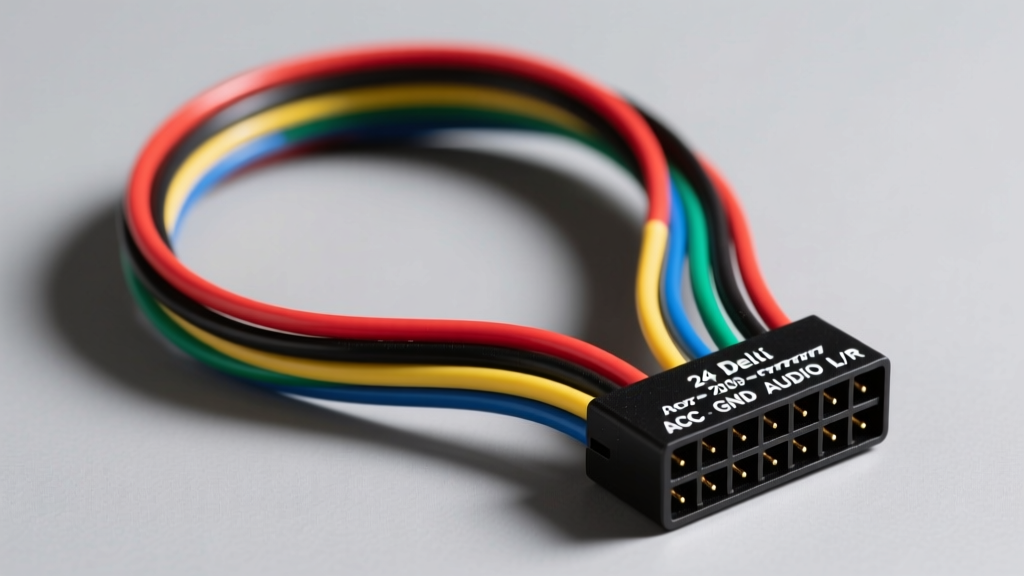
The factory head unit connects to the vehicle's main harness via a Delphi (now Aptiv) GT 150 series 24-pin connector. This connector is physically divided into two 12-pin cavities, commonly referred to as C1 (Speaker Outputs) and C2 (Power, Ground, and Data). Understanding the specific wire color codes, American Wire Gauge (AWG) ratings, and pin configurations is critical for diagnosing audio faults, retaining Retained Accessory Power (RAP), and safely integrating aftermarket interfaces without triggering BCM diagnostic trouble codes (DTCs).
Main Radio Harness Pinout: C1 Connector (Speaker Outputs)
The C1 side of the 24-pin Delphi connector is dedicated exclusively to high-level speaker outputs for the base audio system (RPO UQA). If the vehicle is equipped with the premium Monsoon audio system (RPO UQ4), these pins carry low-level (line-level) analog signals to the trunk-mounted amplifier instead of driving the speakers directly. The speaker wires are typically 18 AWG, stranded copper, designed to handle up to 45 watts per channel from the internal head unit amplifier.
| Pin | Function | OEM Wire Color | AWG | Notes |
|---|---|---|---|---|
| 1 | Left Rear Speaker (+) | Brown | 18 | High-level output (Base Audio) |
| 2 | Left Front Speaker (+) | Tan | 18 | High-level output (Base Audio) |
| 3 | Right Front Speaker (+) | Light Green | 18 | High-level output (Base Audio) |
| 4 | Right Rear Speaker (+) | Dark Blue | 18 | High-level output (Base Audio) |
| 5 | Left Rear Speaker (-) | Yellow | 18 | Do not ground to chassis |
| 6 | Left Front Speaker (-) | Gray | 18 | Do not ground to chassis |
| 7 | Right Front Speaker (-) | Dark Green | 18 | Do not ground to chassis |
| 8 | Right Rear Speaker (-) | Light Blue | 18 | Do not ground to chassis |
| 9-12 | Reserved / Not Used | N/A | N/A | Empty cavities on most trims |
Warning: Never ground the negative speaker wires (Pins 5-8) to the vehicle chassis. The 2009 Cobalt uses a bridged (BTL) amplifier configuration internally. Grounding a negative speaker wire will short the amplifier IC, resulting in immediate thermal shutdown or permanent destruction of the head unit's audio output stage.
Main Radio Harness Pinout: C2 Connector (Power, Data & Accessories)
The C2 cavity handles the radio's power distribution, chassis ground, illumination, and critical serial data networks. The power and ground circuits utilize 16 AWG wire to minimize voltage drop under load, while data and signal circuits step down to 20-22 AWG.
| Pin | Function | OEM Wire Color | AWG | Notes |
|---|---|---|---|---|
| 1 | Battery Constant (B+) | Orange | 16 | Fused via BCM / Underhood fuse block |
| 2 | Chassis Ground | Black/White | 16 | Grounded at G200 (center console) |
| 3 | Ignition (RUN/ACC) | Yellow | 18 | Switched 12V from IGN relay |
| 4 | Illumination / Dimmer | Brown/White | 20 | PWM dimming signal from BCM |
| 5 | Amp Turn-On / Power Ant | Pink | 20 | 12V output when radio is ON |
| 6 | GMLAN Serial Data | Light Green | 22 | CAN-Bus communication to BCM |
| 7 | Steering Wheel Controls | Gray/Black | 22 | Analog resistance ladder signal |
| 8 | OnStar Audio Mute | Dark Green/White | 22 | Pulls low to mute audio during calls |
| 9 | Vehicle Speed Sensor (VSS) | Purple/White | 22 | Pulse signal for speed-compensated volume |
| 10-12 | Reserved / Auxiliary | N/A | N/A | Used for satellite radio (RPO U2K) |
GMLAN Integration and Chime Retention
A defining characteristic of the 2009 Chevy Cobalt's electrical system is its reliance on GMLAN. According to SAE network standards and GM's proprietary adaptations, the Light Green wire on Pin 6 of the C2 connector is the GMLAN serial data line. The BCM uses this line to send digital commands to the radio to play specific audio files (chimes) through the left front speaker when a door is ajar, a seatbelt is unbuckled, or the turn signals are active.
When replacing the factory radio with an aftermarket unit, simply cutting and splicing the 12V power wires will result in the loss of all vehicle warning chimes, which is a severe safety hazard and a DOT compliance issue in many regions. Furthermore, the BCM will log a U-code (Network Communication DTC) for the missing radio node. To resolve this, installers must use a CAN-bus interface module (such as the Axxess GMOS-LAN-04 or PAC RP5-GM11). This module intercepts the GMLAN data, translates the BCM chime commands, and generates the audio tones via a built-in piezoelectric speaker or routes them to the aftermarket amplifier's RCA inputs.
Premium Audio System: Monsoon Amplifier (RPO UQ4)
If the 2009 Cobalt is equipped with the premium Monsoon audio system, the wiring paradigm shifts. The factory head unit acts strictly as a pre-amplifier and source controller. The high-level speaker outputs on the C1 connector are replaced by low-level, unbalanced analog signals. These signals travel to a dedicated 7-channel amplifier located in the trunk, behind the driver-side rear quarter panel trim.
- Amplifier Power: The trunk amplifier requires a dedicated 12 AWG constant power feed from the battery, fused at 30A, and a heavy-gauge ground to the chassis.
- Turn-On Circuit: The Pink wire (Pin 5 on C2) provides a 12V, 250mA trigger signal to wake the amplifier from standby mode.
- Signal Degradation: Because the low-level signals travel over 10 feet through the vehicle's floor pan harness, they are susceptible to electromagnetic interference (EMI) from the fuel pump and ignition coils. If a whining noise is present that correlates with engine RPM, technicians should inspect the amplifier ground point for corrosion and ensure the RCA/signal lines are not routed parallel to the vehicle's main power cables.
Steering Wheel Controls (SWC) Diagnostics
The 2009 Cobalt utilizes an analog resistance ladder for steering wheel audio controls, routed via the Gray/Black wire on Pin 7 of the C2 connector. Unlike modern vehicles that multiplex SWC inputs over the CAN-bus, the Cobalt's clock spring outputs varying DC voltages depending on which button is pressed. For example, pressing 'Volume Up' might drop the voltage to 2.5V, while 'Seek Down' drops it to 1.2V. Aftermarket interfaces read this voltage drop to trigger the corresponding infrared or hardwired command to the new head unit. If SWC functions become erratic or unresponsive, the issue is rarely the radio; it is almost always a failing clock spring ribbon cable or oxidized contacts inside the steering wheel switch pod.
Common Wiring Faults & Diagnostic Procedures
When diagnosing electrical faults related to the 2009 Chevy Cobalt radio wiring diagram, follow this symptom-cause-fix decision tree based on Helm Incorporated GM Factory Service Manuals:
Symptom: Radio Does Not Power On (Dead Display)
- Cause 1: Blown RAP (Retained Accessory Power) fuse in the underhood fuse block. The Cobalt's radio is powered via the RAP relay, which keeps the radio alive until the driver door is opened.
- Cause 2: High resistance on the Black/White ground wire (Pin 2) at ground node G200.
- Fix: Test for 12V at Pin 1 (Orange) and Pin 3 (Yellow) with a digital multimeter (DMM). Perform a voltage drop test on the ground circuit. If voltage drop exceeds 0.1V, clean and retorque the G200 ground stud.
Symptom: Battery Drain Overnight (Parasitic Draw)
- Cause: The aftermarket radio interface module is failing to go to sleep when the GMLAN bus goes quiet, or the Orange constant 12V wire was mistakenly swapped with the Yellow switched ignition wire during installation.
- Fix: Verify the Orange wire has constant 12V and the Yellow wire only has 12V in the RUN/ACC positions. If an interface module is installed, ensure its 'Sleep' logic is correctly configured to detect the GMLAN shutdown sequence.
Symptom: Audio Cuts Out Over Bumps
- Cause: Backed-out terminals in the Delphi GT 150 connector. The tangs on these specific terminals are prone to fatigue over time, especially if the harness was pulled tight during a previous installation.
- Fix: Perform a 'pull test' on each wire at the back of the 24-pin connector. Use a Delphi terminal extraction tool to remove, inspect, and re-tension the female terminal tangs before reinserting them into the connector housing.
For comprehensive fitment data and aftermarket integration solutions, installers frequently cross-reference the Crutchfield Vehicle Fit Database to ensure the chosen CAN-bus decoder matches the specific RPO codes of the 2009 Cobalt build.