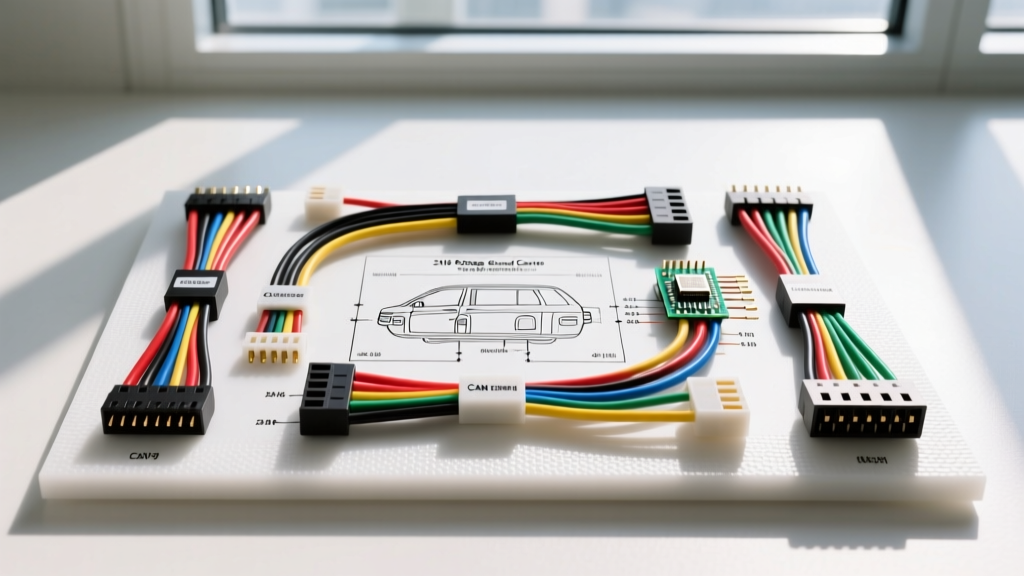
Understanding the 2016 Dodge Grand Caravan Radio Wiring Diagram
Upgrading or troubleshooting the infotainment system in the 2016 Dodge Grand Caravan requires more than just matching wire colors. As part of Chrysler's RT platform, the 2016 model relies heavily on the Totally Integrated Power Module (TIPM) and a multiplexed CAN bus network to manage power distribution and module wake-up signals. If you are searching for a reliable 2016 Dodge Grand Caravan radio wiring diagram, you must understand that the factory Uconnect system does not use a traditional 12V accessory ignition wire. Instead, the radio is 'woken up' via digital data messages sent over the Interior High-Speed (IHS) CAN bus.
This complete walkthrough provides professional automotive electricians and DIY enthusiasts with the exact pinout configurations, wire color codes, AWG specifications, and integration strategies required to safely bypass or retain the factory audio system. Whether you are dealing with the base 4-speaker Uconnect 5.0 or the premium 8.4-inch Uconnect system with the external Alpine amplifier, this guide covers the critical electrical architecture.
The Role of the TIPM and CAN IHS Bus
Before cutting or splicing any wires, it is vital to understand how the 2016 Grand Caravan routes power. According to ALLDATA DIY service documentation, the TIPM acts as the central gateway for all power distribution. The radio receives constant 12V+ battery power directly from the TIPM, but it will not turn on without the CAN IHS wake-up signal.
The CAN IHS (Interior High Speed) bus operates at approximately 125 kbps and connects the radio, steering wheel controls, climate control module, and the instrument cluster. If you are installing an aftermarket head unit, a simple hardwired harness will result in a dead radio or a parasitic battery drain. You must use a CAN bus interface module (such as the iDatalink Maestro RR or PAC RP4-CH11) to translate the digital CAN wake-up message into a standard 12V analog accessory signal for the aftermarket stereo.
Primary 22-Pin OEM Radio Harness Pinout
The 2016 Dodge Grand Caravan utilizes a standard Chrysler 22-pin connector (often referred to as the C1 connector) for primary power, ground, and data. Below is the definitive pinout chart for the OEM harness. Wire gauges typically range from 18 AWG for power and ground to 22 AWG for data and signal lines.
| Pin Number | Function | OEM Wire Color | AWG Size | Notes / Interface Requirements |
|---|---|---|---|---|
| 1 | CAN IHS (+) | Pink / Yellow | 22 | High-side data. Required for radio wake-up and SWC. |
| 2 | CAN IHS (-) | Pink / White | 22 | Low-side data. Do not ground this wire. |
| 7 | Fused B+ (Constant 12V) | Red / White | 16 | Direct from TIPM. Handles memory and main power draw. |
| 13 | Chassis Ground | Black / Light Green | 16 | Routes to ground point G204 behind the dash. |
| 14 | Illumination (Analog) | White / Orange | 22 | Often inactive on Uconnect; dimming handled via CAN. |
| 22 | Accessory 12V (Run/Start) | Yellow / Red | 18 | Present on some trims, but CAN wake is primary. |
Note: When testing the CAN bus lines with a digital multimeter (DMM), you should read approximately 2.5V to 2.6V on CAN (+) and 2.4V to 2.5V on CAN (-) relative to chassis ground when the vehicle is awake. Furthermore, checking the resistance across Pin 1 and Pin 2 with the battery disconnected should yield exactly 60 ohms, indicating healthy bus termination resistors.
Speaker Wire Color Codes and Routing
The base audio system in the 2016 Grand Caravan features four full-range door speakers driven directly from the head unit's internal 4x20W amplifier. The wiring utilizes standard Chrysler color-coding. If you are using a CAN bus interface, the module will usually provide standard EIA color-coded outputs. However, if you are hardwiring or troubleshooting the OEM harness, refer to the chart below.
| Speaker Location | Positive (+) Wire Color | Negative (-) Wire Color |
|---|---|---|
| Left Front Door | Dark Green | Dark Green / White |
| Right Front Door | Purple | Purple / White |
| Left Rear Sliding Door | Brown / Red | Brown |
| Right Rear Sliding Door | Dark Blue | Dark Blue / White |
Expert Tip: The factory speaker wires are typically 18 AWG. If you are upgrading to high-power aftermarket component speakers (running 75W+ RMS), you should pull new 16 AWG oxygen-free copper (OFC) speaker wire directly from the amplifier to the doors. The factory wiring through the door jam boots can suffer from fatigue and micro-fractures over time due to the constant articulation of the Grand Caravan's heavy sliding and hinged doors.
Integrating the Premium Alpine Amplifier
If your 2016 Grand Caravan is equipped with the premium 9-speaker Alpine system (including the 8.4-inch Uconnect screen), the head unit does not power the speakers directly. Instead, it sends low-level analog preamp signals to an external amplifier located in the rear left quarter panel.
To bypass the factory amplifier and use an aftermarket head unit's RCA preouts, you must intercept the low-level inputs at the amplifier plug rather than at the back of the radio. The amplifier requires a dedicated 12V remote turn-on signal. Because the OEM radio does not output a traditional blue/white remote wire, your CAN bus interface module must be configured to output a 12V accessory signal to trigger the factory amp if you choose to retain it, or you must run a new remote turn-on wire from your interface module to your new aftermarket amplifier.
Antenna and GPS Connections
The 2016 model uses a FAKRA Z (female) connector for the primary AM/FM antenna, which includes an integrated low-noise amplifier (LNA) powered by 12V from the head unit. When installing an aftermarket radio, you must use a FAKRA Z to Motorola male adapter cable. Furthermore, the adapter must include a 12V tap to power the factory antenna amplifier; without this, AM/FM reception will be virtually non-existent.
For navigation-equipped models, the GPS antenna uses a separate, smaller FAKRA connector (usually color-coded blue or black). Retaining the factory GPS antenna requires a specific FAKRA to SMA adapter to connect to the back of an aftermarket navigation unit.
Common Failure Modes and Troubleshooting Steps
When diagnosing electrical faults related to the 2016 Dodge Grand Caravan radio wiring diagram, follow these expert troubleshooting trees:
Symptom: Radio is Completely Dead (No Lights, No Fan)
- Step 1: Check TIPM fuses J12 (20A) and M28 (15A) located in the under-hood fuse box.
- Step 2: Verify 12V constant power at Pin 7 (Red/White) using a DMM. If 0V, trace for a broken wire between the TIPM and the dash harness.
- Step 3: Check ground continuity at Pin 13 (Black/Light Green). A poor connection at ground point G204 (located on the lower left A-pillar) is a notorious failure point on the RT platform.
Symptom: Radio Powers On but Uconnect is Stuck in a Reboot Loop
- Step 1: Perform a hard reset by pressing and holding the Volume and Tuner/Scroll knobs simultaneously for 15 seconds.
- Step 2: If the loop persists, check the CAN IHS bus termination. A resistance reading other than 60 ohms across Pins 1 and 2 indicates a shorted module or broken wire on the bus network, causing data packet collisions that crash the Uconnect processor.
- Step 3: Inspect the USB hub wiring in the center console. A shorted 5V USB power line can backfeed into the radio's data bus, causing continuous kernel panics.
Professional Installation and Wire Management
When removing the factory Uconnect unit, start by carefully prying off the upper dash bezel using a nylon trim removal tool. The 2016 Grand Caravan bezel is held in place entirely by metal spring clips—there are no hidden screws. Once the bezel is removed, you will expose four 7mm screws securing the radio chassis to the metal sub-dash.
Always use a high-quality CAN bus interface like those recommended by Crutchfield vehicle-specific fitment guides to retain steering wheel controls (SWC), backup camera guidelines, and parking sensor chimes. The 2016 Grand Caravan routes the backup camera video signal via a standard composite RCA connection, but the trigger signal is sent over the CAN bus. Without a proper interface, the aftermarket screen will not know when the vehicle is shifted into reverse.
Finally, adhere to SAE J2284 CAN bus physical layer standards when routing new data wires. Keep CAN bus twisted pairs away from high-current amplifier power cables to prevent electromagnetic interference (EMI), which can cause erratic gauge cluster behavior or random radio shutdowns. Secure all harnesses with Tesa tape to prevent rattles behind the Uconnect screen, ensuring a clean, factory-grade finish for your electrical upgrade.