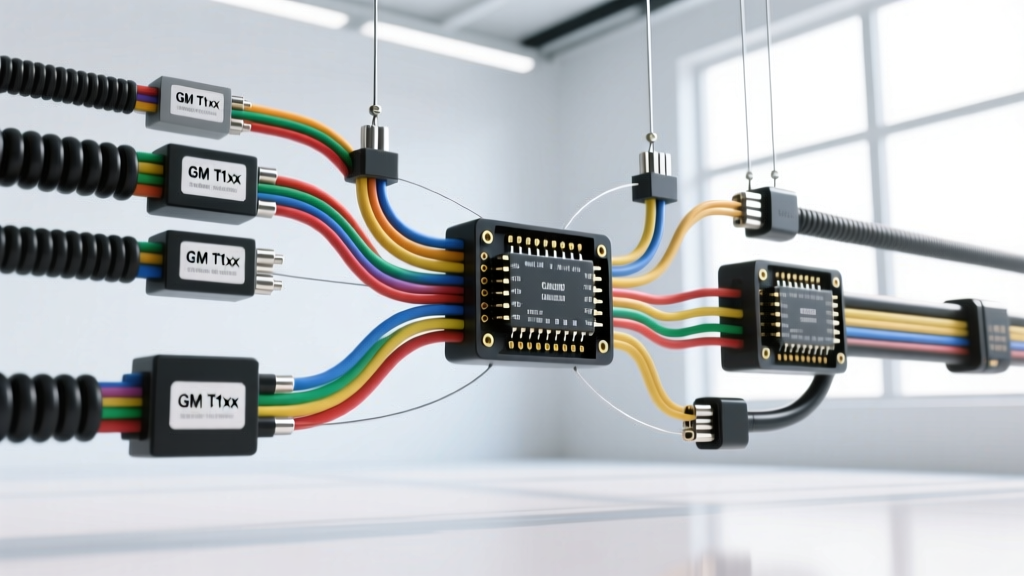
The Shift from Static PDFs to Interactive Wiring Diagram Software
Modern light-duty trucks and SUVs are no longer simple mechanical machines; they are rolling data centers. A late-model full-size pickup can contain over three miles of copper wiring, communicating across multiple Controller Area Network (CAN), Local Interconnect Network (LIN), and FlexRay buses. In this environment, static PDF wiring schematics are virtually obsolete for advanced diagnostics. Tracing a localized CAN-C bus fault or a parasitic draw caused by a failing LIN slave module requires dynamic, multi-layered data. This is where interactive wiring diagram software becomes an indispensable asset for the professional automotive electrical technician.
Unlike flat diagrams, interactive platforms (such as OEM-specific diagnostic suites or advanced aftermarket systems like Mitchell 1 ProDemand and Identifix) allow technicians to click directly from a Diagnostic Trouble Code (DTC) to the exact circuit, view 3D connector pinouts, and trace network topology from the gateway module to the furthest node. This deep dive explores how to utilize interactive wiring diagram software to diagnose complex multiplex networks, using the High-Speed GMLAN architecture on the GM T1xx platform (2019+ Silverado/Sierra) as our technical baseline.
Core Capabilities of Modern Interactive Schematic Platforms
When diagnosing a U-code (Network Communication DTC), the primary challenge is isolating the physical layer fault from a logical module failure. Interactive wiring diagram software bridges this gap through several advanced features:
Dynamic Connector Pinout Overlays and 3D Mapping
Modern ECUs utilize high-density connectors, such as the Delphi GT 150 or Metri-Pack 280 series, often featuring 60 to 120+ cavities. Interactive software provides cavity-by-cavity 3D renderings. When a technician hovers over a specific wire in the schematic, the software highlights the exact terminal cavity, wire color, and AWG specification, eliminating the guesswork of probing the wrong pin and risking an airbag deployment or ECU short.
DTC-to-Schematic Hyperlinking
Advanced platforms link specific U-codes directly to the network topology map. If a U0100 (Lost Communication with ECM) is set, the software instantly highlights the CAN-High and CAN-Low lines feeding the Engine Control Module, displaying the exact splice packs, inline connectors, and termination resistor locations along that specific branch.
Deep Dive: Tracing High-Speed GMLAN on the GM T1xx Platform
To understand the practical application of interactive wiring diagram software, we must examine a real-world network. The GM T1xx platform utilizes a Chassis Gateway Module (CGM) to route high-speed data between the powertrain, chassis, and infotainment networks. The High-Speed GMLAN (GMLAN-HS) operates at 500 kbps, adhering to SAE J2284 standards for high-speed CAN implementations.
When diagnosing a GMLAN-HS fault, technicians use interactive software to locate the CGM X1 connector, which houses the primary network trunks. Below is the critical pinout data for the CGM X1 connector, detailing the physical layer specifications required for oscilloscope breakout testing.
| Cavity | Circuit | Function | Wire Color | Wire Size (AWG/mm²) | Terminal Type |
|---|---|---|---|---|---|
| X1-14 | 5018 | GMLAN-HS High (CAN-H) | Dark Green (D-GN) | 20 AWG / 0.50 mm² | Delphi GT 150 Female |
| X1-15 | 5019 | GMLAN-HS Low (CAN-L) | Dark Green/White (D-GN/WH) | 20 AWG / 0.50 mm² | Delphi GT 150 Female |
| X1-1 | 1490 | Ignition 1 Voltage | Pink (PK) | 16 AWG / 1.30 mm² | Metri-Pack 280 Female |
| X1-41 | 150 | Battery Positive Voltage | Red (RD) | 12 AWG / 3.00 mm² | Metri-Pack 280 Female |
| X1-42 | 250 | Ground | Black (BK) | 12 AWG / 3.00 mm² | Metri-Pack 280 Female |
Step-by-Step Network Topology Isolation
Using professional interactive wiring diagram software, a technician diagnosing a total GMLAN-HS shutdown will follow this software-guided workflow:
- Topology Review: The software displays the network as a linear bus with the CGM and the Engine Control Module (ECM) acting as the two 120-ohm termination points. Total network resistance should measure exactly 60 ohms across pins X1-14 and X1-15 with the battery disconnected.
- Splice Pack Identification: The schematic highlights the physical location of the GMLAN splice packs (often located behind the left kick panel or under the driver seat). The software provides removal procedures for the harness tape and corrugated loom without damaging the 0.50 mm² twisted pair.
- Breakout Integration: The technician inserts a CGM X1 breakout box. The interactive software provides the baseline oscilloscope waveforms: CAN-H resting at 2.5V and peaking at 3.5V; CAN-L resting at 2.5V and dropping to 1.5V during dominant bit transmission.
Advanced Troubleshooting: Parasitic Draw and Module Wake-Up
One of the most difficult faults to diagnose is a parasitic draw caused by a module failing to enter sleep state due to corrupted network messaging. Interactive wiring diagram software is critical here for mapping the "wake-up" circuits.
On many modern architectures, a specific LIN bus or hardwired serial data line acts as the wake-up signal. For example, the Body Control Module (BCM) may send a 12V wake-up pulse to the Telematics Communication Interface Control Module (TCICM) via a dedicated circuit. If the TCICM has an internal short, it will continuously pull the network high, preventing the bus from sleeping and resulting in a 400mA to 800mA parasitic draw that kills the battery overnight.
By using the software's "Module Sleep/Wake" schematic view, technicians can identify exactly which circuits must be monitored with a low-amp clamp and a PicoScope. The software will list the expected sleep-state current for each node (typically 10mA to 30mA per module), allowing the technician to mathematically calculate the expected total parasitic draw (usually under 50mA total on modern trucks) and isolate the offending branch.
Diagnostic Decision Tree: CAN-C Bus Short to Ground
When interactive software indicates a U0073 (Control Module Communication Bus Off) and the oscilloscope shows CAN-H pulled down to 0V, follow this software-guided decision tree:
- Symptom: CAN-H shorted to ground. Network down. DTC U0073 set in multiple modules.
- Step 1 (Software Action): Use the software to identify the central splice pack for the CAN-H trunk. Disconnect the splice pack to divide the network in half.
- Step 2 (Measurement): Measure resistance to ground on both halves of the CAN-H circuit using a DMM.
- Branch A (Resistance < 5 ohms): The short is on this half. Use the software's harness routing diagram to locate the nearest inline connector (e.g., X300 near the transmission bellhousing). Disconnect and re-test to isolate the harness segment.
- Branch B (Resistance > 10k ohms): The short is on the opposite half. Repeat the bisection process.
- Step 3 (Module Isolation): If the harness tests open to ground, the short is internal to a node. Use the software's node list to sequentially unpin modules (starting with high-failure-rate modules like the ABS control module or steering angle sensor) until the network resistance returns to normal.
Industry Standards and Best Practices
When utilizing interactive wiring diagram software, technicians must ensure their software database is updated to the latest OEM calibration and harness revision levels. Automakers frequently issue Technical Service Bulletins (TSBs) that include revised wiring harnesses with updated splice pack locations or upgraded wire gauges (e.g., moving from 20 AWG to 18 AWG for improved voltage drop characteristics on high-current sensor grounds).
Furthermore, all diagnostic procedures involving network termination resistors and differential signaling must comply with OEM service information standards and SAE J1939/J2284 protocols. Never use a test light on a CAN bus, and always use high-impedance digital multimeters (minimum 10 Megohms) or automotive-grade oscilloscopes when probing the delicate 0.50 mm² twisted pair wiring found in modern multiplex networks. By combining the physical precision of a PicoScope with the logical mapping of interactive wiring diagram software, technicians can confidently diagnose and repair the most complex electrical faults in today's advanced vehicle platforms.