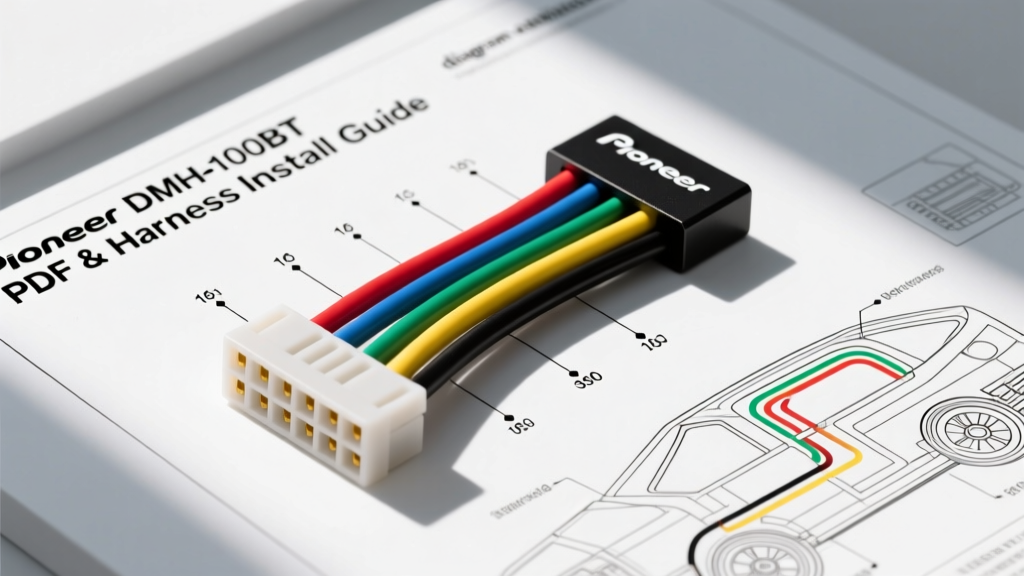
Mastering the Pioneer DMH-100BT Wiring Diagram
Upgrading your vehicle's audio system with the Pioneer DMH-100BT digital media receiver is an excellent way to gain Bluetooth connectivity, a responsive 6.2-inch touchscreen, and USB audio playback without the complexity of a CD mechanism. However, a successful installation hinges entirely on understanding the head unit's electrical requirements. Many DIY installers search for a 'Pioneer DMH-100BT wiring diagram PDF' only to find blurry scans or incomplete schematics. This comprehensive guide replaces the need for a separate PDF download by providing a fully detailed, text-based schematic, exact wire color codes, AWG specifications, and a practical step-by-step installation methodology.
The DMH-100BT utilizes Pioneer's standard 16-pin ISO-style aftermarket harness. While the unit is relatively low-draw compared to high-powered built-in amplifier models, proper power delivery and grounding are critical to prevent Bluetooth dropouts, touchscreen lag, and alternator whine. Below, we break down the exact pinout configuration and provide expert-level integration strategies for both older analog vehicles and modern CAN-bus equipped cars and trucks.
Pioneer DMH-100BT 16-Pin Harness Pinout Table
The following table details the standard Pioneer 16-pin harness. When adapting this to your vehicle's OEM wiring via a Metra or Axxess T-harness, these color codes are your absolute reference point. Always verify with a digital multimeter (DMM) before making final connections.
| Wire Color | Function | AWG Size | Technical Notes & Best Practices |
|---|---|---|---|
| Yellow | +12V Constant (Memory) | 16 AWG | Connects to constant 12V source. Protected by a 15A inline fuse. Do not bypass this fuse. |
| Red | +12V Accessory (Switched) | 16 AWG | Triggers the unit on/off. Must read 0V when key is off to prevent battery drain. |
| Black | Chassis Ground | 16 AWG | Must connect to a clean, unpainted metal surface. Do not rely solely on the OEM harness ground. |
| Blue/White | Amp Turn-On / Power Antenna | 18 AWG | Outputs +12V when unit is on. Max current is 200mA. Use a relay for multiple amplifiers. |
| White / White-Black | Front Left Speaker (+/-) | 18 AWG | Ensure proper polarity. Black stripe indicates negative. |
| Gray / Gray-Black | Front Right Speaker (+/-) | 18 AWG | Out of phase wiring will result in severe bass cancellation. |
| Green / Green-Black | Rear Left Speaker (+/-) | 18 AWG | Verify OEM wire colors; many modern cars use non-standard speaker wire colors. |
| Purple / Purple-Black | Rear Right Speaker (+/-) | 18 AWG | Test with a 9V battery to confirm speaker cone movement (polarity) before soldering. |
Understanding Wire Gauge and SAE J1128 Standards
The Pioneer DMH-100BT harness is manufactured using 16 AWG stranded copper for power and ground, and 18 AWG for speaker outputs. According to SAE J1128 standards for Low Tension Primary Cable, 16 AWG wire is rated for up to 15 amps in standard automotive under-hood temperatures, which is more than sufficient for the DMH-100BT's typical 10-amp maximum draw. However, if you are running an extended power wire from the battery to bypass a noisy OEM fuse box, you must upgrade to 14 AWG or 12 AWG to mitigate voltage drop over the longer distance. Never use solid core wire for automotive applications; the constant vibration of the vehicle will cause solid core wire to fatigue and snap. Always use high-strand-count oxygen-free copper (OFC) stranded wire.
Step-by-Step Installation Guide
Step 1: Preparation and OEM Harness Integration
Before touching any wires, disconnect the negative terminal of your vehicle's battery and wait 10 minutes to allow the airbag capacitors and ECU to depower. Remove the factory radio using the appropriate DIN tools or trim pry bars. Once the OEM harness is exposed, do not cut the factory plugs. Cutting OEM wiring destroys resale value and creates long-term reliability issues due to vibration-induced crimp failures.
Instead, purchase a vehicle-specific wiring interface (such as a Metra 70-series or Axxess harness). These adapters plug directly into your car's factory connector and provide bare wires that perfectly match the Pioneer color codes. For modern vehicles (2015 and newer) equipped with CAN-bus systems, you may need a data interface module (like the iDatalink Maestro or PAC RP4) to retain factory chimes, backup cameras, and steering wheel controls, though you must read the 'Limitations' section below regarding the DMH-100BT.
Step 2: Power, Ground, and the Memory Circuit
Connect the Pioneer Yellow wire to the adapter's constant 12V memory wire, and the Pioneer Red wire to the switched 12V accessory wire. If you are hardwiring directly to the vehicle's fuse box (not recommended for beginners), use a multimeter to verify which fuse is hot at all times (Yellow) and which is hot only in the 'ACC' or 'RUN' positions (Red).
The Grounding Rule: While the OEM harness will have a ground wire, the most common cause of alternator whine and Bluetooth audio stuttering in aftermarket head units is a poor ground reference. For the cleanest audio signal, run the Pioneer Black ground wire directly to a bare metal bolt on the vehicle's chassis behind the dashboard. Sand away any paint or rust, use a ring terminal, and secure it tightly. Apply dielectric grease to prevent oxidation.
Step 3: Speaker Wire Phase and Polarity
Connect the 18 AWG speaker wires using solder and marine-grade heat shrink tubing. Avoid using twist-on crimp caps, as they can vibrate loose over time and cause intermittent audio cutouts. Polarity is critical: if you wire the left speaker out of phase with the right speaker, the sound waves will cancel each other out, resulting in a hollow soundstage with zero bass response. Use a digital speaker phase tester or the 'pop test' with a 9V battery to ensure all speaker cones move outward simultaneously when the positive wire touches the positive battery terminal.
Crucial DMH-100BT Limitations & Expert Warnings
As an automotive electrical expert, I must highlight two major limitations of the Pioneer DMH-100BT that frequently trip up DIY installers who rely on generic wiring diagrams:
- No Native Backup Camera Input: Unlike the higher-tier NEX series, the DMH-100BT does not feature an RCA or proprietary backup camera input, nor does it have a reverse trigger wire. If your vehicle has a factory backup camera, you will lose this functionality unless you install a standalone rear-view mirror monitor or upgrade to a different head unit model.
- No Native Steering Wheel Controls (SWC): The DMH-100BT lacks the 3.5mm SWC input jack and the internal resistor ladder mapping required for steering wheel buttons. Standard PAC or Axxess SWC interfaces will not work with this specific model. You will control the unit exclusively via the touchscreen, Bluetooth voice commands, or the included IR remote.
Troubleshooting Decision Tree
If your installation does not function as expected, use this symptom-cause-fix diagnostic tree before assuming the head unit is defective.
- Symptom: Unit turns on, but resets clock and Bluetooth pairings every time the car is turned off.
Cause: Yellow and Red wires are swapped, or the constant 12V fuse is blown.
Fix: Use a DMM to verify the Yellow wire has 12V with the key completely removed from the ignition. - Symptom: High-pitched whine that increases in pitch with engine RPM (Alternator Whine).
Cause: Ground loop. The head unit ground and the vehicle's audio amplifier ground are at different electrical potentials.
Fix: Route the Black ground wire to a dedicated, sanded chassis point. Ensure RCA cables (if adding an external amp) are not routed parallel to power wires. - Symptom: Bluetooth audio drops out when bass hits hard.
Cause: Voltage drop on the 16 AWG power wire starving the Bluetooth module's processor.
Fix: Upgrade the main power feed from the fuse box to 14 AWG and ensure all inline fuses are clean and tight.
Authoritative References
For further reading on automotive electrical standards and vehicle-specific fitment data, consult the following resources:
- Pioneer Electronics Official DMH-100BT Specifications - For factory manual downloads and firmware updates.
- SAE International J1128 Standard - Guidelines for Low Tension Primary Cable insulation and temperature ratings.
- Crutchfield Vehicle Fit Guide - For identifying the exact Metra/Axxess harness required for your specific make, model, and year.